A gamified productivity tool. Barney keeps you from getting distracted while working or studying by detecting applications and web domains that you deem distracting. Set a timer, work without getting distracted, get rewarded! Supports Windows with Firefox, Edge or Chromium-based browsers.
Uitgavedatum:
Binnenkort verwacht
Ontwikkelaar:
Uitgever:
Tags

Log in om dit item aan je verlanglijst toe te voegen, het te volgen of te negeren

Binnenkort verwacht

Dit item is nog niet beschikbaar

Geïnteresseerd?
Voeg het toe aan je verlanglijst en ontvang een melding wanneer het beschikbaar is.
 

Over deze software

Barney The Owl is a gamified productivity tool. Use this game to help you keep your focus on studies or work on Windows computers. The game has distraction detection capabilities for applications and web domains, as defined by yourself in the filters. Set a timer for how long you want to focus, and collect points after the timer is done. Get rewarded after a focusing session!

Distractions

The game detects open applications and compares them to the user-defined filters. If there is a match, then this application is a distraction, and you should close it to continue being productive and focused. The app detection is done using Windows API features.

The game can also detect web domains if you have our extension enabled. We currently support Firefox, Edge and Chromium-based browsers. The extension monitors newly opened web domains and sends the URL to a localhost port, which then the game matches against the filters. Links to the extensions can be found in the "Filters" scene. You can play without using the browser extensions, but you won't be protected from getting distracted on the internet!

Timer

The timer runs in the background while you work, and periodically checks whether new distractions are opened. If you want to take a break from working you can spend a token to take a 5-minute break. Get more points to spend on rewards by completing a longer focusing session!

Barney

Barney is your focusing companion throughout your sessions. His favourite activity is reading books, he wants to become the wisest owl in the world. Spend your points and give him books to read, can you fill out his bookshelf?

Filters

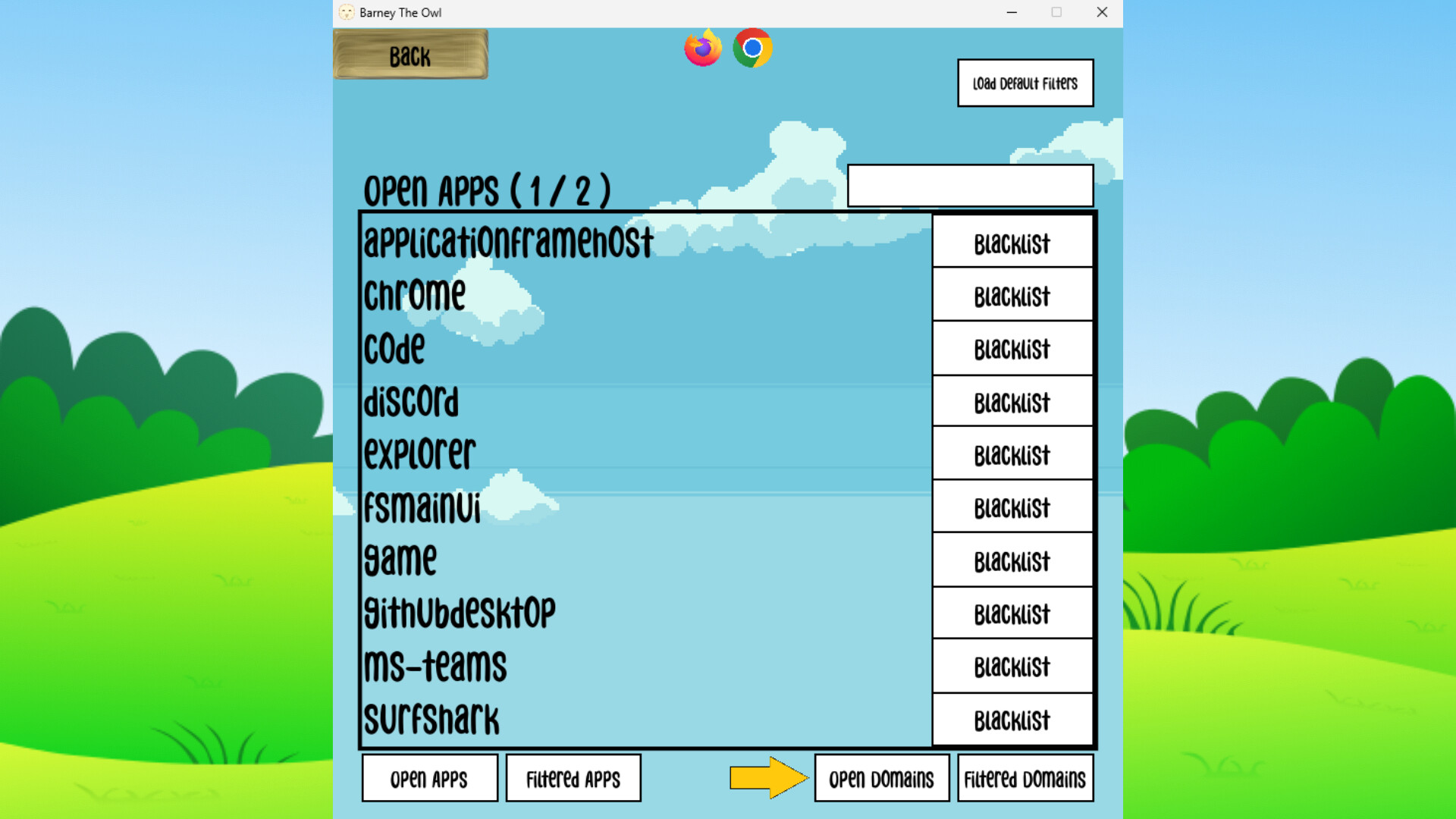
In the "Filters" scene, you can customize what counts as a distraction, both for applications and web domains. You can also see what is currently open, and blacklist those apps or domains you deem distracting. 

Special Thanks

To our collaboration partner YTK Services
To all the team members
To Åbo Akademi

Systeemeisen

    Minimum:
    • Vereist een 64-bitsprocessor en -besturingssysteem
    • Besturingssysteem *: Windows 7 (SP1) / Windows 8.1 / Windows 10
    • Processor: Dual-core 1.6 GHz (Intel Core i3 2nd gen / AMD equivalent)
    • Geheugen: 2 GB RAM
    • Grafische kaart: Integrated graphics (Intel HD 3000 or newer) DirectX 11 compatible GPU
    • Opslagruimte: 200 MB beschikbare ruimte
    • Geluidskaart: Any
    Aanbevolen:
    • Vereist een 64-bitsprocessor en -besturingssysteem
* Vanaf 1 januari 2024 ondersteunt de Steam-client alleen Windows 10 en latere versies.
Er zijn geen recensies voor dit product

Je kunt je eigen recensie voor dit product schrijven om je ervaring met de community te delen. Gebruik het gebied boven de aankoopknoppen op deze pagina om je recensie te schrijven.