Motion controls for VRChat and hundreds of Steam titles. Use webcam-tracked Joy-Cons, PSMove, your smartphone, or VR controllers you already own. Head, hand, and face tracking bring your whole self to VRChat on Desktop. VR mods unlock motion controls for R.E.P.O., Halo 3, and more.

Sign in to add this item to your wishlist, follow it, or mark it as ignored

Buy PortalVR


Reviews

“It's undeniably impressive.”
Beardo Benjo

“Once you get used to the controls [...] this works really incredibly well.”
H ngamers

About This Software

PortalVR Motion — Motion controls for VRChat & Steam.

PortalVR Motion brings motion controls to VRChat and hundreds of titles on Steam, using your smartphone, Joy-Cons, PSMove, or VR controllers. Head, hand, and face tracking bring your whole self to VRChat on Desktop — and community VR mods unlock motion controls in popular flat games like R.E.P.O., Halo 3, and Lethal Company.

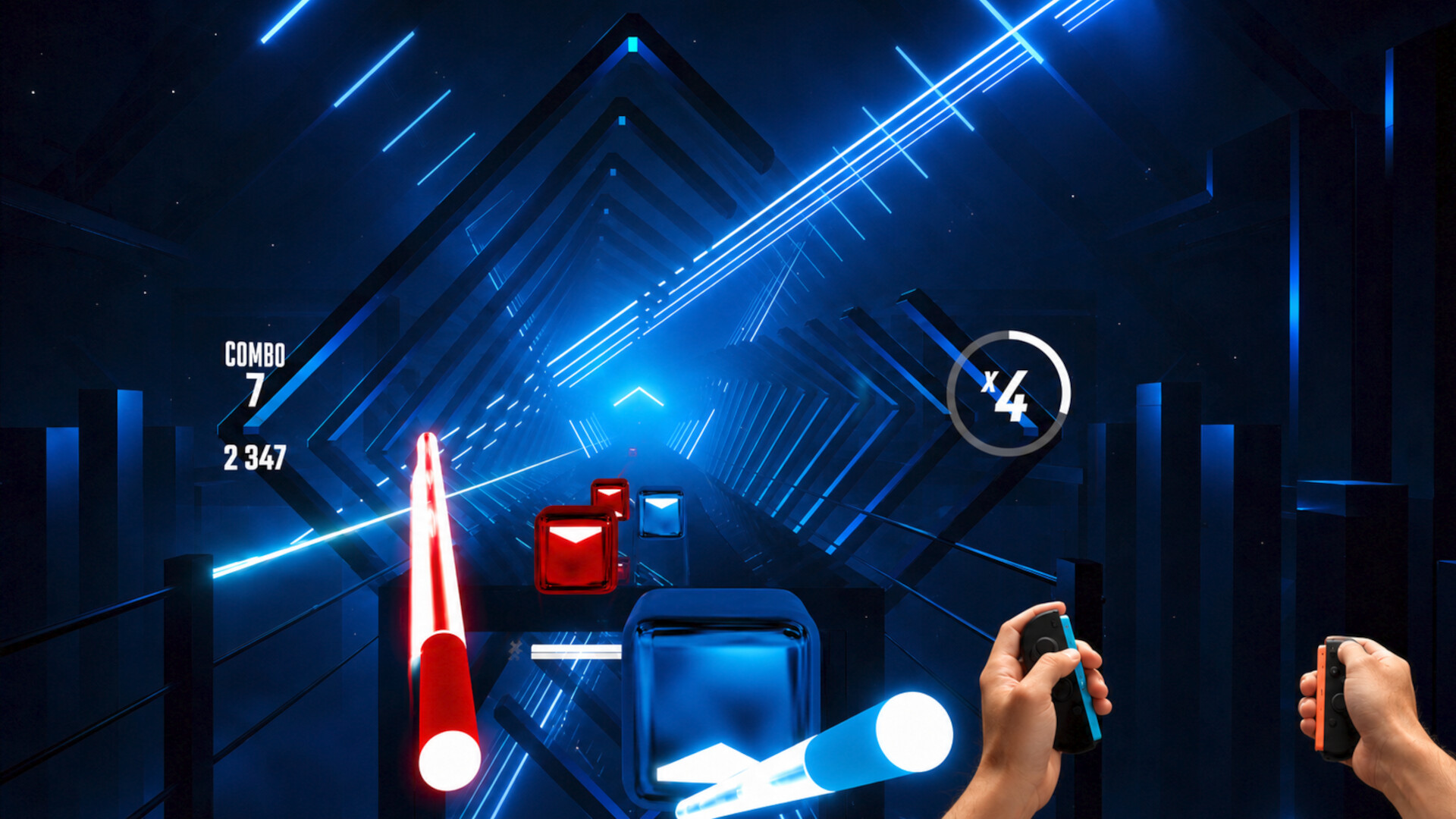
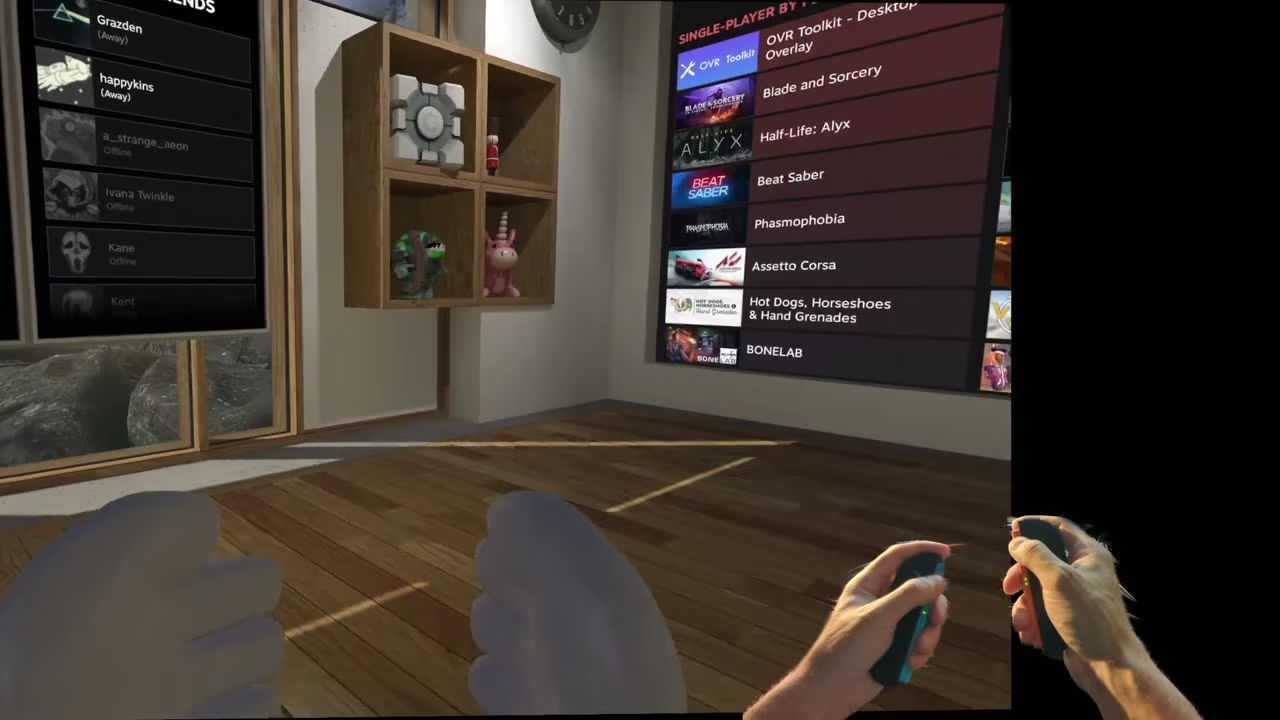
No headset, base stations, or extra trackers required. SteamVR simply sees a pair of normal tracked controllers, so Beat Saber, Half-Life: Alyx, VRChat, and the long tail of indie experiments all respond to natural motion — on the screen you already have.

  • Hand + face tracking in VRChat — your camera drives your avatar live, expressions and all.

  • Your phone is now a motion controller — fully 6 DoF tracked, on Android and iOS.

  • Joy-Cons ready — your webcam tracks Joy-Con 1, Joy-Con 2, or PSMove controllers, with finger tracking.

  • Works with VR controllers — already have a Quest, PICO, or Valve Index? Use their native controllers.

  • VR mods welcome — UEVR and friends add motion controls to hundreds of flat Steam games.

  • No controllers? No problem. A novel mouse + keyboard scheme drives virtual controllers from your desk.

  • True 3D output — XREAL & VITURE AR glasses, the Samsung Odyssey 3D, or any side-by-side (SBS) display.

  • Works with every SteamVR title — registers as a standard SteamVR runtime.

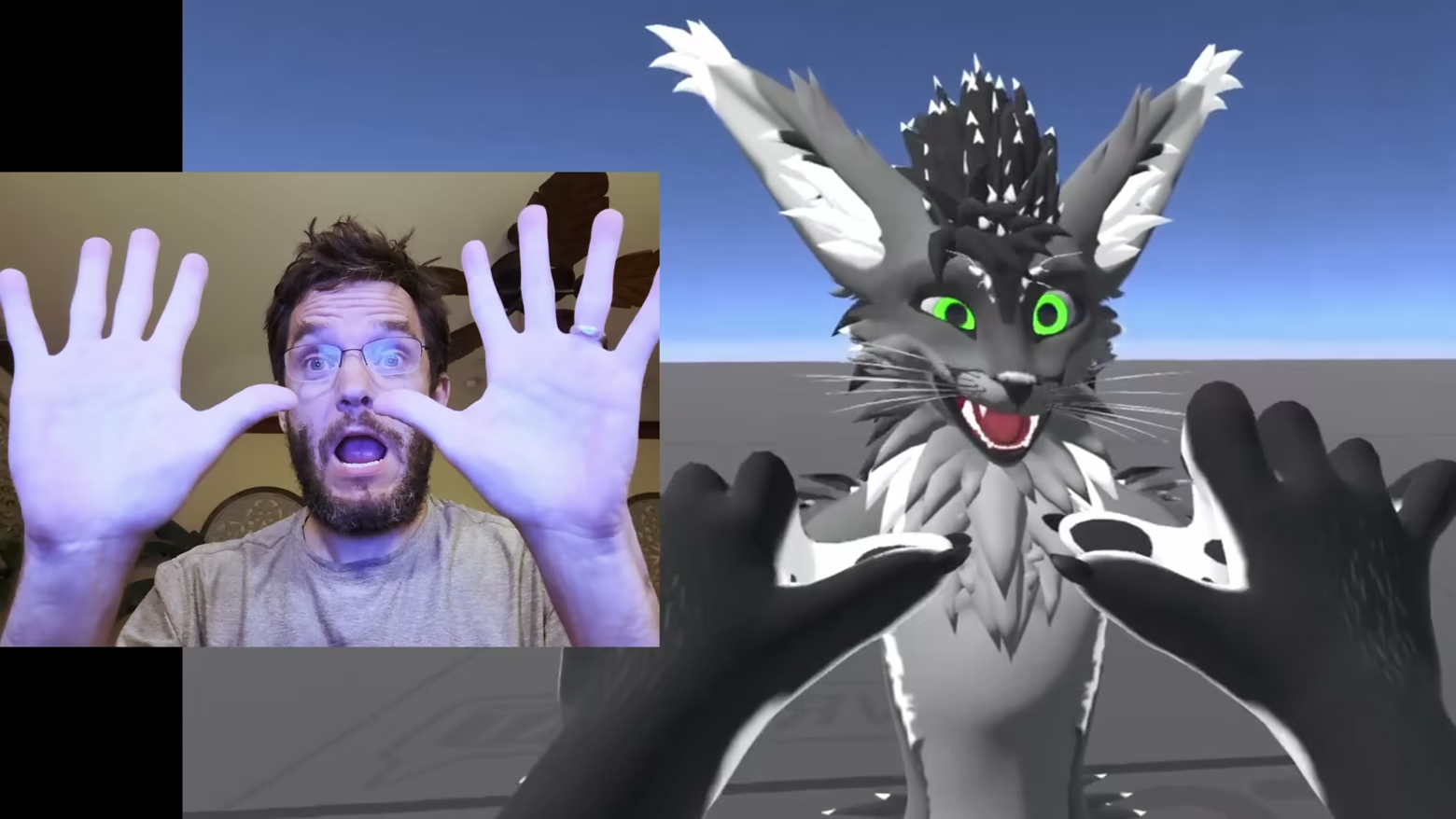
Bring your whole self to VRChat on Desktop

Motion tracks your face, hands, and head with your camera and drives your avatar live in VRChat — no headset required. Grin, wave, and look around, and you show up with every expression intact.

  • Face tracking. Smile, smirk, or drop your jaw and your expressions land on your avatar's face in real time.

  • Full hand tracking. Raise your hands and every finger comes through — and you can move between controllers and hand tracking seamlessly, mid-session.

  • Full head tracking. Your avatar looks where you look, and the view gains true 3D parallax — lean in and the world shifts with you.

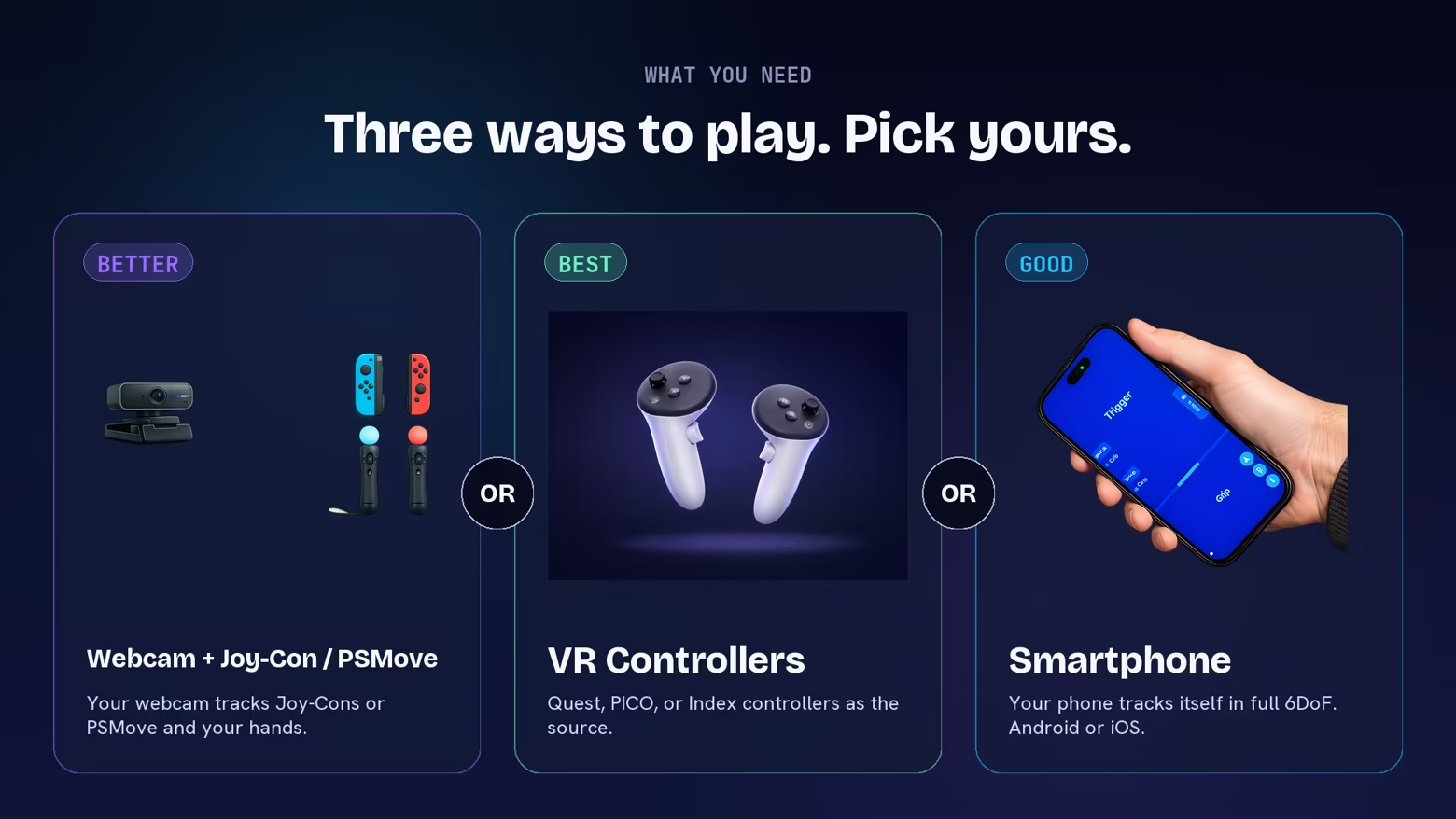
Three ways to play. Pick yours.

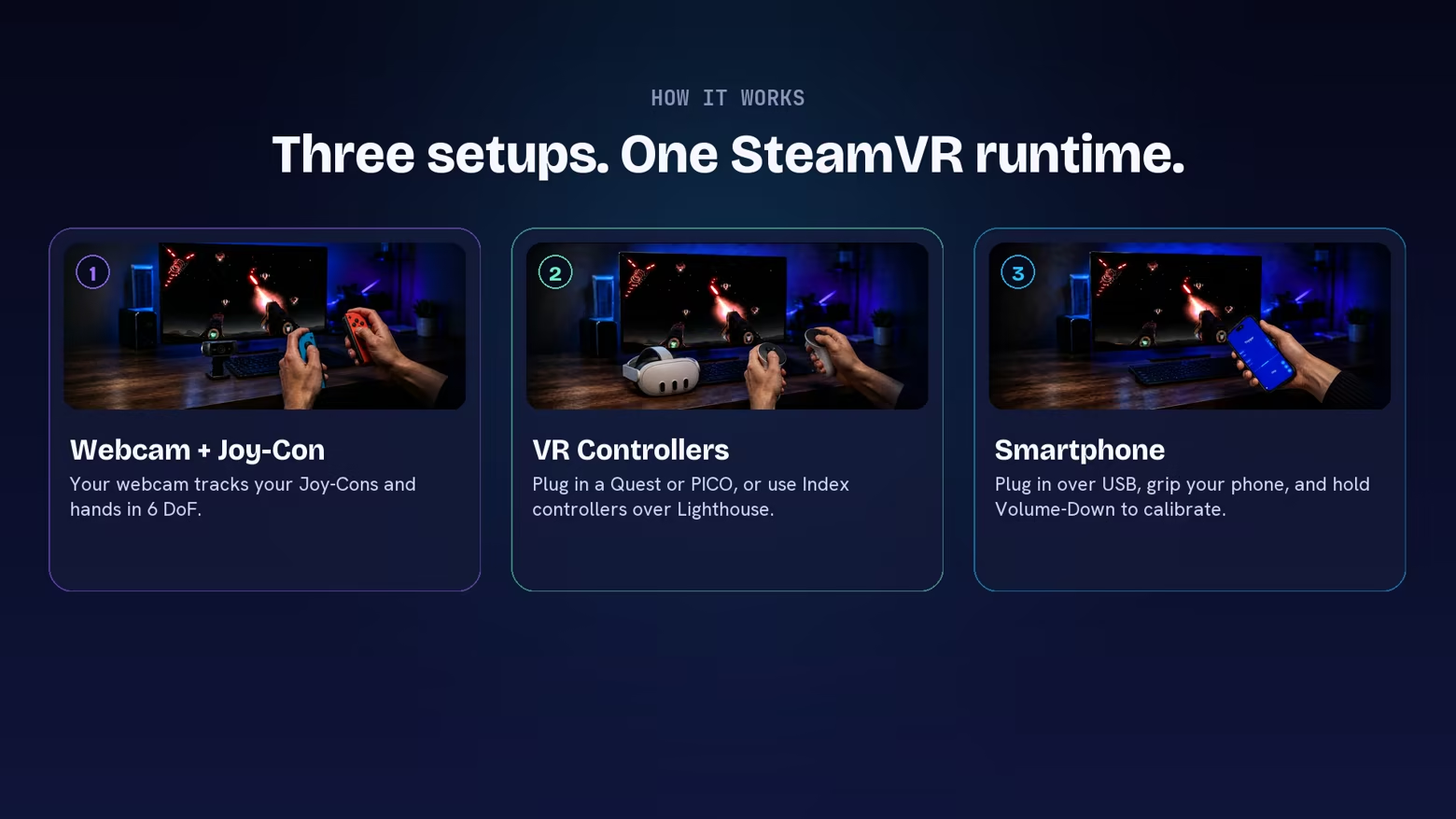
Motion runs on hardware you probably already own. Pair Joy-Cons or PSMove controllers and let your webcam track them, plug in the phone already in your pocket, or bring a VR headset's controllers.

How It Works

However you set up, Motion registers as a SteamVR runtime and hands the game a standard tracked controller. Let your webcam track your Joy-Cons or PSMove controllers, grip your phone and plug in over USB, or bring your own VR controllers — then launch any SteamVR title.

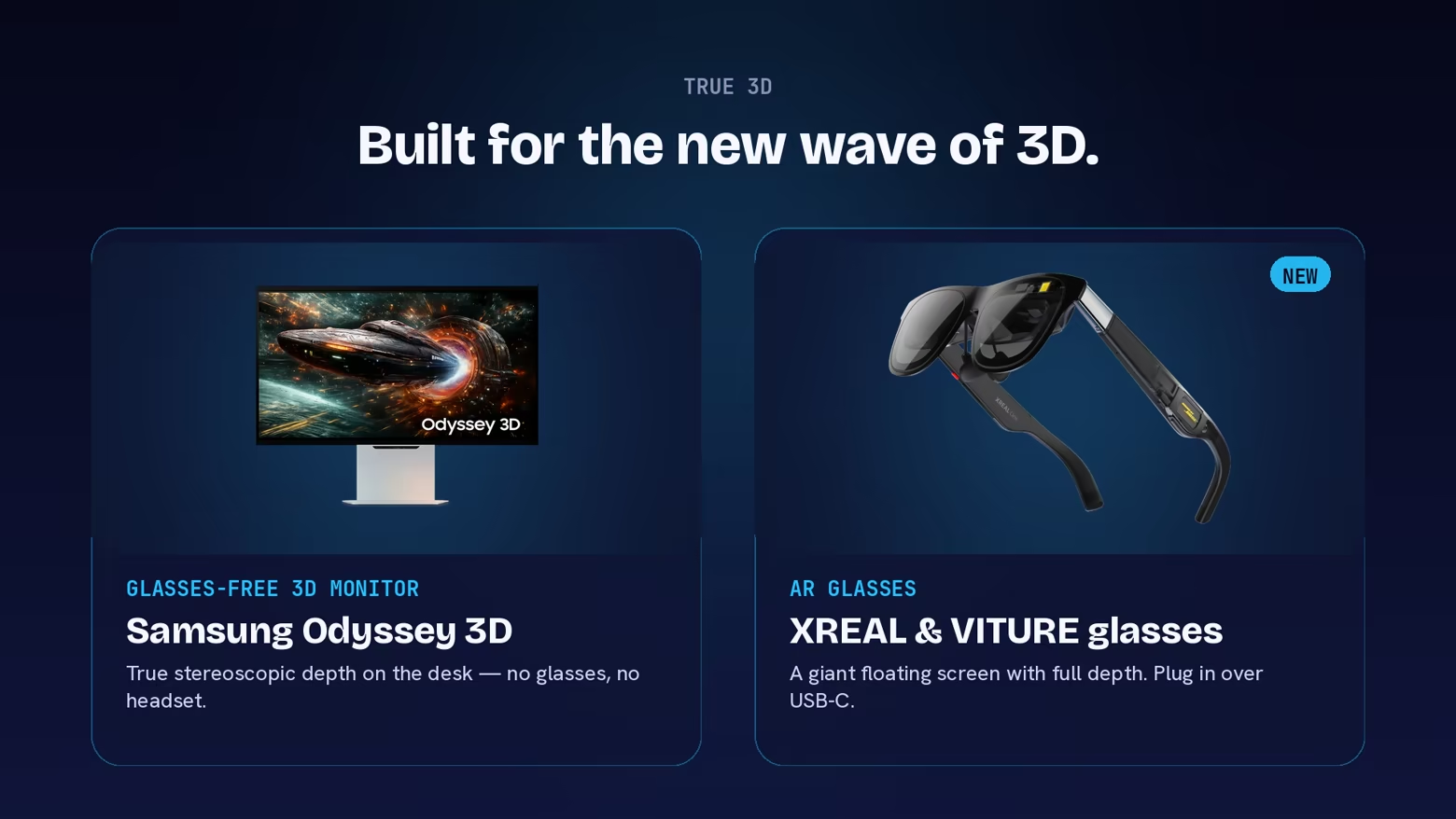
Built for the new wave of 3D.

Motion renders genuine stereoscopic depth, so the latest glasses-free 3D monitors and AR glasses show every SteamVR title in real 3D. Wear XREAL or VITURE AR glasses (we read their built-in IMU for head tracking), sit at a Samsung Odyssey 3D, or use any display that supports side-by-side (SBS) 3D.

Flat hits, unlocked by VR mods

Community VR mods — UEVR for Unreal Engine games, plus dedicated per-game mods like RepoXR, LCVR, and Halo MCC VR — add a full VR mode to games that shipped flat-screen only. Once the mod is installed, the game runs through SteamVR, where Motion provides the tracked motion controllers. R.E.P.O., Halo 3, Lethal Company, 7 Days to Die, Deep Rock Galactic, and over a hundred more.

  • One-click installers for many popular mods at

  • Find moddable games at — look for the VR Mod badge

  • Standard SteamVR pipeline: same launchers, same saves

Introducing Camera Drag

Press and hold the shoulder button on your controller and the in-game camera locks to its motion. Your hand now spins a virtual 3D trackball that lets you reach and frame any SteamVR content seamlessly.

  • Turn. Yaw and pitch your controller to turn the camera.

  • Flick. Once you have the hang of it, flick the view around like a trackball.

  • Reach. Move forward to reach faraway objects. Drag the camera with one hand, pick things up with the other.

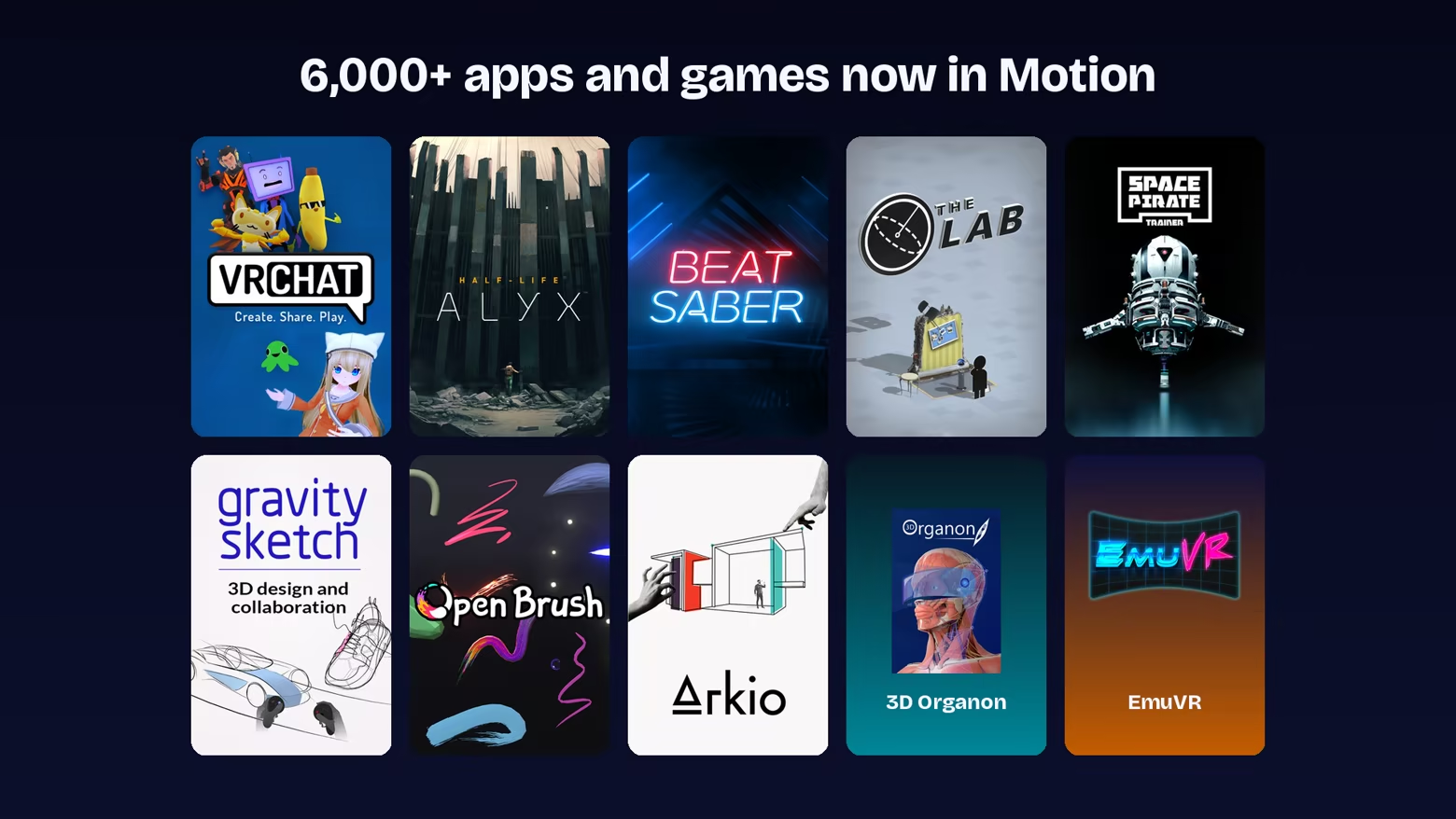
6,000+ apps and games now in Motion

From action and rhythm to creative tools and sketchpads — Motion plugs into SteamVR, so anything that runs there runs here. And VR mods add motion controls to flat hits on top of the 6,000+ titles in the SteamVR catalog.

We're still mapping which titles work best — join our Discord to help us find the gems.

Questions, answered.

What is PortalVR Motion?

PortalVR Motion brings motion controls to VRChat and hundreds of titles on Steam, using your smartphone, Joy-Cons, PSMove, or VR controllers — no headset, no base stations. In VRChat on Desktop it goes further: your camera tracks your head, face, and hands and drives your avatar live. And with community VR mods like UEVR, popular flat games — R.E.P.O., Halo 3, Lethal Company, and many more — pick up motion controls too. Play at your desk on the screen you already have, or in true stereoscopic 3D on AR glasses or a 3D monitor.

Can I play flat Steam games like R.E.P.O. or Halo 3 with motion controls?

Yes — through community-made VR mods. Mods like UEVR (for Unreal Engine games) and dedicated per-game mods (RepoXR for R.E.P.O., LCVR for Lethal Company, Halo MCC VR, and many more) add a full VR mode to games that shipped flat-screen only. Once the mod is installed, the game runs through SteamVR — where Motion provides the tracked motion controllers. One-click installers for many popular mods are available at .

How do I find games that can be VR modded?

Browse the catalog at — VR-moddable titles carry a VR Mod badge, with a per-title breakdown of which mod to use, how well it plays with motion controls, and where to get it.

How does the smartphone controller work?

Plug your phone into your PC over USB, hold it in a grip, and press and hold Volume-Down to calibrate. From there your phone tracks itself in full 6 DoF and appears in SteamVR as a tracked motion controller, with an on-screen trigger, grip, and face buttons. It works on both Android and iOS — no stand, and no headset.

What hardware do I need?

A Windows PC that can already run SteamVR, plus a phone. The simplest setup is just your phone — it tracks itself in full 6 DoF and becomes the controller, on Android or iOS. Have Joy-Cons or PSMove controllers? Your webcam tracks them — just aim it at your hands. Want the highest precision? Use a VR headset's native controllers — a Quest or PICO over USB, or Valve Index controllers over Lighthouse. And if you have no controllers at all, a novel mouse + keyboard scheme drives virtual controllers from your desk. On Android, the phone controller uses ARCore for self-tracking, so your phone must be an ARCore-supported device (see — most phones from the last several years qualify; iPhones have no such requirement. For true stereoscopic 3D, wear XREAL or VITURE AR glasses, sit at a glasses-free 3D monitor like the Samsung Odyssey 3D, or use any display that supports side-by-side (SBS) 3D.

Is Android supported?

Yes. Your Android phone works as a fully 6 DoF-tracked controller, exactly like an iPhone — plug it in over USB and play. (Joy-Con tracking uses your webcam, so it works the same no matter which phone you have.)

Which AR glasses and 3D displays are supported?

For true stereoscopic 3D, Motion supports XREAL and VITURE AR glasses — a big virtual screen with full depth on glasses you wear, connected over USB-C; we read the glasses' built-in IMU for head tracking. Glasses-free 3D monitors like the Samsung Odyssey 3D are fully supported too, and any display that supports side-by-side (SBS) 3D can be used by activating SBS mode.

Should I use Joy-Con 1 or Joy-Con 2?

Joy-Con 2 is recommended. Its built-in magnetometer measures direction relative to Earth's magnetic field, giving noticeably steadier rotational tracking. Joy-Con 1 still works great — its forward heading can drift a bit during rapid motion.

One of my Joy-Con 1 controllers is laggy.

Some PC Bluetooth radios queue packets in a way that adds noticeable lag with Joy-Con 1. Joy-Con 2 doesn't trigger this. To fix it, either switch to Joy-Con 2, or add a small USB Bluetooth dongle to bypass the built-in radio.

How do I get the best Joy-Con tracking?

Place your webcam directly in front of you, not off to one side — it tracks best facing you head-on. Make sure your hands are well lit. Set the camera at the front edge of your desk or on top of your monitor so nothing blocks its view. For wider, full-body titles like Beat Saber, scoot back so the camera can see your full upper body. Use Joy-Con 2 if you can — its magnetometer keeps rotation steadier.

Which VR controllers work best?

Lighthouse-tracked controllers work best of all — Valve Index controllers and HTC Vive wands. Because base stations track them instead of cameras on a headset, they stay locked in across your whole room: no camera to stay in front of, and no dropouts when you reach wide, behind you, or overhead. Among headset-tracked controllers (mobile VR headsets like Quest and PICO, whose cameras track the controllers optically), Quest 2 controllers work best — their tracking rings give the cameras a big, unambiguous target, holding high-quality tracking even at arm's length and toward the edges of view. Newer ringless controllers are more prone to losing tracking when held out of the headset's sightline.

Can I really play any SteamVR game?

Motion registers as a SteamVR runtime, so any SteamVR title sees standard tracked controllers and launches normally. The catch: titles that demand extremely precise fast motion or sharp full-body movement (spinning to face an enemy behind you) can be awkward to translate onto a flat screen. That said — we've cleared Hard levels in Beat Saber through Motion, so it's not too bad.

Does this support hand tracking?

When you play with Joy-Cons or PSMove controllers (tracked by your webcam) or Index controllers, your fingers are tracked in addition to the controller — full finger articulation comes through, which is great for expression, gestures, and natural object interaction. Additional hand-tracking support for other setups is coming soon.

Does this support face tracking?

Yes — your webcam tracks your head in real time, adding 3D parallax when you lean side-to-side or forward, plus the ability to dodge obstacles and duck under enemy fire during gameplay. In VRChat, your camera also drives your avatar's facial expressions live.

How does Camera Drag work?

Hold the shoulder button — or one of the SL/SR side buttons — and the in-game camera locks onto your controller's motion. Your hand spins a virtual 3D trackball, dragging the view in 6 DoF; reach forward and the camera reaches with you, which makes picking up far-away objects feel natural. Release to anchor the view.

Do I need a powerful PC?

If your PC can already run a given SteamVR title, it can run it through Motion. Tracking happens on your phone (or your webcam) — your PC just sees tracked controllers.

What about latency?

Tracking data streams over USB from your phone to the PC (no Wi-Fi hop), the phone is configured for maximum tracking speed and precision, and IMU readings are fused with the tracking data in real time — so you get near-instant responsiveness from your wrists.

Can I use it for streaming and content?

Yes. Motion brings motion controls to SteamVR content on a flat screen, which makes it a great fit for streaming, live demos, marketing shoots, trade-show kiosks, and capture setups where a head-mounted display is awkward. Camera Drag also makes framing shots far easier than steering by stick.

What's the difference between PortalVR Motion and PortalVR Cast?

Motion is a SteamVR add-on that runs any SteamVR content with motion controls on a flat screen. Cast takes a different angle — it streams VR content directly into the browser from a Quest, PICO, or Galaxy XR headset, and is limited to sideloaded or pushed APKs.

System Requirements

    Minimum:
    • Requires a 64-bit processor and operating system
    • VR Support: Meta Quest 1, 2, 3, PICO 4 Ultra, Galaxy XR, Valve Index, HTC Vive Wands, Nintendo Joy-Con 1 and 2, PSMove
    • Additional Notes: Joy-Con tracking (optional) requires either an iPhone 12 or newer or an RGB webcam, and VR controller tracking (also optional) a Meta Quest, PICO 4 Ultra, or Galaxy XR VR headset, or Valve Index or HTC Vive Wands
    Recommended:
    • Requires a 64-bit processor and operating system
    • Additional Notes: Meta Quest 1, 2, 3, PICO 4 Ultra, Galaxy XR, Valve Index, HTC Vive Wands, Nintendo Joy-Con 1 and 2, PSMove

Customer reviews for PortalVR Motion About user reviews Your preferences

Overall Reviews:
Mixed (14 reviews)
Recent Reviews:
Mixed (10 reviews)


To view reviews within a date range, please click and drag a selection on a graph above or click on a specific bar.


Filter reviews by the user's playtime when the review was written:


No minimum to No maximum

Show reviews in selected display order


Learn More
Filters
Excluding Off-topic Review Activity
Playtime:
Played Mostly on Steam Deck
Operating System:
CPU:
GPU:
Device Type:
Review Filters