MobMate WhispTalk – Zero-Cloud Voice Chat Toolkit
MobMate V2 is a Zero-Cloud voice chat toolkit that sends short TTS reactions like “Got it,” “I agree,” and “laugh” into your voice chat. Even late at night or when you cannot speak loudly, sending quick reactions can make VC more fun.

Sign in to add this item to your wishlist, follow it, or mark it as ignored

Download MobMate WhispTalk – Zero-Cloud Voice Chat Toolkit Demo

Buy MobMate WhispTalk – Zero-Cloud Voice Chat Toolkit

Buy MobMateWhispTalk+VulkanDLC BUNDLE (?)

Includes 2 items: MobMate WhispTalk – Zero-Cloud Voice Chat Toolkit, MobMate WhispTalk - GPU Acceleration Pack

-10%
$12.58
 

About This Software

Stay in voice chat, even on days when speaking is hard.

MobMate WhispTalk is a local-first VC assist tool that reconnects your voice, text, and heard audio to in-game voice chat.


MobMate is not just a text-to-speech app

If all you need is reading typed text aloud, there are many tools for that.

MobMate is built for people who find it hard to speak out loud, do not want to use their real voice today, or often end up listen-only but still want to stay in the conversation.

To do that, MobMate gives you two main ways to speak.


1. STT→TTS: speak quietly, recognize it, send another voice

Speak quietly into your microphone, and MobMate recognizes it locally, then sends it to VC as TTS audio.

What others hear is not your raw voice, but the voice you selected. When your throat is tired, someone is sleeping nearby, or you cannot speak loudly, you can still send short replies and callouts into the conversation.


2. Mobfy: keep it as voice, while softening your real-voice impression

Mobfy Mode is not STT→TTS. It does not turn your speech into text first; it treats your speech as a low-latency voice-to-voice lane.

Its goal is not perfect singing voice conversion. It is to soften the impression of your raw voice and shape it into something that still carries through VC. Conversation-friendly tempo, anonymity, and intelligibility are the priorities.


Choose real voice, hidden voice, or text

MobMate does not force one correct way to talk.

If you can speak today, use Mobfy for real-time voice processing. If you do not want to use your real voice, use STT→TTS. If you cannot speak at all, send short replies with text input or Radio Chat.

It is not a simple choice between “can talk” and “cannot talk.” It lets you choose how to join VC based on your room, your voice, and your mood that day.


STT→TTS tuned for short in-game speech

MobMate's STT→TTS is designed for short in-game phrases, not long meeting transcripts.

Short replies and callouts like “right,” “wait,” “nice,” “got it,” and “fall back” can be recognized and sent as TTS to a virtual microphone or your selected audio device.

Pending speech mode lets you choose whether recognition results are spoken immediately or held briefly before speaking. When misrecognition would be risky, you can stop a line before it goes out.


Mobfy is a live voice lane for anonymity and clarity

Mobfy is a VC mode that adjusts your microphone voice in real time. It aims to make it easier to stay in the conversation even when speaking feels difficult.

Rather than preserving your original voice exactly, it focuses on reducing the “this is me” feeling, keeping speech understandable, and avoiding too much disruption to the conversation tempo.

It is for calls, streams, VRChat, and game VC when you do not want to send your raw voice as-is.


Hearing also supports the listening side

MobMate helps not only with speaking, but also with listening. Hearing can transcribe desktop audio from Discord, VRChat, and in-game VC, and can translate when needed.

It helps you follow foreign-language VC, fast instructions, or missed lines, and can also feed OBS subtitles or an OSD display.

Radio Chat and text input

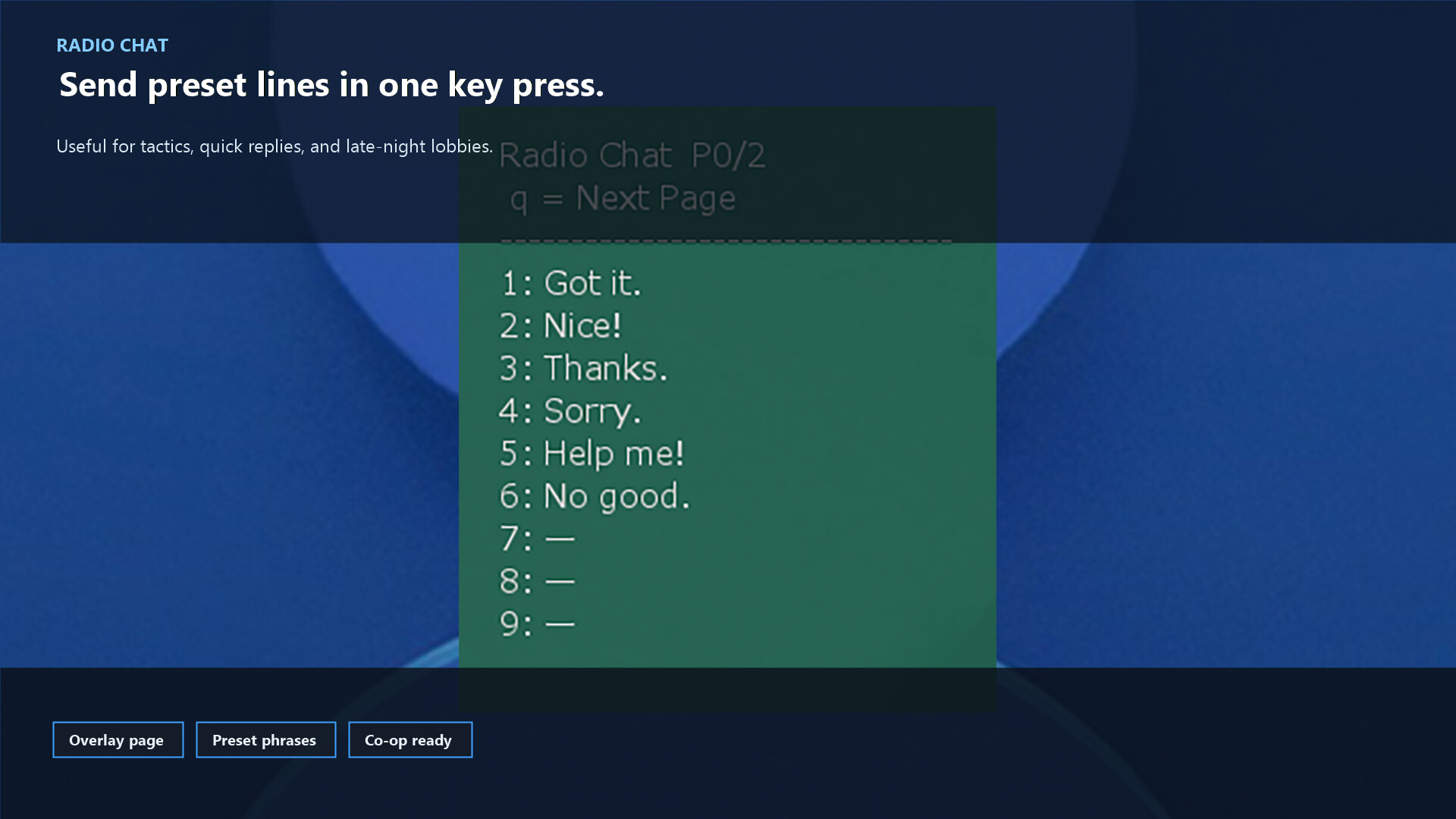
When you cannot speak at all, type text and send it as TTS. Frequently used lines can be registered in Radio Chat and sent instantly from global hotkeys or an overlay.

Tactical callouts, common replies, foreign-language phrases, laughter, and short stream notes can be sent without stopping your game flow.


Local-first, routed to your VC app

MobMate uses a Zero-Cloud design. Core speech recognition, TTS, and subtitle processing run on your PC and are not built around constantly uploading your voice or text to the cloud.

It works with Discord, VRChat, OBS, VRChat OSC Chatbox, and multiplayer games that can use virtual audio devices. Windows, Linux, and Steam Deck are supported.

Free demo available

Try it on your own PC before buying.

Audio devices, virtual microphones, subtitle speed, recognition accuracy, and the sound of Mobfy can vary by environment. Please try the demo first and check whether it fits your VC setup.

※ The demo has a 15-minute session limit. The full version does not have this limit.

Setup notes

• The first-time setup wizard helps you check your microphone, TTS, and audio routing step by step

• If you plan to use global hotkeys, the Discord desktop app tends to work better than browser Discord

• A physical microphone is not always required; MobMate can also be routed into voice chat through virtual audio devices

• ONNX conversion of RVC .pth models can use integration with the external VCClient tool (VCClient itself is not bundled)

Languages and audio support

The UI supports Japanese, English, Chinese (Simplified / Traditional), and Korean. For speech recognition, subtitles, and translation, the feature side can handle many more languages.

Supported TTS engines

• VOICEVOX (Japanese)

• Piper-Plus (multilingual TTS)

• Kokoro / MOSS TTS

• Windows system voices / Linux audio output environments

Things to note

• STT→TTS is built for short reactions and callouts, not long-form meeting transcription

• Mobfy is a voice-to-voice processing lane. It does not guarantee perfect voice imitation or the same result for every voice

• Recognition accuracy, latency, and sound quality vary depending on your microphone, noise, GPU/CPU, audio devices, and desktop environment

• Hearing, OSC, subtitles, TTS, and Mobfy can be affected by your VC app settings and virtual audio setup

Bundled model notice

MobMate includes a MobMate-format conversion of the free Tsukuyomi-chan Official RVC Model provided by the free-material character "Tsukuyomi-chan" (© Rei Yumesaki).

■ Tsukuyomi-chan Official RVC Model (CV: Rei Yumesaki)

When using this model, follow both the MobMate terms and the Tsukuyomi-chan Official RVC Model terms. Published converted audio requires credit for the source voice and the Tsukuyomi-chan Official RVC Model.

This bundled model is based on a free RVC model; the product price is for the MobMate application, features, distribution, and maintenance.

Great for moments like these

• Late-night gaming when you cannot speak loudly, but still want to join VC

• Tired voice days when you only want to send short replies through an anonymous voice

• Listen-only sessions where you want to come back just a little

• Times when you do not want to send your raw voice as-is

• Foreign-language VC where subtitles and translation help you react

• Streaming sessions where conversation subtitles and short spoken lines are useful


MobMate WhispTalk creates a voice escape route so you do not have to leave VC.

Raw voice, anonymous voice, TTS, subtitles, and translation. Choose how you join the conversation today.

Support / technical information

This product includes whisper.cpp (MIT License)

MobMateWhispTalk

AI Generated Content Disclosure

The developers describe how their game uses AI Generated Content like this:

This application uses AI technologies for real-time speech recognition, optional translation, and voice synthesis during gameplay.

User voice input is processed locally or via optional AI models to generate text and synthesized speech. No personal data is stored or shared without user consent.

AI is also used for some pre-generated assets such as icons or promotional images.

System Requirements

Windows
SteamOS + Linux
    Minimum:
    • Requires a 64-bit processor and operating system
    • OS: Windows11
    • Processor: Intel i5 / Ryzen 5 above
    • Memory: 8 GB RAM
    • Storage: 5 GB available space
    Recommended:
    • Requires a 64-bit processor and operating system
    Minimum:
    • OS: Ubuntu 22.04 / SteamOS 3 or compatible Linux distribution
    • Processor: Intel i5 / Ryzen 5 or above
    • Memory: 8 GB RAM
    • Graphics: Vulkan-capable GPU recommended for GPU Acceleration Pack
    • Storage: 5 GB available space
    • Sound Card: PulseAudio or PipeWire compatible audio device
    Recommended:

    Customer reviews for MobMate WhispTalk – Zero-Cloud Voice Chat Toolkit About user reviews Your preferences

    Overall Reviews:
    2 user reviews (2 reviews)


    To view reviews within a date range, please click and drag a selection on a graph above or click on a specific bar.


    Filter reviews by the user's playtime when the review was written:


    No minimum to No maximum

    Show reviews in selected display order


    Learn More
    Filters
    Excluding Off-topic Review Activity
    Playtime:
    Played Mostly on Steam Deck
    Operating System:
    CPU:
    GPU:
    Device Type:
    Review Filters