MobMate WhispTalk – Zero-Cloud Voice Chat Toolkit
Join voice chat naturally even when speaking is difficult. MobMate WhispTalk helps in late-night gaming, shared homes, streaming, or sick days. It turns speech into text, then anonymous TTS for quick reactions. 100% local, privacy-focused, speaker-aware. For Discord, VRChat, and multiplayer games.

Sign in to add this item to your wishlist, follow it, or mark it as ignored

Download MobMate WhispTalk – Zero-Cloud Voice Chat Toolkit Demo

Buy MobMate WhispTalk – Zero-Cloud Voice Chat Toolkit

Buy MobMateWhispTalk+VulkanDLC BUNDLE (?)

Includes 2 items: MobMate WhispTalk – Zero-Cloud Voice Chat Toolkit, obMate WhispTalk - GPU Acceleration Pack

-10%
$12.58
 

About This Software

This is not a game. It is a local voice-chat support tool you run while playing.

Even if you do not want to use your real voice directly, it helps you stay active in Discord, VRChat, and multiplayer voice chat more naturally.

What kind of tool is this?

MobMate WhispTalk is a local processing tool for people who want to join voice chat without speaking in their natural voice.

Short replies, laughter, backchannel reactions, tactical callouts, preset phrases, subtitles, and translation support.

It is designed to make those small responses easier without interrupting the flow of the game or the call too much.


Good fits for this tool

• You do not want to use your real voice directly

• You cannot speak loudly late at night

• You do not want to stream your natural voice during live content

• You want live subtitles or translation help for Discord or foreign-language voice chat

• You want to quickly send short reactions like "OK," "Nice," or "Help me"

Main features

1. Easier voice chat participation without exposing your real voice

What you say can be recognized locally and used for anonymous voice playback or subtitle display when needed.

It helps reduce the feeling of having to stay silent and makes short reactions easier to return.


2. Hearing shows live subtitles

Desktop audio from Discord, VRChat, and in-game voice chat can be transcribed in real time and shown on screen.

It can also help you follow foreign-language voice chat or fast spoken instructions.


3. Translation support for multilingual voice chat

Translation can be used both on the speaking-assist side and the Hearing side.

It is meant to soften the barrier of "we cannot really talk if we do not share the same language."


4. Radio Chat sends preset lines instantly

Preset lines and frequently used phrases can be sent instantly from global hotkeys or an overlay.

Useful for tactical callouts, standard replies, and prepared foreign-language phrases.


5. Zero-Cloud design

Core functions are designed to run on your PC locally whenever possible.

It is not built around constantly sending your voice or text to the cloud.

Highlights of v1.7

• Translation is now available on the speaking-assist side as well

• Short replies in multilingual voice chat are easier to send

• Combined with Hearing, it becomes easier to both understand and answer in live conversation


You can also check multilingual TTS and extra setup steps in the store images.

Free demo available

A free demo is available now.

Before buying, you can check whether it works on your own PC and whether it fits your play style.

The demo lets you try the core features.

It is also the easiest way to check subtitle speed and audio routing on your own setup before buying.

※ A demo announcement is played every 3 minutes

Setup notes

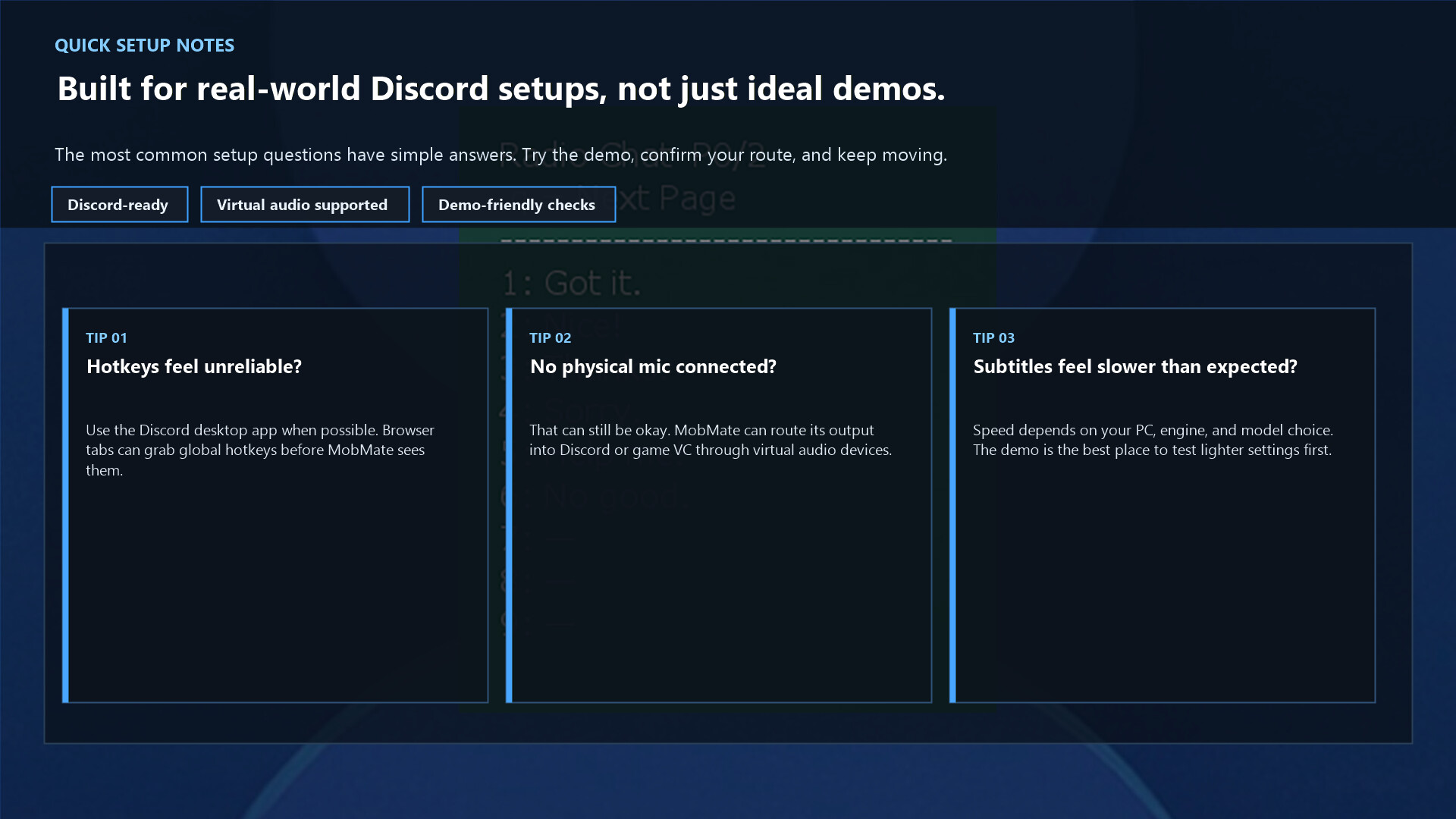
• If you plan to use global hotkeys, the Discord desktop app tends to work better than browser Discord

• A physical microphone is not always required; MobMate can also be routed into voice chat through virtual audio devices

• Device behavior and subtitle speed can vary by PC environment, so trying the demo first is recommended

Supported platforms

• Discord

• VRChat

• Various multiplayer games that can use virtual audio devices

By combining it with virtual audio environments such as VB-Audio or VoiceMeeter, it can work with many different voice chat apps.

Languages and audio support

The UI supports Japanese, English, Chinese (Simplified / Traditional), and Korean.

For speech recognition, subtitles, and translation, the feature side can handle many more languages.


Supported TTS engines

• VOICEVOX (Japanese)

• Voiceger (Japanese / English / Chinese / Korean / Cantonese)

• XTTS (experimental, separate setup required)

Things to note

• It is built more for short reactions and callouts than for long-form transcription or meeting notes

• Recognition accuracy depends on surrounding noise and speaking style

• Hearing is experimental and will continue to improve

• Speaker matching may become less accurate in noisy environments

Recommended for players who...

• Want to join voice chat without using their real voice

• Want to stay in the conversation with short reactions instead of total silence

• Cannot speak loudly because of late-night or home-life constraints

• Want to understand and reply in foreign-language voice chat

• Want to support the tempo of the conversation without taking over the spotlight


Quiet players can be loud.

Even quiet participation deserves a real voice in the room.

Support / technical information

Source code and technical information are available on GitHub.

GitHub:

Discord community:

This product includes whisper.cpp (MIT License)

MobMateWhispTalk

AI Generated Content Disclosure

The developers describe how their game uses AI Generated Content like this:

This application uses AI technologies for real-time speech recognition, optional translation, and voice synthesis during gameplay.

User voice input is processed locally or via optional AI models to generate text and synthesized speech. No personal data is stored or shared without user consent.

AI is also used for some pre-generated assets such as icons or promotional images.

System Requirements

    Minimum:
    • Requires a 64-bit processor and operating system
    • OS: Windows11
    • Processor: Intel i5 / Ryzen 5 above
    • Memory: 8 GB RAM
    • Storage: 1 GB available space
    Recommended:
    • Requires a 64-bit processor and operating system

Customer reviews for MobMate WhispTalk – Zero-Cloud Voice Chat Toolkit About user reviews Your preferences

Overall Reviews:
2 user reviews (2 reviews)


To view reviews within a date range, please click and drag a selection on a graph above or click on a specific bar.


Filter reviews by the user's playtime when the review was written:


No minimum to No maximum

Show reviews in selected display order


Learn More
Filters
Excluding Off-topic Review Activity
Playtime:
Played Mostly on Steam Deck
Operating System:
CPU:
GPU:
Device Type: