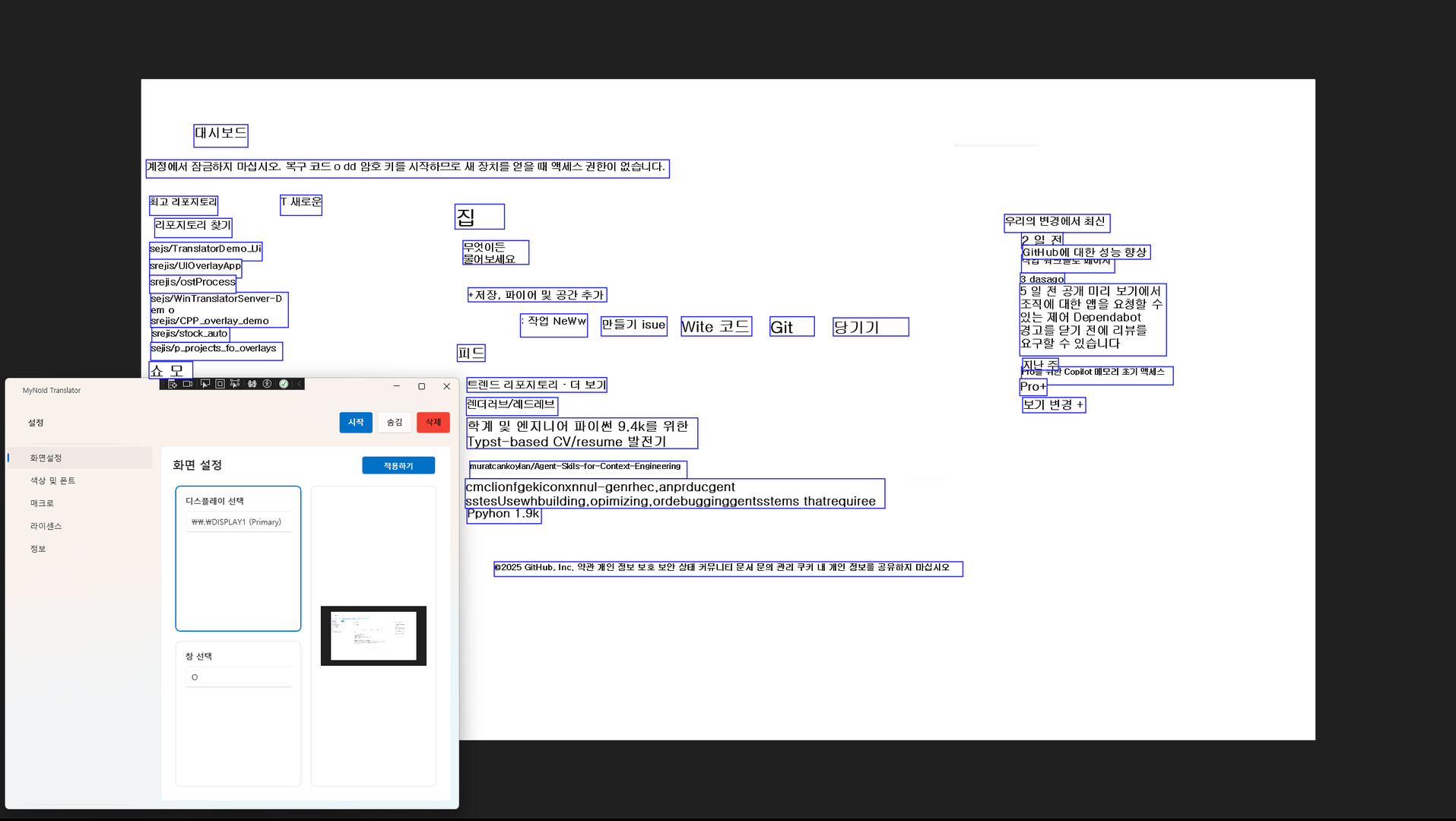
A desktop translator that recognizes text from any window and translates it on screen. Everything is processed locally for security, and once purchased, you can use it forever with no subscription. Future updates will add features such as real-time voice translation and keyboard input translation.
วันวางจำหน่าย:
ไตรมาสที่ 1 2026
ผู้พัฒนา:
ผู้จัดจำหน่าย:
แท็ก

เข้าสู่ระบบ เพื่อเพิ่มผลิตภัณฑ์นี้ลงในสิ่งที่อยากได้ของคุณ ติดตาม หรือทำเครื่องหมายเป็นถูกละเว้น

ไม่รองรับภาษาไทย

ผลิตภัณฑ์นี้ไม่รองรับภาษาท้องถิ่นของคุณ โปรดตรวจสอบรายชื่อภาษาที่รองรับก่อนทำการสั่งซื้อ

เกมนี้ยังไม่พร้อมใช้งานบน Steam

วันวางจำหน่ายที่วางแผนไว้: ไตรมาสที่ 1 2026

น่าสนใจ?
เพิ่มในสิ่งที่คุณอยากได้ และรับการแจ้งเตือนเมื่อผลิตภัณฑ์พร้อมใช้งาน
เพิ่มลงในสิ่งที่อยากได้ของคุณ
 

เกี่ยวกับซอฟต์แวร์นี้

About This Application

MyNoid Translator is a desktop translation tool that recognizes any visible window as an image and translates the text on screen. Unlike Chrome extensions or web-based translators, it works consistently across all Windows applications, providing a much broader and more flexible usage environment.

All OCR and translation processes are performed entirely on your local machine. No data is sent to external servers, ensuring strong privacy and security. Because it doesn’t rely on network conditions or server availability, translation remains stable at all times.

Currently, the application focuses on screen translation (OCR + English → Korean), but it will continue to expand into a more versatile translation platform with additional input methods and translation features.

Key Features

  • Fully local processing with strong security
    From screen capture to OCR and translation, every step happens inside your PC.
    No external server requests — ideal for users concerned about privacy or sensitive content.

  • Works on any program
    Websites, games, documents, videos, software interfaces —
    if the text is visible on your screen, it can be recognized and translated.
    This provides powerful versatility without depending on specific browsers or apps.

  • One-time purchase, lifetime use
    Buy once and enjoy unlimited access to all features without any subscription.

  • Expanding translation capabilities
    Beyond the current English → Korean screen translation, upcoming updates will add:

    • English ↔ Korean bidirectional translation

    • Major languages ↔ Korean translation

    • Cross-language translation

    • Real-time voice translation

    • Keyboard input translation

    • Clipboard auto-translation
      and more input/output modes planned for future releases.

  • Overlay-based translation display
    Clean, unobtrusive overlay UI displays translations on screen
    without disrupting your workflow or overlapping with other applications.

ความต้องการระบบ

    ขั้นต่ำ:
    • ต้องการโปรเซสเซอร์และระบบปฏิบัติการแบบ 64 บิต
    • ระบบปฏิบัติการ: Windows 11
    • โปรเซสเซอร์: Intel Core i5-6400
    • หน่วยความจำ: แรม 8 GB
    • กราฟิกส์: NVIDIA GTX 1050 Ti / GTX 1650 or equivalent
    • เครือข่าย: การเชื่อมต่ออินเทอร์เน็ตแบบบรอดแบนด์
    • พื้นที่จัดเก็บข้อมูล: พื้นที่ว่างที่พร้อมใช้งาน 4 GB
    แนะนำ:
    • ต้องการโปรเซสเซอร์และระบบปฏิบัติการแบบ 64 บิต
    • ระบบปฏิบัติการ: Windows 11
    • โปรเซสเซอร์: Intel Core i5 or better
    • หน่วยความจำ: แรม 16 GB
    • กราฟิกส์: NVIDIA GTX 1660 / RTX 2060 or better
    • เครือข่าย: การเชื่อมต่ออินเทอร์เน็ตแบบบรอดแบนด์
    • พื้นที่จัดเก็บข้อมูล: พื้นที่ว่างที่พร้อมใช้งาน 4 GB
ไม่พบบทวิจารณ์สำหรับผลิตภัณฑ์นี้

คุณสามารถเขียนบทวิจารณ์ของคุณเองสำหรับผลิตภัณฑ์นี้เพื่อแบ่งปันประสบการณ์ของคุณให้กับชุมชน ใช้พื้นที่ด้านบนของปุ่มซื้อในหน้านี้เพื่อเขียนบทวิจารณ์ของคุณ