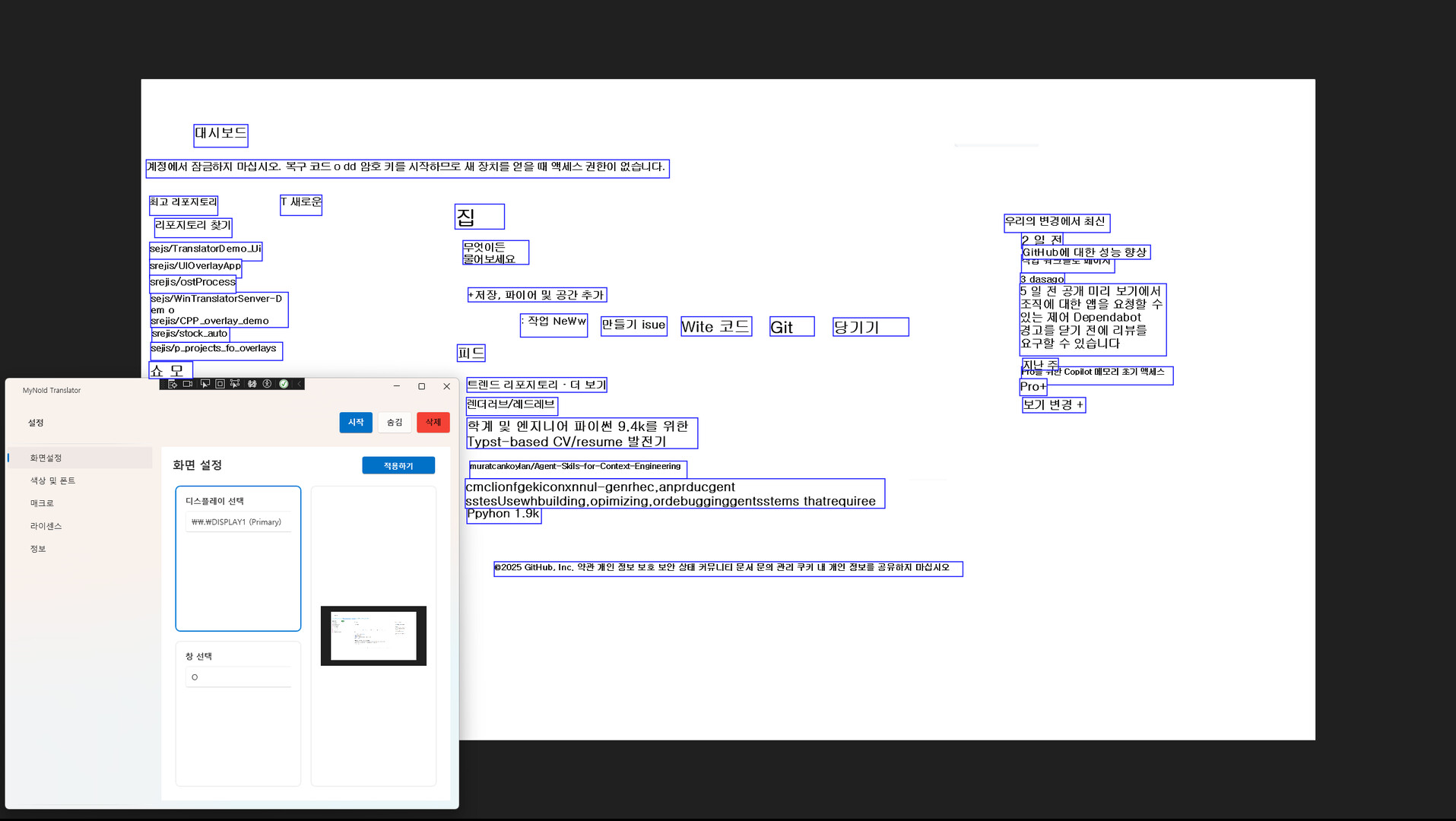
A desktop translator that recognizes text from any window and translates it on screen. Everything is processed locally for security, and once purchased, you can use it forever with no subscription. Future updates will add features such as real-time voice translation and keyboard input translation.

로그인하셔서 게임을 찜 목록에 추가하거나, 팔로우하거나 또는 제외로 지정하세요.

출시 예정

이 아이템은 아직 사용할 수 없습니다

관심이 있으신가요?
찜 목록에 추가하고 출시가 되면 알림을 받으세요.
 

소프트웨어 정보

About This Application

MyNoid Translator is a desktop translation tool that recognizes any visible window as an image and translates the text on screen. Unlike Chrome extensions or web-based translators, it works consistently across all Windows applications, providing a much broader and more flexible usage environment.

All OCR and translation processes are performed entirely on your local machine. No data is sent to external servers, ensuring strong privacy and security. Because it doesn’t rely on network conditions or server availability, translation remains stable at all times.

Currently, the application focuses on screen translation (OCR + English → Korean), but it will continue to expand into a more versatile translation platform with additional input methods and translation features.

Key Features

  • Fully local processing with strong security
    From screen capture to OCR and translation, every step happens inside your PC.
    No external server requests — ideal for users concerned about privacy or sensitive content.

  • Works on any program
    Websites, games, documents, videos, software interfaces —
    if the text is visible on your screen, it can be recognized and translated.
    This provides powerful versatility without depending on specific browsers or apps.

  • One-time purchase, lifetime use
    Buy once and enjoy unlimited access to all features without any subscription.

  • Expanding translation capabilities
    Beyond the current English → Korean screen translation, upcoming updates will add:

    • English ↔ Korean bidirectional translation

    • Major languages ↔ Korean translation

    • Cross-language translation

    • Real-time voice translation

    • Keyboard input translation

    • Clipboard auto-translation
      and more input/output modes planned for future releases.

  • Overlay-based translation display
    Clean, unobtrusive overlay UI displays translations on screen
    without disrupting your workflow or overlapping with other applications.

시스템 요구 사항

    최소:
    • 64비트 프로세서와 운영 체제가 필요합니다
    • 운영 체제: Windows 11
    • 프로세서: Intel Core i5-6400
    • 메모리: 8 GB RAM
    • 그래픽: NVIDIA GTX 1050 Ti / GTX 1650 or equivalent
    • 네트워크: 초고속 인터넷 연결
    • 저장 공간: 4 GB 사용 가능 공간
    권장:
    • 64비트 프로세서와 운영 체제가 필요합니다
    • 운영 체제: Windows 11
    • 프로세서: Intel Core i5 or better
    • 메모리: 16 GB RAM
    • 그래픽: NVIDIA GTX 1660 / RTX 2060 or better
    • 네트워크: 초고속 인터넷 연결
    • 저장 공간: 4 GB 사용 가능 공간
이 제품에는 아직 평가가 없습니다.

이 제품의 평가를 직접 써서 자신의 경험을 커뮤니티와 공유할 수 있습니다. 구매 버튼 위의 기입란을 이용하여 자신만의 평가를 써 보세요.