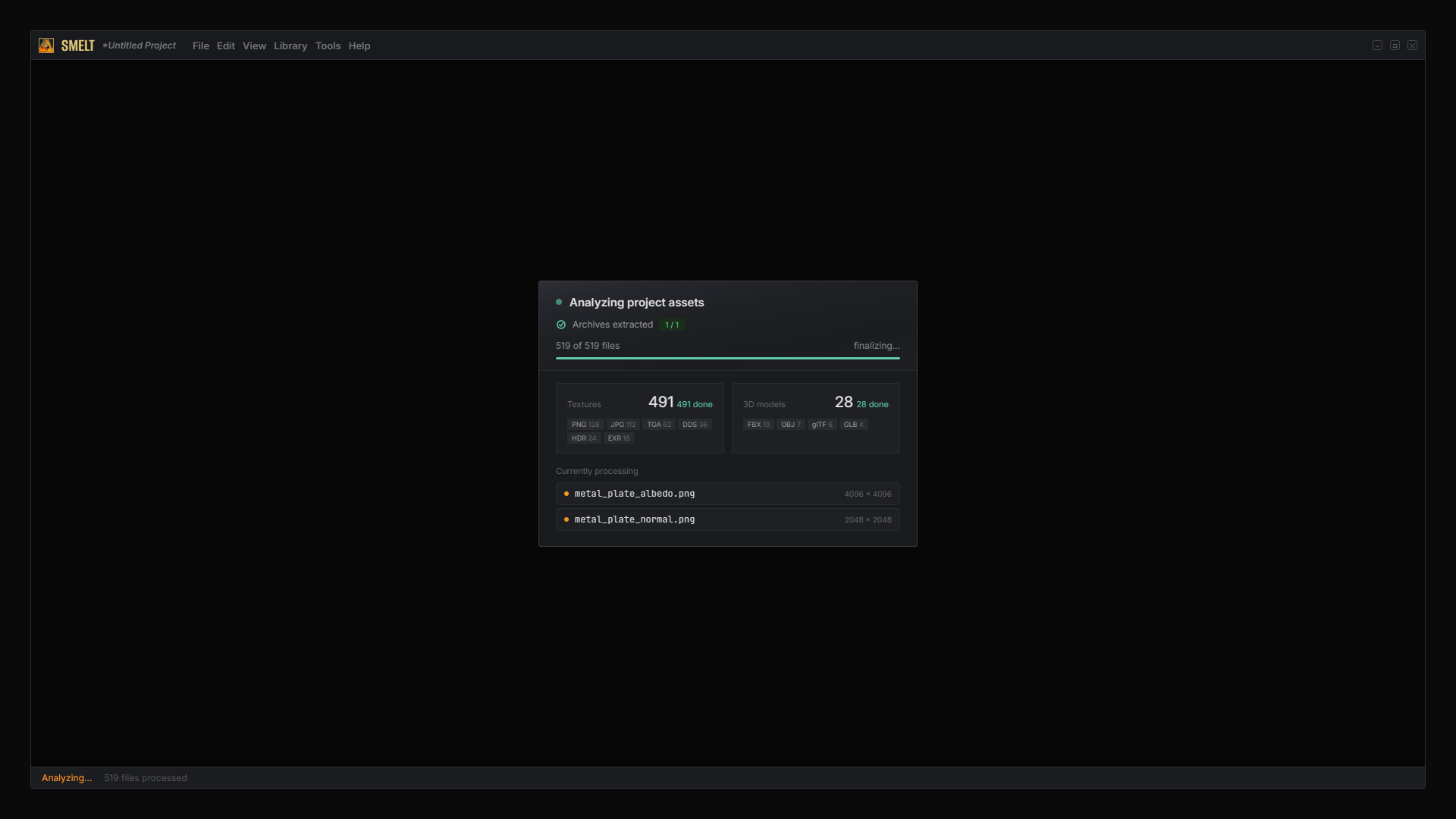
Drop hundreds of raw 3D assets in any structure. Smelt detects PBR channels, groups textures into materials, and exports production-ready packages for 7 platforms. Native material files for Unity, Godot, and Blender. One-click import plugins for Unreal, Maya, and 3ds Max.

Sign in to add this item to your wishlist, follow it, or mark it as ignored

This game is not yet available on Steam

Coming soon

Interested?
Add to your wishlist and get notified when it becomes available.
 

About This Software

You just downloaded a massive 3D asset pack, hundreds of files across dozens of folders. Textures named tex_color_01.png sit next to dd223_rough_A.jpg, a stray normals_v3_FINAL.tga, and model files in three different formats. Which texture belongs to which model? What's a normal map and what's a roughness map? What format does your engine actually need? You already know how tedious this is.

Smelt fixes that. Drop your raw assets in. Get production-ready packages out.

Drop it. Smelt reads it.

Drag a folder, a ZIP/RAR/7Z archive, or individual files into Smelt. It automatically identifies every texture map: albedo, normal, roughness, metallic, AO, height, emissive. It groups them with their corresponding 3D model. No renaming required. No templates to fill in. No settings to configure before you can even start.

Smelt reads 20+ file formats out of the box: PNG, JPG, TGA, DDS, EXR, HDR, PSD, BMP, TIFF for textures; FBX, OBJ, glTF/GLB, DAE, USD/USDA/USDC/USDZ for 3D models.

See it before you export.

Smelt renders your asset in a real-time PBR preview. If your group includes a 3D model, you see the actual mesh with textures applied, not a generic sphere. Orbit, zoom, and inspect your material exactly as it will appear in your target engine.

Fine-tune with built-in filters.

Open the dedicated filter editor on any texture. Stack adjustments - normal intensity, sharpen, blur, brightness, contrast - reorder them, bypass individual filters, and compare before/after with a draggable split view. Apply to a single file, all maps of the same channel, or every matching channel across your entire project. All adjustments are non-destructive - your original files are never modified.

One asset. Any engine.

Select your target - Unity, Unreal Engine, Godot, Blender, 3ds Max, Maya, or Generic - and export. Smelt handles channel packing, texture format conversion, resolution scaling, and folder structure automatically, matched to that platform's exact specification.

For Unity, Godot, and Blender, Smelt produces native material files that open directly with full material setup - no plugin, no manual wiring. For Unreal Engine, Maya, and 3ds Max, free companion plugins read Smelt's export and build the material for you in one click - textures connected, settings applied, ready to render.

The Generic export produces a clean, standardized package with consistent naming and folder structure, ready for Three.js, Babylon.js, custom engines, freelance delivery, or archiving. glTF 2.0 output is included and works with any glTF-compatible engine or viewer.

Missing a map? Smelt generates it.

If your asset has a height map but no normal map, Smelt produces one automatically.

Any format. Any resolution.

Need a different resolution? Scale from 16K down to 1K on export. Wrong texture format for your pipeline? Convert between PNG, JPG, TGA, DDS, EXR, HDR, PSD, BMP and TIFF in the same step.

Your library grows with every export.

Every asset you process is saved to your local library. Tag it, search for it, and re-export it to a different engine later, without redoing any work.

Know exactly what happened.

After every export, Smelt produces a detailed log showing each processing step, archive extraction, file scanning, channel detection, filter application, packaging, with precise timing for each. The log is exported as a self-contained HTML file you can open in any browser, share with your team, or keep for your records.

Key Features

  • Smart Import - Drop files, folders, or archives in any structure. Smelt detects and categorizes a wide range of texture and 3D model formats automatically. No renaming, no templates.

  • Real-Time PBR Preview - See your materials on the actual 3D model under realistic lighting. Orbit, zoom, and inspect before you export.

  • Dedicated Filter Editor - Stack, reorder, and bypass image filters with a draggable before/after split view and live 3D preview. Apply to one file or batch-apply across your entire project.

  • Channel Packing - Combines multiple texture maps into single files matched to your target engine. Smaller builds, less memory, faster load times.

  • Non-Destructive Workflow - Original files are never modified. All adjustments are applied at export time.

  • 7 Export Targets - Production-ready packages for Unity, Unreal Engine, Godot, Blender, Maya, 3ds Max, and Generic (clean ZIP). Correct channel packing, formats, and folder structure for each platform.

  • Native Material Files - Unity, Godot, and Blender exports open directly with full material setup. No plugin required.

  • Free Companion Plugins - One-click import plugins for Unreal, Maya, and 3ds Max. Textures connected, settings applied, ready to render.

  • Height-to-Normal Generation - No normal map? Smelt generates one from your height map automatically.

  • Texture Resizing & Conversion - Scale between 16K, 8K, 4K, 2K, and 1K. Convert between PNG, JPG, TGA, DDS, EXR, HDR, PSD, BMP and TIFF on the fly.

  • Personal Asset Library - Save, tag, search, and re-export your processed assets anytime, to any engine.

  • Detailed Export Log - See exactly what was processed, converted, and packaged after every export. Per-step timing breakdown shows where every millisecond went. Exported as a self-contained, styled HTML report.

  • Native & Fast - Built for native performance. Handles 8K and 16K textures without breaking a sweat.

Supported Import Formats

Textures:

PNG, JPG, TGA, DDS, EXR, HDR, PSD, BMP and TIFF

3D Models:

FBX, OBJ, glTF 2.0, GLB, DAE (Collada), USD, USDA, USDC and USDZ

Archives:

ZIP, RAR, 7Z

Export Targets

Unity (native .mat + .meta), Godot (native .tres), Blender (native .blend), *Unreal Engine, *Autodesk 3ds Max, *Autodesk Maya, Generic / Clean Export (standardized ZIP)

glTF 2.0 output compatible with Babylon.js, Three.js, and any glTF-compatible engine.

* (with companion plugin)

About the Developer

Smelt is made by Comet3D, a studio established in 2014, focused on building tools that make 3D workflows faster and less painful. We’ve spent years working with asset pipelines across multiple engines and DCC applications. We built Smelt because we were tired of doing the same manual conditioning work every time we brought an asset into a project.

System Requirements

Windows
macOS
SteamOS + Linux
    Minimum:
    • Requires a 64-bit processor and operating system
    • OS: Windows 10 (64-bit)
    • Processor: Intel Core i5 / AMD Ryzen 5
    • Memory: 8 GB RAM
    • Graphics: OpenGL 3.3 compatible
    • DirectX: Version 12
    • Storage: 500 MB available space
    Recommended:
    • Requires a 64-bit processor and operating system
    • OS: Windows 11 (64-bit)
    • Processor: Intel Core i7 / AMD Ryzen 7
    • Memory: 8 GB RAM
    • Graphics: Vulkan/OpenGL 3.3 compatible
    • DirectX: Version 12
    • Storage: 2 GB available space
    Minimum:
    • OS: macOS 11.0 (Big Sur)
    • Processor: Apple M1 / Intel Core i5
    • Memory: 8 GB RAM
    • Graphics: Metal / OpenGL 3.3
    • Storage: 500 MB GB available space
    Recommended:
    • OS: macOS 13 (Ventura)
    • Processor: Apple M2 / Intel Core i7
    • Memory: 8 GB RAM
    • Graphics: Metal / 4 GB VRAM
    • Storage: 1 GB available space
    Minimum:
    • OS: Ubuntu: 22.04 LTS / Debian: 11 / Fedora: 38
    • Processor: Intel Core i5 / AMD Ryzen 5
    • Memory: 8 GB RAM
    • Graphics: OpenGL 3.3
    • Storage: 500 MB available space
    Recommended:
    • OS: Ubuntu: 22.04+ / Debian: 11+ / Fedora: 38+
    • Processor: Intel Core i7 / AMD Ryzen 7
    • Memory: 8 GB RAM
    • Graphics: Vulkan / OpenGL 3.3
    • Storage: 1 GB available space
There are no reviews for this product

You can write your own review for this product to share your experience with the community. Use the area above the purchase buttons on this page to write your review.