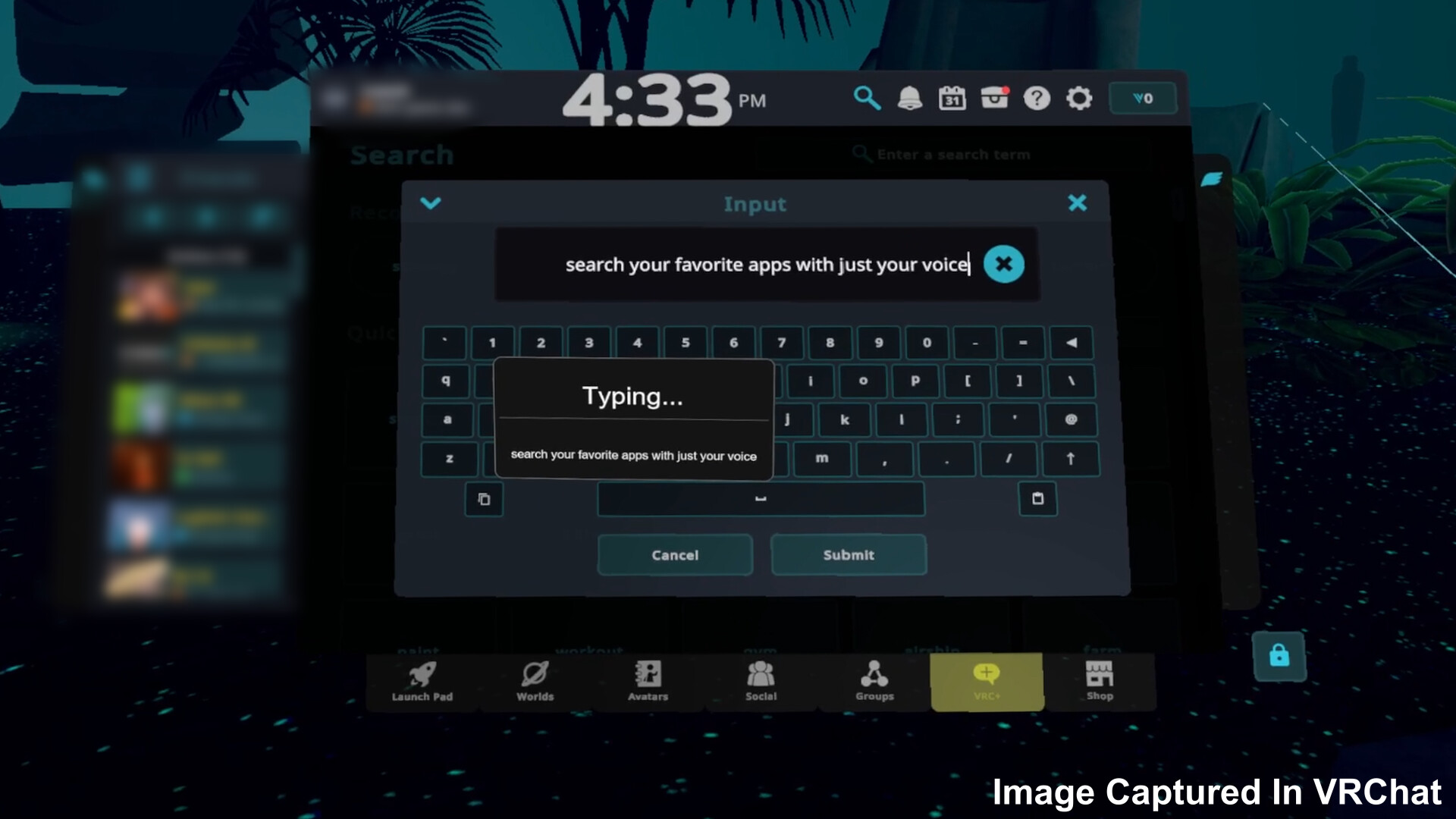
Yap brings speech-to-text directly into your VR experience. Speak naturally and watch your words appear in any application, right from VR! Ditch those clunky VR keyboards and Yap naturally!

Log in om dit item aan je verlanglijst toe te voegen, het te volgen of te negeren

Vroegtijdige toegang

Raak betrokken bij deze software terwijl het zich ontwikkelt.

Opmerking: Deze software in vroegtijdige toegang is nog niet voltooid en kan mogelijk wel of niet veranderen. Als je niet staat te springen om deze software in de huidige staat te spelen, kun je beter afwachten hoe het zich verder ontwikkelt. Meer informatie

Wat de ontwikkelaars zeggen:

Waarom vroegtijdige toegang?

'Yap is built around day-to-day usability, and Early Access allows the experience to be shaped by how people actually use it in VR. Feedback will directly guide interface decisions, workflows, and quality-of-life improvements.'

Hoelang blijft deze software ongeveer in vroegtijdige toegang?

'Yap is planned to remain in Early Access for ~6 months, with timing driven by UX maturity rather than feature count.'

Hoe gaat de volledige versie verschillen van de versie met vroegtijdige toegang?

'The full version will reflect accumulated user feedback, with a more polished setup flow, clearer controls, better customization, and smoother overall interaction.'

Wat is de huidige staat van de versie met vroegtijdige toegang?

'The current build offers working VR dictation with local speech recognition, keyboard output, and configurable inputs within SteamVR, but still requires refinement to reduce friction and improve clarity.'

Zal deze software anders geprijsd worden tijdens en na vroegtijdige toegang?

'Early Access is expected to be priced the same as the final release'

Hoe zijn jullie van plan de community te betrekken bij het ontwikkelproces?

'User feedback through Steam discussions and bug reports will directly inform UX changes, priorities, and iterative improvements throughout Early Access.'
Meer informatie
Alleen VR

Yap: The VR Dictation Keyboard kopen

INTRODUCTIEAANBIEDING! Aanbod eindigt op 22 januari

 
Alle discussies weergeven

Meld bugs en laat feedback voor deze software achter op de discussiefora

Over deze software

Yap is a speech-to-text application built specifically for VR. It replaces clunky virtual keyboards with fast, natural voice dictation that works in any PC application while you are in VR.

Key Features

  • Real-time speech recognition designed for VR use

  • Two performance modes optimized for mid-range and low-end systems

  • Controller-accessible keybinds for Copy, Paste, Select, Enter, and Delete

  • Works across all PC applications

  • VR overlay interface accessible directly from your controllers

  • High-accuracy voice recognition

  • Background operation that does not interrupt gameplay or immersion

  • Optional text translation supporting 40+ languages

How It Works

Yap runs as a SteamVR overlay and starts automatically with SteamVR. To dictate, hold Trigger + B on your controller and speak naturally. Your speech is instantly converted into text and typed into the currently focused application, with optional translation applied in real time.

Replace your virtual keyboard with your voice!

Systeemeisen

    Minimum:
    • Vereist een 64-bitsprocessor en -besturingssysteem
    • Besturingssysteem: Requires a 64-bit processor and operating system
    • Processor: Intel Core i5-4590/AMD FX 8350
    • Geheugen: 8 GB RAM
    • Grafische kaart: NVIDIA GeForce GTX 970/AMD Radeon R9 290 or better
    • Opslagruimte: 800 MB beschikbare ruimte
    • VR-ondersteuning: SteamVR. Oculus Touch/Valve Index controllers
    Aanbevolen:
    • Vereist een 64-bitsprocessor en -besturingssysteem
    • Besturingssysteem: Requires a 64-bit processor and operating system
    • Geheugen: 16 GB RAM
    • VR-ondersteuning: SteamVR. Oculus Touch/Valve Index controllers

Klantenrecensies voor Yap: The VR Dictation Keyboard Over gebruikersrecensies Je voorkeuren

Algemene recensies:
4 gebruikersrecensies (4 recensies)


Om recensies in een datumbereik te bekijken, klik en sleep je een selectie op een grafiek hierboven of klik je op een specifieke balk.


Filter recensies op speeltijden van gebruikers toen ze geschreven werden:


Geen minimum tot Geen maximum

Recensies weergeven in de geselecteerde volgorde


Meer informatie
Filters
Irrelevante recensieactiviteit uitgesloten
Speeltijd:
Vooral gespeeld op de Steam Deck
Er zijn geen recensies meer die met bovenstaande filters overeenkomen
Pas de filters hierboven aan om andere recensies te zien
Recensies laden ...