A 3-in-1 bundle for every gamer: edit highlights fast with auto-tools, cut and join your best plays, add styled auto-subtitles, and choose from hundreds of effects to amp up your edits. Record gameplay with full audio and convert files between 180+ formats to share anywhere.

Sign in to add this item to your wishlist, follow it, or mark it as ignored


About This Software

Bring your best gaming moments to life – whether it’s a rapid-fire highlight reel, a team showcase, or a montage of your most memorable victories. Edit on an easy-to-use timeline, add styled auto-subtitles instantly, record screencasts with full audio, and convert your files in a flash. AI tools help clean up, enhance, and fine-tune your videos so every edit takes the end result to the next level.

What’s new in Movavi Video Suite 2026

  • Silence removal – in a click

Cut out unwanted pauses automatically or fine-tune the pause length and volume threshold yourself. Skip the tedious cleanup and make your videos more dynamic in a flash.

  • Fast effect copying

Copy effects, color tweaks, and audio settings from one clip to another in seconds. Make your whole video look awesome way faster and with less work.

  • New adjustable effects

Enhance your videos in a click with new realistic effects – from dust particles and light leaks to retro-style and VHS. Every effect is fully customizable – so it will fit any clip perfectly and bring an extra spark to your edits.

  • Fresh subtitle styles

Upgrade your automatic captions with new designs. From reels and family clips to classy business ads – there’s a style to perfectly match any video and keep your message clear and eye-catching.

  • Caption export

Save your auto-generated subtitles as an SRT file – a flexible text format you can easily edit. Upload it with your video to YouTube or other platforms to ensure your captions exactly match the voice track.

  • Ultra-fast playback

Show more in less time with video speed control of up to 100x. Perfect for epic time-lapses, long process recaps, or whenever you want to add some extra energy to your content.

Highlights

  • Streamlined editing

Movavi Video Suite makes editing simple but still powerful. The updated timeline is super easy to use – tracks are cleaner, new ones show up automatically when you drop in clips, and titles get their own track. Browsing effects is smoother: just scroll through the options without switching menus. Frame-precise cuts, resizing, and rearranging your footage have never been this smooth.

  • Tools that do more in less time

Right-click to quickly copy effects between clips or sync your video with audio in a snap. Save even more time with one-click silence removal that erases any unwanted pauses in your footage. And when you’re putting together highlight reels, meme edits, time-lapses, or full play sessions, you can crank your clip speed up to 100x.

  • Awesome effects to enhance your content

Go wild with neon, cyberpunk, or glitch vibes, or keep it clean with cinematic overlays and smooth transitions. Throw in stickers, titles, intros, frames, and the perfect soundtrack to top it off. Apply 40+ brand-new realistic effects – every one fully customizable. It’s everything you need to give your videos that next-level finish.

  • AI features to do the heavy lifting

Movavi Video Suite comes packed with smart AI tools that make video editing even easier:

  • Automatic subtitles in almost any language – plus full style customization.

  • AI denoiser removes background noise for clean, crisp sound.

  • AI background removal in a few clicks – no green screen needed.

  • Motion tracking keeps text, effects, or animations locked onto your subject.

  • Capture your screen and your audience’s attention

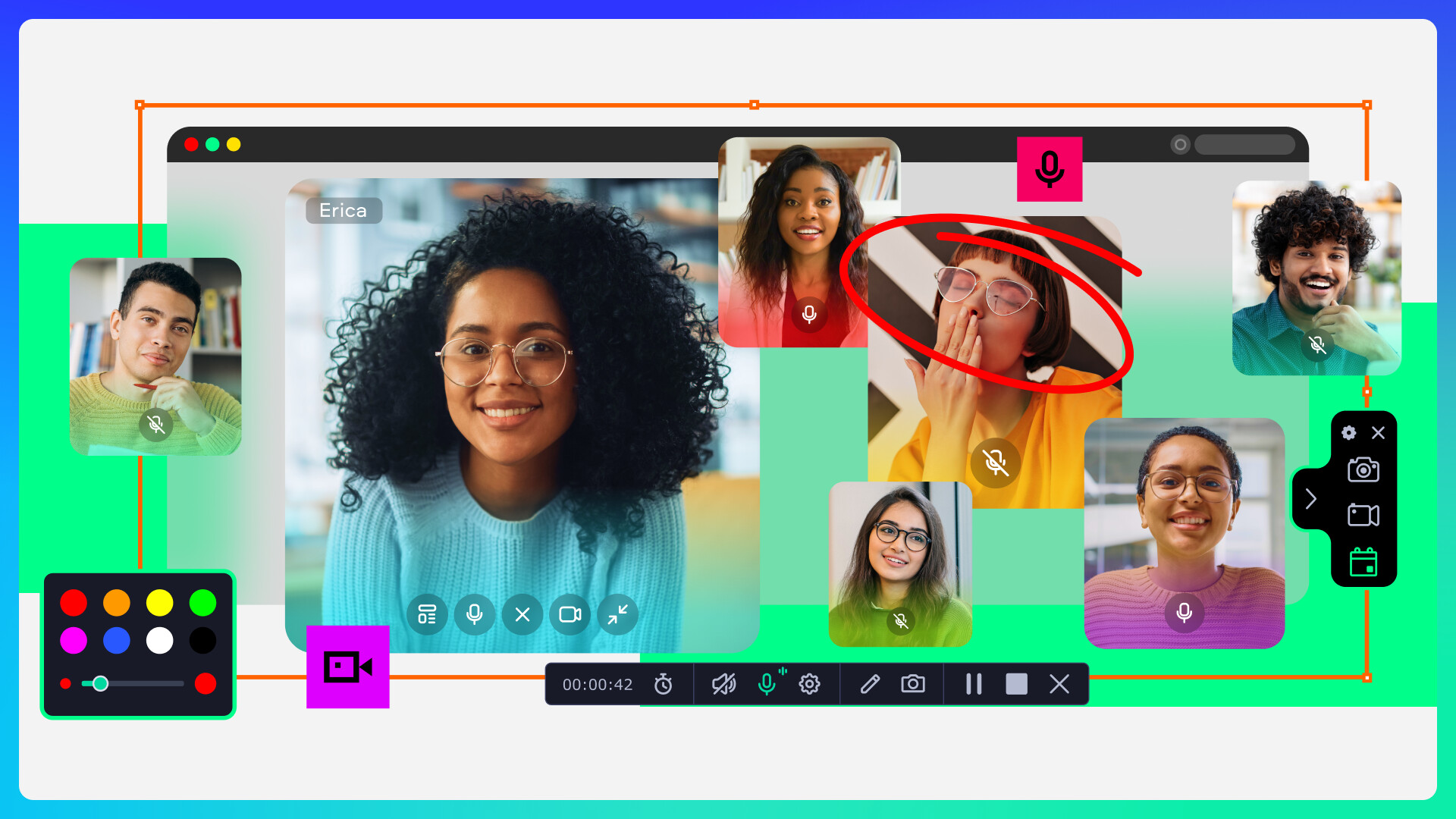
Easily record your gameplay, tutorials, or live streams with crystal-clear quality. Build epic walkthroughs, strategy guides, or how-to videos for your squad without breaking a sweat. Make your screencasts pop – highlight mouse and keyboard clicks, draw directly on the video as you go, and add a webcam feed so everyone knows who’s behind the action.

  • Convert, compress, and upgrade your media

No more struggling with tricky formats: quickly convert videos, music, and images to whatever format you need. Compress large files without losing quality to free up space, grab and add subtitles for your favorite movies in seconds, and use AI to upscale video resolution so everything looks crisp on the big screen.

AI Generated Content Disclosure

The developers describe how their game uses AI Generated Content like this:

Movavi Video Suite comes packed with smart AI tools that make video editing even easier:
-Automatic subtitle creation saves loads of time by generating captions for you in almost any language.
-The AI denoiser automatically cleans up background noise in your audio, so you get clear sound without any hassle.
-If you need to remove background, AI does it in just a few clicks – no green screen required!
-With motion tracking, you can easily follow objects or people through your footage, making it a breeze to add text, effects, or animations that stay locked onto your moving subject.
-AI Upscaling. Use the program’s AI to up the resolution of grainy shots by 4 or even 8 times. Make every detail count!

System Requirements

    Minimum:
    • Requires a 64-bit processor and operating system
    • OS: Microsoft® Windows® 10/11 64-bit with up-to-date patches and service packs installed
    • Processor: Intel®, AMD®, or compatible dual-core processor, 1.5 GHz
    • Memory: 2 MB RAM
    • Graphics: Intel® HD Graphics 2000, NVIDIA® GeForce® series 8 and 8M, Quadro FX 4800, Quadro FX 5600, AMD Radeon™ R600, Mobility Radeon™ HD 4330, Mobility FirePro™ series, Radeon™ R5 M230 or higher graphics card with up-to-date drivers
    • Storage: 1350 MB available space
    • Additional Notes: 1280 × 768 screen resolution, 32-bit color
    Recommended:
    • Requires a 64-bit processor and operating system
There are no reviews for this product

You can write your own review for this product to share your experience with the community. Use the area above the purchase buttons on this page to write your review.