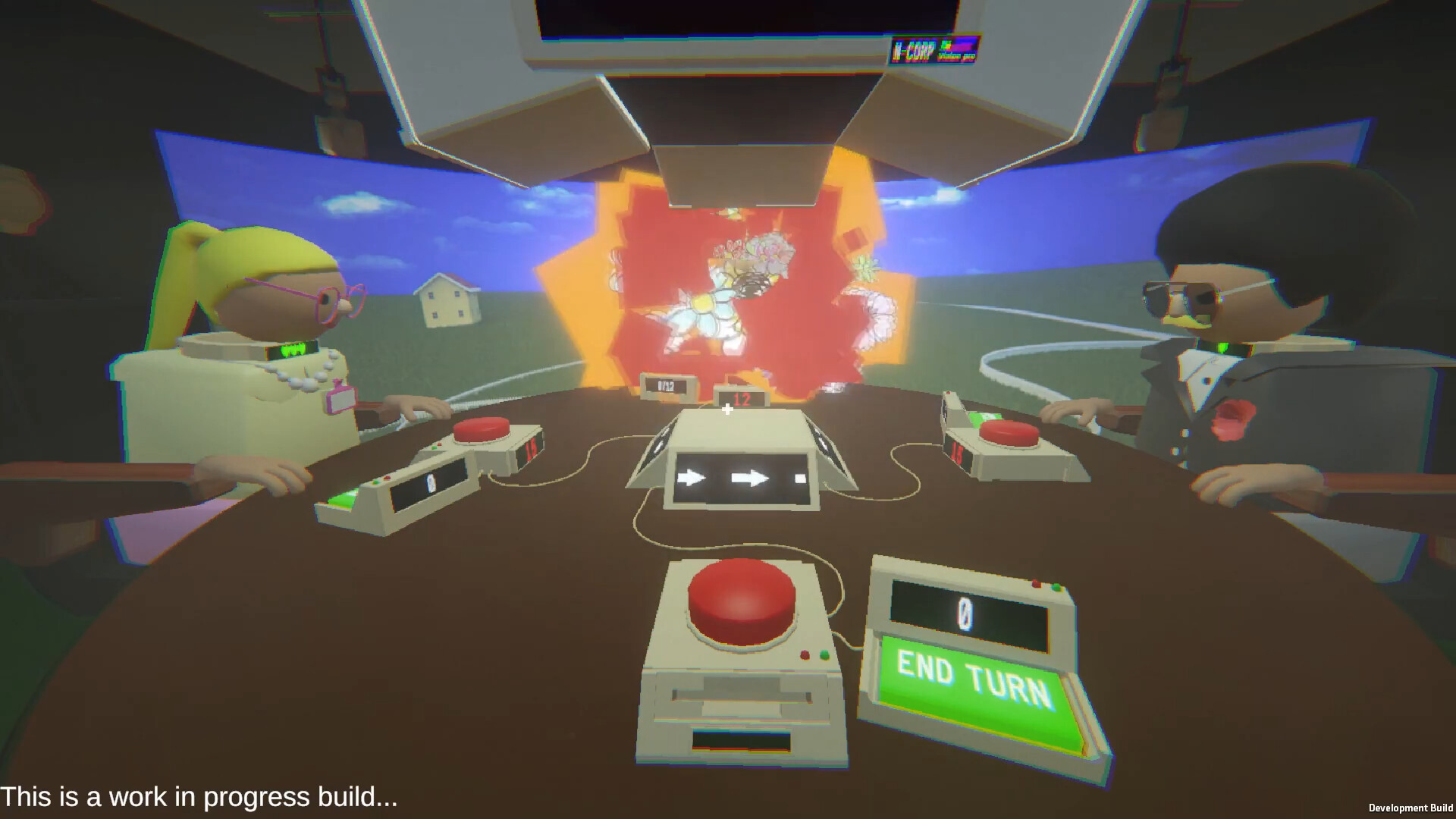
Lay Off Show is a game where your risk is others’ risk. You have to keep pressing the button, not knowing when it will “FIRE” you. But in this game show, if you press more, others need to press more. Try to avoid getting “FIRED” and SURVIVE to continue your career.

登入以將此項目新增至您的願望清單、關注它,或標記為已忽略

不支援繁體中文

本產品尚不支援您的目前所在地的語言。購買前請先確認語言支援清單。

此遊戲尚未在 Steam 上發售

預計發行日期: 待公告

感興趣嗎?
將這款遊戲加入願望清單,以便在發售時收到通知。
 

關於此遊戲

Lay Off Show is a game where your risk is others’ risk. You have to keep pressing the button without knowing when it will “FIRE” you. But in this game show, if you press more, others need to press more.

Try to avoid getting “FIRED” and SURVIVE to continue your career.

Your goal is to survive while managing your own risk.

Story

You are an employee at a black company that is about to fire staff. Fortunately, your company gives you a chance to participate in a game show broadcast live to audiences around the world... You need to eliminate all of your colleagues so that you can keep your position in the company.

Mechanics

In this game, you need to — and want to — press the button. As you press the button, you raise the bar for others. As they press more, they get closer to their redline.

But there is a catch… you don't know your own redline...

In the end, you need to talk to colleagues to get information while trying to deceive them about what they should know.

While you can only press the button, you must NOT GET FIRED....

成人內容說明

開發者表示產品內容如下:

Portrayed violence through minor blood and gore. Also having in game character dying in front of player

系統需求

    最低配備:
    • 作業系統: Windows 10 or 11
    • 處理器: Intel® Core™ i5-4440 or AMD Ryzen 3 1200
    • 記憶體: 8 MB 記憶體
    • 顯示卡: Nvidia GeForce GT 1030 or AMD Radeon RX 550
    • DirectX: 版本:11
    • 儲存空間: 700 MB 可用空間
    建議配備:
    • 作業系統: Windows 10 or 11
    • 處理器: Intel® Core™ i5-8600 or AMD Ryzen 3 5300G
    • 記憶體: 8 MB 記憶體
    • 顯示卡: Nvidia GeForce GTX 1050 TI or AMD RX 560
    • DirectX: 版本:11
    • 儲存空間: 700 MB 可用空間
此產品無任何評論

您可以撰寫評論來與社群分享您對於本產品的看法。請使用本頁面中位於購買按鈕上方的區塊來進行評論的編寫。