Zaloguj się, aby dodać tę pozycję do listy życzeń, zacząć ją obserwować lub oznaczyć jako ignorowaną

Polski język nie jest obsługiwany

Ten produkt nie obsługuje twojego lokalnego języka. Przed zakupem zapoznaj się z listą obsługiwanych języków, która znajduje się poniżej.

Graj w DFHack - Dwarf Fortress Modding Engine

Bezpłatne
 

O tej grze

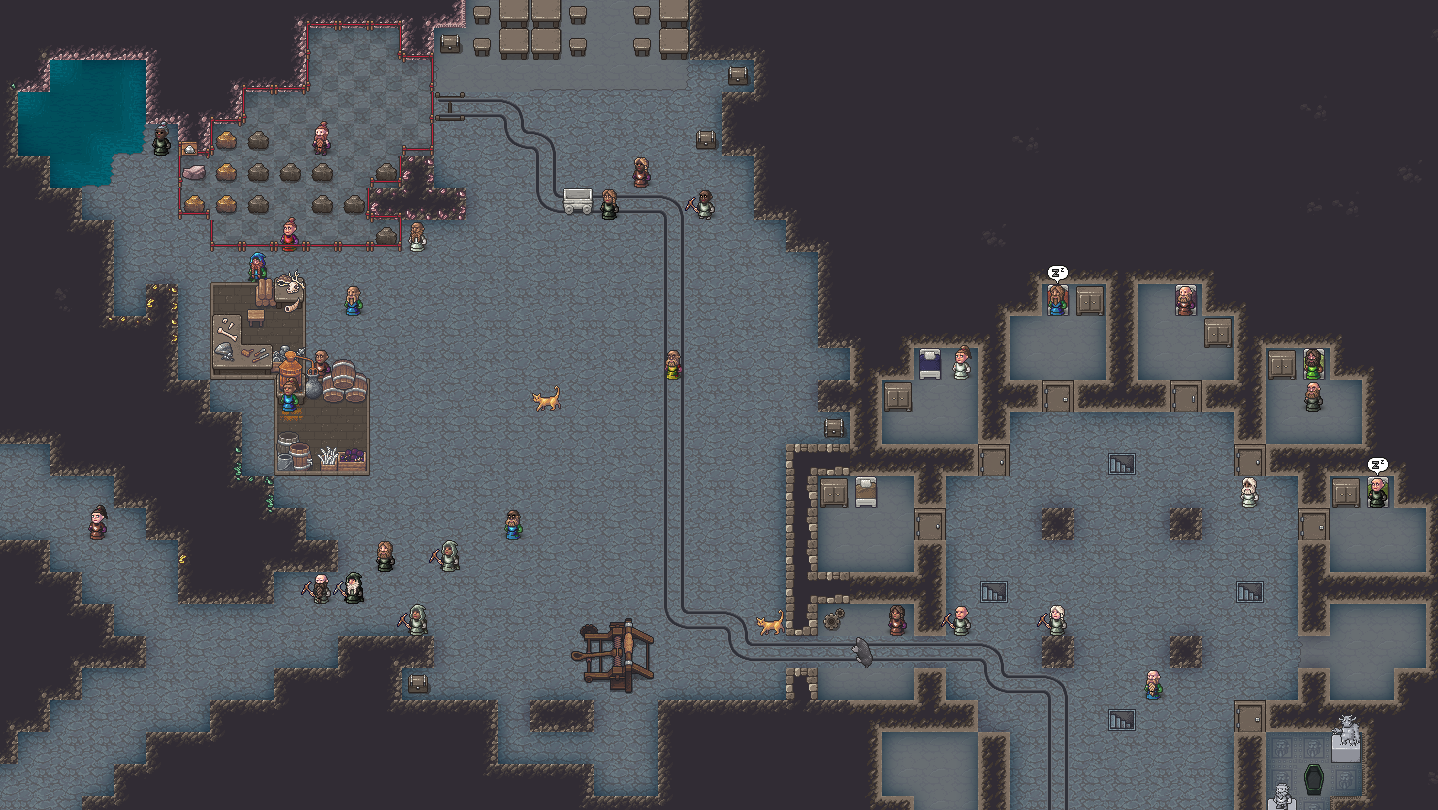
DFHack is an add-on for Dwarf Fortress (search for it here on Steam!) that enables mods and tools to significantly extend the game. The default DFHack distribution contains a wide variety of these tools, including bugfixes, interface improvements, automation agents, design blueprints, modding building blocks, and more. Third-party tools (e.g. mods downloaded from Dwarf Fortress Steam Workshop or the forums) can also seamlessly integrate with the DFHack framework and extend the game far beyond what can be done by just modding the raws.

DFHack’s mission is to provide tools and interfaces for players and modders to:

  • expand the bounds of what is possible in Dwarf Fortress
  • reduce the impact of game bugs
  • give the player more agency and control over the game
  • provide alternatives to toilsome or frustrating aspects of gameplay
  • make the game more fun

Our online Quickstart Guide (see the "View the website" link in the sidebar) will help you get up to speed with how to use DFHack. It's also available in-game via the quickstart-guide command.

The best way to make feature requests or report problems is to open an Issue on our GitHub issue tracker (see the "Stats" link in the sidebar).

When reporting problems, links to your zipped, uploaded savegame and mods are immensely helpful, and issues with attached savegames and mods get fixed faster. We need a zip of your mods because we can't load your savegame without them.

DFHack installs itself directly into your Dwarf Fortress installation. It does this the first time you launch it, so you must launch DFHack once for this to happen. If you are on Linux, both games must also have the same "Compatibility" setting (e.g. "Steam Linux Runtime 1.0 (scout)") or this won't work.

It is not a problem if you already have DFHack manually installed and are switching to Steam. You can subscribe to the Steam version. Your saved DFHack configuration in the dfhack-config directory will be safe, and the DFHack launcher will detect and clean up your prior installation so it won't interfere.

Wymagania systemowe

Windows
SteamOS + Linux
    Konfiguracja minimalna:
    • Wymaga 64-bitowego procesora i systemu operacyjnego
    • System operacyjny: XP SP3 or later
    • Procesor: Dual Core CPU - 2.4GHz+
    • Pamięć: 4 GB RAM
    • Karta graficzna: 1GB of VRAM: Intel HD 3000 GPU / AMD HD 5450 / Nvidia 9400 GT
    • Miejsce na dysku: 50 MB dostępnej przestrzeni
    Konfiguracja zalecana:
    • Wymaga 64-bitowego procesora i systemu operacyjnego
    • Procesor: Dual Core CPU - 4GHz+
    • Pamięć: 16 GB RAM
    Konfiguracja minimalna:
    • Procesor: Dual Core CPU - 2.4GHz+
    • Pamięć: 4 GB RAM
    • Karta graficzna: 1GB of VRAM: Intel HD 3000 GPU / AMD HD 5450 / Nvidia 9400 GT
    • Miejsce na dysku: 50 MB dostępnej przestrzeni
    • Dodatkowe uwagi: Must have the same "Compatibility" setting (e.g. "Steam Linux Runtime 1.0 (scout)") as Dwarf Fortress.
    Konfiguracja zalecana:
    • Procesor: Dual Core CPU - 4GHz+
    • Pamięć: 16 GB RAM
Filtry recenzji