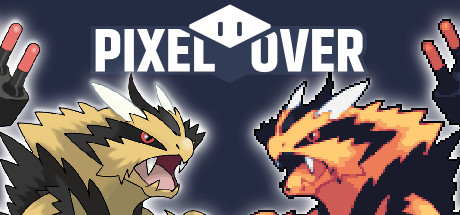
PixelOver is a pixel art animation tool that transforms your artwork into pixel-perfect renders. Animate in real time with keyframes, bones, inverse kinematics, and pixel-accurate transforms for pixel perfect sprites, GIFs, and spritesheets.

Sign in to add this item to your wishlist, follow it, or mark it as ignored

Early Access Software

Get involved with this software as it develops.

Note: This Early Access software is not complete and may or may not change further. If you are not excited to use this software in its current state, then you should wait to see if it progresses further in development. Learn more

What the developers have to say:

Why Early Access?

“Early Access is important for PixelOver because it allows to gather feedback from the community early on and make sure the project evolves in the right direction.”

Approximately how long will this software be in Early Access?

“PixelOver will remain in Early Access until the main features are stable and the overall workflow feels solid and reliable. The exact duration may vary depending on feedback, testing, and development progress.”

How is the full version planned to differ from the Early Access version?

“The full version of PixelOver is planned to be a more complete and stable release, with a polished workflow, improved performance, and fewer bugs. Early Access will continue to receive frequent updates and community-driven improvements, while the full version will focus on delivering a finalized set of core features and a smoother overall experience.”

What is the current state of the Early Access version?

“PixelOver is already fully usable and includes the core workflow: importing images and 3D models, applying pixel-art shaders (indexation, dithering, etc.), animating with keyframes and bones, and exporting to images, GIFs, or spritesheets.

The Early Access version is still actively being improved, with ongoing work on stability, usability, and new features based on community feedback.”

Will this software be priced differently during and after Early Access?

“Yes. The current Early Access price reflects the unfinished state of the software. As new features are added and the product becomes more polished, the price may be adjusted to match the full version.”

How are you planning on involving the Community in your development process?

“We actively involve the community through our Discord server, where users can share feedback, suggest new features, report bugs, and showcase their creations made with PixelOver. Community input helps guide development and improve the software in meaningful ways.”
Read more

Buy PixelOver

WEEK LONG DEAL! Offer ends November 30

35% off. $19.99 normally, discounted to $12.99
 

Report bugs and leave feedback for this software on the discussion boards

See all discussions

About This Software

Pixel art animation software

PixelOver is a pixel art oriented animation tool designed to turn your artwork into clean, pixel-perfect renders. Use real-time effects like dithering and indexation, then animate with keyframes and bones while keeping clean results thanks to pixel-art resampling.

Main features

  • Import images, GIFs, and 3D models
  • Layer-based workflow with pixel-art effects: indexation, dithering, pixel-perfect lines, color cycling, and more
  • Parent-child transform system for building clean hierarchies
  • Real-time animation with keyframes and bone rigging
  • Inverse kinematics (IK) for faster posing and character animation
  • Mesh deformation for flexible 2D animation and advanced rigs
  • Export to images, GIFs, or spritesheets

System Requirements

Windows
macOS
SteamOS + Linux
    Minimum:
    • Requires a 64-bit processor and operating system
    • OS: Windows 10 64-bit
    • Processor: x86_64 with SSE4.2
    • Memory: 4 MB RAM
    • Graphics: Direct3D 12 (feature level 12_0) or Vulkan 1.2 GPU
    • DirectX: Version 12
    • Storage: 150 MB available space
    • Additional Notes: Older GPUs: use the OpenGL 3.3 launch option
    Recommended:
    • Requires a 64-bit processor and operating system
    • OS: Windows 10/11 64-bit
    • Processor: x86_64 with SSE4.2, 4+ cores
    • Memory: 8 MB RAM
    • Graphics: Dedicated GPU, Direct3D 12 or Vulkan 1.2
    • DirectX: Version 12
    • Storage: 200 MB available space
    • Additional Notes: If you have an iGPU it may be incompatible, please try the demo to be sure.
    Minimum:
    • OS: macOS 10.15 (10.13 with the OpenGL launch option)
    • Processor: Intel x86_64 or Apple Silicon
    • Memory: 4 MB RAM
    • Graphics: Apple Silicon (Metal), or Vulkan 1.2 GPU on Intel
    • Storage: 150 MB available space
    • Additional Notes: Older GPUs: use the OpenGL 3.3 launch option
    Recommended:
    • OS: macOS 13+ on Apple Silicon
    • Processor: Apple Silicon
    • Memory: 8 MB RAM
    • Graphics: Apple Silicon
    • Storage: 200 MB available space
    • Additional Notes: If you have an iGPU it may be incompatible, please try the demo to be sure.
    Minimum:
    • OS: 64-bit distribution released after 2018
    • Processor: x86_64 with SSE4.2
    • Graphics: Vulkan 1.2 (OpenGL 3.3 with the launch option)
    • Storage: 150 MB available space
    • Additional Notes: Older GPUs: use the OpenGL 3.3 launch option
    Recommended:
    • OS: Released after 2020
    • Processor: x86_64 with SSE4.2, 4+ cores
    • Graphics: Dedicated GPU, Vulkan 1.2
    • Storage: 200 MB available space
    • Additional Notes: If you have an iGPU it may be incompatible, please try the demo to be sure.