Увійдіть до акаунта, щоби додати цей продукт до списку бажаного чи позначити як ігнорований.

українська мова недоступна

Цей продукт не підтримує вашу мову. Будь ласка, перегляньте список підтримуваних мов перед купівлею.

Придбати FMVMachine


Про цю програму

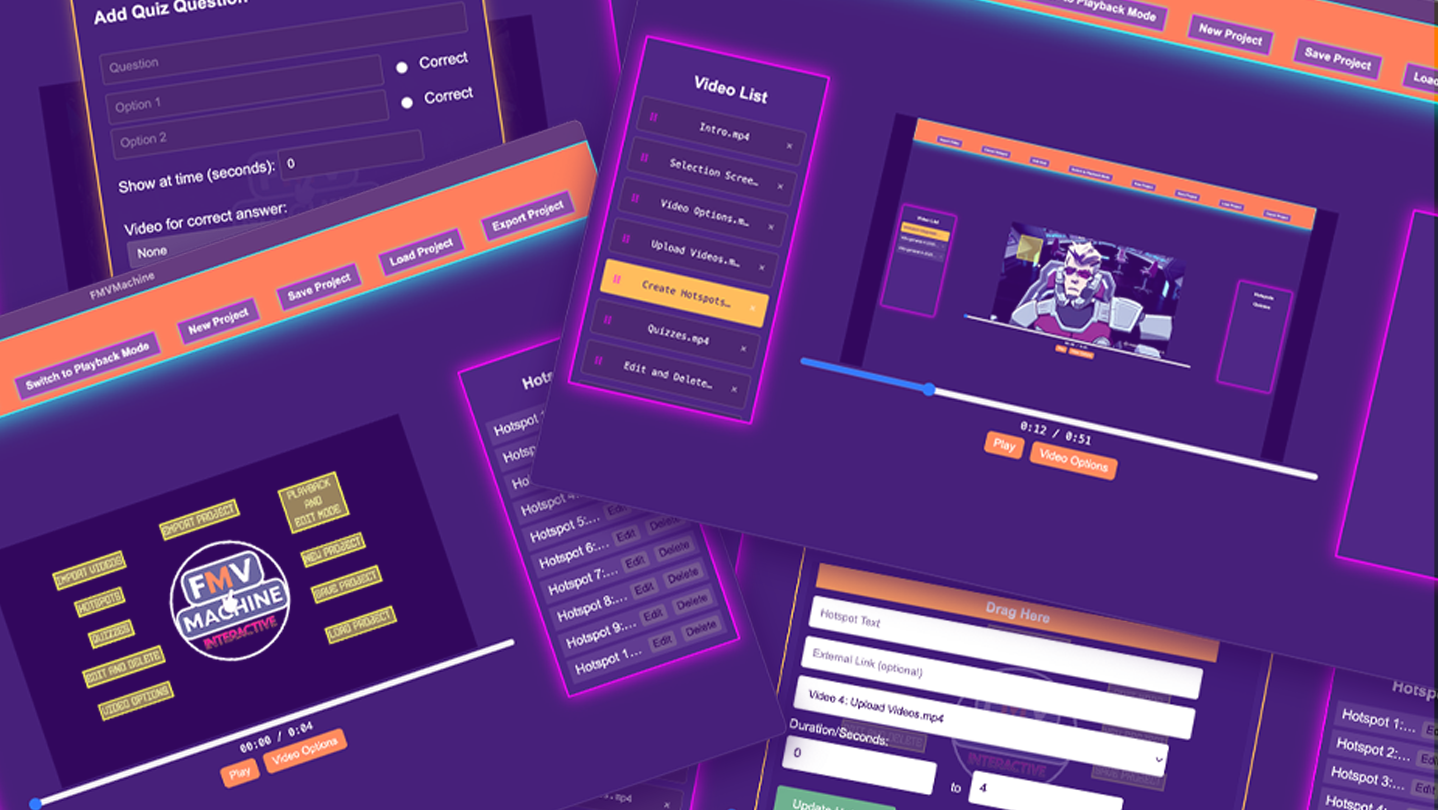
FMVMachine makes it easy to build branching narratives, pitches, and marketing videos with interactive hotspots, quizzes, and seamless video transitions. This no-code tool makes it easy to create and self-host your own interactive video and educational experiences.

All the projects you create are fully responsive across most resolution sizes and devices.

You own and control everything you create. Build locally and privately on your computer or laptop. No cloud servers or subscriptions. 

Use for any use case including commercial use.

The following are the key features of FMVMachine:

  • Import and work with multiple videos within the same project

  • Create, edit, and delete multiple responsive and interactive hotspots across multiple videos within the same project. When clicked, you can choose to display text, open a link, or link to and play another video from the imported videos. You can also choose the time interval of when the hotspot will be visible during the video playback.

  • Create, edit, or delete multiple responsive and interactive quizzes across multiple videos in your project. You can create a question along with multiple choice questions. You can also link to and play a video based on a right or wrong choice. You can even choose when during your video playback the quiz will appear.

  • You have an edit and playback mode that you can switch between. The edit mode is where you will edit, add, or delete from your existing project. The playback mode allows you to test everything that you've created.

  • The video options allow you to either loop the current video at the end of playback or play another video.

  • You can save your project, including all videos and options, into a simple .proj file that you can open across any device using FMVMachine. Keep in mind that your saved project file will be as large as the video files you use.

  • The new project button allows you to erase everything and start with a blank slate.

  • You can load ANY FMVMachine .proj save file into FMVMachine using the load project button.

  • The export button exports your project. When exported, everything required for your project to be distributed online will be pre-created and pre-packaged into a zip file. Simply unzip the file and inside the folder you will find everything already structured and ready to go. You can send the zip file to share with friends, family, or clients. You can also upload the entire folder to your own web host or wherever you choose to share online that hosts HTML.

Розкриття інформації щодо вмісту, згенерованого ШІ

Розробники так описують використання в грі вмісту, згенерованого штучним інтелектом:

The sample videos you see loaded in the app for the purposes of creating screenshots, a trailer, and a tutorial were generated with Ai.

Системні вимоги

Windows
macOS
    Мінімальні:
    • ОС: Windows 10/11
    • Процесор: Intel Core i3-3220 or AMD FX-4300
    • Оперативна пам’ять: 4 GB ОП
    • Відеокарта: Intel HD Graphics 4000 or NVIDIA GeForce GT 730 or AMD Radeon R5 240
    • DirectX: версії 11
    • Місце на диску: 2 GB доступного місця
    Рекомендовані:
    • DirectX: версії 11
    Мінімальні:
    • ОС: macOS 11 or later
    • Процесор: Intel Core i3-3220 or Apple M1
    • Оперативна пам’ять: 4 GB ОП
    • Відеокарта: Intel HD Graphics 4000
    • Місце на диску: 2 GB доступного місця

Користувацькі рецензії на FMVMachine Про рецензії користувачів Ваші вподобання

Усі рецензії:
Рецензій: 1 (усього 1)


Щоб переглянути рецензії за певний проміжок часу, виберіть його на графіку вище або клацніть відповідний стовпчик.


Сортуйте рецензії за показником награного часу на момент написання рецензії:


Без мінімуму до Без максимуму

Показувати рецензії у вибраній послідовності


Дізнатися більше
Фільтри
Виключення рецензійної активності «не за темою»
Ігровий час:
Переважно на Steam Deck
Операційна система:
ЦП:
ГП:
Тип пристрою:
Більше немає рецензій, що збігаються із фільтрами вище
Скоригуйте фільтри вгорі, щоби бачити більше рецензій
Завантаження рецензій…