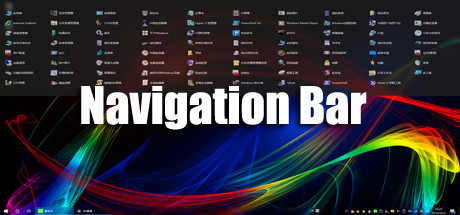
"Navigation Bar" can greatly save the number of desktop icons, so that the desktop is more concise and refreshing! Implement desktop no shortcut icon!
Theo nhãn

Đăng nhập để thêm sản phẩm này vào danh sách ước, theo dõi, hoặc đánh dấu nó thành "đã phớt lờ"

Không hỗ trợ ngôn ngữ Tiếng Việt

Sản phẩm này không hỗ trợ ngôn ngữ địa phương của bạn. Vui lòng xem lại danh sách ngôn ngữ được hỗ trợ dưới đây trước khi mua.

Mua Navigation Bar


Về phần mềm này

"Navigation Bar" is a specially developed for Windows10 users, applications, files, directories fast start navigation software! Implement desktop no shortcut icon

It can greatly save the number of desktop icons, making the desktop more concise and refreshing! Users can drag and drop commonly used apps, files, or directories onto the navigation bar. When the settings are automatically hidden, the navigation bar hides to the top of the desktop, the mouse moves to the top of the desktop, and the navigation bar appears!

Make the desktop space larger, the switch between the application is more convenient, improve the work efficiency! You can also add commonly used system features in the navigation bar to open more easily!

Yêu cầu hệ thống

    Tối thiểu:
    • HĐH: Windows 10

Đánh giá của khách hàng cho Navigation Bar Giới thiệu về đánh giá người dùng Tùy chỉnh của bạn

Đánh giá tổng thể:
Trái chiều (20 đánh giá)


Để xem các đánh giá trong một khoảng thời gian, vui lòng nhấp và kéo lựa chọn trên đồ thị hoặc nhấp vào một thanh cụ thể.


Lọc theo thời gian chơi của người dùng khi đánh giá được viết:


Không có tối thiểu đến Không có tối đa

Hiện bài đánh giá theo thứ tự hiển thị đã chọn


Tìm hiểu thêm
Bộ lọc
Loại trừ hoạt động đánh giá lạc đề
Thời gian chơi:
Chơi chủ yếu trên Steam Deck
Hệ điều hành:
CPU:
GPU:
Loại thiết bị: