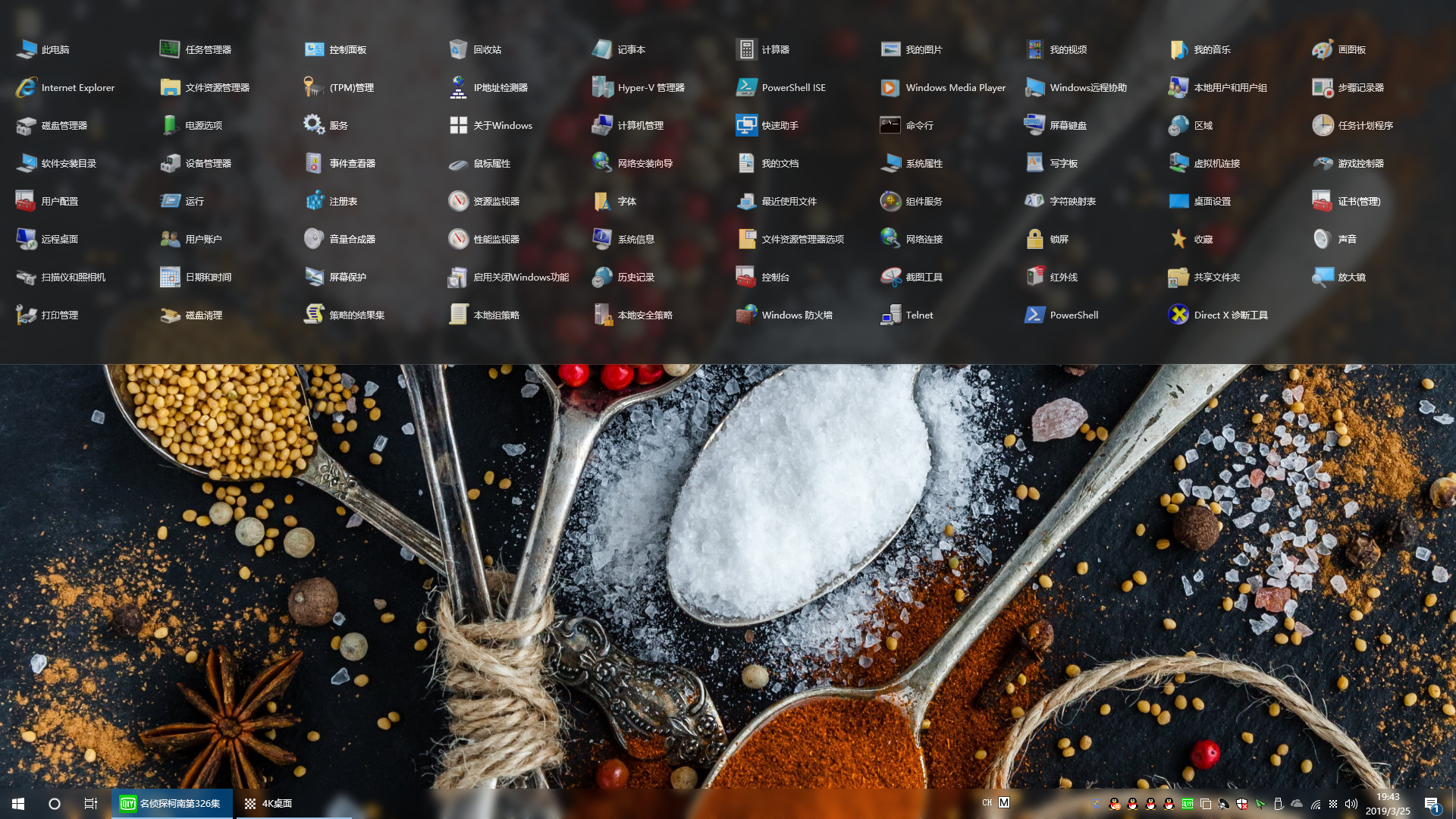
"Navigation Bar" can greatly save the number of desktop icons, so that the desktop is more concise and refreshing! Implement desktop no shortcut icon!
แท็ก

เข้าสู่ระบบ เพื่อเพิ่มผลิตภัณฑ์นี้ลงในสิ่งที่อยากได้ของคุณ ติดตาม หรือทำเครื่องหมายเป็นถูกละเว้น

ไม่รองรับภาษาไทย

ผลิตภัณฑ์นี้ไม่รองรับภาษาท้องถิ่นของคุณ โปรดตรวจสอบรายชื่อภาษาที่รองรับก่อนทำการสั่งซื้อ

ซื้อ Navigation Bar


เกี่ยวกับซอฟต์แวร์นี้

"Navigation Bar" is a specially developed for Windows10 users, applications, files, directories fast start navigation software! Implement desktop no shortcut icon

It can greatly save the number of desktop icons, making the desktop more concise and refreshing! Users can drag and drop commonly used apps, files, or directories onto the navigation bar. When the settings are automatically hidden, the navigation bar hides to the top of the desktop, the mouse moves to the top of the desktop, and the navigation bar appears!

Make the desktop space larger, the switch between the application is more convenient, improve the work efficiency! You can also add commonly used system features in the navigation bar to open more easily!

ความต้องการระบบ

    ขั้นต่ำ:
    • ระบบปฏิบัติการ: Windows 10

บทวิจารณ์จากผู้ซื้อ Navigation Bar เกี่ยวกับบทวิจารณ์จากผู้ใช้ การปรับแต่งของคุณ

บทวิจารณ์โดยรวม:
ผสมกัน (20 บทวิจารณ์)


ในการดูบทวิจารณ์ตามช่วงวันที่ โปรดคลิกและลากการเลือกบนกราฟด้านบน หรือคลิกบนแท่งที่กำหนด


กรองบทวิจารณ์ตามเวลาเล่นของผู้ใช้เมื่อบทวิจารณ์ถูกเขียน:


ไม่มีต่ำสุด ถึง ไม่มีสูงสุด

แสดงบทวิจารณ์ตามลำดับการแสดงผลที่เลือกไว้


เรียนรู้เพิ่มเติม
ตัวกรอง
กำลังละเว้นกิจกรรมบทวิจารณ์นอกเรื่อง
เวลาเล่น:
เล่นบน Steam Deck เป็นส่วนใหญ่
ระบบปฏิบัติการ:
CPU:
GPU:
ประเภทอุปกรณ์: