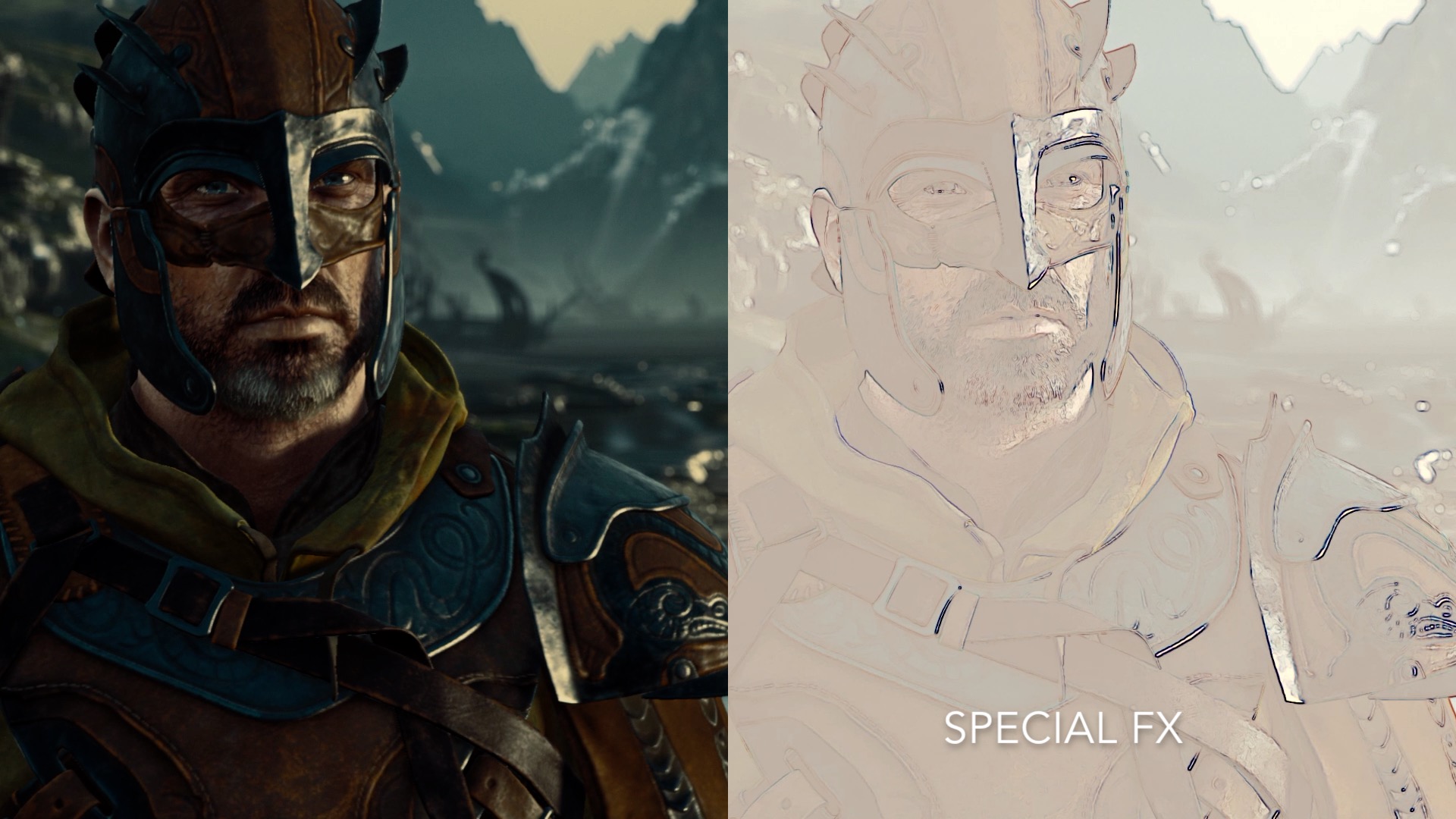
Add Filters to enhance the visuals in your favorite games.

로그인하셔서 게임을 찜 목록에 추가하거나, 팔로우하거나 또는 제외로 지정하세요.

앞서 해보는 소프트웨어

이 소프트웨어가 개발되는 과정에 참여하세요.

주의 사항: 이 앞서 해보기 소프트웨어는 완성되지 않았으며 앞으로 더 변하거나 변하지 않을 수 있습니다. 현재 상태의 소프트웨어가 흥미롭지 않다면 이 소프트웨어가 개발을 거치며 발전하는지 살펴보는게 좋습니다. 앞서 해보기에 대해 더 알아보세요.

참고: 개발사에서 7년 전에 마지막으로 업데이트했습니다. 개발사에서 제공한 게임 정보 및 개발 일정은 최신 정보가 아닐 수 있습니다.
개발자의 한마디:

왜 앞서 해보기를 진행하나요?

“The development of NextFX is driven by user feedback and collaboration. Early Access not only offers users the opportunity to provide initial feedback but it also helps us cultivate a community in which NextFX users contribute to it's early-stage development.”

이 소프트웨어는 대략 얼마간 앞서 해볼 수 있나요?

“NextFX is planned to be release later this year.”

정식 버전은 앞서 해보기 버전과 어떻게 달라지나요?

“The full version will contain more effects, support more graphics APIs, and include performance optimizations.”

앞서 해보기 버전은 현재 어떤 상태인가요?

“NextFX currently supports Direct3D 11 games and 11 effects.”

이 소프트웨어는 앞서해보기 기간동안 가격이 달라질 수도 있습니까?

“No, There are currently no plans to change the price.”

개발 과정에서 어떻게 커뮤니티와 소통할 계획인가요?

“Community feedback will play a essential role in NextFX development. Feedback in steam discussions, twitter, reddit, and other platforms will be used NextFX development roadmap.”
더 읽어보기
한국어(을)를 지원하지 않습니다

이 제품은 귀하의 로컬 언어를 지원하지 않습니다. 구매하기 전에 아래에 있는 지원하는 언어 목록을 확인해주세요.

주의: NextFX 제품은 더 이상 Steam 상점에서 이용할 수 없습니다.
 
모든 토론 보기

이 소프트웨어의 버그를 신고하고 피드백을 토론 게시판에 남겨주세요

소프트웨어 정보

NextFX allows users to add filters and post processing effects to enhance DirectX 11 game visuals. The tool intercepts the rendering of games and applies multiple effects specified by the user in real-time, empowering users to create customized and immersive gaming experiences.

Note: It's not recommended to use NextFX with games that implement anti-cheating software.

Features:

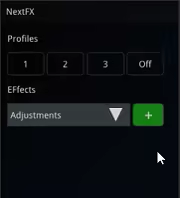
  • Edit Effect Parameters in Real-Time
  • Create and Save Multiple Effect Profiles per Game
  • Add Custom User Created Effects

How it Works:


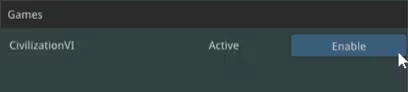
1) Launch a DirectX 11 Steam game
2) Launch NextFX

If the game's game's graphic API is supported, it will show up in the NextFX Window


3) Click "Enable"
4) Press CTRL+N in the game window to show NextFX Settings


4) Press CTRL+N in the game window to refocus the game

Please contact us if there are any issues with a title.
contact: support@subsun.io

시스템 요구 사항

    최소:
    • 운영 체제 *: Windows 7/8/10
    • 프로세서: Dual Core 2.0 GHz or better
    • 메모리: 1 GB RAM
    • 그래픽: Intel HD 6000 or better (Shader Model 4.0)
    • 저장 공간: 100 MB 사용 가능 공간
* 2024년 1월 1일부터 Steam 클라이언트는 Windows 10 이상 버전만 지원합니다.

NextFX에 대한 사용자 평가 사용자 평가 정보 환경 설정

종합 평가:
사용자 평가 7개 (평가 7개)


특정 날짜 범위에 속하는 평가를 보려면, 위의 그래프에서 선택 항목을 클릭한 후 드래그하거나 원하는 바를 클릭하세요.


평가를 작성한 시점의 사용자 플레이 시간을 기준으로 평가를 필터링:


최소 시간 없음 ~ 최대 시간 없음

선택한 표시 순서로 평가 보기


자세한 정보
필터
게임과 관련없는 평가 활동 제외
플레이 시간:
주로 Steam Deck에서 플레이
운영 체제:
CPU:
GPU:
기기 유형:
위에서 설정한 필터 조건에 맞는 평가가 없습니다
다른 평가를 보려면 위에서 필터를 조정해주세요
평가 불러오는 중...