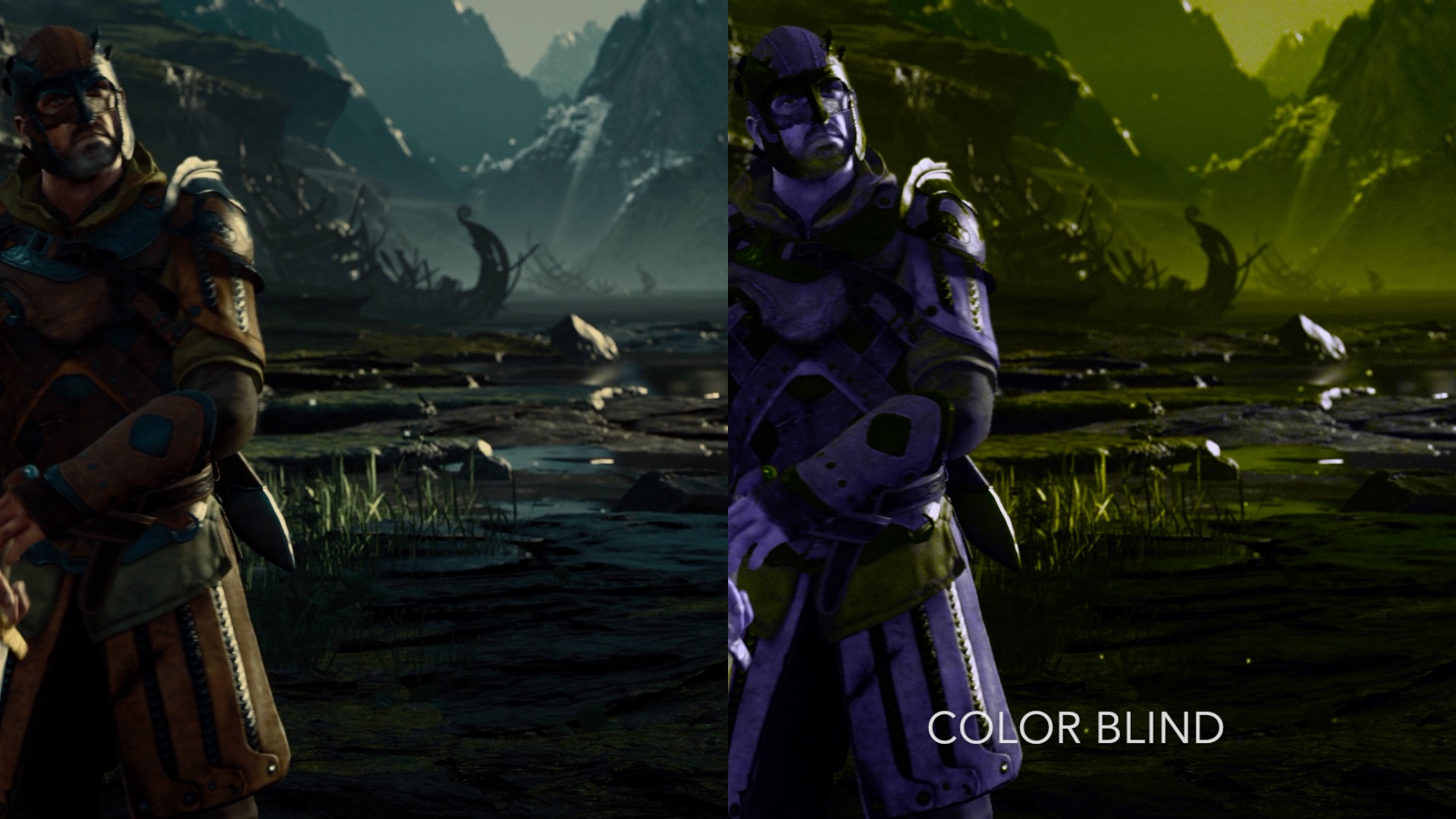
Add Filters to enhance the visuals in your favorite games.

このアイテムをウィッシュリストへの追加、フォロー、スルーとチェックするには、サインインしてください。

早期アクセスソフトウェア

開発途中のソフトウェアに参加しよう。

注: この早期アクセスソフトウェアは不完全であり、これから変わることも、変わらないこともありえます。 現時点でこのソフトウェアを使用してもできない場合は、 開発が更に進捗するまで待ってみる必要があるかもしれません。 詳細はこちら

注:開発者による最後のアップデートは7年以上前です。 ここで開発者が説明している情報とタイムラインは、最新ではない可能性があります。
開発者からの注意書き:

早期アクセスにした理由

“The development of NextFX is driven by user feedback and collaboration. Early Access not only offers users the opportunity to provide initial feedback but it also helps us cultivate a community in which NextFX users contribute to it's early-stage development.”

このソフトウェアは大体いつまで早期アクセスですか?

“NextFX is planned to be release later this year.”

早期アクセスバージョンと計画されているフルバージョンの違いは?

“The full version will contain more effects, support more graphics APIs, and include performance optimizations.”

早期アクセスバージョンの現状はどうなっていますか?

“NextFX currently supports Direct3D 11 games and 11 effects.”

早期アクセス期間中と期間後ではソフトウェアの価格は変わりますか?

“No, There are currently no plans to change the price.”

コミュニティは開発プロセスにどのように関わることができますか?

“Community feedback will play a essential role in NextFX development. Feedback in steam discussions, twitter, reddit, and other platforms will be used NextFX development roadmap.”
詳細を見る
日本語 はサポートされていません

この製品はあなたの言語をサポートしていません。ご購入される前に、対応言語のリストをご確認ください。

お知らせ: 注意:NextFXはSteamストアで利用できなくなりました。
 
全てのスレッドを表示

このソフトウェアの掲示板でバグを報告したりフィードバックを残そう

このソフトウェアについて

NextFX allows users to add filters and post processing effects to enhance DirectX 11 game visuals. The tool intercepts the rendering of games and applies multiple effects specified by the user in real-time, empowering users to create customized and immersive gaming experiences.

Note: It's not recommended to use NextFX with games that implement anti-cheating software.

Features:

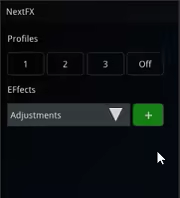
  • Edit Effect Parameters in Real-Time
  • Create and Save Multiple Effect Profiles per Game
  • Add Custom User Created Effects

How it Works:


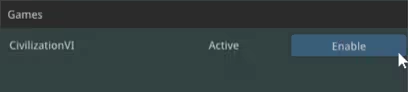
1) Launch a DirectX 11 Steam game
2) Launch NextFX

If the game's game's graphic API is supported, it will show up in the NextFX Window


3) Click "Enable"
4) Press CTRL+N in the game window to show NextFX Settings


4) Press CTRL+N in the game window to refocus the game

Please contact us if there are any issues with a title.
contact: support@subsun.io

システム要件

    最低:
    • OS *: Windows 7/8/10
    • プロセッサー: Dual Core 2.0 GHz or better
    • メモリー: 1 GB RAM
    • グラフィック: Intel HD 6000 or better (Shader Model 4.0)
    • ストレージ: 100 MB の空き容量
* 2024年1月1日(PT)以降、SteamクライアントはWindows 10以降のバージョンのみをサポートします。

『NextFX』のカスタマーレビュー ユーザーレビューについて 個人設定

総合レビュー:
7件のユーザーレビュー (7件のレビュー)


特定期間内のレビューを表示するには上のグラフをクリック&ドラッグするか、棒グラフをクリックしてください。


ユーザーがレビューを書いた時のプレイ時間でレビューをフィルター:


最小時間なし最大時間なし

選択した表示順序でレビューを表示


詳細
フィルター
トピずれのレビュー荒らしを除外
プレイ時間:
主にSteam Deckでプレイ
オペレーティングシステム:
CPU:
GPU:
デバイスタイプ: