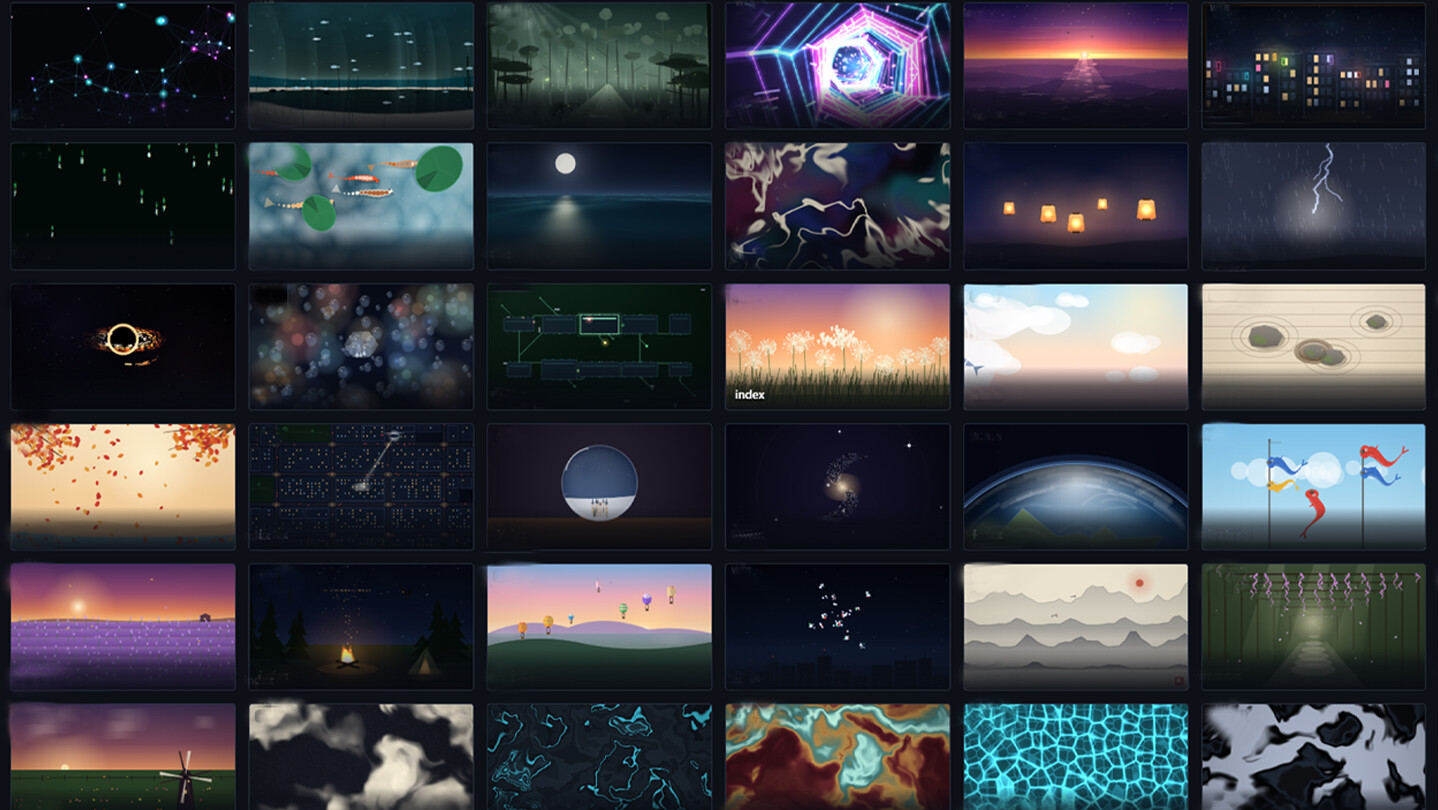
Live wallpapers for Windows: scenes, videos, images, web pages and audio on your desktop. A built-in editor with particles, effects and keyframes, scheduled playlists, auto-pause in games, and Steam Workshop. A lightweight native engine that's easy on your system.
Release Date:
Dec 1, 2026
Developer:
Publisher:
Tags

Sign in to add this item to your wishlist, follow it, or mark it as ignored

This game is not yet available on Steam

Planned Release Date: Dec 1, 2026

This application will unlock in approximately 5 weeks

Interested?
Add to your wishlist and get notified when it becomes available.
 

About This Software

A living desktop

Morphic is live wallpapers for Windows: scenes, videos, images, GIFs, web pages, apps and audio. A native engine written in C++ with DirectX 11 draws your desktop straight through the GPU — no browser layers, no background bloat. Wallpapers live while you enjoy them and know when to step aside when you have work to do.

Features

  • Library — search, categories, tags and favorites: videos, images, GIFs, scenes, web pages and audio in a single showcase.

  • Multiple monitors — different wallpapers on every screen, one scene stretched across all displays, per-monitor FPS and volume.

  • Playlists — wallpapers change on a timer and a weekday schedule; smart shuffling never shows the same scene twice in a row.

  • Scene editor — layers of images, particles, text and shaders; drag-and-drop, gizmos, a keyframe timeline with smooth easing curves.

  • Effects — bloom, waves, cursor and click ripples, god rays, color grading, .cube LUTs; every effect has its own settings and mask.

  • Particles — snow, rain, bubbles, leaves, fireflies, fireworks: emitters of any shape, turbulence, reaction to music and mouse.

  • Shaders — a GLSL layer right in the editor: custom uniforms with sliders, up to four textures, mouse and click input, a gallery of ready presets.

  • AI tools — cut an object out of a photo and build a depth map for 2.5D parallax.

  • Playback rules — auto-pause in fullscreen games and apps, battery saver, wallpapers go quiet when music is playing elsewhere; custom rules for chosen applications.

  • Hotkeys — pause, next and previous wallpaper, mute — without leaving your game.

  • Compact mode — a slim panel docked to the edge of the screen for when the library is in the way.

  • Import & export — move scenes as .mpkg packages and share them outside the Workshop.

Steam Workshop

Publish your scenes straight from the editor — and subscribe to other people's in one click. Browsing, search, item pages with descriptions and ratings, voting — all inside the app. Steam keeps downloaded scenes up to date automatically. From calm landscapes to interactive living scenes — there is something for every taste.

Lightweight by design

  • A dedicated D3D11 renderer: smooth 60 FPS at minimal system cost; frame rate caps are configurable globally and per monitor.

  • Auto quality: when CPU load spikes, the frame rate steps down on its own.

  • Auto-pause: in fullscreen games, on low battery, while the PC sleeps.

  • Wallpapers restore themselves after a reboot — even without launching the app.

  • Steam Cloud carries your settings, library and playlists to another PC.

Languages

The interface speaks 12 languages: English, Russian, German, French, Spanish, Italian, Polish, Portuguese-Brazil, Turkish, Simplified Chinese, Japanese and Korean — detected automatically on first run.

Notes

Windows 10/11 x64. The WebView2 runtime installs automatically on first launch.

System Requirements

    Minimum:
    • Requires a 64-bit processor and operating system
    • OS: Windows 10, Windows 11
    • Processor: 1.66 GHz Intel i5 or equivalent
    • Memory: 1 GB RAM
    • Graphics: HD Graphics 4000 or above
    • DirectX: Version 11
    • Storage: 200 MB available space
    Recommended:
    • Requires a 64-bit processor and operating system
    • OS: Windows 10, Windows 11
    • Processor: 2.0 GHz Intel i7 or equivalent
    • Memory: 1 GB RAM
    • Graphics: NVIDIA GeForce GTX 660, AMD HD7870, 2 GB VRAM or above
    • DirectX: Version 11
    • Storage: 200 MB available space