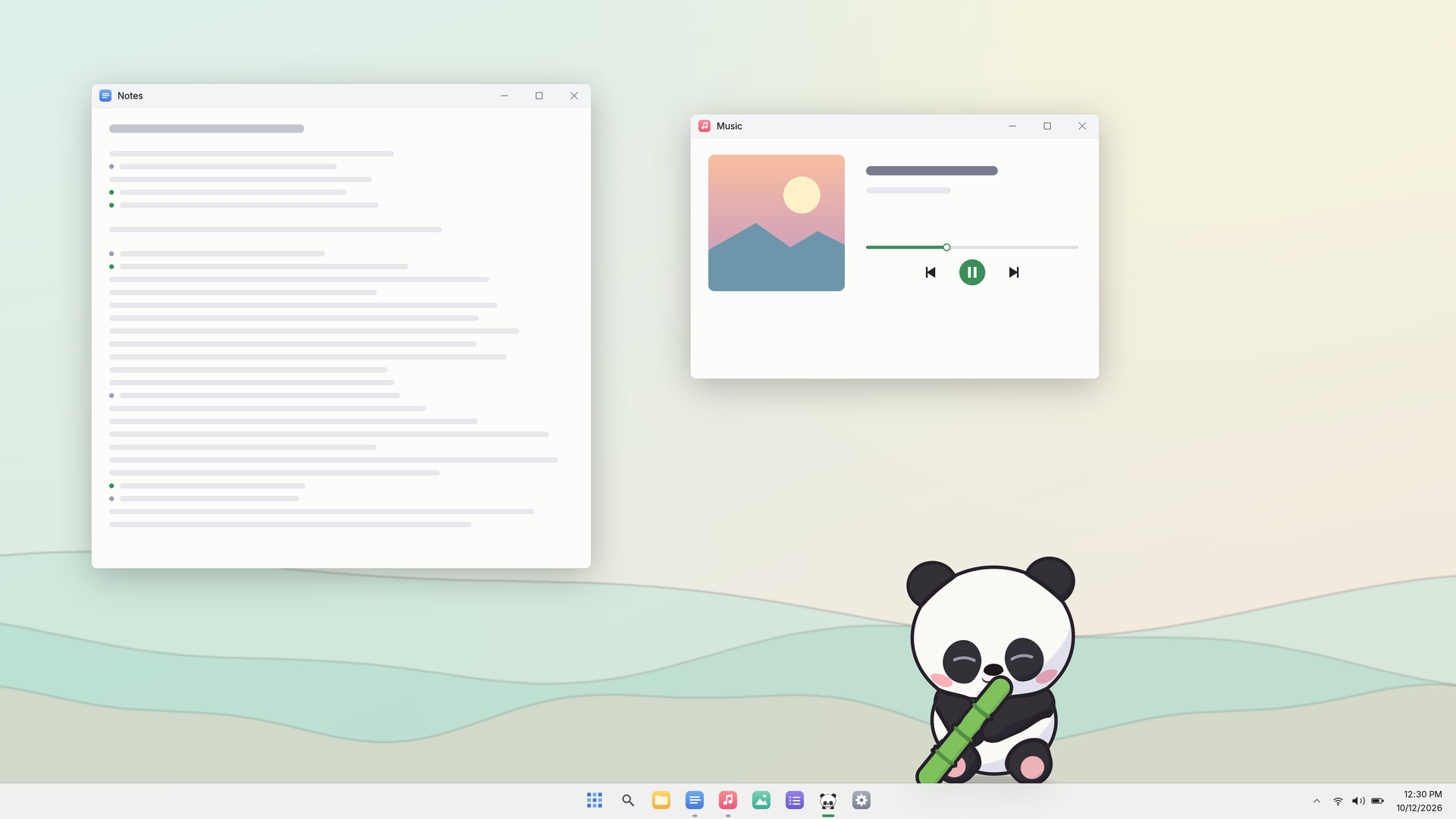
A desktop pet panda who lives on your screen. Pat it, squish it, pick it up and toss it, or offer bamboo and watch it react. While you work, it munches, naps, climbs windows, and peeks in from the screen edge, quietly keeping you company.

Abyste si mohli tento produkt přidat do seznamu přání, začít ho sledovat nebo ho zařadit mezi ignorované, musíte se nejprve přihlásit.

Čeština není podporována

Tento produkt nepodporuje Váš místní jazyk. Seznam podporovaných jazyků je k dispozici níže na této stránce.

Demoverze

Hrát Roly-Poly Panda: Desktop Pet Demo

Prohlédněte si plnou verzi tohoto produktu


Informace o demoverzi

About the free demo


In this free demo, your panda learns the same everyday tricks during its first seven companionship days as it does in the full game. A date counts as one companionship day once the panda has been running for a total of 30 minutes that day.

  • What can I do? You can pat it, squish its belly, pick it up and toss it, feed it, play ball, and watch it climb windows. The diary, outfits, and all settings are included too.
  • Can I keep playing after seven companionship days? Yes. There's no time limit. It stops learning further everyday tricks, but keeps everything it's learned and can stay on your desktop. Seasonal and holiday activities still appear according to the calendar.
  • What does the full game add? More everyday tricks to learn after the seventh companionship day, plus Steam achievements and Steam Cloud saves.
  • Can I carry over my save? Yes. The demo and full game share the same save on the same computer, so you can pick up where you left off. Any tricks your panda missed during the demo will be learned gradually, rather than all at once.


A little panda on your desktop. Play with it, or let it keep itself busy.

Give it a pat


Rub its head and it nuzzles into your hand, eyes closed. Squish its belly and it springs back. Pick it up and its legs kick. Toss it and it curls up, bounces off the screen edge, then sits up dizzy. Belly pokes tickle. Double-click and it hops. Interrupt it anytime.

Windows are for climbing


It clings to window tops. Drag one and it wobbles, then falls. Close it and it tumbles down, startled. Sometimes it hides offscreen and peeks back.

Food and toys


Leaves disappear and bamboo gets shorter with each bite. Wiggle an apple and it trots over to beg. It might steal your ball and roll around hugging it.

While you're busy


It stays quiet while you type and gets sleepy at night, following your computer's clock. A fullscreen game on its monitor makes it hide. Whenever a fullscreen app is open on any monitor, it stays silent.

Seasons and holidays


It rolls in snow, hugs ice in summer, and dresses for your computer's regional holidays. Sometimes it wears pajamas or a hoodie.

Learning new tricks


It learns tricks over time and waits until you're around to show you. Its diary keeps track of new tricks and favorite foods.

No chores


Don't worry about feeding it. It won't starve, get sick, or run away. No currency, in-app purchases, or daily check-ins.

A few more things

  • Regional holiday outfits
  • Low resource use; automatic fullscreen hiding
  • Multiple monitors, Click-through, and calling it back from the tray

What it knows

It counts key presses and their timing, and uses mouse position to follow your pointer and check activity. It also checks window positions, fullscreen status, system volume, and whether the mic is in use. It doesn't log what you type, read screen content, or record audio. Saves stay only on your PC. When connected to Steam, it also syncs game stats and the game status shown to your friends.

FAQ

  • Will it block my clicks?
    Transparent areas let clicks through. To click through the panda too, turn on Click-through in Settings.
  • What about fullscreen games and videos?
    It hides when its monitor is in fullscreen and returns when you leave fullscreen. If any monitor has a fullscreen app open, it stays silent.
  • Can I move it to another monitor? What if I lose it?
    Yes, just drag it over. If you lose it, double-click the panda's tray icon to call it back, or open Repair in the tray menu and choose Bring back to the main screen.
  • Does it start with Windows?
    Not by default. You can turn on Start with Windows in Settings.

Systémové požadavky

    Minimální:
    • Vyžaduje 64bitový procesor a operační systém
    • OS: Windows 10 / 11 (64-bit)
    • Procesor: Any dual-core processor
    • Paměť: 1 GB RAM
    • Grafická karta: DirectX 11 compatible graphics
    • DirectX: Verze 11
    • Pevný disk: 300 MB volného místa
    Doporučené:
    • Vyžaduje 64bitový procesor a operační systém
Filtry recenzí