Play music, a video or a game's sound to everyone on your call and keep talking over it. AuxPipe mixes any app's audio with your microphone and sends both into Discord, Zoom, OBS or any app that uses a mic.
Release Date:
Coming soon
Developer:
Publisher:
Tags

Sign in to add this item to your wishlist, follow it, or mark it as ignored

This game is not yet available on Steam

Coming soon

Interested?
Add to your wishlist and get notified when it becomes available.
 

About This Software

Share any app's sound in a call, and keep talking over it

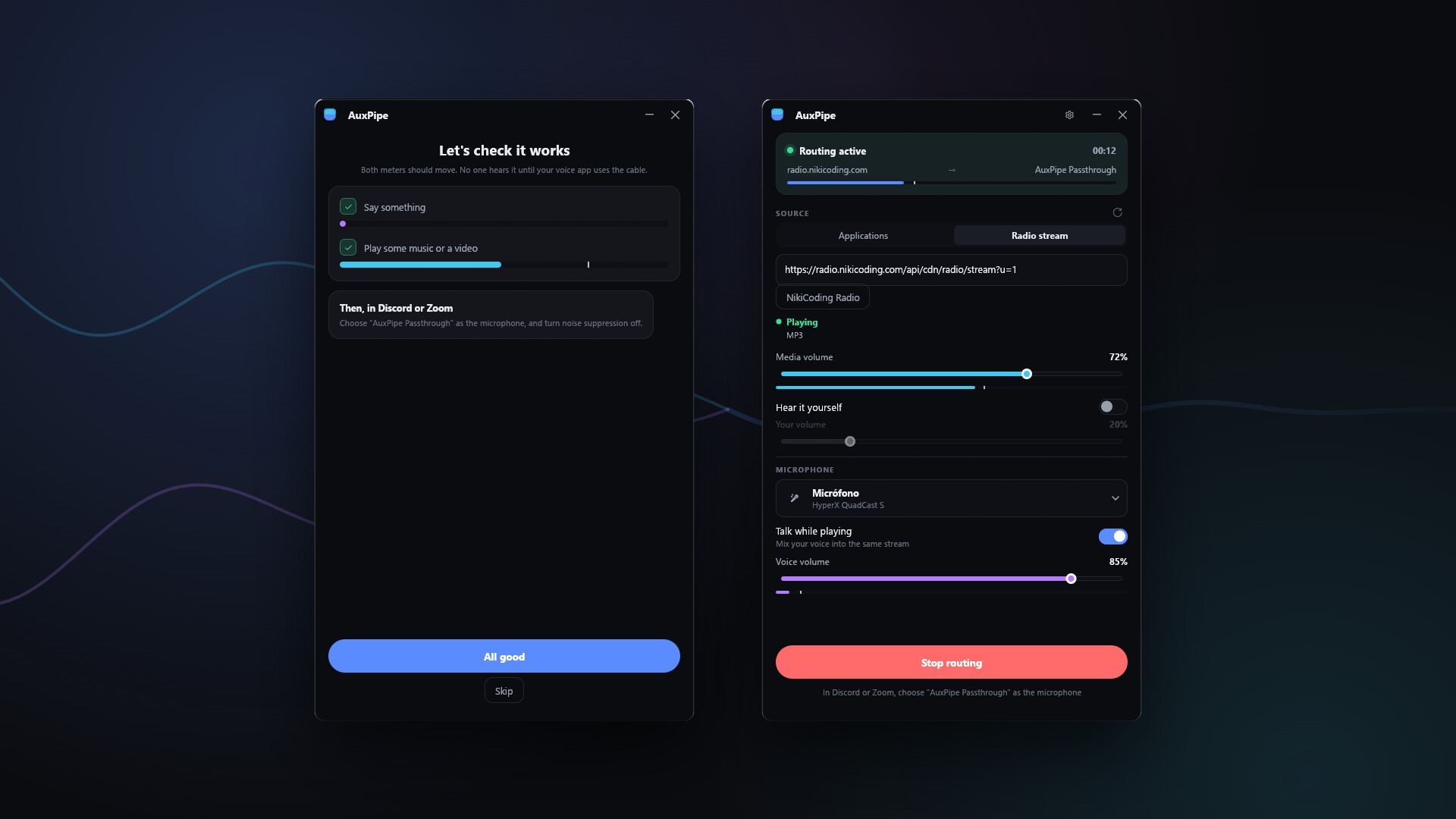
AuxPipe takes the audio from one app, mixes your microphone on top, and hands the result to Discord, Zoom, Teams, OBS or anything else that asks for a microphone. Your friends hear the music, the video or the game, with your voice over it, as one clean signal.

Features

  • Capture one app, not your whole PC. Pick Spotify, a browser, a game or a video player and share only that. Your notifications stay yours.
  • Talk over it. Your voice and the media travel together, each on its own fader.
  • Automatic ducking. The media dips while you speak and comes back up when you stop.
  • Made for voice apps. Media is folded to mono so a voice app's own downmix does not cancel half the mix, and a soft limiter keeps a hot signal from distorting.
  • One-click presets for Discord, meetings and streaming.
  • Hear it yourself. Play the media on your own headphones at a volume of your choice.
  • Internet radio. Stream a station straight into the call, with track titles.
  • Stays out of the way. Lives in the notification area, with global shortcuts to mute the media, mute your microphone or stop sharing, even while a game has focus.
  • English and Spanish interface.

What you need

Windows does not let an app create a microphone on its own; that takes an audio driver. AuxPipe uses the free VB-CABLE virtual audio cable as that pipe, and it comes with AuxPipe. The first time you open AuxPipe it checks for the cable and, if it is missing, installs it in a few clicks. Nothing else to download.

Capturing a single app needs Windows 10 version 2004 or later.

System Requirements

    Minimum:
    • OS: Windows 10 version 2004 (64-bit) or later
    • Processor: Any 64-bit dual-core processor
    • Memory: 2 GB RAM
    • Graphics: Any GPU with DirectX 12, Vulkan or OpenGL 3.3 support
    • Storage: 50 MB available space
    • Sound Card: Any. A free virtual audio cable driver (VB-CABLE) is also required.
    • Additional Notes: AuxPipe presents its mix as a microphone through a virtual audio cable driver, which Windows requires for any app that creates a microphone. VB-CABLE is free and is linked from inside the app. Capturing a single app's audio needs Windows 10 version 2004 or later.
Review Filters