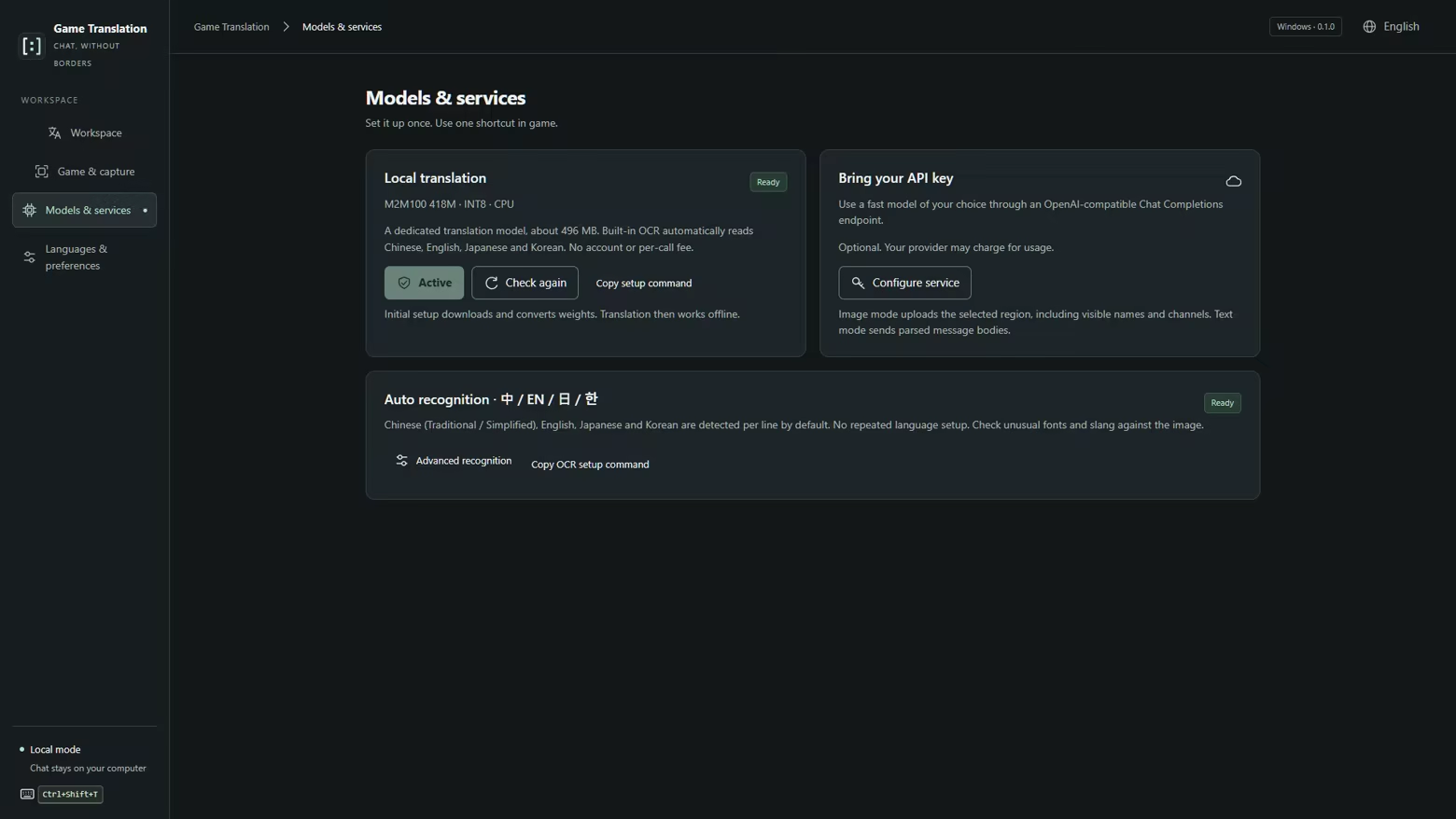
Understand game chat and write back in another language. Capture your saved chat region with a shortcut, read original messages beside their translations, then translate and copy your reply. Local OCR and translation are included, with optional support for your own external service.
Release Date:
Nov 3, 2026
Developer:
Publisher:
Tags

Sign in to add this item to your wishlist, follow it, or mark it as ignored

This game is not yet available on Steam

Planned Release Date: Nov 3, 2026

This application will unlock in approximately 12 days

Interested?
Add to your wishlist and get notified when it becomes available.
 

About This Software

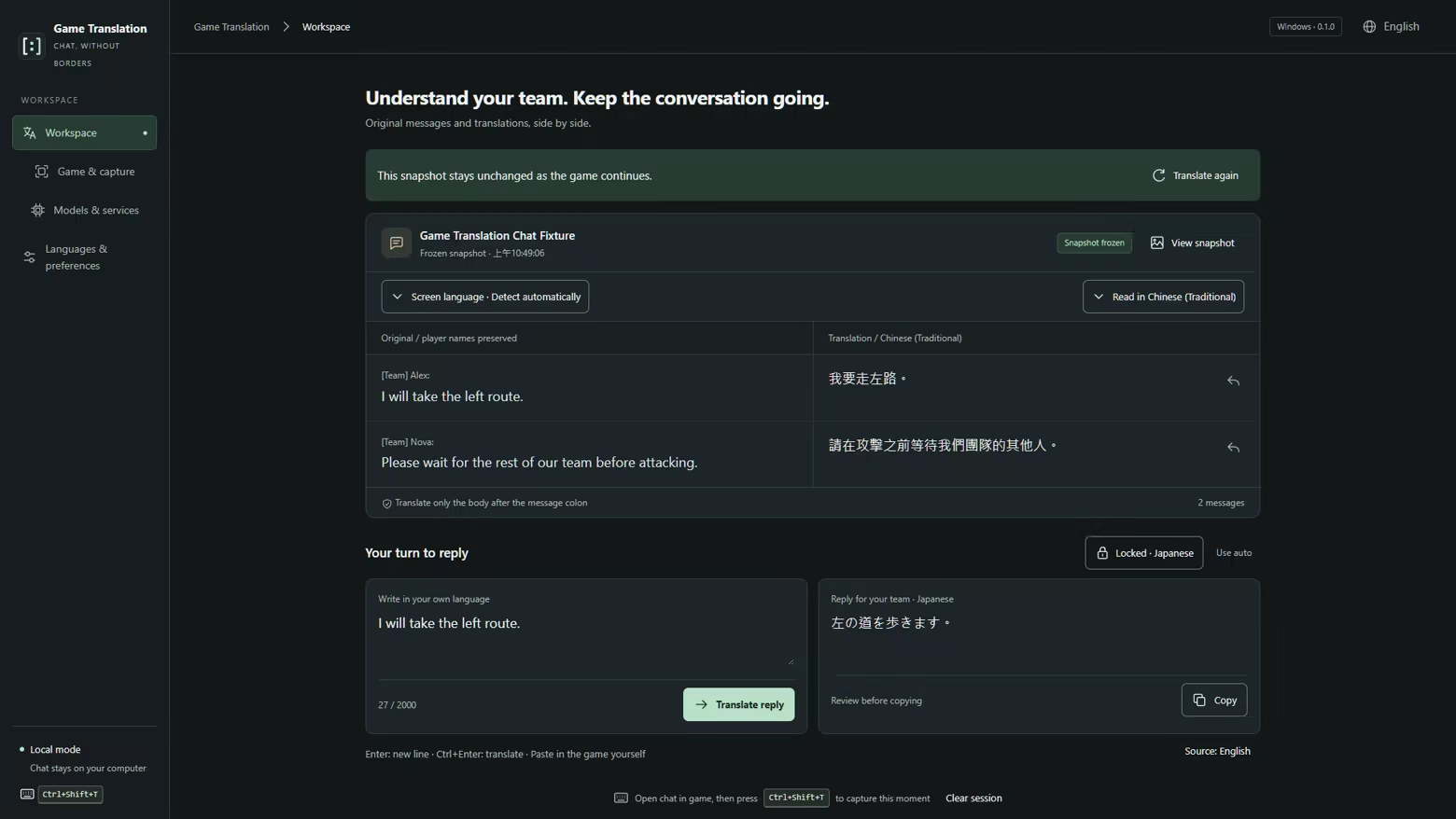
Understand your team. Keep the conversation going.

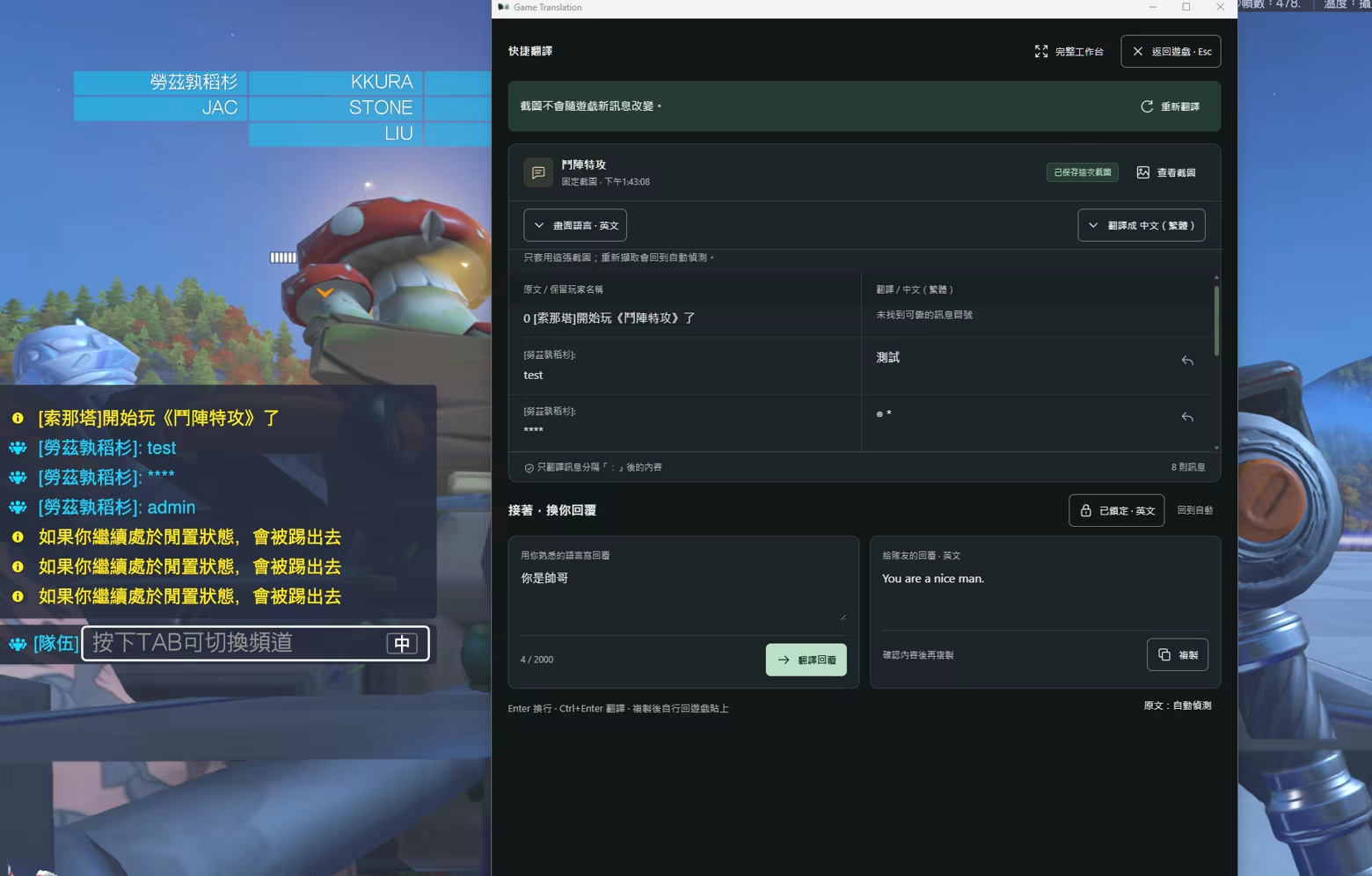
Game Translation is a Windows desktop tool for reading and replying to multilingual game chat. Open the chat in your game, press your capture shortcut, and compare the original messages with their translations in one workspace.

Set your chat region once

Select an application and mark its chat area. Game Translation saves that region for the application, so later captures reuse it—even after a restart. You decide when to capture and which messages are visible in the chat window.

Read both sides of the conversation

Keep the original text and player names on the left, with translated message content on the right. Only the message body after a recognized colon is translated. If the text language cannot be identified, choose a screen language and retry the same saved screenshot.

Write in your language. Reply in theirs.

Type your response, choose a target language, and translate. Review the result, copy it, and paste it into the game yourself. Automatic reply targeting looks for the latest recognized language outside your exclusion list; you can also choose and lock a language manually.

Use local translation or your own AI service

Built-in OCR recognizes Chinese (Traditional and Simplified), English, Japanese and Korean. Local translation runs on your computer using the included models and does not require a per-translation service payment. An optional compatible external AI service can process text or screenshots using your own API key; provider charges and data policies apply.

Make it fit your routine

Choose your interface and reading languages, skip languages you already understand, adjust the capture shortcut and text size, and manage saved screenshots and translations. Clear saved files manually, choose what to keep when exiting, or enable automatic clearing on normal exit.

Before you use it

The complete Windows package includes local OCR, translation models and their runtime dependencies. On first launch, Game Translation checks for Microsoft Edge WebView2 Runtime and, if it is missing, installs it automatically using the bundled offline installer. Local OCR and translation can then work offline. Optional external AI services require internet access and may incur provider charges.

Game Translation translates visible text captured from a selected window. Capture availability and recognition quality depend on the game, display mode, font and chat layout. It does not automatically send replies, translate voice chat or read hidden messages. Translation can be imperfect, especially for slang, names and short phrases. OCR language coverage, translation language coverage and interface languages are separate.

Local mode keeps processing on your computer. If you enable an external service, the selected screenshot or extracted message text, and any reply text you translate, are sent to your configured provider. Saved screenshots and completed translations remain on disk until you clear them.

AI Generated Content Disclosure

The developers describe how their game uses AI Generated Content like this:

Game Translation uses an on-device AI model to translate captured chat text and replies you type. Built-in text recognition and translation run on your computer without an external AI account or API key. Translations may contain errors. Review them before manually copying and pasting a reply into your game.

AI tools also assisted with interface localization, store copy, abstract promotional artwork, and the application icon.

The application includes optional links to the Google Translate website. When using the action beside a message or reply, only the text you preview and confirm is sent to Google through your browser; no screenshots are attached. The “Open Google Translate” homepage button sends no text, so you can copy and paste text yourself. Website translations are not automatically imported into the application.

Mature Content Description

The developers describe the content like this:

#App_ContentDescriptors_Desc_Application

System Requirements

    Minimum:
    • Requires a 64-bit processor and operating system
    • OS: Windows 10 64-bit, version 2004 (build 19041) or later
    • Processor: 64-bit Intel or AMD processor with SSE 4.1 support
    • Memory: 8 GB RAM
    • DirectX: Version 11
    • Storage: 3 GB available space
    • Additional Notes: Requires Microsoft Edge WebView2 Runtime. Local OCR and translation work offline after setup. Internet access is required for optional external AI services and may be required to install WebView2. Additional resources are required to run your game simultaneously.
    Recommended:
    • Requires a 64-bit processor and operating system
Review Filters