Your own little phone for the Windows desktop. Open Pocket Phone with a hotkey, use handy apps and widgets, adjust your audio and play minigames. Earn Stardust to unlock new phone designs and Pocket cursor sets.
Release Date:
Coming soon
Developer:
Publisher:
Tags

Sign in to add this item to your wishlist, follow it, or mark it as ignored

This game is not yet available on Steam

Coming soon

Interested?
Add to your wishlist and get notified when it becomes available.
 

About This Software

Your own little phone for the moments in between


Waiting for the next round? Got an idea to jot down, or music that is a little too loud? Pocket Phone brings a customizable phone to your Windows desktop, with small games, useful tools and room for your own style.

Open Pocket with a hotkey and fold it back to the edge of your screen when you do not need it. Adjust its size, position and text size to suit your setup.

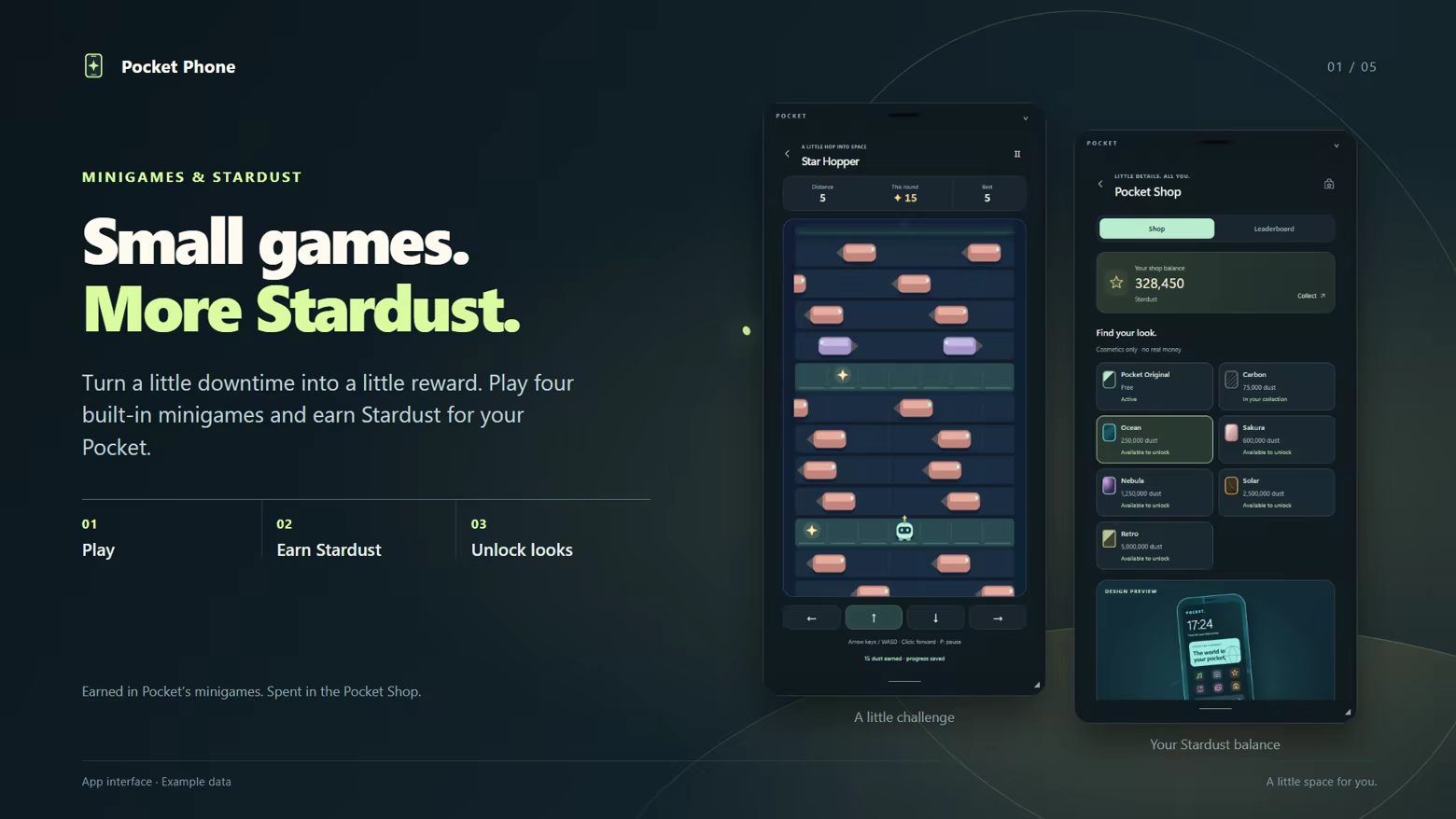
Star Hopper and Pocket Shop: earn Stardust and spend it on designs.

Play Star Collector, Star Hopper, Star Flight and Cloud Hop. Earn Stardust as you play, then spend it in the Pocket Shop on phone designs and cursor sets. Shop cosmetics use earned Stardust, not real-money purchases.

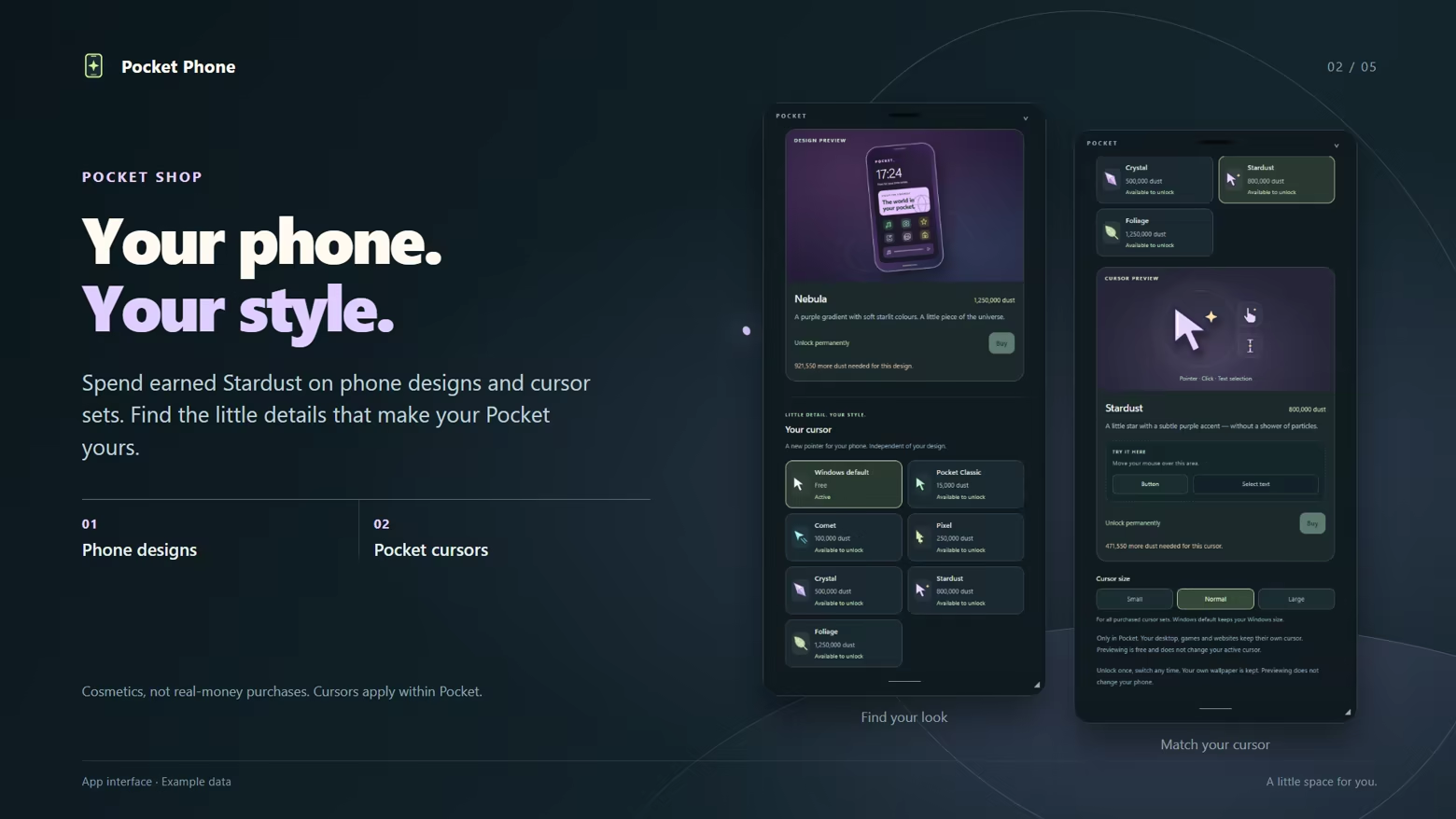
Phone designs and cursor sets previewed in the Pocket Shop.

Choose your wallpaper, show or hide apps on your home screen and arrange your widgets your way. Pair your favorite phone design with a matching Pocket cursor and make this little space your own.

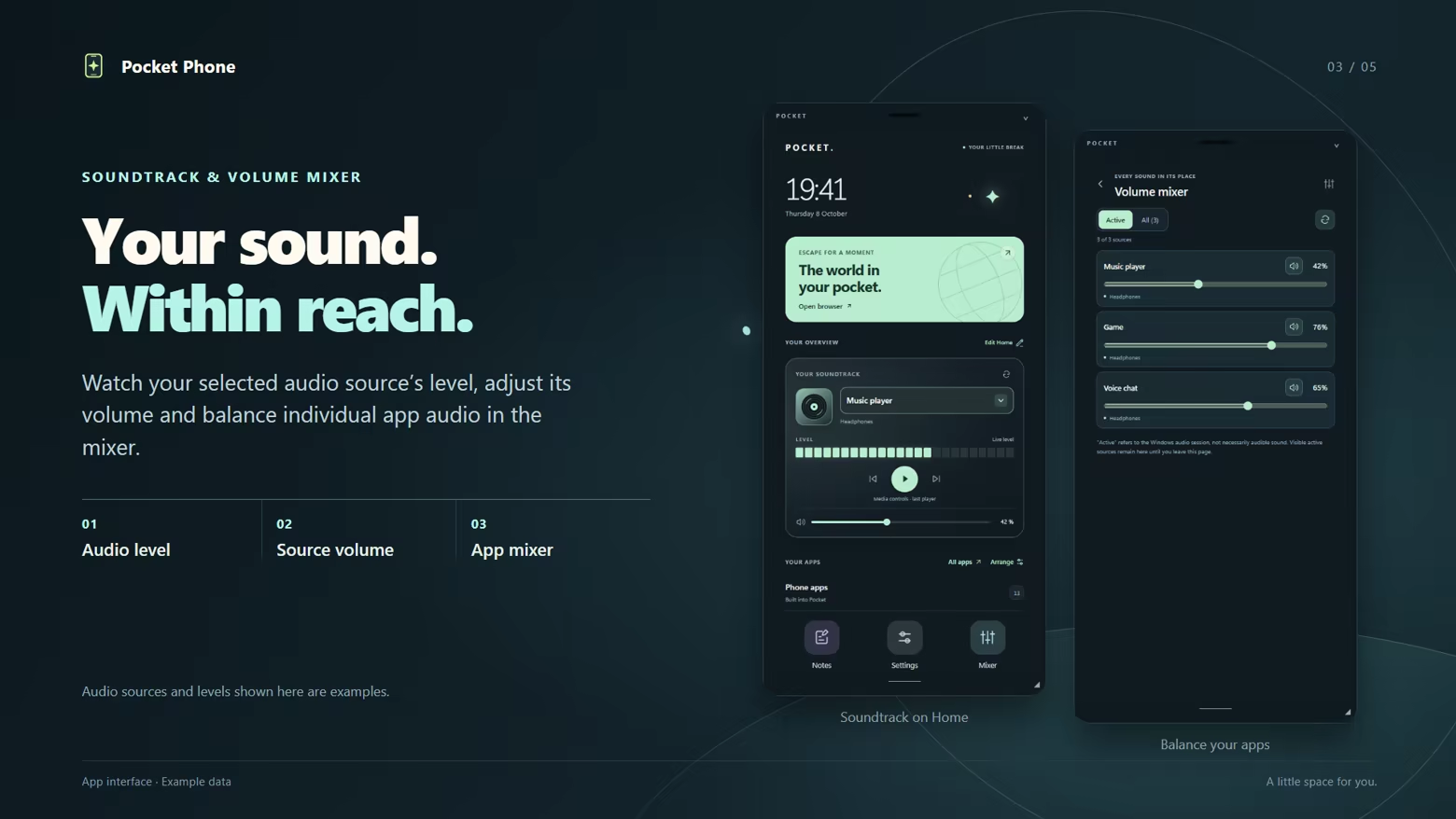
Soundtrack level meter and volume mixer with sample audio sources.

Watch the level of your selected audio source and adjust its volume. Use the mixer to balance individual app audio. Media controls operate the last active Windows media player.

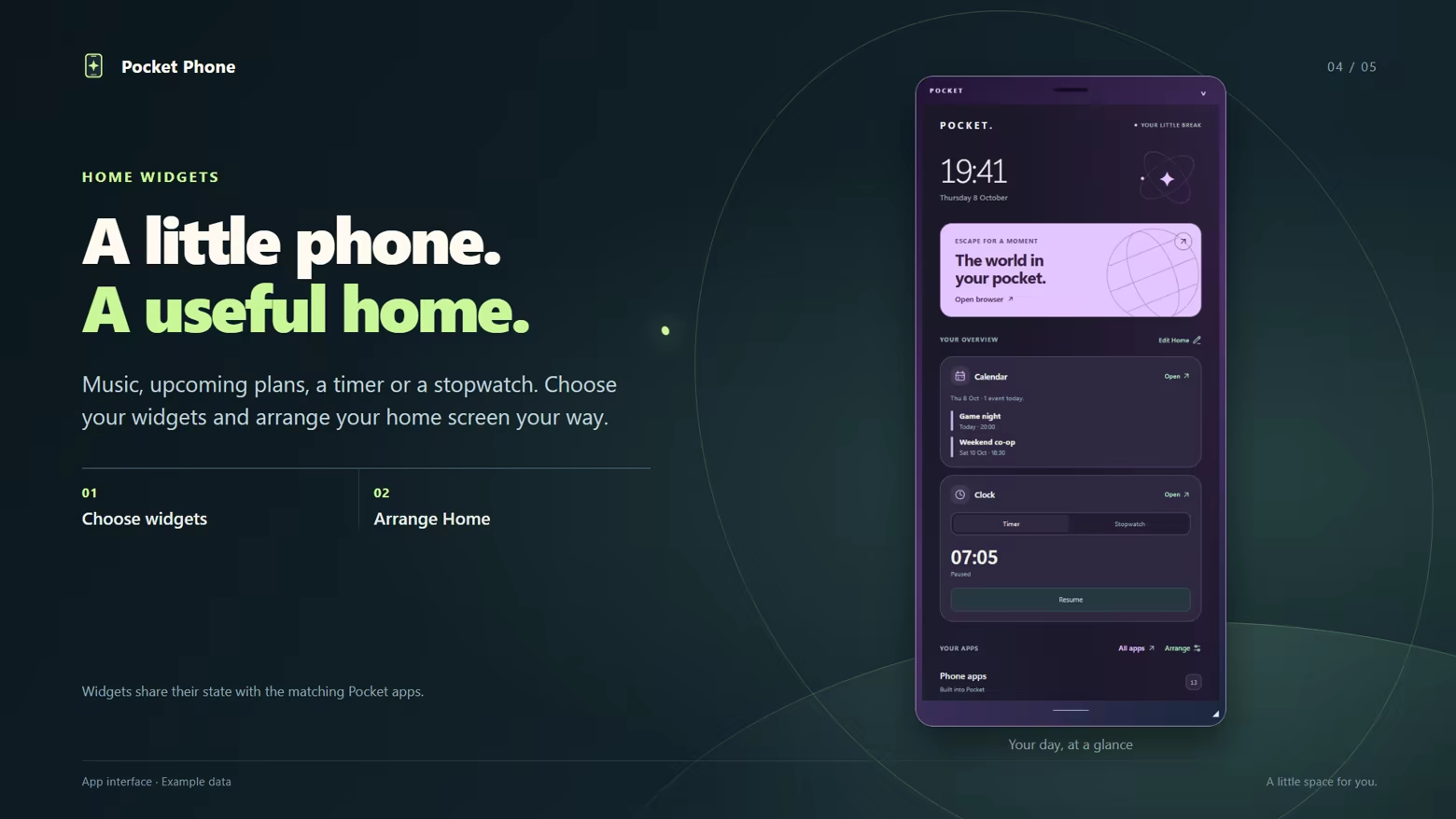
Home screen with calendar, timer and stopwatch widgets.

Capture ideas in Notes, work something out with the calculator or add plans to your calendar. Keep track of time with a timer, alarms and a stopwatch. Soundtrack, calendar and clock widgets bring useful functions straight to your home screen.

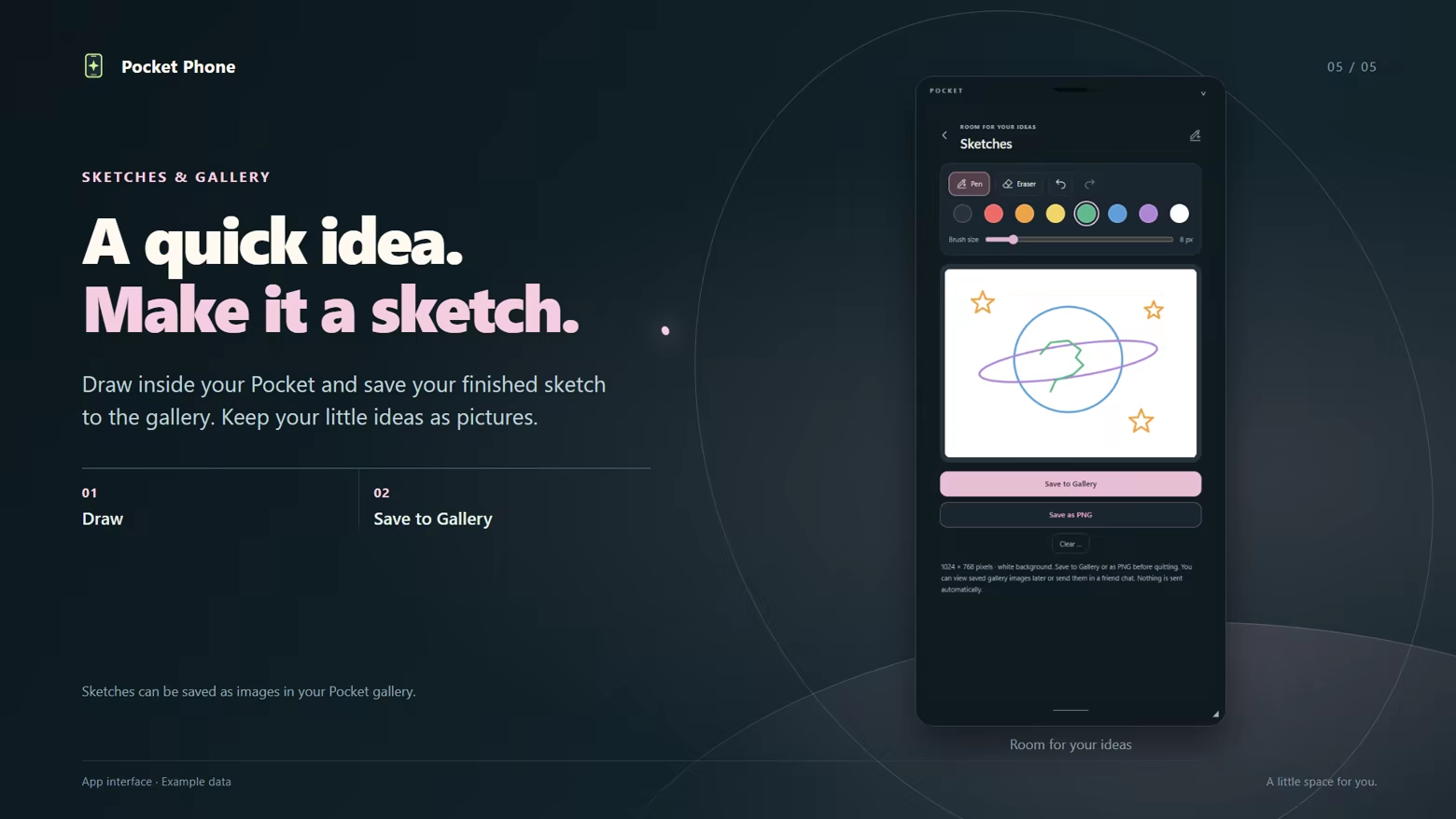
Sketches app for drawing and saving finished pictures to the gallery.

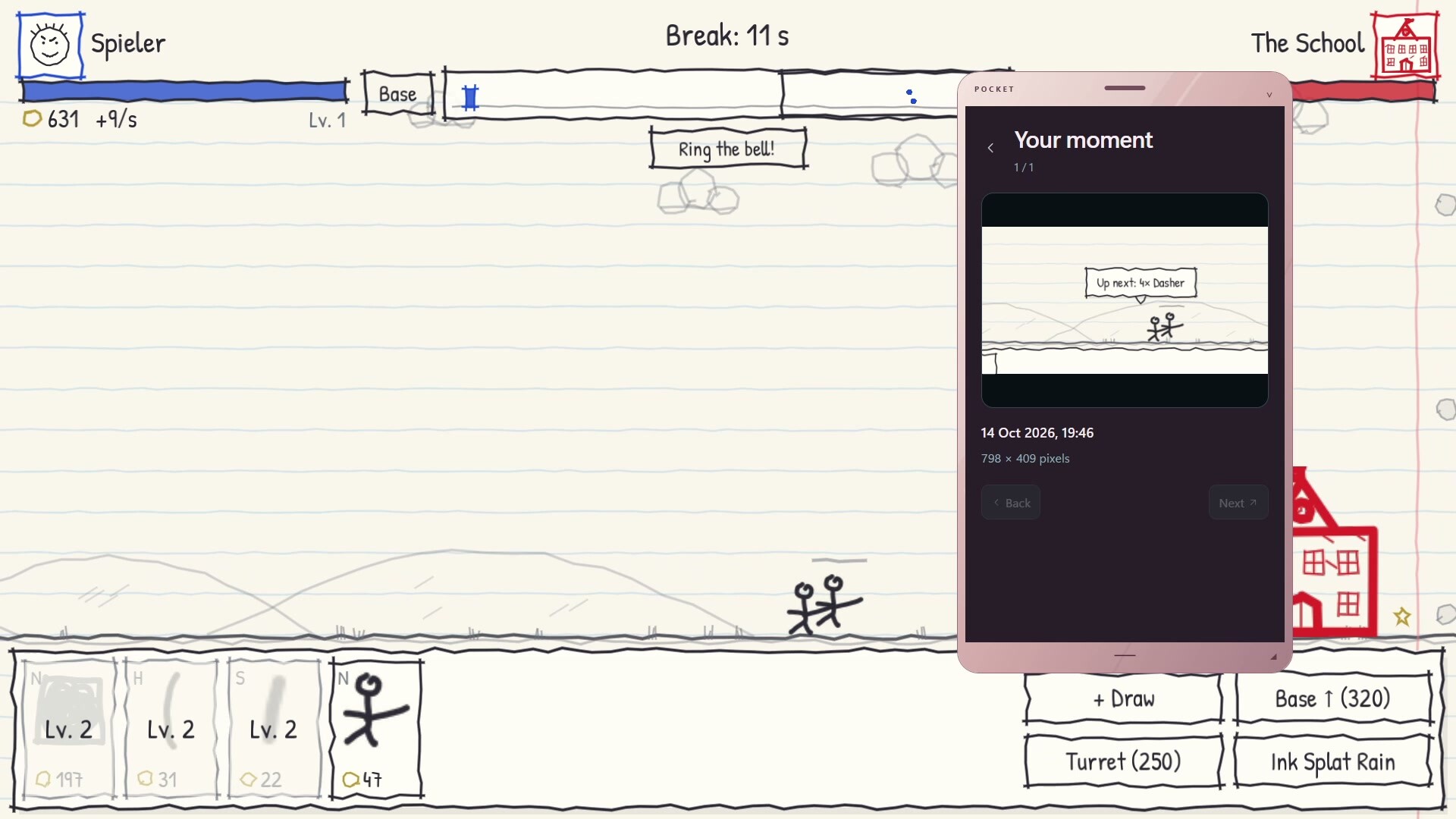
Capture a part of your screen with the movable screen camera, or draw your own ideas in the Sketches app. Save screenshots and finished sketches to your gallery to revisit later or share in a Pocket friend chat.

Websites and friends in your Pocket


Browse websites in the built-in browser and add your own web shortcuts. Send text messages and gallery images to Steam friends who also use Pocket Phone through Pocket’s own friend chat.

Good to know


  • Pocket Phone is a Windows application designed for mouse and keyboard. Windowed or borderless-windowed mode is intended for use over games; exclusive fullscreen and compatibility with every game are not guaranteed.
  • Website features, sign-ins and media playback depend on the respective provider.
  • Both people must launch Pocket through Steam, keep it running and have chat enabled to use Pocket friend chat. It is separate from regular Steam chat.
  • Alarms and calendar reminders require Pocket to be running and your PC to be awake.
  • Unlockable cursors apply within Pocket, not system-wide.

System Requirements

    Minimum:
    • Requires a 64-bit processor and operating system
    • OS: Windows 11 (64-bit)
    • Processor: Windows 11-compatible x64 processor
    • Graphics: Windows 11-compatible integrated or dedicated graphics with current drivers
    • Storage: 1 GB available space
    • Additional Notes: Mouse and keyboard required. Microsoft Edge WebView2 Runtime is required and needs additional storage; .NET is included. Internet required for Steam, chat and web features. Allow extra storage for gallery and browser data. Games running alongside Pocket, websites and screen sharing require additional system resources. Overlay compatibility with every game or exclusive fullscreen is not guaranteed.
    Recommended:
    • Requires a 64-bit processor and operating system
    • OS: Windows 11 (64-bit)
    • Processor: Windows 11-compatible x64 processor with 4 or more cores
    • Memory: 16 GB RAM
    • Graphics: Windows 11-compatible graphics with current drivers; also meet the requirements of any game running alongside Pocket
    • Storage: 2 GB available space
    • Additional Notes: Recommended configuration is an estimate, not a benchmarked minimum. SSD recommended. Extra resources are required for games running alongside Pocket, external websites and screen sharing; 30 FPS screen sharing is not guaranteed.
Review Filters