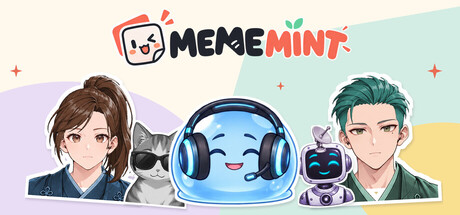
Make your own memes, stickers and animated reactions. Customize anime characters, animals and creatures, or bring your own pictures. Switch moods, build multi-panel jokes and create editable reaction packs. Export your creations and share the fun.

Connectez-vous pour ajouter cet article à votre liste de souhaits, le suivre ou l'ignorer

Français non disponible

Ce produit n'est pas disponible dans votre langue. Veuillez consulter la liste des langues disponibles ci-dessous avant de l'acheter.

Ce jeu n'est pas encore disponible sur Steam

Date de sortie prévue : 26 oct. 2026

Cette application prévoit d'être disponible dans 2 semaines

Ce produit vous intéresse ? Ajoutez-le à votre liste de
souhaits et recevez une notification lors de sa sortie.
 

À propos de ce logiciel

Turn anything into a reaction.

Your cat. Your character. That screenshot. Make them say exactly what you mean.

MEMEMINT is a desktop studio for memes, stickers and animated reactions. Start with an anime character, an animal, a creature or your own picture, then turn a familiar face into something your friends will want to send back.

Make the character yours.

  • Mix hairstyles, hair colors, outfits and expressions on layered anime characters.
  • Explore the looks, palettes and accessories available for each factory subject.
  • Adjust supported facial placement and size for a subtle change or an exaggerated reaction.
  • Bring in your own photos and artwork, remove the background, add a sticker outline and write a caption.
Each material shows the controls it supports. Layered characters, factory subjects and imported pictures have their own editing options.

One subject. 24 reaction presets.

Happy, confused, smug, in love: pick a mood and keep creating. These presets combine expressions, captions, decorations and motion. Edit the words, then independently move or resize decorations to make the composition your own. Facial changes depend on the selected subject.

One idea. More ways to tell it.

Choose from 16 layout options, including a free canvas. Make a three-reaction strip, a four-panel meme, a side-by-side comparison, an avatar with a speech bubble or a transparent sticker. Subjects, captions and shapes stay editable, so you can keep refining each panel.

Make it move.

Try animation recipes such as Shake, Bounce, Spin and Zoom Punch. Start with a click, then fine-tune the timing in the timeline when you want more control. Turn a still image into a reaction with a little extra attitude.

Make a whole set.

Turn one customized subject into a 16-card Reaction Pack. Review the reactions, edit individual cards and export the collection. Save the editable project to return to your work later.

The 24 reaction presets offer individual starting points; the 16-card Reaction Pack helps you make a coordinated set.

Finish it. Export it. Share it.

  • Export PNG, transparent PNG, JPG, GIF and animated WebP.
  • Create sprite sheets, image sequences and Reaction Pack ZIP files.
  • Use chat-size presets, including Discord Emoji and static Sticker outputs, with file-size checks.
  • Use core editing without an account. Exports have no watermark.
Upload your files to your preferred chat or community service yourself. MEMEMINT does not connect to Discord accounts or publish automatically, and is not affiliated with or endorsed by Discord.

Notification de contenu généré par IA

L'équipe de développement décrit l'utilisation de contenu généré par IA dans le jeu comme suit.

Some included character, animal, creature and sample images were created with generative AI and then edited and prepared for the product. Generative AI also assisted with localization. MEMEMINT does not generate new images or text with generative AI during use and does not connect to a third-party generative AI service. Its local background-removal feature uses a non-generative segmentation model.

Configuration requise

    Minimale :
    • Système d'exploitation et processeur 64 bits nécessaires
    • Système d'exploitation : Windows 11 (64-bit)
    • Processeur : 64-bit processor
    • Mémoire vive : 8 GB de mémoire
    • Espace disque : 2 GB d'espace disque disponible
    • Notes supplémentaires : Mouse and keyboard. 1280 x 720 display or higher. Background removal requires Microsoft Visual C++ v14 x64 runtime. Extra storage is needed for projects and exports.
    Recommandée :
    • Système d'exploitation et processeur 64 bits nécessaires
Filtres d'évaluations