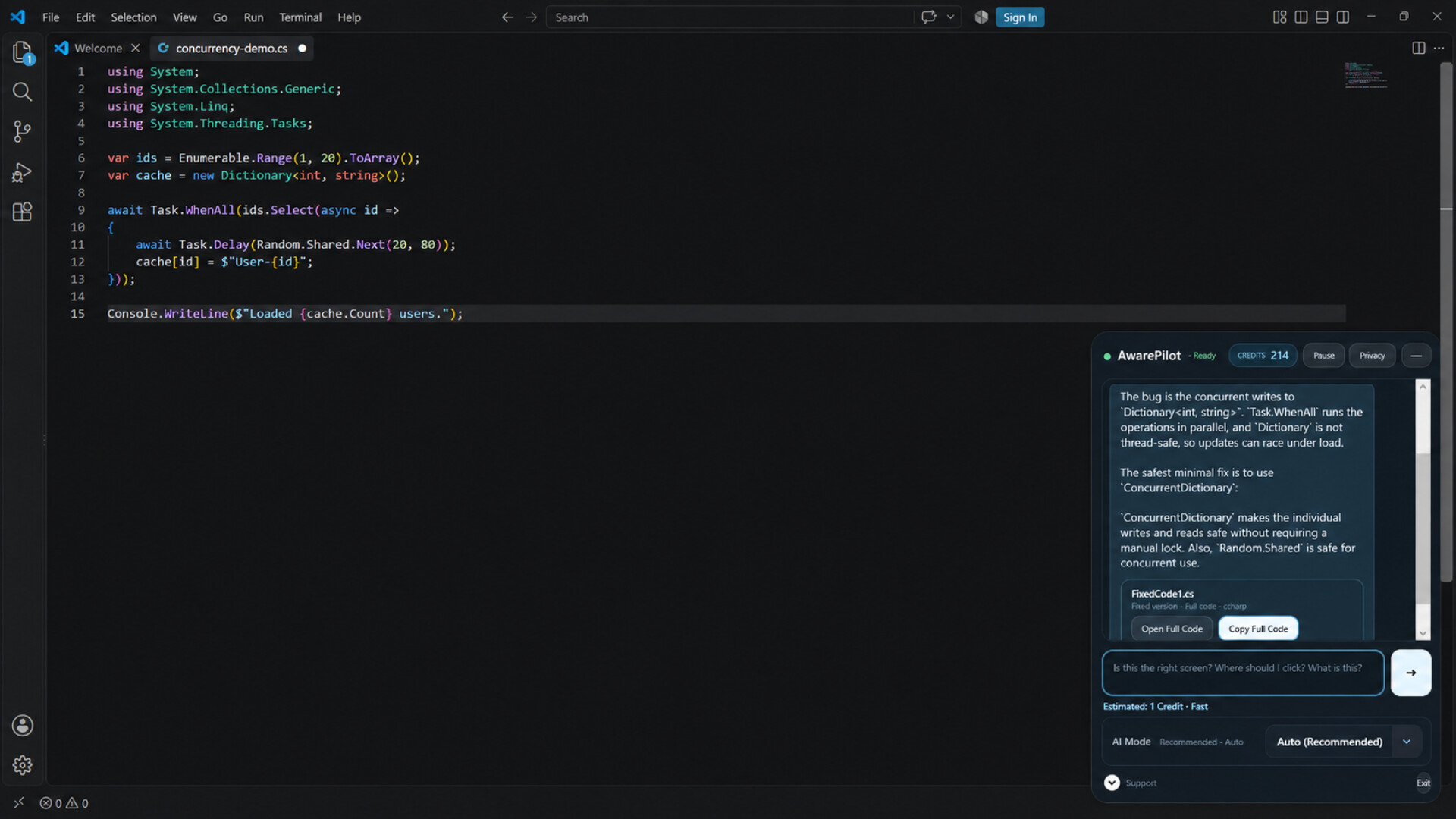
AwarePilot is a real-time AI screen navigator for Windows. Ask AI about what’s currently on your screen, reduce repeated screenshots and app switching, and keep help close at hand with compact desktop controls and Privacy Mode.

Sign in to add this item to your wishlist, follow it, or mark it as ignored

This game is not yet available on Steam

Coming soon

Interested?
Add to your wishlist and get notified when it becomes available.
 

About This Software

AwarePilot is a real-time AI screen navigator that lets you ask AI questions directly while viewing your Windows screen.

It reduces the need to repeatedly capture and upload screenshots, switch away from your current application, or move back and forth between separate AI interfaces.

With AwarePilot running on your desktop, you can ask AI about what you're currently looking at without interrupting your workflow.

【Three AI Platforms, One Interface】

AwarePilot is currently developing multi-AI functionality that brings together three major AI platforms: OpenAI, Anthropic Claude, and Google Gemini.

There's no need to open each AI service separately or constantly switch between browser tabs while working.

The goal is to provide a unified interface where you can select your preferred AI provider and switch between models based on your tasks and preferences.

Planned AI Models (Upon Completion of Multi-AI Integration)

  • OpenAI: Auto / Quick / Deep / GPT-6 Astra

  • Claude: Auto / Haiku / Sonnet / Opus

  • Gemini: Auto / Flash-Lite / Flash / Pro

Users won't need to obtain or configure individual API keys for each AI provider. The system is designed to support all available AI models through a shared Credits system.

Note: OpenAI functionality is already implemented. Claude and Gemini integration is currently under development and testing and is not yet available to general users.

【Key Features】

  • Ask AI questions based on what's displayed on your Windows screen

  • Compact interface that stays in the bottom-right corner of your desktop

  • Two display modes: Minimal and Navigation

  • Multi-AI switching between OpenAI, Claude, and Gemini (in development)

  • Select AI models based on your tasks and preferences

  • Conversation Context to maintain continuity across questions

  • Project Resume to easily return to previous tasks

  • Privacy Mode to stop sharing your screen with AI when needed

  • Purchase additional Credits using Steam Wallet

【Make Everyday Windows Tasks Easier】

AwarePilot is designed to bring AI assistance directly into everyday Windows workflows, including web browsing, system settings, programming environments, creative tools, and other desktop applications.

Whether you're troubleshooting an error, navigating a complicated settings menu, or trying to fix a problem in your code, AwarePilot lets you ask AI for help while keeping your workspace visible.

You don't need to constantly switch between windows to get assistance.

Screen information is captured when you submit a question, rather than through continuous screen capture.

【Privacy Matters】

Privacy Mode allows you to stop sending screen information to AI.

During Steam purchase transactions, Privacy Mode is automatically enabled, stopping screen capture and the transmission of screen information to AI.

Privacy Mode remains active until you manually select Resume.

AwarePilot — Keep your workspace. Bring AI closer.

AI Generated Content Disclosure

The developers describe how their game uses AI Generated Content like this:

AwarePilot uses generative AI to analyze the user's current Windows screen and provide real-time contextual guidance, answers, explanations, and code assistance. AI responses are generated dynamically based on the user's request and the screen content submitted by the application.

System Requirements

    Minimum:
    • Requires a 64-bit processor and operating system
    • OS: Windows 11 64-bit
    • Processor: 64-bit dual-core processor
    • Memory: 4 GB RAM
    • Graphics: DirectX 11 compatible graphics
    • DirectX: Version 11
    • Network: Broadband Internet connection
    • Storage: 500 MB available space
    • Additional Notes: Internet connection required for AI features and Steam authentication.
    Recommended:
    • Requires a 64-bit processor and operating system
Review Filters