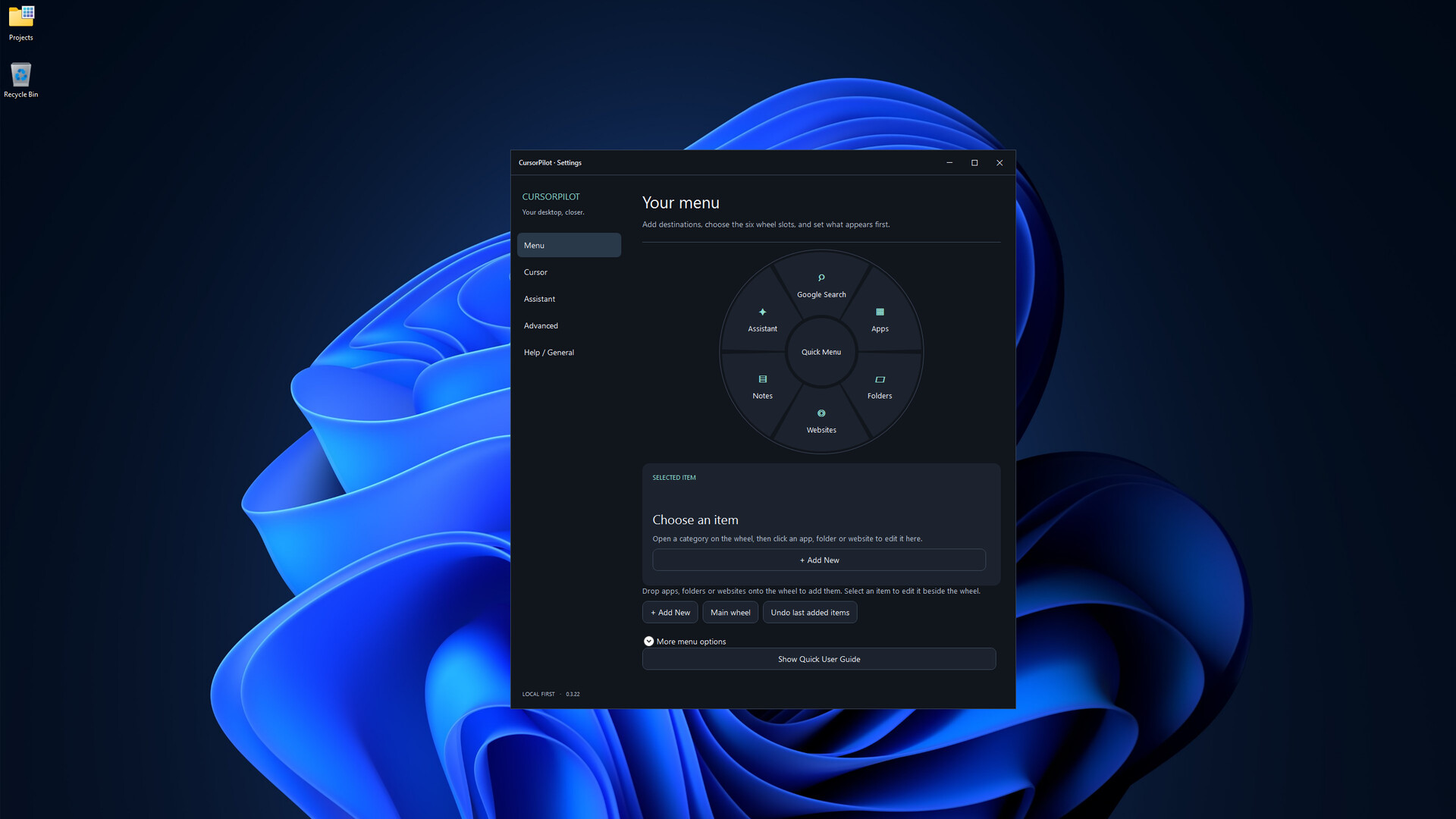
Customize your cursor and streamline your desktop with a radial quick-access menu, notes, shortcuts, an on-screen keyboard, device information, and useful Windows tools—all accessible from one lightweight utility.
Tarikh Keluaran:
Akan datang
Pembangun:
Penerbit:
Tag

Daftar masuk untuk menambah item ini ke senarai hajat anda, ikuti atau tandakannya sebagai diabaikan

Bahasa Bahasa Melayu tidak disokong

Produk ini tidak menyokong bahasa tempatan anda. Sila semak senarai bahasa yang disokong di bawah sebelum membuat pembelian

Permainan ini belum tersedia di Steam lagi

Akan datang

Berminat?
Tambah ke senarai hajat anda dan terima pemberitahuan apabila permainan sudah tersedia.
 

Tentang Perisian Ini

Cursor Pilot is a Windows desktop utility designed to make everyday navigation faster, more personal, and more convenient.

Customize your cursor, launch frequently used apps, websites and folders from a radial quick-access menu, create desktop notes, access Windows shortcuts, use an integrated on-screen keyboard, and keep useful tools close to your cursor instead of searching through menus.

Key Features

Cursor Customization
Choose from included cursor styles, animated cursors and different cursor sizes to personalize your Windows desktop.

Radial Quick Menu
Open a customizable circular menu and quickly access your favorite applications, websites, folders and tools.

Drag-and-Drop Customization
Organize your quick menu and configure the tools you use most.

Desktop Notes
Create compact notes directly on your desktop and customize individual notes for easier organization.

Windows Shortcuts
Quickly access a categorized collection of useful Windows keyboard shortcuts.

On-Screen Keyboard
Use an integrated keyboard without leaving Cursor Pilot.

Device Information
View useful information for supported connected devices without filling your desktop with unnecessary widgets.

Desktop Assistant
Access helpful commands, shortcuts and optional personality features from the Cursor Pilot interface.

Cursor Pilot is designed to stay out of the way when you do not need it and be immediately available when you do.

Pendedahan Kandungan Dihasilkan AI

Pembangun menerangkan cara permainan mereka menggunakan Kandungan Dihasilkan AI seperti berikut:

Generative AI tools were used during the development of Cursor Pilot to assist with programming, troubleshooting, documentation, and the creation or refinement of some visual and written content. All AI-assisted content was reviewed, edited, and integrated by the developer.

Keperluan Sistem

    Minimum:
    • Memerlukan pemproses 64-bit dan sistem pengendalian
    • OS: Windows 10 64-bit
    • Pemproses: Dual-core Intel or AMD processor, 1.8 GHz or faster
    • Memori: 4 GB RAM
    • Grafik: DirectX 11 compatible graphics
    • Storan: 250 MB ruang tersedia
    • Nota Tambahan: Mouse or touchpad required. Internet connection is required only for online features such as web search. Bluetooth is required only for supported Bluetooth device battery features.
    Dicadangkan:
    • Memerlukan pemproses 64-bit dan sistem pengendalian
Penapis Ulasan