The soundboard for your calls and streams. Play sounds into Discord, Teams and games, change your voice or use a real-time AI voice, share app audio and speak typed text – all controlled with global hotkeys.
Release Date:
Coming soon
Developer:
Publisher:
Tags

Sign in to add this item to your wishlist, follow it, or mark it as ignored

This game is not yet available on Steam

Coming soon

Interested?
Add to your wishlist and get notified when it becomes available.
 

About This Software

[EN]

Your soundboard for every call

SoundGoat plays sounds straight into your voice chat – Discord, Teams,
TeamSpeak, any game with voice. Set it up once: SoundGoat creates its
own virtual microphone, and every app hears your voice and your sounds
together. Every sound starts the instant you click.

What you get

  • Soundboard – unlimited sounds, categories, favorites, search, hotkeys, sound sets for different situations (gaming, podcast, …).
  • Voice changer – robot, demon, chipmunk, telephone, radio and more, live on your microphone. Fine-tune pitch, effect strength and mix.
  • AI voice – real-time voice conversion, running on your own GPU. One voice is included and works out of the box; you can add your own RVC models. No cloud, no account, no subscription.
  • App sounds – share the audio of one program (music player, browser, game) into the call with its own volume, without sharing everything.
  • Text-to-speech – type a line and a Windows voice speaks it into the call. Offline dictation (speech recognition) is included.
  • Monitor – hear exactly what your call hears, with one click.
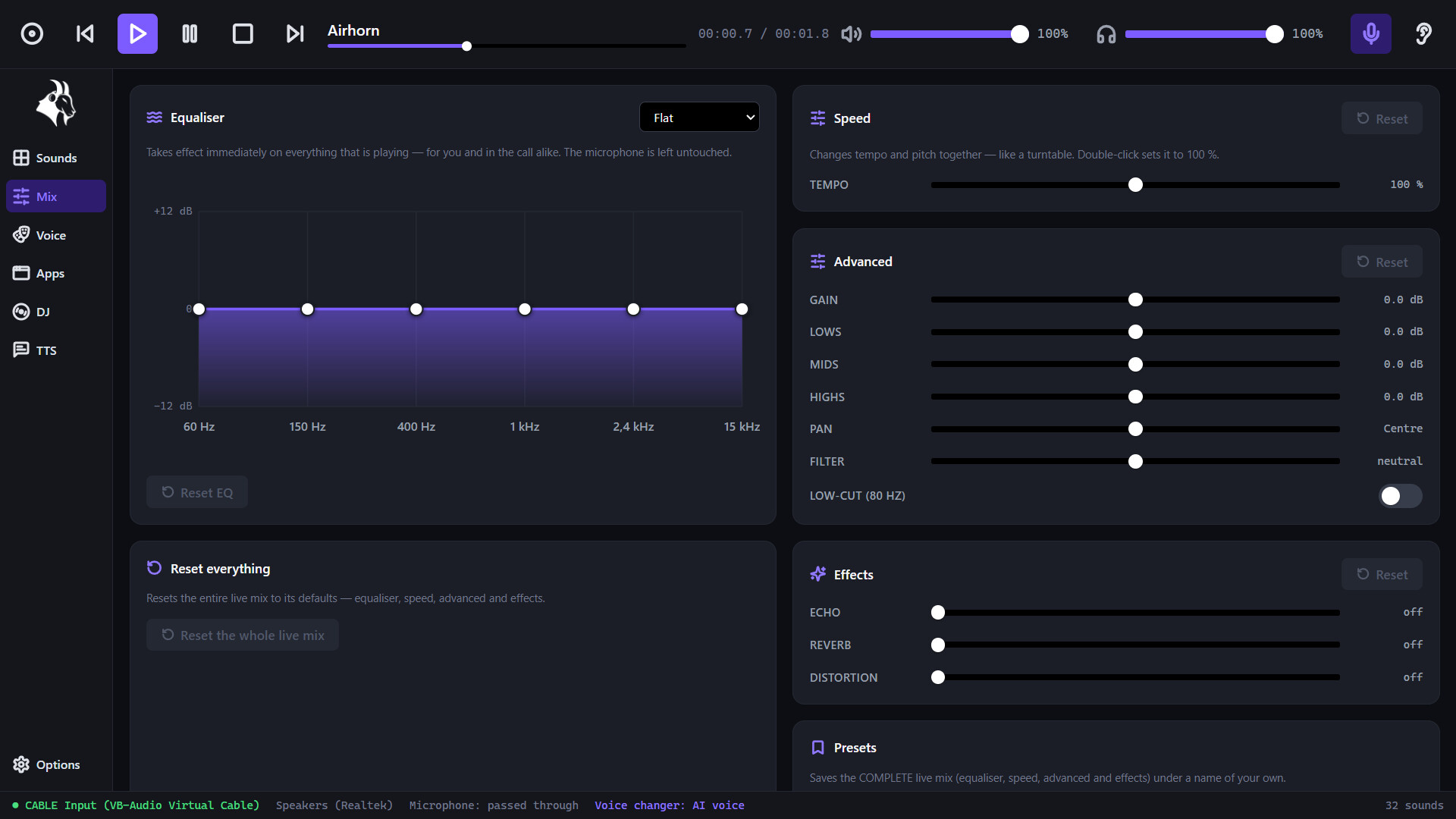
  • Live mix – EQ, tempo, echo, reverb and presets on everything you play.
  • DJ deck – two decks, crossfader, hot cues and loops for music in the call.
  • Recording – record what your PC plays and turn it into a sound.
  • Karaoke mode – delays the song in the call so your singing stays in sync.
  • Auto-level – your voice and app audio are automatically brought to a consistent loudness.

Control it your way

Global hotkeys for every action: play and stop sounds, switch voices, mute the microphone, start a recording – without leaving your game.

Made for the setup you already have

The virtual cable is installed by the setup assistant – no manual audio
routing. Works with any microphone and headset. Interface in English,
German, French and Spanish.

AI Generated Content Disclosure

The developers describe how their game uses AI Generated Content like this:

SoundGoat includes an optional real-time AI voice changer and offline dictation. Both run entirely on your own PC. One community RVC voice model ("Egirl") is included. Parts of the code and texts were written with AI assistance

System Requirements

    Minimum:
    • Requires a 64-bit processor and operating system
    • OS: Windows 10 64-bit / Windows 11
    • Processor: Dual-core CPU, 1.5 GHz
    • Memory: 3 GB RAM
    • Graphics: Any (integrated graphics is fine)
    • Storage: 500 MB available space
    • Additional Notes: AI voices require an NVIDIA RTX GPU (3000 series or newer)
    Recommended:
    • Requires a 64-bit processor and operating system
    • OS: Windows 11 64-bit
    • Processor: Quad-core CPU, 2.5 GHz
    • Memory: 4 GB RAM
    • Graphics: Any
    • Storage: 1 GB available space
    • Additional Notes: AI voices require an NVIDIA RTX GPU (3000 series or newer)
Review Filters