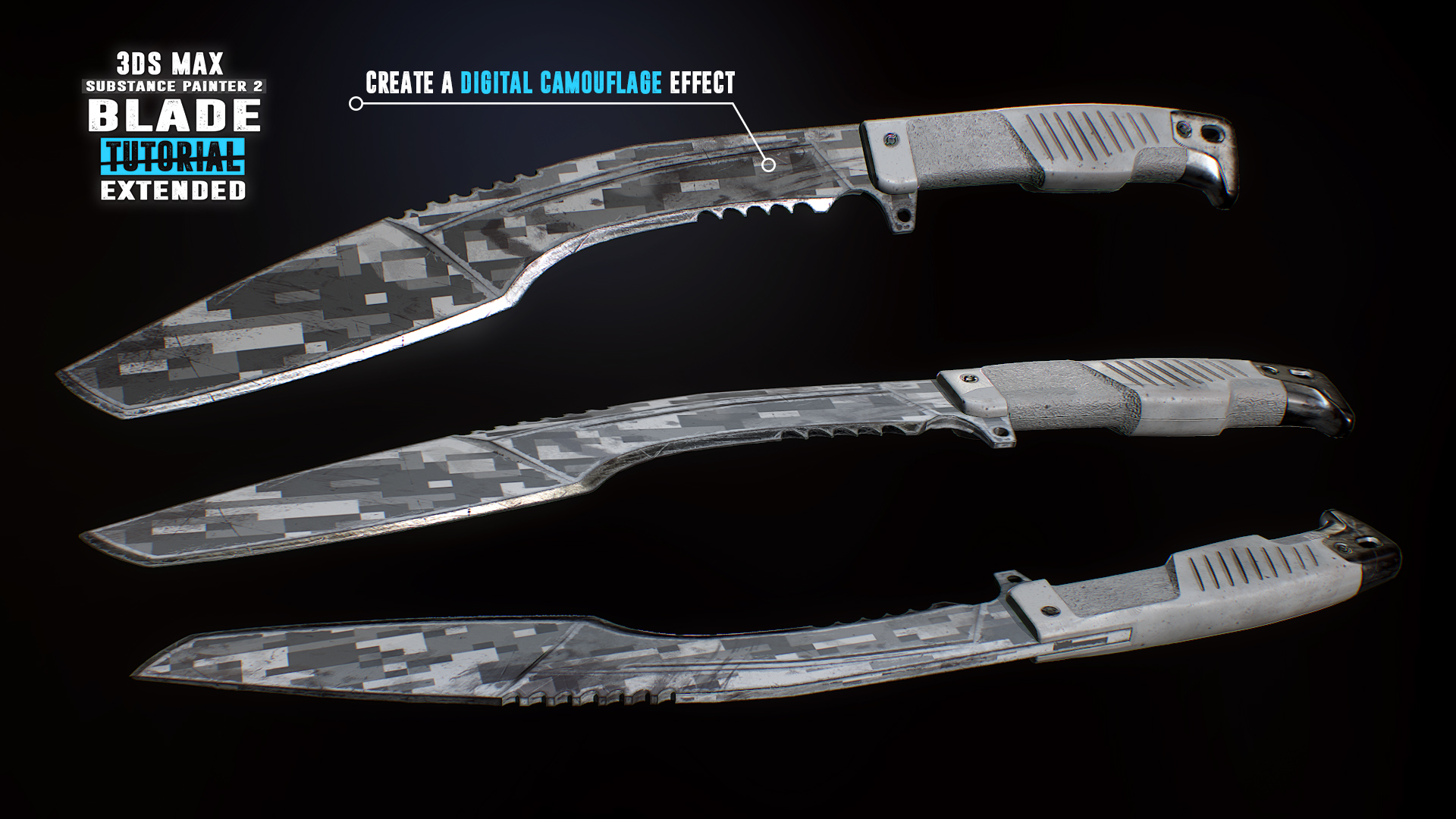
Follow along for free as we create a first person kukri knife in 3Ds Max & Substance Painter 2. Reach Substance Painter expert level as we create 10 more texture versions in the paid extended edition. Turn your passion into a profession and start creating game art today!

Увійдіть до акаунта, щоби додати цей продукт до списку бажаного чи позначити як ігнорований.

українська мова недоступна

Цей продукт не підтримує вашу мову. Будь ласка, перегляньте список підтримуваних мов перед купівлею.

Увага: Застосунок Blade Tutorial: 3Ds Max 2017 and Substance Painter 2 більше не доступний у крамниці Steam.
 

Вміст серіалу

Наразі недоступно жодного вмісту для цього серіалу.
init_data: 0.0189, render: 0.0189

Відео Steam

Цей вміст доступний тільки у вигляді потокової трансляції. Більше інформації про трансльовані відео ви можете знайти тут: ЧаПи про трансльовані відео у Steam.

Downloadable Files

Download the associated files for this tutorial to your Steam Client:

  • Downloadable Content for Free Videos
  • Downloadable Content for Extended Paid Videos (available only after purchasing the Extended Texturing package)
The files will appear in the Library / Software section of the Steam Client.

Про цей серіал

Create a first person kukri knife


Follow along for free in this compact ~3 hour long tutorial as we model and texture a game ready first person kukri knife. Every step is documented without any fast forwarding. At the end of the free part you have the option to learn even more with the extended edition in which we go over 10 more triple A quality PBR textures.

The modeling part covers the scene setup followed by the low and high-poly modeling in which we make use of advanced actions, modifiers and tools to help us create our kukri. After the modeling process we will jump straight into the UVW Editor and focus on the importance of an optimized UV-Layout to get the maximum out of our texture.

In the Substance Painter 2 part we will then bake our normal map as well as other important support maps. Right after that you will learn how to create an ultra realistic texture for our kukri. Learn how to create our base layer materials and how to use procedural textures, masks and generators to form up the wear and tear on our kukri resulting in a photo realistic appearance.

What are the requirements?

It is recommended to follow the course with the same software we use throughout the tutorial:
3Ds Max 2017 (can be 2016 and 2015 too) and Substance Painter 2.

Who is the target audience?

This tutorial is aimed at beginners as well as intermediate.
I try to avoid heavy use of shortcuts as much as I can during the lesson so that you can see which actions I use.

What do I get from this course?

  • Nearly 3 hours of free fully documented and commented content.
  • Knowledge in modeling, unwrapping and texturing.
  • Essential reference images.
  • Final high-poly and low-poly kukri for those that just want to follow the texturing part.

Instructor Biography

Hi! I'm Tim - Senior 3D Artist at Ubisoft Toronto.
I'm originally from Germany where I started my 3D Artist career at Crytek. I worked on titles such as Far Cry 4, Splinter Cell Blacklist and the Crysis series as well as other non disclosed titles.
In my spare time I enjoy creating tutorials in which I share all my tips and tricks which I gathered over the years. Let me help you avoiding mistakes and equipping you with powerful techniques and knowledge in game ready 3D art creation. See you in the tutorial! Cheers, Tim

Relevant links:

  • Learn more at
  • Facebook
  • All tutorials
  • Artstation

Системні вимоги

Windows
macOS
SteamOS + Linux
    Мінімальні:
    • ОС *: Windows 7
    • Процесор: Intel Core 2 або аналог від AMD
    • Оперативна пам’ять: 1 GB ОП
    • Мережа: широкосмугове підключення до Інтернету
    • Місце на диску: 200 MB доступного місця
    • Додаткові примітки: Швидкість мережі: 5 Мбіт/с для 540р, 3Мбіт/с для 360р.
    Рекомендовані:
    • ОС: Windows 10
    • Процесор: Intel Core I3+ або аналогічний AMD рекомендуються для відтворення HD 1080p
    • Оперативна пам’ять: 2 GB ОП
    • Мережа: широкосмугове підключення до Інтернету
    • Місце на диску: 500 MB доступного місця
    • Додаткові примітки: Швидкість мережі: 12 Мбіт/с для 1080р, 8 Мбіт/с для 720р.
* З 1 січня 2024 року клієнт Steam буде підтримувати лише Windows 10 чи новіші версії цієї ОС.
    Мінімальні:
    • ОС: Mac OSX 10.7
    • Процесор: Intel Core 2 або аналог від AMD
    • Оперативна пам’ять: 1 GB ОП
    • Мережа: широкосмугове підключення до Інтернету
    • Місце на диску: 200 MB доступного місця
    • Додаткові примітки: Швидкість мережі: 5 Мбіт/с для 540р, 3Мбіт/с для 360р.
    Рекомендовані:
    • ОС: Mac OS X 10.10+
    • Процесор: Intel Core I3+ або аналогічний AMD рекомендуються для відтворення HD 1080p
    • Оперативна пам’ять: 2 GB ОП
    • Мережа: широкосмугове підключення до Інтернету
    • Місце на диску: 500 MB доступного місця
    • Додаткові примітки: Швидкість мережі: 12 Мбіт/с для 1080р, 8 Мбіт/с для 720р.
* З 15 лютого 2024 року клієнт Steam більше не буде підтримувати 32-бітні ігри та macOS 10.14 і старіші версії цієї ОС.
    Мінімальні:
    • ОС: Linux Ubuntu 12.04 або новіша, SteamOS 2.20 або новіша
    • Процесор: Intel Core 2 або аналог від AMD
    • Оперативна пам’ять: 1 GB ОП
    • Мережа: широкосмугове підключення до Інтернету
    • Місце на диску: 200 MB доступного місця
    • Додаткові примітки: Швидкість мережі: 5 Мбіт/с для 540р, 3Мбіт/с для 360р.
    Рекомендовані:
    • ОС: Linux Ubuntu 12.04 або новіша, SteamOS 2.20 або новіша
    • Процесор: Intel Core I3+ або аналогічний AMD рекомендуються для відтворення HD 1080p
    • Оперативна пам’ять: 2 GB ОП
    • Мережа: широкосмугове підключення до Інтернету
    • Місце на диску: 500 MB доступного місця
    • Додаткові примітки: Швидкість мережі: 12 Мбіт/с для 1080р, 8 Мбіт/с для 720р.

Користувацькі рецензії на Blade Tutorial: 3Ds Max 2017 and Substance Painter 2 Про рецензії користувачів Ваші вподобання

Усі рецензії:
схвальні (усього 14)


Щоб переглянути рецензії за певний проміжок часу, виберіть його на графіку вище або клацніть відповідний стовпчик.


Сортуйте рецензії за показником награного часу на момент написання рецензії:


Без мінімуму до Без максимуму

Показувати рецензії у вибраній послідовності


Дізнатися більше
Фільтри
Виключення рецензійної активності «не за темою»
Ігровий час:
Переважно на Steam Deck
Operating System:
CPU:
GPU:
Device Type:
Більше немає рецензій, що збігаються із фільтрами вище
Скоригуйте фільтри вгорі, щоби бачити більше рецензій
Завантаження рецензій…