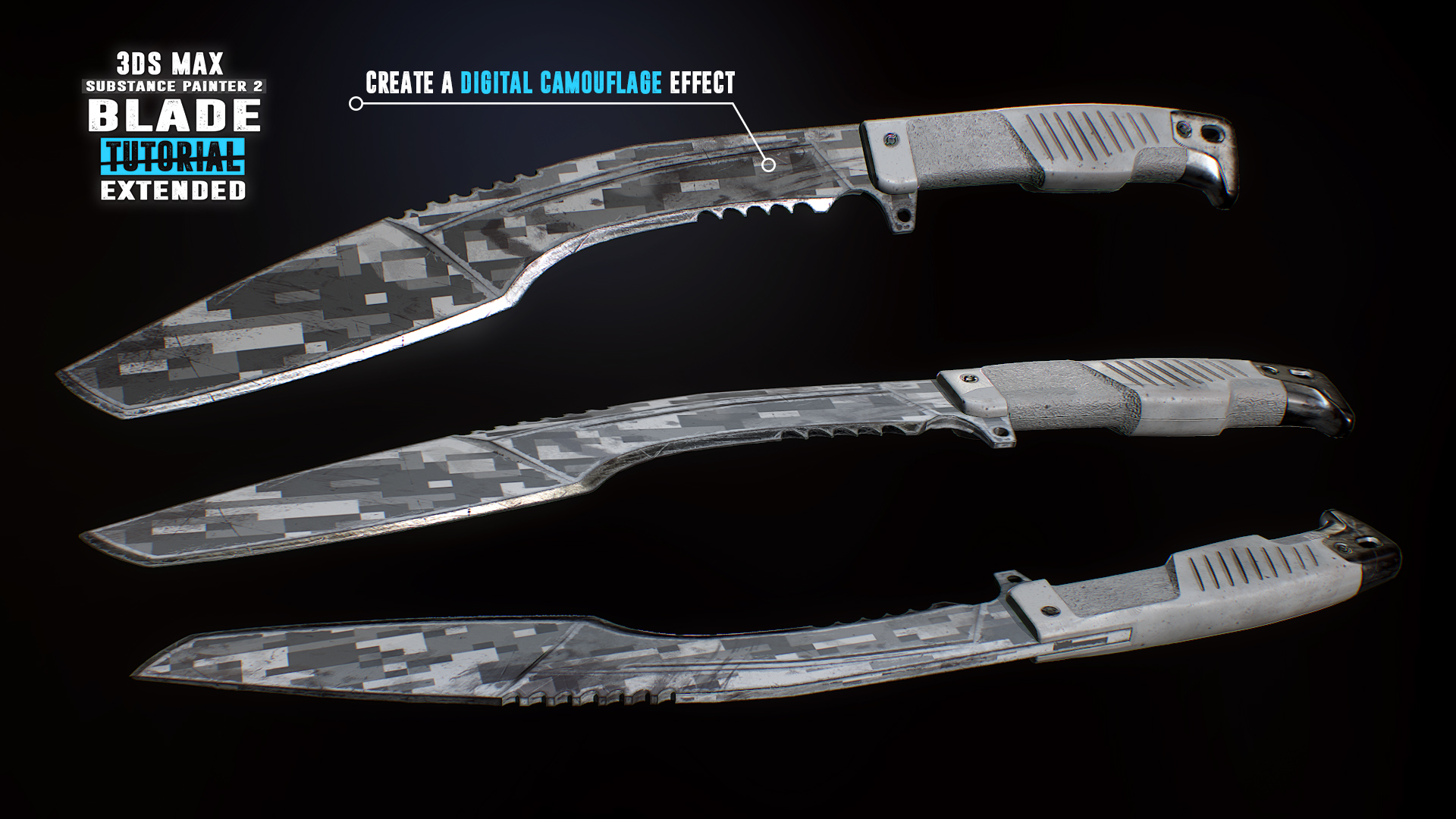
Follow along for free as we create a first person kukri knife in 3Ds Max & Substance Painter 2. Reach Substance Painter expert level as we create 10 more texture versions in the paid extended edition. Turn your passion into a profession and start creating game art today!

Zaloguj się, aby dodać tę pozycję do listy życzeń, zacząć ją obserwować lub oznaczyć jako ignorowaną

Polski język nie jest obsługiwany

Ten produkt nie obsługuje twojego lokalnego języka. Przed zakupem zapoznaj się z listą obsługiwanych języków, która znajduje się poniżej.

Uwaga: Produkt Blade Tutorial: 3Ds Max 2017 and Substance Painter 2 nie jest już dostępny w Sklepie Steam.
 

Lista odcinków

Ten serial nie ma obecnie dostępnej zawartości.
init_data: 0.1311, render: 0.1311

Wideo Steam

Ta zawartość jest dostępna tylko w formie strumieniowania online. Więcej informacji na temat strumieniowania wideo znajdziesz w artykule na temat wideo strumieniowych na Steam.

Downloadable Files

Download the associated files for this tutorial to your Steam Client:

  • Downloadable Content for Free Videos
  • Downloadable Content for Extended Paid Videos (available only after purchasing the Extended Texturing package)
The files will appear in the Library / Software section of the Steam Client.

O tym serialu

Create a first person kukri knife


Follow along for free in this compact ~3 hour long tutorial as we model and texture a game ready first person kukri knife. Every step is documented without any fast forwarding. At the end of the free part you have the option to learn even more with the extended edition in which we go over 10 more triple A quality PBR textures.

The modeling part covers the scene setup followed by the low and high-poly modeling in which we make use of advanced actions, modifiers and tools to help us create our kukri. After the modeling process we will jump straight into the UVW Editor and focus on the importance of an optimized UV-Layout to get the maximum out of our texture.

In the Substance Painter 2 part we will then bake our normal map as well as other important support maps. Right after that you will learn how to create an ultra realistic texture for our kukri. Learn how to create our base layer materials and how to use procedural textures, masks and generators to form up the wear and tear on our kukri resulting in a photo realistic appearance.

What are the requirements?

It is recommended to follow the course with the same software we use throughout the tutorial:
3Ds Max 2017 (can be 2016 and 2015 too) and Substance Painter 2.

Who is the target audience?

This tutorial is aimed at beginners as well as intermediate.
I try to avoid heavy use of shortcuts as much as I can during the lesson so that you can see which actions I use.

What do I get from this course?

  • Nearly 3 hours of free fully documented and commented content.
  • Knowledge in modeling, unwrapping and texturing.
  • Essential reference images.
  • Final high-poly and low-poly kukri for those that just want to follow the texturing part.

Instructor Biography

Hi! I'm Tim - Senior 3D Artist at Ubisoft Toronto.
I'm originally from Germany where I started my 3D Artist career at Crytek. I worked on titles such as Far Cry 4, Splinter Cell Blacklist and the Crysis series as well as other non disclosed titles.
In my spare time I enjoy creating tutorials in which I share all my tips and tricks which I gathered over the years. Let me help you avoiding mistakes and equipping you with powerful techniques and knowledge in game ready 3D art creation. See you in the tutorial! Cheers, Tim

Relevant links:

  • Learn more at
  • Facebook
  • All tutorials
  • Artstation

Wymagania systemowe

Windows
macOS
SteamOS + Linux
    Konfiguracja minimalna:
    • System operacyjny *: Windows 7
    • Procesor: Intel Core 2 lub odpowiednik AMD
    • Pamięć: 1 GB RAM
    • Sieć: Szerokopasmowe połączenie internetowe
    • Miejsce na dysku: 200 MB dostępnej przestrzeni
    • Dodatkowe uwagi: Przepustowość sieci rzędu 5 Mb/s dla 540p, 3 Mb/s dla 360p.
    Konfiguracja zalecana:
    • System operacyjny: Windows 10
    • Procesor: Intel Core z serii i3 bądź wyższej lub odpowiednik AMD zalecany do odtwarzania w HD 1080p
    • Pamięć: 2 GB RAM
    • Sieć: Szerokopasmowe połączenie internetowe
    • Miejsce na dysku: 500 MB dostępnej przestrzeni
    • Dodatkowe uwagi: Przepustowość sieci rzędu 12 Mb/s dla 1080p lub 8 Mb/s dla 720p.
* Począwszy od 1 stycznia 2024, klient Steam będzie obsługiwał wyłącznie system Windows 10 i jego nowsze wersje.
    Konfiguracja minimalna:
    • System operacyjny: Mac OS X 10.7
    • Procesor: Intel Core 2 lub odpowiednik AMD
    • Pamięć: 1 GB RAM
    • Sieć: Szerokopasmowe połączenie internetowe
    • Miejsce na dysku: 200 MB dostępnej przestrzeni
    • Dodatkowe uwagi: Przepustowość sieci rzędu 5 Mb/s dla 540p, 3 Mb/s dla 360p.
    Konfiguracja zalecana:
    • System operacyjny: macOS w wersji 10.10 lub nowszej
    • Procesor: Intel Core z serii i3 bądź wyższej lub odpowiednik AMD zalecany do odtwarzania w HD 1080p
    • Pamięć: 2 GB RAM
    • Sieć: Szerokopasmowe połączenie internetowe
    • Miejsce na dysku: 500 MB dostępnej przestrzeni
    • Dodatkowe uwagi: Przepustowość sieci rzędu 12 Mb/s dla 1080p lub 8 Mb/s dla 720p.
* Począwszy od 15 lutego 2024, klient Steam nie będzie obsługiwał już 32-bitowych gier ani systemu macOS 10.14 lub starszych wersji.
    Konfiguracja minimalna:
    • System operacyjny: Linux Ubuntu 12.04 lub nowszy, SteamOS 2.20 lub nowszy
    • Procesor: Intel Core 2 lub odpowiednik AMD
    • Pamięć: 1 GB RAM
    • Sieć: Szerokopasmowe połączenie internetowe
    • Miejsce na dysku: 200 MB dostępnej przestrzeni
    • Dodatkowe uwagi: Przepustowość sieci rzędu 5 Mb/s dla 540p, 3 Mb/s dla 360p.
    Konfiguracja zalecana:
    • System operacyjny: Linux Ubuntu 12.04 lub nowszy, SteamOS 2.20 lub nowszy
    • Procesor: Intel Core z serii i3 bądź wyższej lub odpowiednik AMD zalecany do odtwarzania w HD 1080p
    • Pamięć: 2 GB RAM
    • Sieć: Szerokopasmowe połączenie internetowe
    • Miejsce na dysku: 500 MB dostępnej przestrzeni
    • Dodatkowe uwagi: Przepustowość sieci rzędu 12 Mb/s dla 1080p lub 8 Mb/s dla 720p.

Recenzje klientów dla produktu Blade Tutorial: 3Ds Max 2017 and Substance Painter 2 O recenzjach użytkowników Twoje preferencje

Ogólne recenzje:
Pozytywne (14)


Aby zobaczyć recenzje w wybranym zakresie dat, kliknij i przeciągnij zaznaczenie na powyższym wykresie lub kliknij na wybrany słupek.


Filtruj recenzje według czasu gry użytkownika w momencie publikacji recenzji:


Bez minimum do Bez maksimum

Pokaż recenzje w wybranej kolejności wyświetlania


Dowiedz się więcej
Filtry
Wyłączanie okresów występowania recenzji nie na temat
Czas gry:
Głównie Steam Deck
Brak recenzji pasujących do filtrów ustawionych powyżej
Dostosuj filtry powyżej, by zobaczyć inne recenzje
Wczytywanie recenzji…