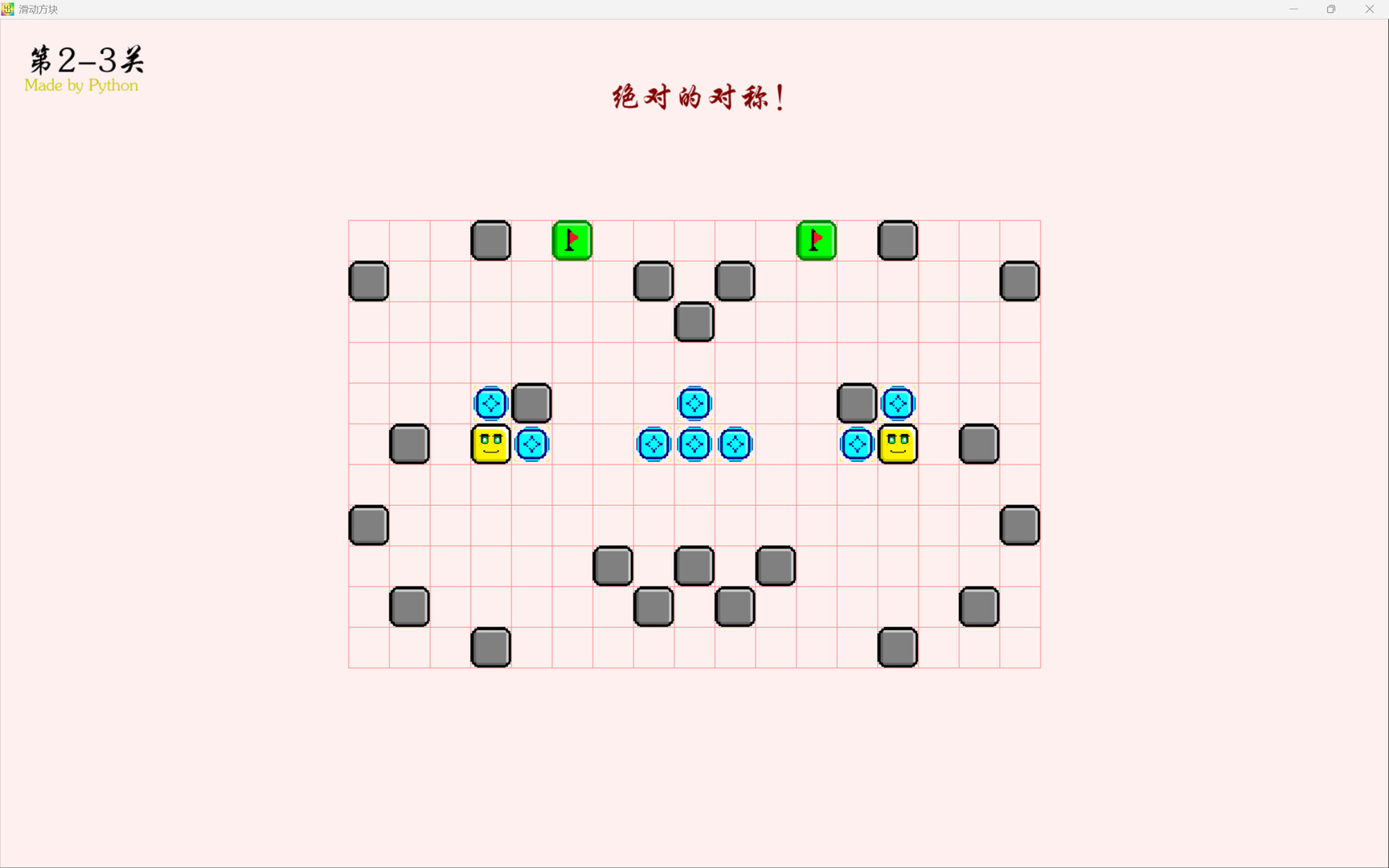
This game is a simple casual puzzle game. In the game, you use the arrow keys to get all the yellow blocks to the green flag goal to win~ Weird creativity that leaves you wanting more, various traps that keep you on edge, and fascinating mysterious features are waiting for players to explore~

Sign in to add this item to your wishlist, follow it, or mark it as ignored

English language not supported

This product does not have support for your local language. Please review the supported language list below before purchasing

This game is not yet available on Steam

Coming soon

Interested?
Add to your wishlist and get notified when it becomes available.
 

About This Game

This is a 2D grid-based casual puzzle game, perfect for slacking off~

========== Main Content ==========

In the game, you'll use the arrow keys (or WASD) to control all the yellow blocks and slide them in a specific direction. The yellow blocks will keep sliding in their initial direction until they hit a solid black-framed block. Then you can make your next move. If you go the wrong way, you can press the spacebar to retry~

The goal of each level is to get all the yellow blocks into the green flag goal. Once all yellow blocks have successfully entered, the game will automatically move on to the next level—no dragging things out~

During the game, the yellow blocks may escape the map, hit red spike blocks, etc. When that happens, the yellow blocks will expand, and then it will jump back to the home screen showing the reason for failure. Press the spacebar to retry~

On the home screen, you can use WASD to switch levels and press the spacebar to enter the game~

The game is divided into three parts, each with 6 small themes and bonus levels. Each small theme has its own specific presentation style~

========== Custom Levels ==========

When you reach a spot labeled "Official Level Collection," press the spacebar to switch to the "Custom Level Collection," and press it again to switch back. On the left side of the Custom Level Collection, "+" and "-" icons will appear, corresponding to adding a level collection and deleting the current level collection. Level collections will be stored in the "customLevels" folder in the root directory. Deleting a level collection only removes the game's reference to it, not the files in the "customLevels" folder. There are example level collections in the "customLevels" folder for reference~

Only the "customLevels" folder is allowed to be modified.

========== Tips ==========

Consider all four directions—sometimes the way back is the way forward~

Sometimes the game requires a long press~

Sometimes timing is everything~

========== Notes ==========

Do not unpack or modify any folders or sub-content other than the "customLevels" folder.

The author guarantees that the game contains no violations. If there are any legal issues involving the game, the author assumes no responsibility.

If, during normal gameplay, the game crashes due to any bug in the game itself, or if you are unable to perform any recovery operations in the game, please report it to me at the community. If you send malicious spam or attacks to this platform, you will bear legal responsibility~

========== Preview ==========

The game may add gesture-recognition features in the future, but that's not available yet~

System Requirements

    Minimum:
    • Requires a 64-bit processor and operating system
    • OS: Win10
    • Memory: 32 MB RAM
    • Storage: 64 MB available space
    Recommended:
    • Requires a 64-bit processor and operating system
    • OS: Win10
    • Memory: 32 MB RAM
    • Storage: 64 MB available space