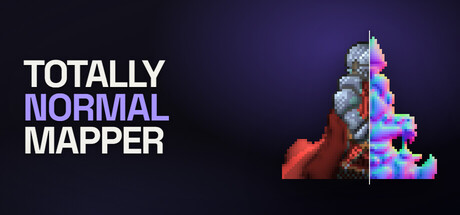
Normal maps for 2D sprites that keep their shape. Most tools read brightness as height, which fails on drawn art. This one solves for a surface that fits the silhouette, then lets you paint in what the picture cannot say. Exports for Unity, Godot, Unreal, and raw OpenGL or DirectX.

เข้าสู่ระบบ เพื่อเพิ่มผลิตภัณฑ์นี้ลงในสิ่งที่อยากได้ของคุณ ติดตาม หรือทำเครื่องหมายเป็นถูกละเว้น

ไม่รองรับภาษาไทย

ผลิตภัณฑ์นี้ไม่รองรับภาษาท้องถิ่นของคุณ โปรดตรวจสอบรายชื่อภาษาที่รองรับก่อนทำการสั่งซื้อ

เกมนี้ยังไม่พร้อมใช้งานบน Steam

วันวางจำหน่ายที่วางแผนไว้: ธันวาคม 2026

น่าสนใจ?
เพิ่มในสิ่งที่คุณอยากได้ และรับการแจ้งเตือนเมื่อผลิตภัณฑ์พร้อมใช้งาน
 

เกี่ยวกับซอฟต์แวร์นี้

Totally Normal Mapper generates normal maps for 2D sprites — for pixel art, for hand-painted sprites, for anything drawn rather than photographed.

Why drawn art breaks the usual approach

Most normal map generators read your artwork's brightness as height. That works on a photograph of rock, where a dark
patch really is a recess. It fails on drawn art, because shading is a decision the artist made and not a measurement of
the surface. Paint a shadow under a character's arm and a brightness-based tool reads a valley.

This one starts somewhere else. The silhouette is the one thing known for certain about the surface, so it solves for the
normals that fit the silhouette, and then lets you correct the result by painting the facts the picture does not state.

What it is good at

  • Shading does not corrupt it. Line detection uses colour rather than brightness, so a dark painted shadow is not
    mistaken for an inked fold — and nothing is differentiated, so nothing gets blurred.
  • Pixel art stays sharp. Output is solved at the sprite's own resolution. A 32x32 sprite exports as a 32x32
    normal map with its edges intact, not a soft approximation of one.
  • A live lit preview. Drag lights over the artwork and watch the surface respond. Art, normal, lit and split
    views, so you can judge the map against the thing it is for.
  • Whole animations at once. Load every frame as a batch. Settings are shared so the frames cannot disagree, hints
    stay per frame, and one command exports the lot.
  • Photoshop and Aseprite layers as masks. Import a PSD or an .aseprite file and map its layers straight onto hint
    layers, so a mask matches your artwork exactly instead of being traced with a brush. Re-read the file after editing it.
  • A real batch tool. Save the settings you dialled in, hand them to tnmap, and apply them to two hundred sprites.
    Ships as a standalone executable with nothing to install.

When the picture is ambiguous, you say so

A hint is a fact about your artwork that the artwork itself does not state — that an arm is in front of a torso, that an
eye socket is concave, that a belt buckle is flat. Painting one is not retouching the output. You are not pushing pixels
toward a look; you are adding something the solver then has to satisfy along with everything else. There are nine hint
layers, and the tools that paint them behave like the brushes you already use.

Exports your engine will accept

Every engine agrees on what a normal map means and disagrees on how to write it down. The disagreement is one bit —
whether green counts upward or downward — and getting it wrong produces no error message. It produces artwork where every
bump reads as a dent. So the export targets are named after engines rather than conventions:
  • Unity — green up, no flip needed
  • Godot 4 — green up, invert off
  • Unreal Engine 5 — green down, already flipped in the file
  • OpenGL — raw green up, matching Blender and most offline renderers
  • DirectX — raw green down, matching 3ds Max and Source 2

The batch tool

A scenery set is two hundred files that have to be consistent. tnmap is a standalone executable that applies one saved
configuration to all of them. It needs nothing installed — no runtime, no interpreter, not even this application — so it
belongs in a build script as readily as in a terminal.

What it is not

It is not a height map painter and not a 3D modeller, and it will not turn a sprite into a lit scene on its own. It
produces one thing: a normal map your engine can use, at the resolution you drew at.

Windows. Native macOS and Linux builds are planned.

ความต้องการระบบ

    ขั้นต่ำ:
    • ต้องการโปรเซสเซอร์และระบบปฏิบัติการแบบ 64 บิต
    • ระบบปฏิบัติการ: Windows 10 64-bit, version 1809 or later
    • โปรเซสเซอร์: Any 64-bit x86 processor
    • หน่วยความจำ: แรม 4 GB
    • กราฟิกส์: Any GPU with WebGPU support, which in practice means Direct3D 12. Without one the solver runs on the processor: same output, slower.
    • พื้นที่จัดเก็บข้อมูล: พื้นที่ว่างที่พร้อมใช้งาน 1500 MB
    • หมายเหตุเพิ่มเติม: 64-bit only. Minimum window size 1024x700. No network connection required at any point.
    แนะนำ:
    • ต้องการโปรเซสเซอร์และระบบปฏิบัติการแบบ 64 บิต
    • ระบบปฏิบัติการ: Windows 11 64-bit
    • โปรเซสเซอร์: Four cores or more
    • หน่วยความจำ: แรม 8 GB
    • กราฟิกส์: A discrete GPU with Direct3D 12
    • พื้นที่จัดเก็บข้อมูล: พื้นที่ว่างที่พร้อมใช้งาน 2 GB
    • หมายเหตุเพิ่มเติม: A display of 1600x1000 or larger, which is the application's default window size.
ตัวกรองบทวิจารณ์