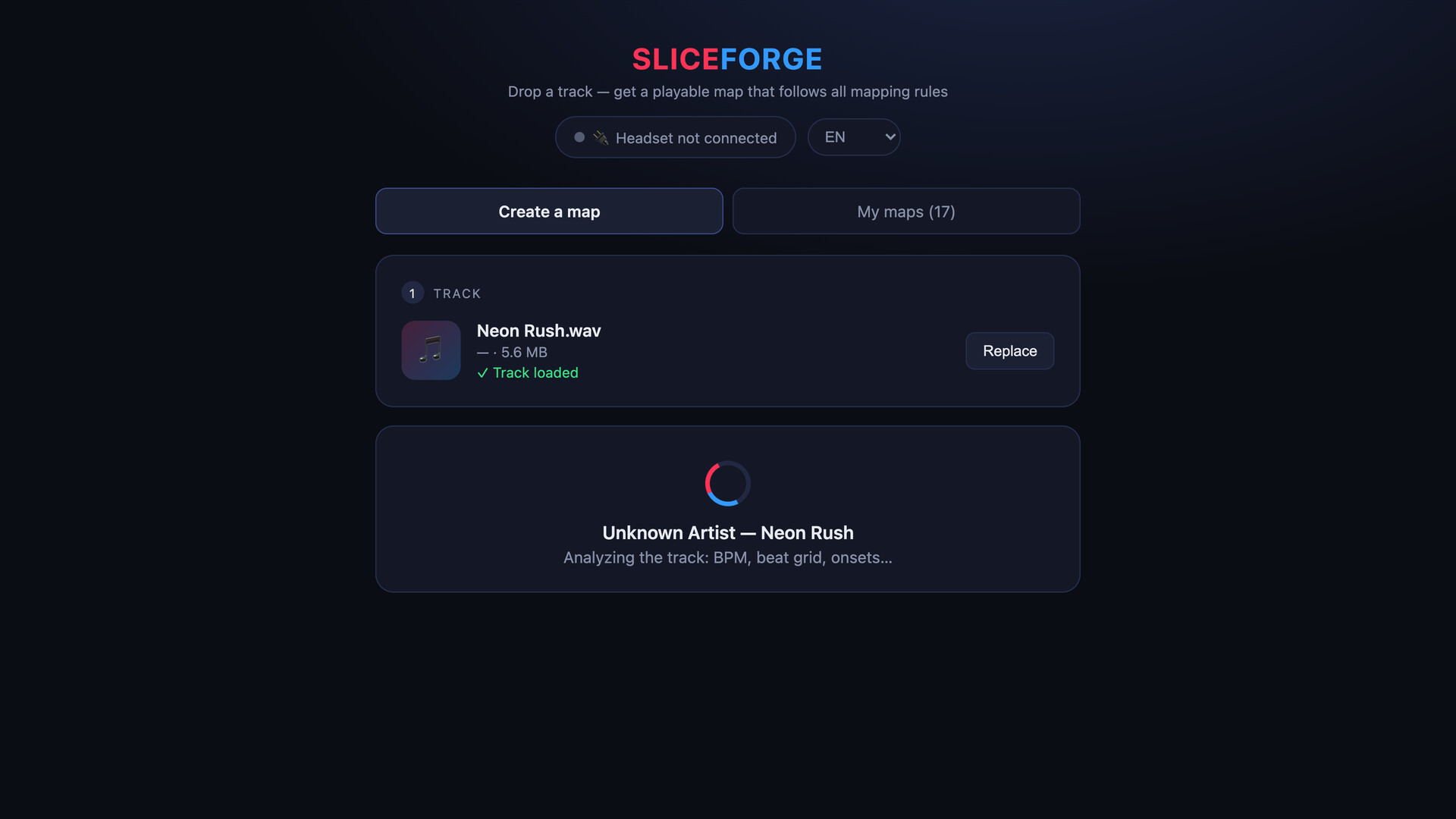
Drop your mp3 — get a fully playable custom map in one click: four difficulties, walls, chains, arcs, your own cover art and author name. No manual mapping. Compatible with Beat Saber*.

Sign in to add this item to your wishlist, follow it, or mark it as ignored

This game is not yet available on Steam

Coming soon

Interested?
Add to your wishlist and get notified when it becomes available.
 

About This Software

Your favorite song isn't in the game. SliceForge fixes that in one click.

Drop any audio file (mp3, wav, flac, m4a, ogg) and SliceForge analyzes the track — BPM, beat grid, drum hits, song structure — then builds a map that follows the community mapping rules: proper parity (no wrist resets), no vision blocks, notes strictly on beat, calm verses and dense choruses.

Features

  • Four difficulties per song: Easy, Normal, Hard, Expert — pick what fits
  • Full arsenal: walls, bombs, double hits, dot notes, chains, arcs
  • Note density slider: calmer or denser, your call
  • Your branding: custom cover art and your name as the mapper
  • Different every time: change the seed, get a fresh variant of the map
  • Generation history with one-click re-export
  • Everything runs on your machine — no uploads, no queue, no account
  • English, Russian, Japanese interface

Quest over USB

Connect your modded Quest with a cable and send maps straight into the game — no file juggling. Or export a standard zip and load it your usual way.

Requirements

A copy of the game with custom-songs support (modded via community tools). You must own the audio you use.

* SliceForge is an independent tool, not affiliated with or endorsed by Beat Games or Meta.

AI Generated Content Disclosure

The developers describe how their game uses AI Generated Content like this:

The application itself does not use generative AI. Maps are produced by a deterministic, rule-based algorithm from signal analysis of the user's own audio file (tempo, beat grid, onsets, song structure); no machine-learning models are involved, and nothing is generated at runtime by AI.
Generative AI was used only for marketing: the animated scenes in the store trailer were produced with AI image and video tools from our own storyboard and prompts. Store screenshots are real captures of the application, and the capsule artwork was designed by hand.

System Requirements

Windows
macOS
    Minimum:
    • Requires a 64-bit processor and operating system
    • OS: Windows 10 64-bit (version 1803 or later) or Windows 11
    • Processor: 64-bit dual-core, 2 GHz
    • Memory: 4 GB RAM
    • Graphics: Integrated graphics is sufficient
    • Storage: 1 GB available space
    • Additional Notes: Microsoft Edge WebView2 Runtime (included with Windows 10/11). Sending maps to a Quest headset requires a USB cable and Developer Mode on the headset.
    Recommended:
    • Requires a 64-bit processor and operating system
    • OS: Windows 11
    • Processor: 64-bit quad-core
    • Memory: 8 GB RAM
    • Graphics: Integrated graphics is sufficient
    • Storage: 1 GB available space
    • Additional Notes: Microsoft Edge WebView2 Runtime (included with Windows 10/11). Sending maps to a Quest headset requires a USB cable and Developer Mode on the headset.
    Minimum:
    • Requires an Apple processor
    • OS: macOS 14 Sonoma or later
    • Processor: Apple Silicon (M1 or later). Intel Macs are not supported.
    • Memory: 4 GB RAM
    • Graphics: Apple Silicon integrated GPU
    • Storage: 1 GB available space
    • Additional Notes: Apple Silicon only. Sending maps to a Quest headset requires a USB cable and Developer Mode on the headset.
    Recommended:
    • Requires an Apple processor
    • OS: macOS 26
    • Processor: Apple Silicon (M1 or later). Intel Macs are not supported.
    • Memory: 8 GB RAM
    • Graphics: Apple Silicon integrated GPU
    • Storage: 1 GB available space
    • Additional Notes: Apple Silicon only. Sending maps to a Quest headset requires a USB cable and Developer Mode on the headset.
Review Filters