Show keyboard, mouse and XInput controller input on your Windows desktop. Choose from 86 skins, eight preset layouts and four key effects. Combine layouts, add animal keycaps, and show or hide the overlay with a shortcut.

Melden Sie sich an, um dieses Produkt zu Ihrer Wunschliste hinzuzufügen, zu abonnieren oder als „Ignoriert“ zu markieren.

Keycast kaufen

EINFÜHRUNGSANGEBOT! Endet 15. Oktober

10 % Rabatt. $2.99 regulär, reduziert auf $2.69
 

Über diese Software

Make your inputs visible

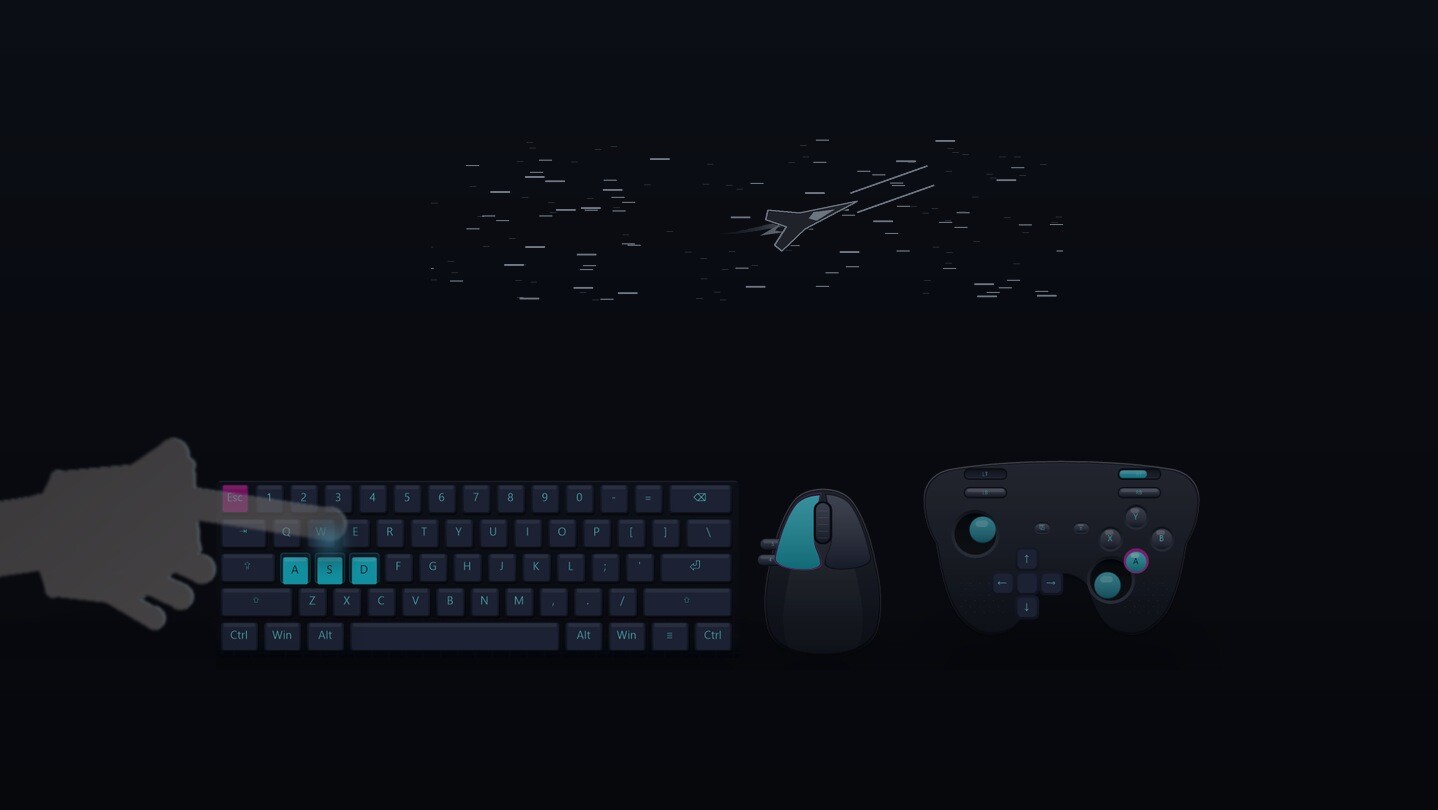
KEYCAST displays keyboard, mouse and XInput controller activity in a desktop overlay. Use it to demonstrate shortcuts, explain controls or show an input sequence. Supported keys and buttons light up as you use them; controller layouts also show stick and trigger movement.

Choose and combine layouts

Eight built-in presets cover WASD, 60%, 75%, TKL 87, Full 104, mouse, XInput gamepad and arcade controls. Combine up to four layouts on screen, such as a keyboard with mouse and gamepad displays.

The visual picker lets you preview and select the included styles:
  • 86 skins with different colors and keycap designs.
  • Four key effects: Pulse, Bolt, Ember and Frost. Effects can follow the skin or be turned off.
  • 12 animal keycap designs that you can place on supported keys.
These presets and styles are included with the app.

Control the overlay

The locked overlay supports click-through. Unlock it to drag it into position. After briefly hovering over it, you can also drag the overlay or right-click to open the picker. Your chosen layouts, skin, effect and position are saved for the next launch.
  • Ctrl+Alt+K: show or hide the overlay.
  • Ctrl+Alt+L: unlock or lock its position.
  • Ctrl+Alt+P: open the visual picker.
  • Ctrl+Alt+Q: quit KEYCAST.
Hiding the overlay leaves the app running. The tray menu also provides controls.

The interface is available in English, Simplified Chinese, Japanese and Korean, with English selected by default. Some preset names remain in English.

Current scope and compatibility

  • Windows only. The app's menus and settings are operated with a mouse and keyboard.
  • Preset input displays. Keyboard labels follow the selected preset; typed text and IME composition are not displayed. Pause is not included in the keyboard presets.
  • XInput controllers. Controller input is shown from the first connected XInput device. Native input from non-XInput controllers is not supported.
  • Customization. Position can be dragged. Size currently requires editing the scale setting in the local settings file. This version has no in-app visual layout editor or custom-image importer.
  • Recording and display compatibility. KEYCAST does not record video. Capture software and some display setups, including exclusive fullscreen, high-DPI or multiple monitors and administrator-level windows, still await full validation. Check your setup before recording or broadcasting.

Offenlegung von KI-generierten Inhalten

Der Spieleentwickler beschreibt den Einsatz von KI-generierten Inhalten in diesem Spiel wie folgt:

AI tools assisted with writing and translating interface and store text, and with developing code for programmatically rendered visual assets and promotional materials. KEYCAST does not generate AI content or connect to AI services during use.

Systemanforderungen

    Mindestanforderungen:
    • Setzt 64-Bit-Prozessor und -Betriebssystem voraus
    • Betriebssystem: Windows 10/11 (64-bit)
    • Prozessor: x64-compatible processor
    • Arbeitsspeicher: 512 MB RAM
    • Grafik: Windows-compatible graphics driver with desktop composition enabled
    • Speicherplatz: 50 MB verfügbarer Speicherplatz
    • Zusätzliche Anmerkungen: No administrator privileges are needed for normal desktop use. Tested on Windows 11; Windows 10 compatibility and interaction with administrator-level applications remain unverified. KEYCAST has no video recording feature.
    Empfohlen:
    • Setzt 64-Bit-Prozessor und -Betriebssystem voraus
Filter überprüfen