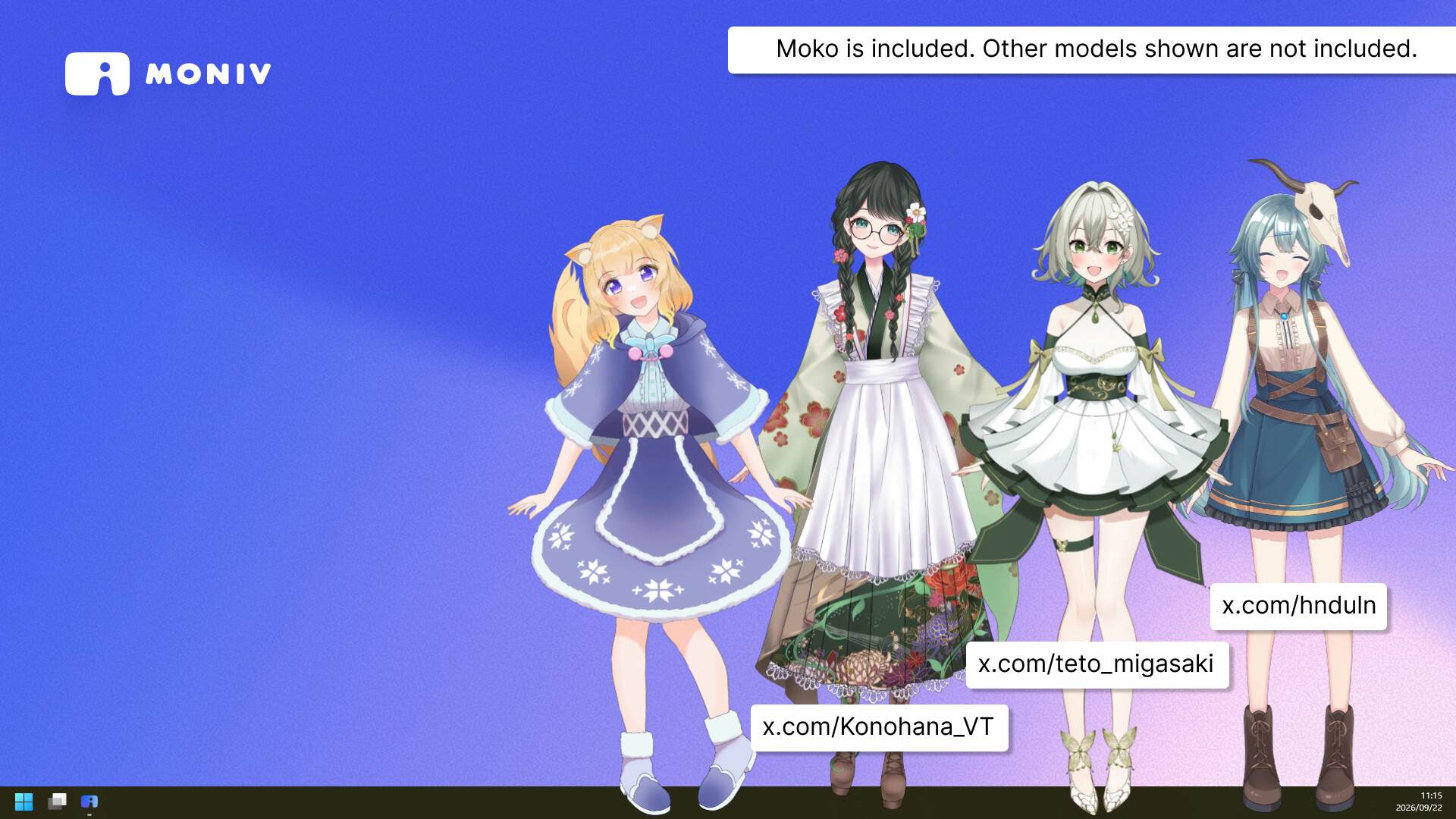
MoniV is a desktop mascot app for displaying transparent WebM videos from VTuber Live2D models on Windows. Place and resize characters freely. The free version supports 1 character; DLC unlocks up to 10 and removes the logo. Fan-shareable MoniV packages are planned.

Daftar masuk untuk menambah item ini ke senarai hajat anda, ikuti atau tandakannya sebagai diabaikan

Bahasa Bahasa Melayu tidak disokong

Produk ini tidak menyokong bahasa tempatan anda. Sila semak senarai bahasa yang disokong di bawah sebelum membuat pembelian

Permainan ini belum tersedia di Steam lagi

Akan datang

Berminat?
Tambah ke senarai hajat anda dan terima pemberitahuan apabila permainan sudah tersedia.
 

Tentang Perisian Ini

Bring Your Character to Your Desktop

MoniV is a desktop mascot app that lets you display characters from transparent videos directly on your Windows desktop.

Import a video created from a VTuber Live2D model or other character, and your character will keep moving right on your desktop.

While you work, while you play, or even when you're not streaming.

Keep your favorite character close whenever you're at your PC.

Designed Not to Get in Your Way

Clicks and mouse wheel input pass straight through transparent parts of the character to the application behind it.

You can keep your character on screen while continuing to use your PC as usual.

  • Drag your character anywhere you like

  • Resize easily with the mouse wheel

  • Clicks and mouse wheel input pass through transparent areas

  • Multi-monitor support

  • Character position and size are saved automatically

The next time you launch MoniV, your character will return to the same position and size.

Enjoy a Variety of Animations

Register multiple animations, and MoniV will randomly switch to another one whenever the current video finishes playing.

You can also click your character to switch animations whenever you like.

MoniV automatically switches to the most suitable video resolution based on the character's display size, so your character can be enjoyed smoothly whether displayed small or large.

Import Your Own Character

You can add your own original character to MoniV by converting a transparent VP9 WebM video directly inside the app.

If you have a VTuber Live2D model, you can export a transparent video using tools such as nizima ACTION!! and import it directly into MoniV.

Videos created with nizima ACTION!! have been tested for compatibility.

MoniV is useful not only for VTubers who own their own models, but also for Live2D modelers and other creators who work with character animation.

A sample character is also included so you can try MoniV right away.

Share Your Character with Your Fans

※ The following feature is planned for a future update.

We plan to add a feature that lets you export your character as a MoniV package for distribution.

VTubers and creators will be able to share their characters with viewers and fans, who can then import them into MoniV and display them on their own desktops.

Your character won't have to stay only in streams or videos — you will be able to bring them directly to your fans' desktops as well.

Try It for Free

The free version allows you to display one character at a time.

A small MoniV logo is displayed near the character's feet in the free version.

With the paid DLC, you can unlock:

  • Up to 10 characters displayed at the same time

  • The option to hide the MoniV logo

These features are unlocked with the DLC.

Start with the free version and bring your character to your desktop.

Internet Connection Requirements

An internet connection is required in the following situations:

  • During initial setup: to automatically install the WebView2 Runtime

  • The first time you use the video conversion feature: to download FFmpeg

After setup is complete, characters can be displayed while offline.

Pendedahan Kandungan Dihasilkan AI

Pembangun menerangkan cara permainan mereka menggunakan Kandungan Dihasilkan AI seperti berikut:

Generative AI was used to draft and translate the Steam store description. The application does not generate AI content at runtime.

Keperluan Sistem

    Minimum:
    • OS: Windows 10 64-bit (version 1809 or later)
    • Pemproses: Quad-core x64 CPU (Intel Core i5-6500 or equivalent)
    • Memori: 8 GB RAM
    • Grafik: GPU with H.264 hardware decoding and WebGL support (Intel HD Graphics 620 / GeForce GTX 750 or newer)
    • DirectX: Versi 11
    • Storan: 2 GB ruang tersedia
    • Nota Tambahan: An internet connection is required for first-time setup (automatic installation of the Microsoft Edge WebView2 runtime) and when first using the video conversion feature (FFmpeg download). After setup, characters can be displayed offline. Disk usage increases as you import and convert character videos.
    Dicadangkan:
    • OS: Windows 11 64-bit
    • Pemproses: Intel Core i5 10th gen or newer
    • Memori: 16 GB RAM
    • Grafik: Modern GPU with H.264 hardware decoding (for displaying multiple characters)
    • DirectX: Versi 11
    • Storan: 4 GB ruang tersedia
    • Nota Tambahan: An internet connection is required for first-time setup (automatic installation of the Microsoft Edge WebView2 runtime) and when first using the video conversion feature (FFmpeg download). After setup, characters can be displayed offline. Disk usage increases as you import and convert character videos.
Penapis Ulasan