Try SimRace Publisher Studio for free: record your sim racing sessions, detect highlights, create videos, 9:16 Shorts and thumbnails, and test the YouTube publishing workflow. The demo uses limited quotas so you can try the workflow before choosing Lite or Pro.

Sign in to add this item to your wishlist, follow it, or mark it as ignored

Free Demo

Play SimRace Publisher Studio Demo

Check out the full game


About This Demo

SimRace Publisher Studio Demo

You drive the race – SimRace Publisher Studio takes care of the content.

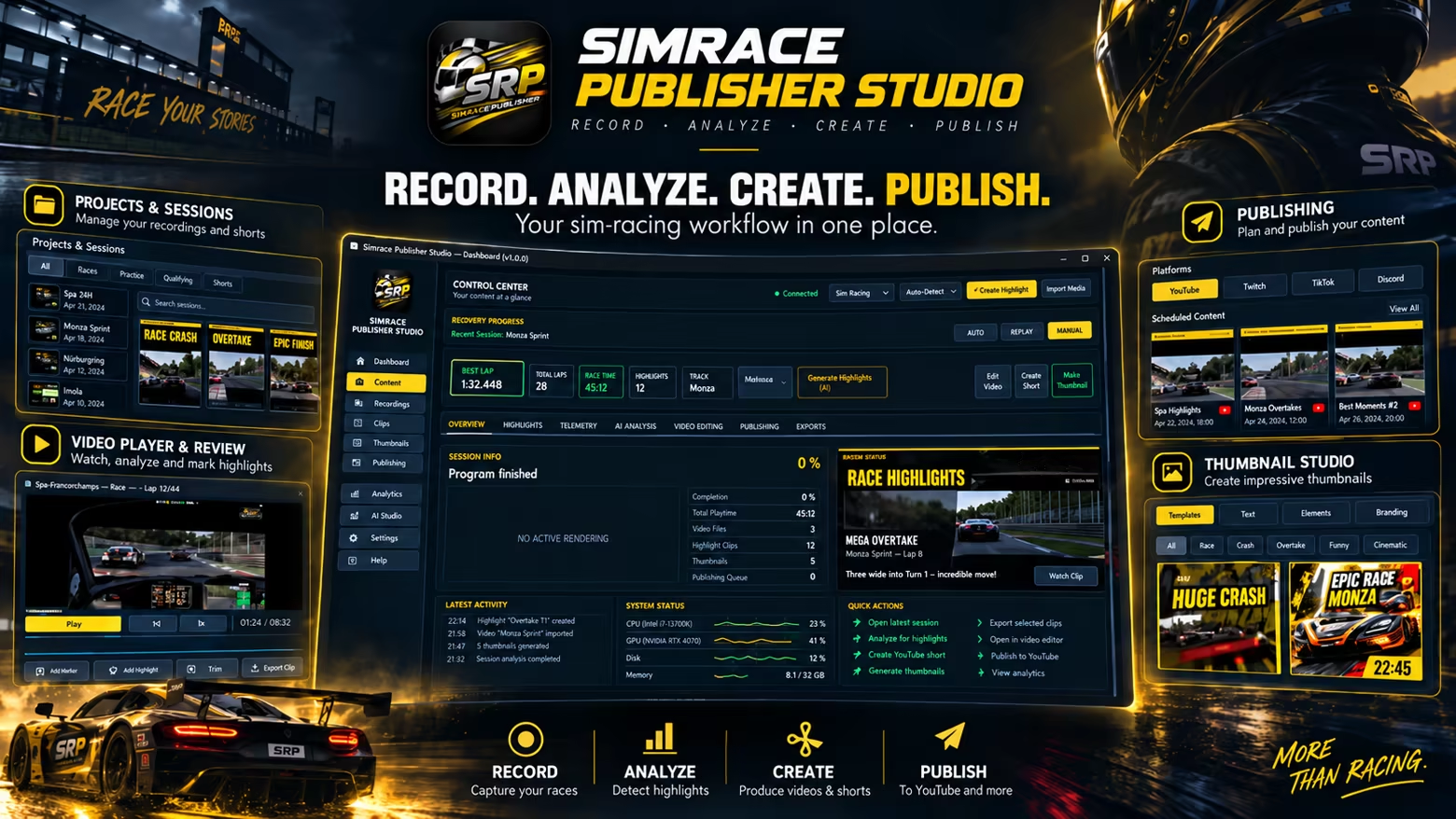
With the free SimRace Publisher Studio Demo, you can experience the workflow yourself: from recording your sim racing session and identifying interesting racing moments to preparing your content for YouTube and social media.

From Race to Finished Content

SimRace Publisher Studio is designed to reduce the time-consuming work involved in creating content after a race. Instead of searching through entire recordings and manually processing every interesting moment, SRP helps you identify highlights, prepare videos and Shorts, and get your content ready for publishing.

Automatic Recording

Record your sim racing sessions directly with SimRace Publisher Studio. With AUTO-REC, recording can start automatically with your session, allowing you to focus on driving.

Detect and Manage Highlights

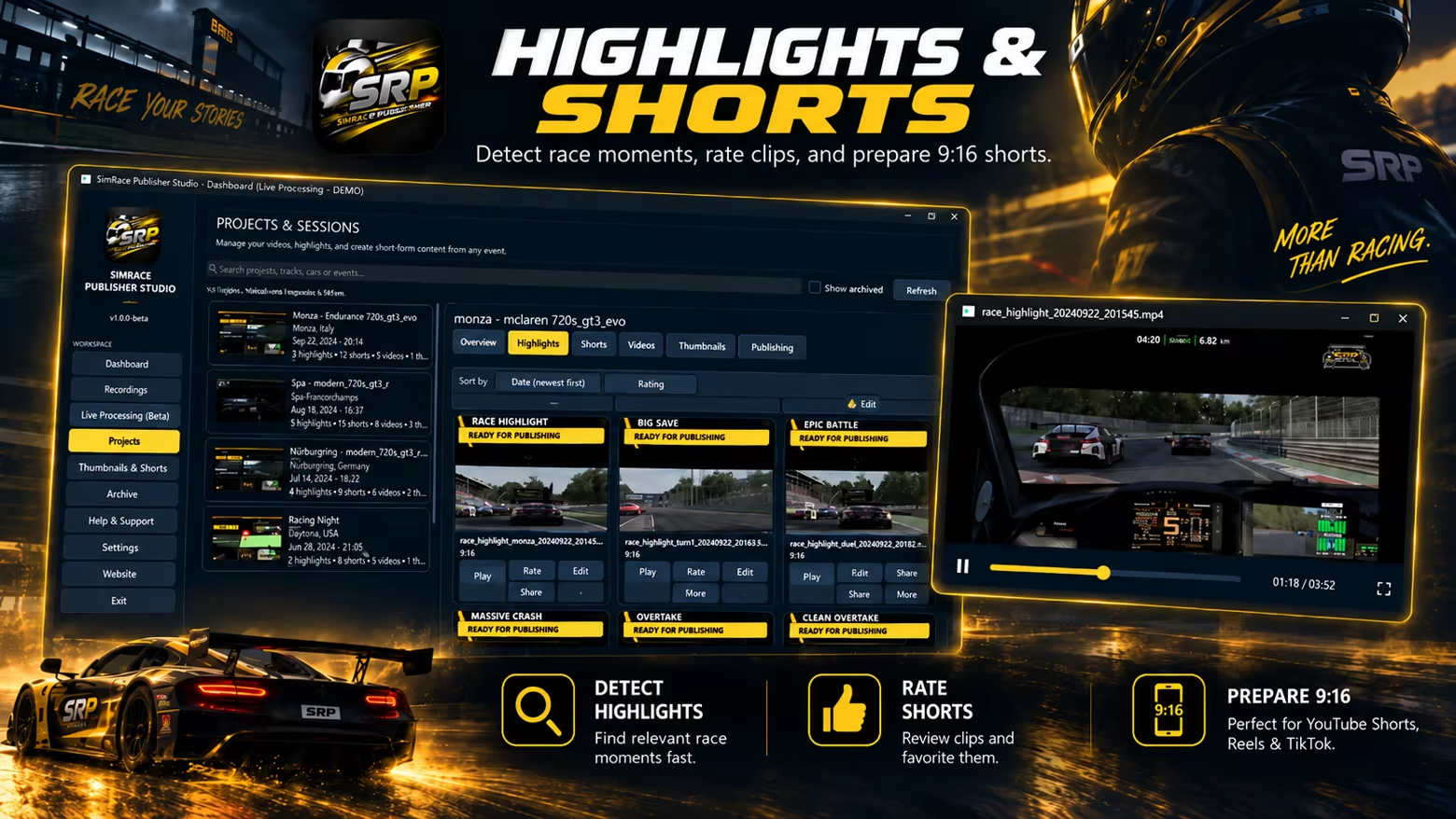
SRP analyzes your session and helps identify interesting racing moments such as battles, special situations, and crashes as highlights.

You can also manually mark memorable moments while driving and easily find them later in your project.

Create 9:16 Shorts

Suitable racing moments can be turned into vertical 9:16 Shorts for platforms such as YouTube Shorts. This means you don't have to manually edit and format every clip from scratch.

Prepare Thumbnails

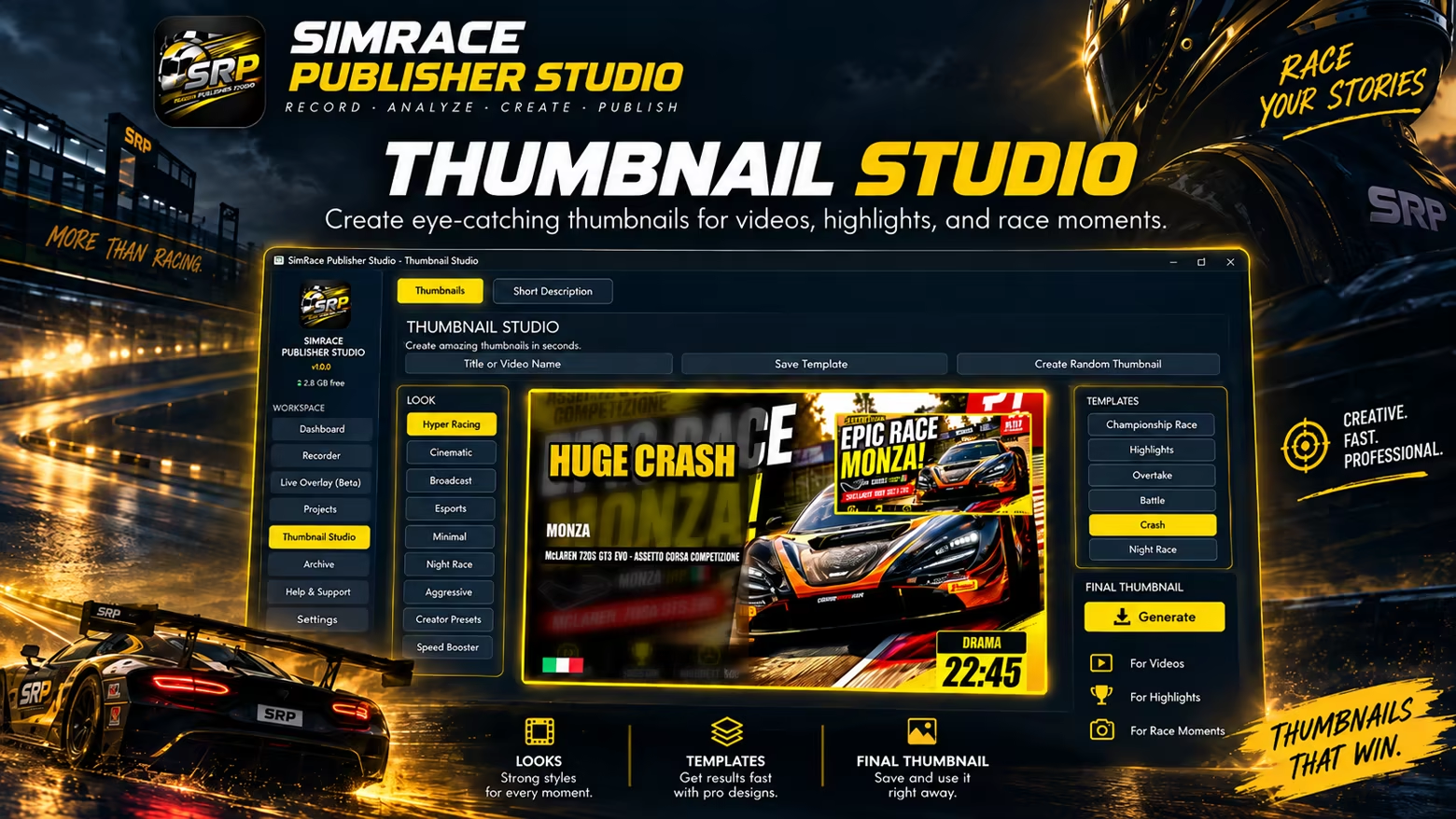
SimRace Publisher Studio also helps you create and prepare thumbnails for your videos.

YouTube Workflow

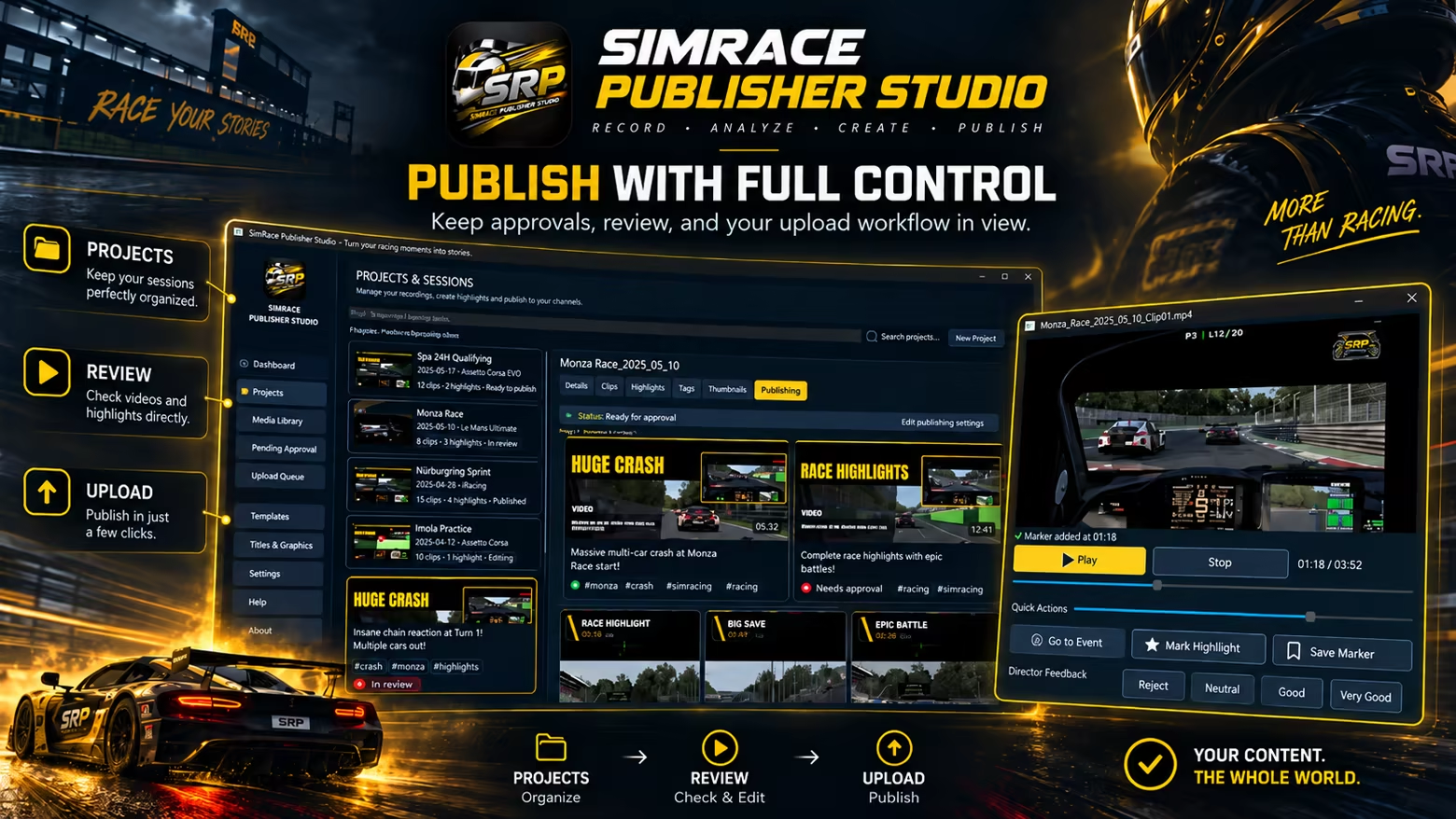
Prepare titles, videos, Shorts, and other content within your project and manage your workflow all the way through to publishing on YouTube.

Built for Sim Racing

SRP is a standalone recording, video production, and publishing application for sim racing. It does not modify, replace, or redistribute game files.

Where supported by the respective racing simulation, SRP can read telemetry and runtime data made available by the running simulation and use this information for session detection, recording automation, and video analysis. This functionality has been tested with Assetto Corsa Competizione, Assetto Corsa EVO, Le Mans Ultimate, and iRacing.

Additional racing simulations can be included in the workflow through visual video analysis and, where available, SimHub data. SimHub is optional and is not required for the core functionality of SRP.

Compatibility with a racing simulation does not imply partnership, affiliation, support, or endorsement by its developer or publisher.

What You Can Try in the Free Demo

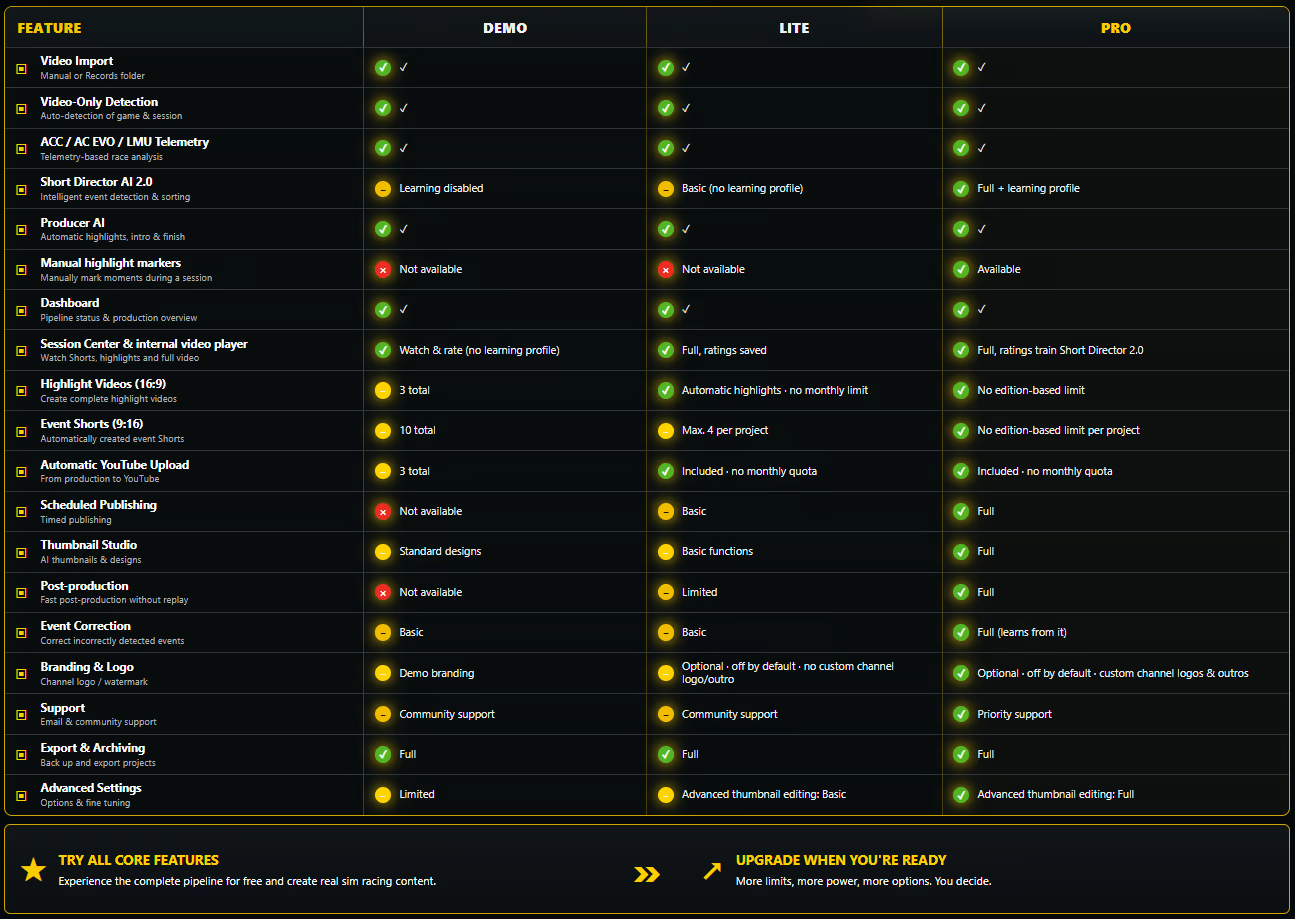
The free demo is designed to let you test the real SRP workflow before purchasing. You can record a session, let SRP analyze it, work with detected highlights, create Shorts and thumbnails, and try the YouTube publishing workflow.

The demo includes the following usage quotas:

  • Up to 3 highlights

  • Up to 10 Shorts

  • Up to 3 YouTube uploads

These limits are intended to give you enough room to see whether SRP fits your own sim racing and content creation workflow.

Continue with the Full Version

If SRP fits your workflow, SimRace Publisher Studio Lite and SimRace Publisher Studio Pro provide expanded or unlimited usage options beyond the demo quotas. The paid editions are intended for continued use after testing the workflow in the demo.

Try the workflow first. Upgrade only if it fits the way you race and publish.

AI Generated Content Disclosure

The developers describe how their game uses AI Generated Content like this:

Generative AI tools were used during development to assist with selected localization text, graphical/promotional assets, and portions of user-facing content. All AI-assisted material was manually reviewed, edited where necessary, and approved by the developer before release. The application does not generate AI content during use.

System Requirements

    Minimum:
    • Requires a 64-bit processor and operating system
    • OS: Windows 10 64-bit
    • Processor: Intel Core i5 or AMD equivalent
    • Memory: 8 GB RAM
    • Graphics: DirectX 11 compatible graphics card
    • Network: Broadband Internet connection
    • Storage: 1 GB available space
    • Additional Notes: Internet connection required for YouTube integration and online features. A supported sim racing title is required for telemetry-based features.
    Recommended:
    • Requires a 64-bit processor and operating system
    • OS: Windows 11 64-bit
    • Processor: Intel Core i7 or AMD Ryzen 7 equivalent
    • Memory: 16 GB RAM
    • Graphics: Dedicated DirectX 11 compatible graphics card
    • Network: Broadband Internet connection
    • Storage: 1 GB available space
    • Additional Notes: Internet connection required for YouTube integration and online features. A supported sim racing title is required for telemetry-based features.
Review Filters