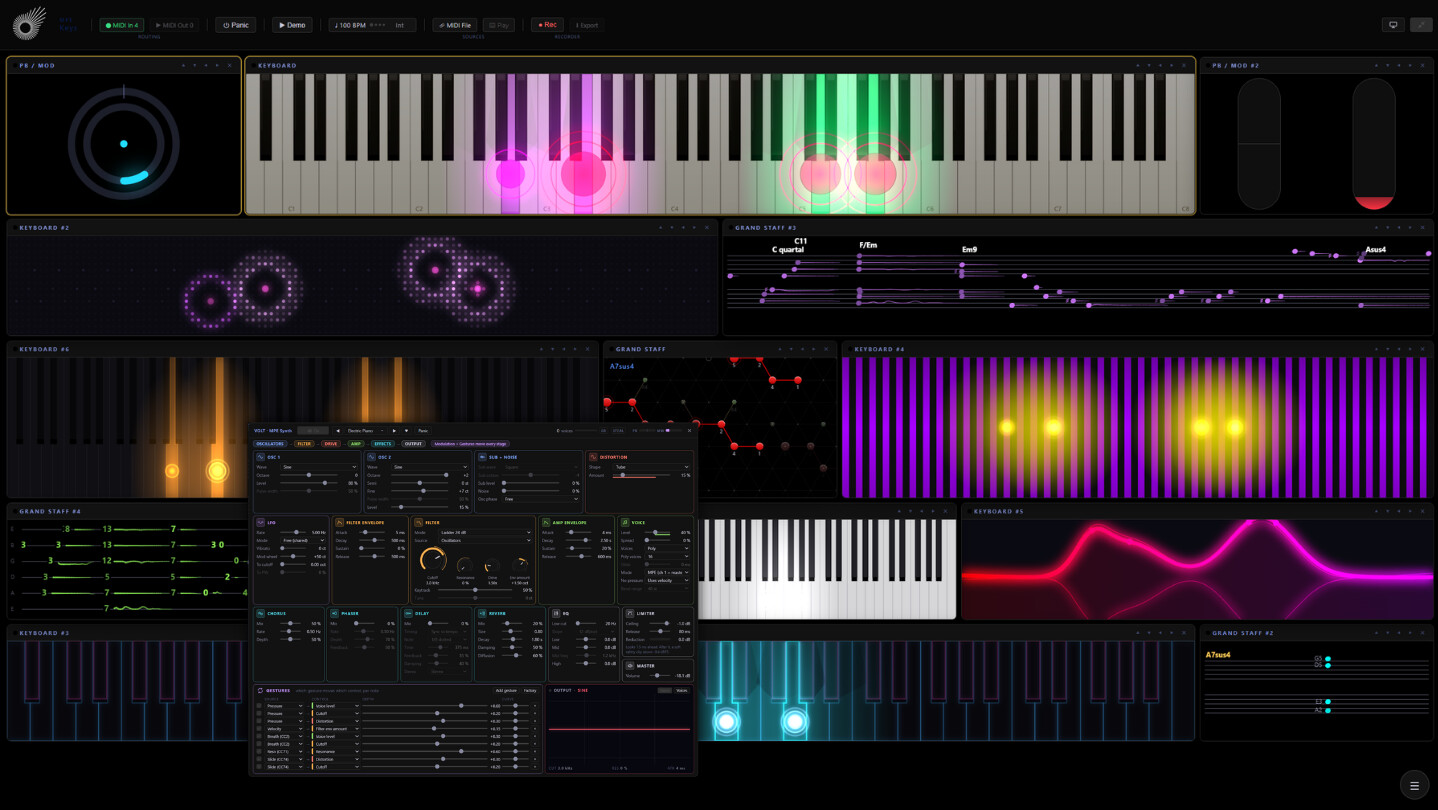
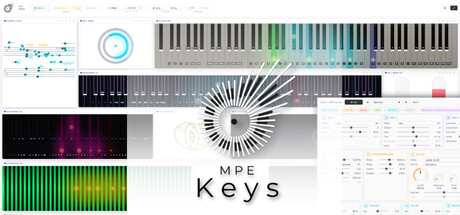
A real-time MIDI keyboard and piano visualizer with a built-in MPE synth. Every note is drawn on the key itself: pressure as color, velocity as brightness, bend as a moving dot, timbre as rings. A live Grand Staff writes it down. No controller? Your computer keyboard plays it.

Sign in to add this item to your wishlist, follow it, or mark it as ignored

Buy MPE Keys


About This Software

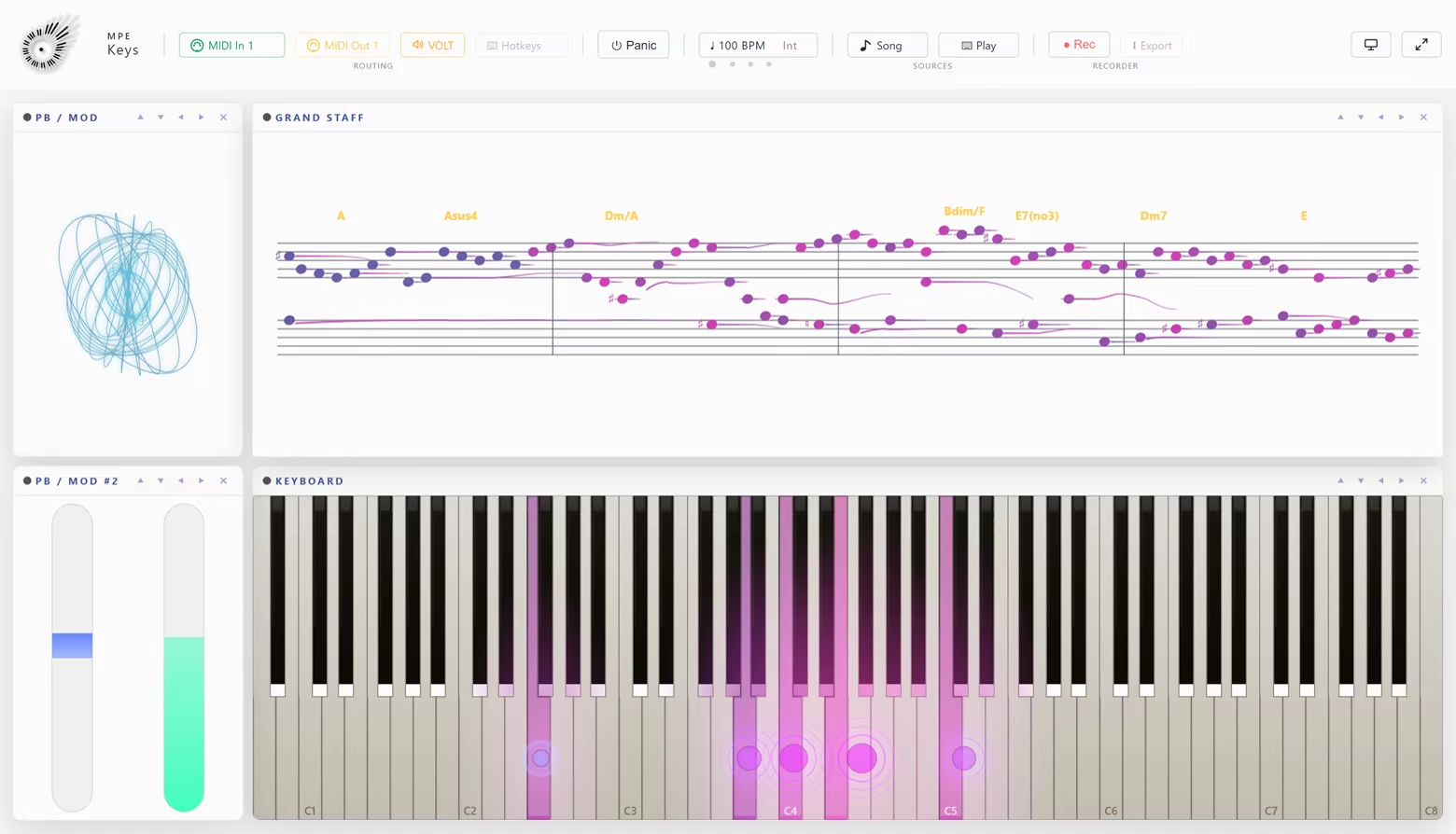
MPE Keys is a real-time MIDI keyboard and piano visualizer with a built-in MPE synth. It shows what your hands are doing, key by key, from any MIDI keyboard you already own. The pitch bend and mod wheels sit beside the keys, and a Grand Staff writes it all down. For the camera, the stage and the studio.

No keyboard at hand? Typing Keys plays it from your computer keys and Mouse Mode from the pointer, and both send real MPE out of the app.

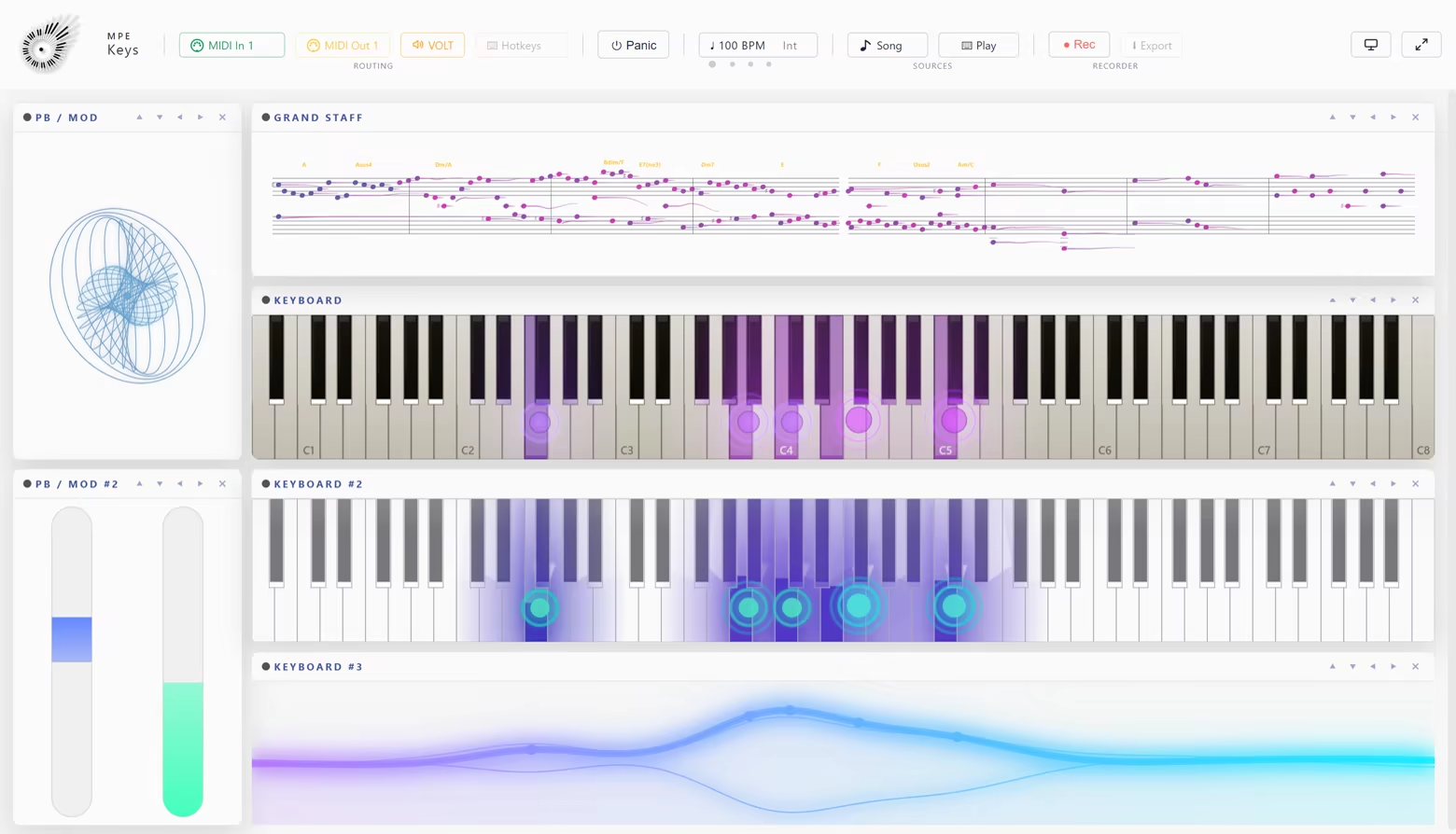
One module, many ways to read it

Classic, Glass, Neon, Minimal, Dark, Fingerboard, Motion, Microtonal and three Pixel Grid layouts. Every design draws the same four readings, and every color in a design can be changed.

What you see is what you hear

VOLT is an MPE synth built into the app and switched on from the first start, so the keys play without a DAW or another device. Every note sounds with its own pressure, slide and bend. Your controller, a MIDI file, Typing Keys and the mouse all play it, and MIDI Out still reaches any other synth.

Four things happen on one key

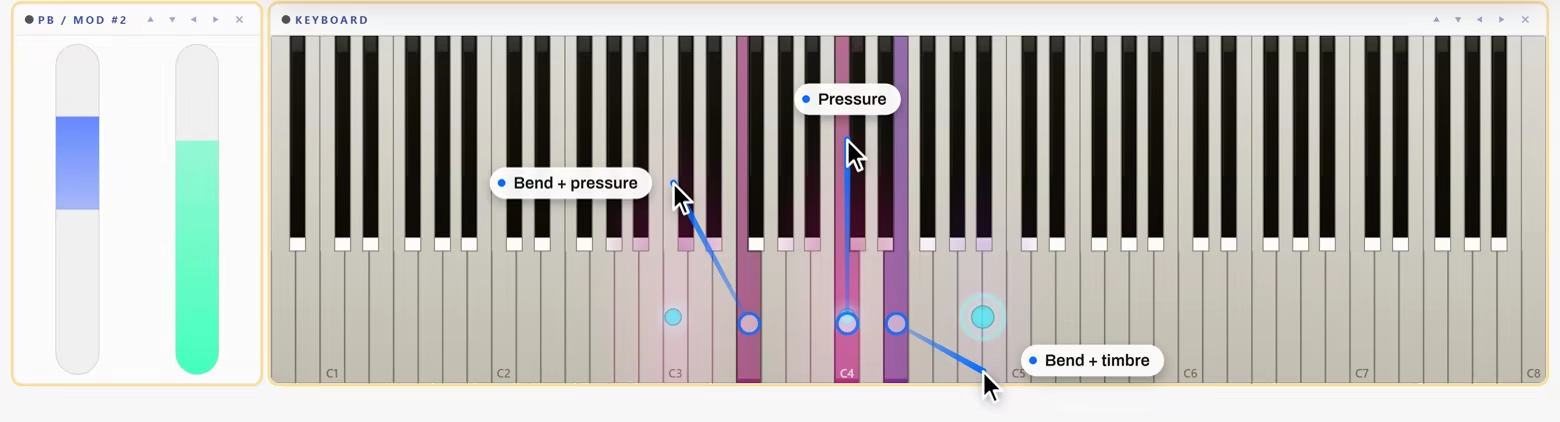
  • Pressure. Moves the key's color between a low and a high tone, or fills it from the bottom up like a meter.

  • Pitch bend. A dot slides along the keys to the pitch the note actually sounds, scaled by the bend range your instrument reports.

  • Velocity. Sets how bright the key lights. A hand split gives the left hand a color pair of its own.

  • Timbre. CC74 rides its own ring, with its own color pair, size and intensity.

Note names on the keys if you want them, spelled from the key of the Grand Staff.

Pitch bend and mod wheels

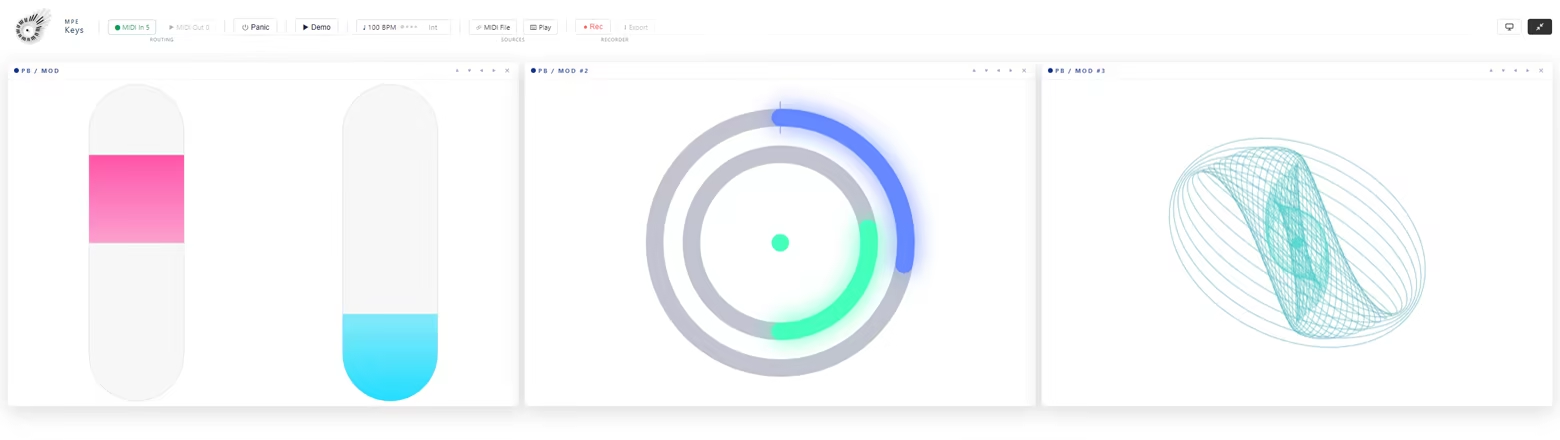
PB / Mod. Master pitch bend and modulation as two sliders or one dial, both MPE zones side by side. A third face is the Expression Pad, a stack of tilting rings you play with the mouse, sending real channel pressure and CC74 to every sounding note.

Sheet music: play it, then print it

Record a take and the same playing comes back out as a page: treble and bass clef, the key signature you picked, chord symbols over the systems and the pitch bend drawn as a curve out of the notehead.

Five views: Now, Time, Flow, Weave and Tab. The same take also leaves the app as a standard .mid and as a CSV.

It plays, too

  • Typing Keys. Two manuals under your hands on the computer keyboard, with the sharps on the row above. Key positions, not letters, so QWERTY, QWERTZ and AZERTY fall under the same fingers. Space is the sustain pedal.

  • Mouse Mode. Click or touch a key to send a real MPE note. Drag sideways for pitch bend, up for pressure, down for timbre. Each pointer gets its own member channel, so multi touch chords work.

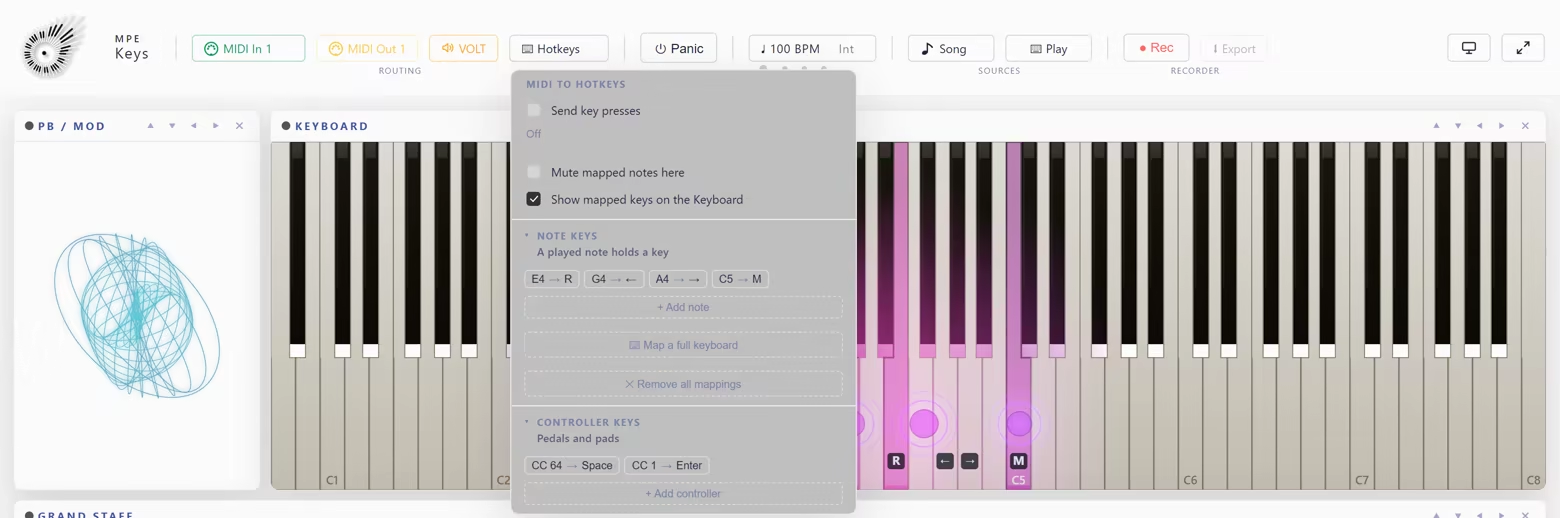
  • Hotkeys. The other direction: notes and controllers you play press real computer keys in whatever app is in front, so a pedal can arm the recording in your DAW. A printable key strip puts the map on paper behind your keys.

  • Demo Mode. Generates MPE without any controller, for setting a look up before anyone is watching.

Specifications

  • Controller: any class-compliant MIDI device. An MPE controller shows its full expression straight away; an ordinary keyboard lights the keys it plays

  • Key range: 88, 61, 49 or 25 keys

  • Tuning: the Microtonal design plays quarter tones, just intonation, 2 to 96 equal steps or a Scala file, and your synth is retuned to match

  • Stage and stream: Stage View shows only the picture, Transparent BG only the keys over your stream

  • MIDI in and out: to a hardware synth directly, or to a software synth through a virtual port such as loopMIDI

  • MIDI files: played through the same path as live input, with tempo, time signature, key signature and lyrics

  • Record and export: a standard .mid, a CSV, or a printable notation sheet

  • Presets and snapshots: one browser with favorites and your own looks under Mine, global snapshots for the whole window, undo and redo

  • Tempo: internal or MIDI Clock, tap tempo

  • MIDI Learn: map a hardware knob to a control

System Requirements

    Minimum:
    • Requires a 64-bit processor and operating system
    • OS: Windows 10 / 11
    • Processor: 64-bit processor
    • Memory: 4 GB RAM
    • Graphics: Integrated graphics are sufficient
    • Storage: 700 MB available space
    • Sound Card: -
    • VR Support: -
    • Additional Notes: Works with any MIDI keyboard, MPE optional. Without one, the computer keyboard and the mouse play it.
    Recommended:
    • Requires a 64-bit processor and operating system
    • OS: Windows 10 / 11
    • Processor: 64-bit processor
    • Memory: 8 GB RAM
    • Graphics: Integrated graphics are sufficient
    • Storage: 750 MB available space
    • Sound Card: -
    • VR Support: -
    • Additional Notes: Works with any MIDI keyboard, MPE optional. Without one, the computer keyboard and the mouse play it.
Review Filters