Turn your local files into a media platform of your own. Videos, music, audio works, books, images and games in one place — rediscovered through automatic tags, search and recommendations. Play funscripts on their own or in sync with media. Optional hardware support; a complete player without it.

Sign in to add this item to your wishlist, follow it, or mark it as ignored

Buy Golden Goblin Player

INTRODUCTORY OFFER! Offer ends 10 October

-10%
660 руб.
594 руб.
 

About This Software

Your own media platform, built around your files.

One app for videos, another for comics, yet another for audio works — from now on, one is enough. Golden Goblin Player turns folders of videos, music, spoken audio, images, books, games and funscripts into your personal media ark. Find something you love, make it yours, and pick up where you left off.

CORE — Matched media and scripts

Pair local media with funscripts, read the script's flow in the heatmap and seek straight to the moment you want. Multi-axis scripts are supported; the on-screen heatmap displays the selected axis.
Core — Media, scripts and device motion in sync.

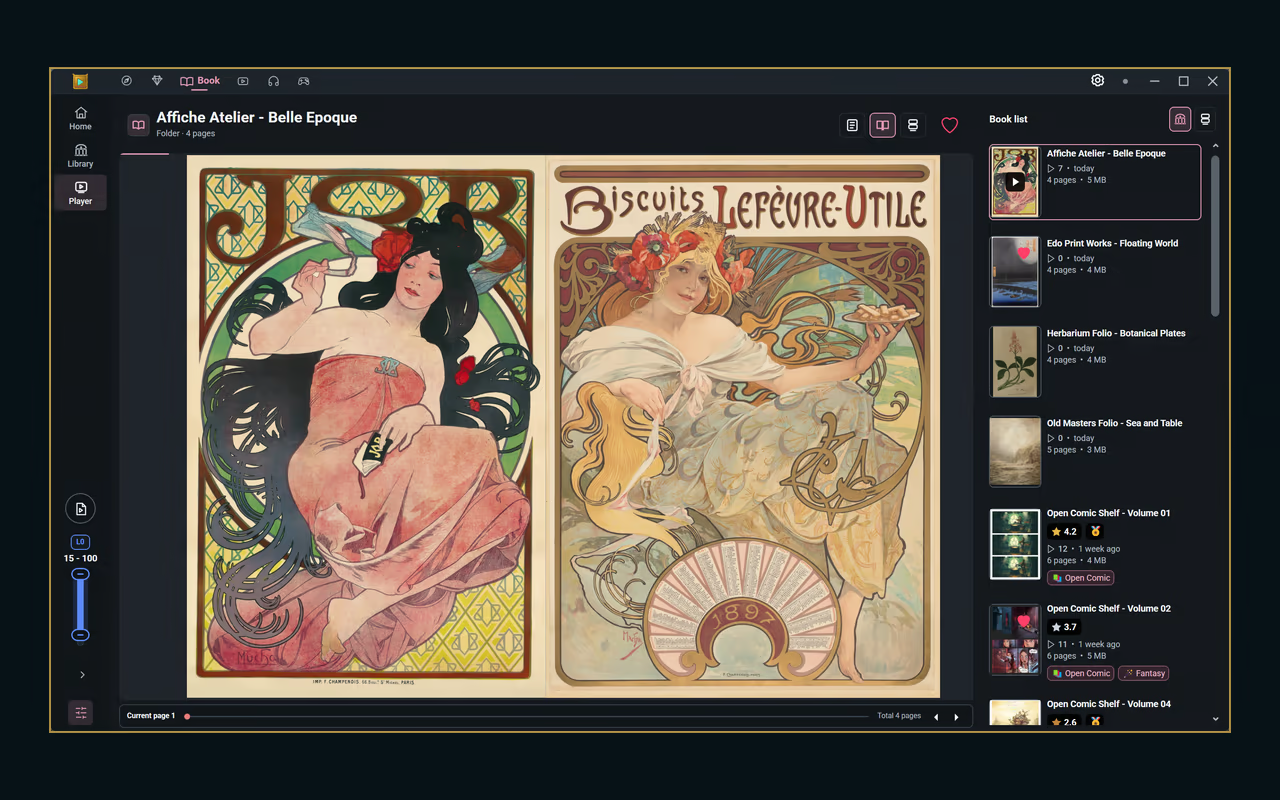
BOOK — Your folders, a digital bookshelf

Read the images and comics you've been piling up in folders, as if pulling them off a shelf. Single-page, two-page or continuous scroll — a view to match the pages. Supported archives open as they are.

VIDEO — Your own video library

Build playlists and queues, resume where you left off and tune subtitle playback. Switch to Reels to scroll through portrait clips.
Reels — Scroll from one portrait clip to the next.

VOICE — Albums, tracks and every spoken line

Give the audio you used to only listen to a screen of its own. Transcripts that flow with the timeline, illustrations alongside. Browse albums and tracks with cover art.
Voice — Follow transcripts in time with your audio.

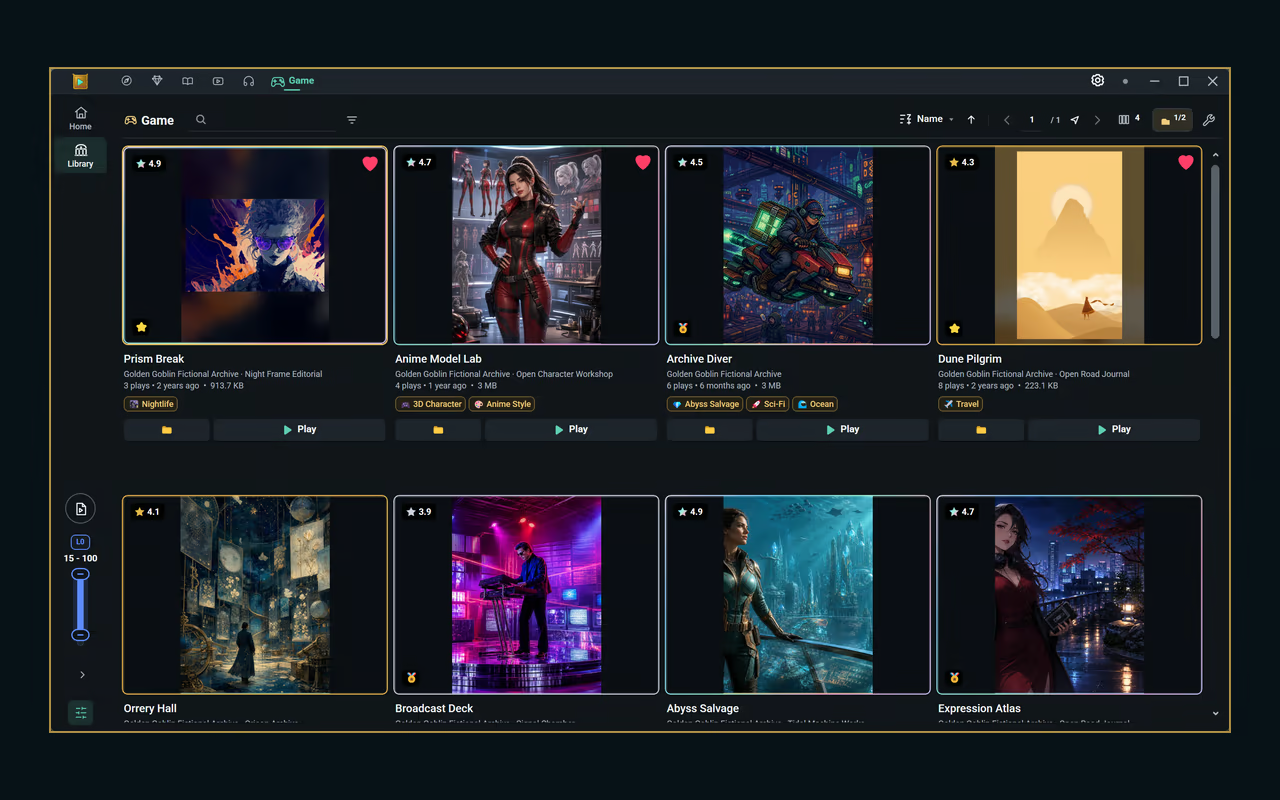
GAME — A home for your local games

Gather the local games you already own into one collection and browse them by cover and tag. Launching a game is always your explicit choice.

Media + Scripts — Play independently

Play scripts independently of the media timeline in Book, Video, Voice and Game. While you read, watch, listen or play, the independent player runs alongside.

Return to Core for matched media-and-script playback. Connect compatible hardware to drive multi-axis motion with scripts.
Media + Scripts — Independent scripts in Book, Video, Voice and Game.

Media + Scripts — Switch modes; independent playback keeps the device moving (real footage).

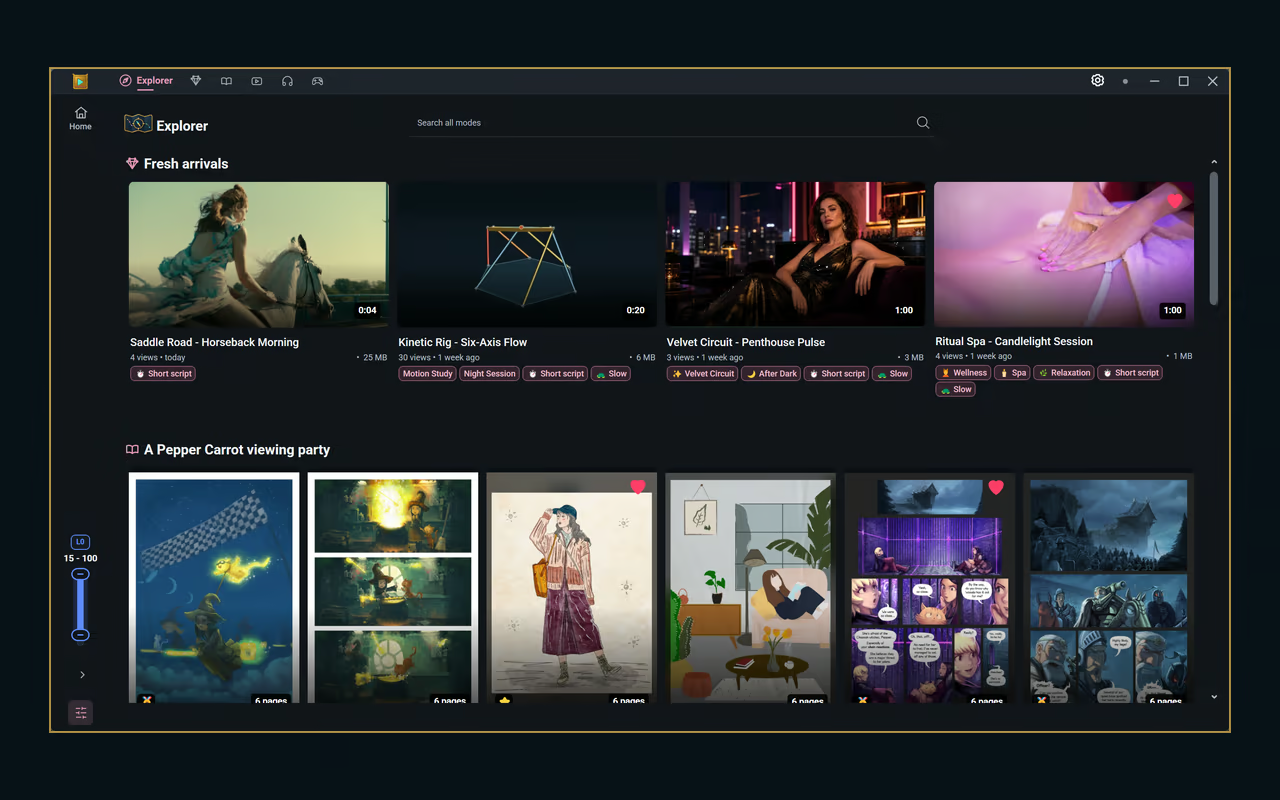
EXPLORER — Bring the modes together

Different modes. One place to explore. Explorer brings Core, Book, Video and Voice into one workspace, with cross-library search and recommendations.

Open content without hopping between separate libraries. Game entries take you to the Game library.

Tag it. Find it. Make it yours.

Work-code (RJ code) scanning — Recognize work codes while scanning your local collection across supported modes. Where available, optional online lookups can add matching work information and cover art. Code recognition does not download the works themselves.

Automatic tagging draws on supported media analysis, file details and script information. Add your own tags, ratings and badges, then collect favorites in personal playlists.

Search from Home by title, tag or playlist and discover related media alongside direct matches. Recommendations help you rediscover content from your registered collection. Register folders and choose which roots appear in your libraries.
Curation — Your ratings. Your badges. Your tags.

Home Search — Search titles and tags. Discover related media.

Grows without the clutter — management in one place

The tools a growing collection needs: compare duplicate candidates side by side, rename items right where they sit, pack image folders into ZIP archives without recompressing, and reclaim space with storage optimization. What stays is always your decision. Common tools — open in Windows Explorer, move selections to the Recycle Bin — come along.

Add device playback when you want it

Optional USB-serial T-Code v0.3 control connects script playback and seeking with compatible hardware. FunOSR Pro is the currently validated target; support depends on the device and firmware. Hardware is sold separately and is not required to browse, organize or play media.

Add Golden Goblin Player to your wishlist to hear about the release. Your first tidy-up will start from the very folders you're stacking today.

Here for the long run. As long as the developer's "biological hardware" holds up.

Golden Goblin Player isn't a launch-it-and-leave-it project. My goal is to keep developing it for ten years and beyond — fixing bugs, keeping it compatible, and bringing new ways to enjoy your collection.

As long as the developer's "biological hardware" is still in working order, the updates keep coming. Yes, that hardware.

Your media stays on your PC

Your media files and library data stay on your PC. No separate GGP account is required; Steam account and launch checks are required. Optional metadata and artwork lookups use online services and send query information such as work codes and language.

GGP is Windows software, not a media subscription or content-download service. Bring files you have permission to use. Images shown demonstrate a user collection, not an included entertainment catalog.

Frequently asked questions

Does it come with content?
No. GGP is a player. You register your own files — files you have the right to use. The collections in the screenshots are usage examples.

Do I need a device?
No. Browsing, organizing and playing media all work without hardware. When you want it, you can connect a validated device (currently FunOSR Pro).

Do I need the internet or an account?
A Steam account and Steam launch checks are required. There is no separate GGP account. Metadata and artwork lookups are optional and send only query information such as work codes and language.

Which devices are supported?
USB-serial T-Code v0.3. The currently validated target is FunOSR Pro; support depends on the device and firmware.
Support for The Handy is also planned for a future update.

Does Game mode sync scripts with gameplay?
No. Game mode is a local launcher and collection; you start independent script playback yourself. It does not synchronize with what happens in the game.

Why are some 2D / 3D / Real tags wrong?

Visual classification guesses from the picture itself, so some videos can end up in the wrong class. We keep improving it, but everyday footage such as smartphone videos may not suit it. If the tags get in the way, you can hide the automatic 2D/3D/Real tags for each registered Video folder in Settings › Library. Analysis results, your own tags and folder tags stay as they are.

Your collection. Your little universe. Make yourself at home.

Book artwork: Pepper&Carrot — David Revoy. CC BY 4.0. Screenshots cropped and scaled.

AI Generated Content Disclosure

The developers describe how their game uses AI Generated Content like this:

Generative AI was used to assist in drafting and translating some written content for the Steam store page. All AI-assisted text is reviewed and edited by the developer before publication. The software does not generate content or code during use.

Mature Content Description

The developers describe the content like this:

Golden Goblin Player includes optional support for compatible user-owned haptic devices, some of which are marketed for adult use. The software does not include nudity, sexually explicit media, or an adult content catalog. Users provide their own local media, and no device is required for normal media playback.

System Requirements

    Minimum:
    • Requires a 64-bit processor and operating system
    • OS: Windows 10 64-bit (version 22H2 or later)
    • Processor: 64-bit dual-core processor, 2.0 GHz or faster
    • Memory: 8 GB RAM
    • Graphics: DirectX 11 compatible graphics
    • DirectX: Version 11
    • Storage: 1 GB available space
    • Sound Card: Windows-compatible audio device
    Recommended:
    • Requires a 64-bit processor and operating system
    • OS: Windows 11 64-bit
    • Processor: 64-bit quad-core processor or better
    • Memory: 16 GB RAM
    • Graphics: DirectX 11 compatible graphics with hardware video decoding support
    • DirectX: Version 11
    • Storage: 2 GB available space
    • Sound Card: Windows-compatible audio device
Review Filters