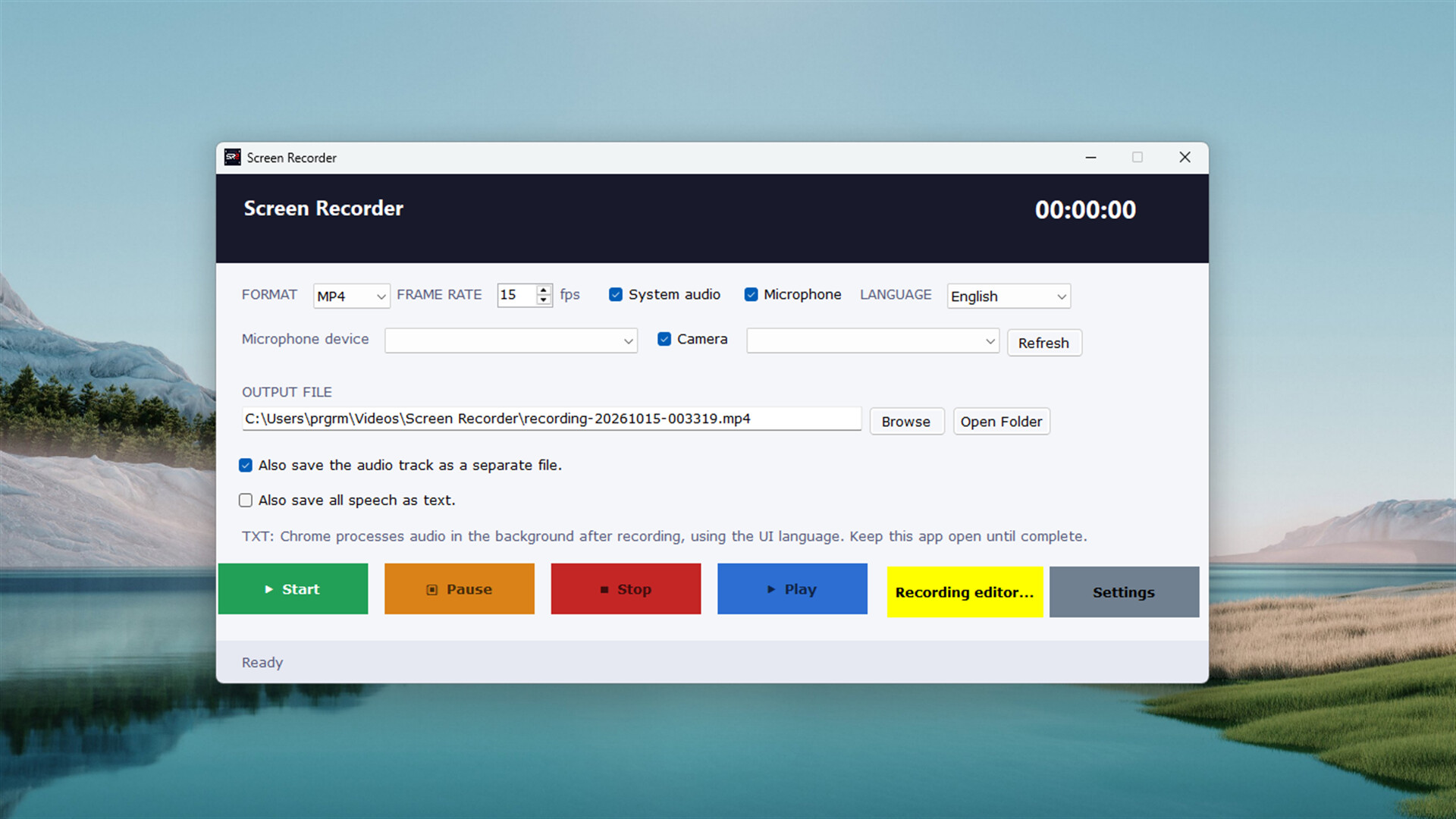
Record games, your desktop or a selected window. Keep video and audio in an editable project; trim your recording, add images and text, blur selected areas and export in nine formats.

Sign in to add this item to your wishlist, follow it, or mark it as ignored

Buy SR2 Screen Recorder

INTRODUCTORY OFFER! Offer ends October 28

25% off. $1.80 normally, discounted to $1.35
 

About This Software

Turn what happens on your screen into a video ready to share


Record your gaming experiences, explain how to use an application or turn your presentation into a video. Screen Recorder brings screen recording, audio capture and basic video editing tools together in one application.

Once your recording is complete, preview it, select the section you want, add your visuals and export in the format that suits your needs.

You decide what to record


  • Screen and game recording: Record your desktop and compatible full-screen games.
  • Window selection: Capture the image of a specific application window.
  • Region selection: Record only the part of your screen you need.
  • System audio and microphone: Add your computer's audio and your own commentary to your recording.
  • Camera overlay: Place the image from a connected camera over your screen recording.
  • Pause and resume: Continue recording without including the sections when you take a break.

Keep your recording in a single project file


Screen Recorder stores video and audio data in an .srp recording project alongside your exported video. This file keeps the source data together so you can reopen your recording, edit it and generate another video later.

If a video export fails, you can export again from your source project. The file structure can read completed recording blocks from unfinished files, helping you reuse intact data.

Images you add to your project are also embedded in the file. You do not need to keep the source images in separate folders to continue editing.

Trim, edit and personalize your video


Use the built-in recording editor to view your video within the application and prepare the section you want to share.

  • Video and audio preview: Play and stop your recording and jump to the moment you want on the timeline.
  • Frame stepping: Inspect your video by moving forward or backward one frame at a time.
  • Trim handles: Select the time range you want to keep and cut away the sections outside it.
  • Add images: Place a logo, visual or explanatory image over your recording.
  • Add text: Create titles and annotations; choose the font, size and color.
  • Blur: Select an area of the image and adjust the blur strength.
  • Layer controls: Move, resize and reorder your additions, and choose the time range in which they appear.

Save your edits to the project file and return to work on them later while preserving the original video and audio data.

Nine output formats


Export your video in the format that suits your needs:

MP4 • MKV • WebM • AVI • MOV • TS • OGV • FLV • GIF

Create a video to share, a file for editing or a short animation. You can also save the audio recording as a separate file.

Work in your own language


Choose from 25 interface languages. The recording screen, editor, descriptions and application messages use your selected language. Interface translations are included with the application and do not require an internet connection.

With optional speech-to-text, you can export speech captured during recording to a TXT file.

Usage notes


  • GIF exports do not contain audio.
  • SRP projects preserve source video and audio, so they may use more disk space than compressed video files.
  • To share blurred footage, use the exported video. The SRP project also preserves the original, unblurred images.
  • Optional speech-to-text in the Windows version requires an up-to-date Google Chrome installation and an internet connection.

System Requirements

    Minimum:
    • OS: Windows 10 or Than High
    • Processor: İntel Core 2 Duo
    • Memory: 2 GB RAM
    • Graphics: intel hd graphics base
    • Storage: 250 MB available space
Review Filters