In an age where AI is getting better at pretending to understand you, let a little digital plant that never lies say what you truly want to hear. Watch it gently sway in the breeze, customize its speech bubbles, or import vocabulary lists, lyrics, and more.

Daftar masuk untuk menambah item ini ke senarai hajat anda, ikuti atau tandakannya sebagai diabaikan

Bahasa Bahasa Melayu tidak disokong

Produk ini tidak menyokong bahasa tempatan anda. Sila semak senarai bahasa yang disokong di bawah sebelum membuat pembelian

Beli 电子绿植

TAWARAN PENGENALAN! Tawaran berakhir pada 15 Oktober

Diskaun 40%. Harga asal $0.99, kini diturunkan kepada $0.59
 

Tentang Permainan Ini

About This Game

It sits quietly in the corner of your desktop, occasionally popping up with a message.

Sometimes, it's a motivational quote:

"You've got this today."

"You don't have to become amazing all at once. Just moving a little forward today is enough."

"Not seeing results now doesn't mean your efforts aren't happening."

Sometimes, it's a reminder:

"3:00 PM, submit assignment."

"8:00 PM, review vocabulary."

"Get the package when you get home tonight."

"Stand up and stretch, drink some water."

You can write all of this yourself and set the times.

So it can be your desktop motivational buddy, or a handy reminder assistant.

Of course, you can also use it to — memorize vocabulary.

Put in SAT, GRE, IELTS, or TOEFL words, or any words you want to remember:

persist — to keep going

opportunity — a chance

improve — to get better

achieve — to reach a goal

When you're tired of studying, look up and memorize one.

If you have a lot of words or sentences, you can directly import a TXT file.

This is "Digital Green Plant." In the age of AI, it won't offer hollow pleasantries. Instead, it will accompany you with the voice inside your heart through your toughest times.

When you're tired, it gives you a word of encouragement.

When you're afraid of forgetting things, it gives you a nudge.

When you want to study, it memorizes a few words with you.

How to Use

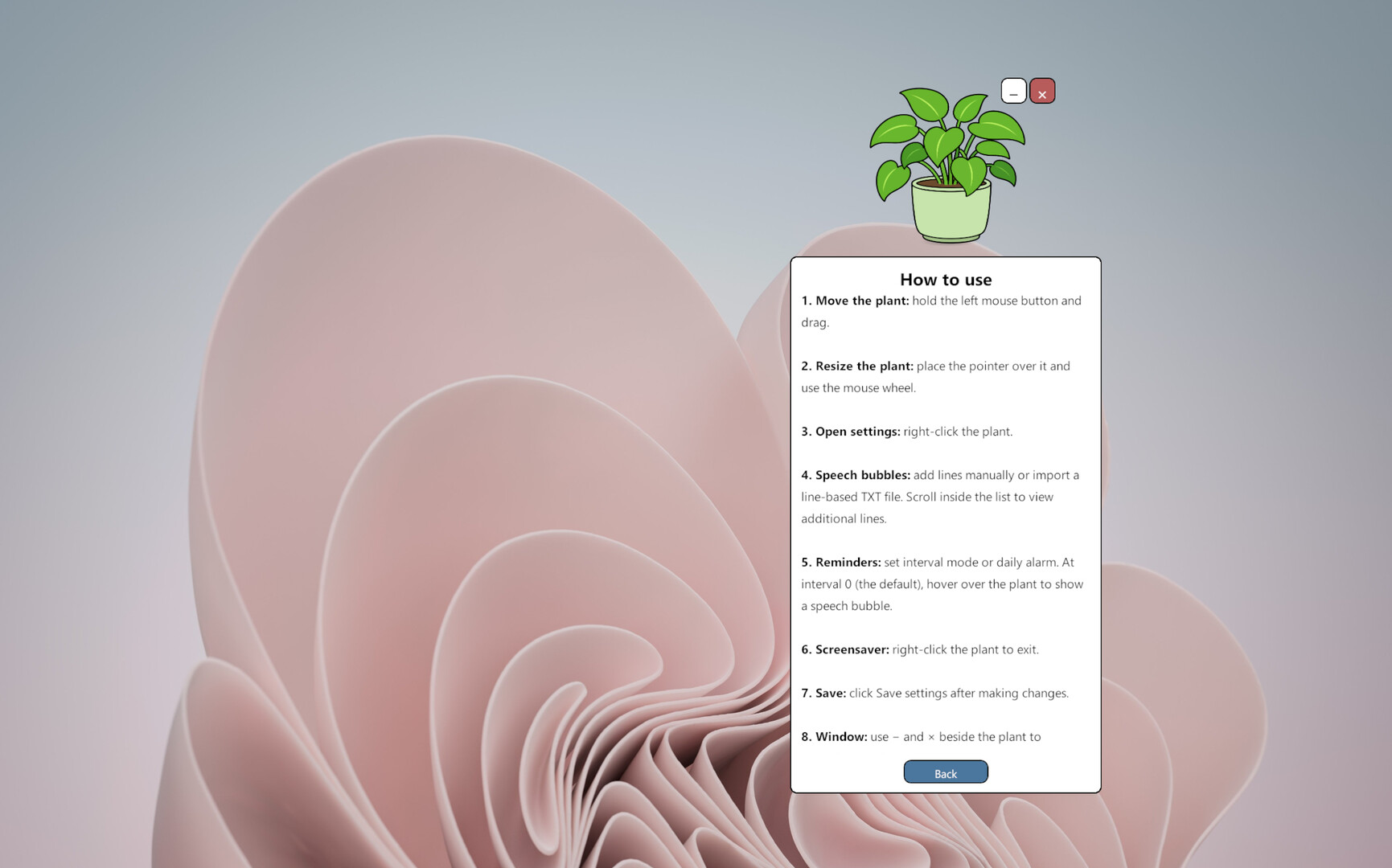
  • Hold the left mouse button and drag the plant to move it.

  • Right-click the plant to open the settings panel.

  • Use the settings panel to edit or import speech bubble messages, adjust reminder intervals, set a daily alarm, change the language, and configure screensaver mode.

  • Click “Save Settings” to apply your changes.

  • Use the “—” and “×” buttons beside the plant to minimize or exit the application.

Virtual Plant does not demand constant attention or ask you to complete complicated daily tasks. It simply stays alive in a corner of your screen and speaks the words you have chosen when the time is right.

It does not pretend to have feelings, and it does not pretend to understand you better than you understand yourself.

You choose the words. It quietly says them back to you.

Pendedahan Kandungan Dihasilkan AI

Pembangun menerangkan cara permainan mereka menggunakan Kandungan Dihasilkan AI seperti berikut:

Generative AI was used to create base images for some visual assets. These images were subsequently selected, edited, refined, and integrated into the game and store materials by the developer. The game does not use generative AI at runtime.

Keperluan Sistem

    Minimum:
    • Memerlukan pemproses 64-bit dan sistem pengendalian
    • OS: Windows 10/11 64-bit
    • Pemproses: Intel Core i3 or equivalent
    • Memori: 4 GB RAM
    • Grafik: DirectX 11 compatible graphics
    • DirectX: Versi 11
    • Storan: 500 MB ruang tersedia
    • Nota Tambahan: Requires a 64-bit processor and operating system.
    Dicadangkan:
    • Memerlukan pemproses 64-bit dan sistem pengendalian
Penapis Ulasan