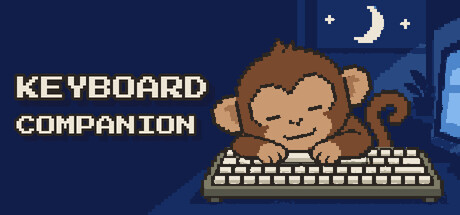
A tiny pixel monkey that types along with you. He sits at the bottom of your screen, hits the same keys you do, and when you take a break he snacks on bananas, yawns and dozes off. It never records what you type.

Connectez-vous pour ajouter cet article à votre liste de souhaits, le suivre ou l'ignorer

Français non disponible

Ce produit n'est pas disponible dans votre langue. Veuillez consulter la liste des langues disponibles ci-dessous avant de l'acheter.

Ce jeu n'est pas encore disponible sur Steam

Date de sortie prévue : décembre 2026

Ce produit vous intéresse ? Ajoutez-le à votre liste de
souhaits et recevez une notification lors de sa sortie.
 

À propos de ce jeu

A tiny monkey that types along with you.

Keyboard Companion puts a little pixel monkey at the bottom of your screen. He sits behind his own keyboard, and whenever you type, he types too. In whatever app you're using, all day long.

He has a life of his own

Stop typing for a moment and he gets busy: he peels a banana, scratches his head, looks around, yawns, and eventually nods off. Press a key and he wakes right up, a little startled, and gets back to work.

Every key you press, he presses too

The exact key you hit lights up on his keyboard and a little keycap pops into the air. Type long enough and his tongue sneaks out in concentration.

Stays out of your way

  • Sits on top of your other windows without stealing focus. Clicks go straight through to what's behind him

  • Drag him anywhere and scale him to any size you like

  • Lightweight, made to run all day while you work, write, chat or play

Your keystrokes stay yours

Keyboard Companion never records what you type. No words, no text, no order of keys, nothing is sent anywhere. It only counts how many keys you press per day, and that count stays on your computer. The "light up keys" effect can be turned off when you share your screen.

Notification de contenu généré par IA

L'équipe de développement décrit l'utilisation de contenu généré par IA dans le jeu comme suit.

Some character and store art was created with AI and edited by the developer.

Configuration requise

Windows
macOS
    Minimale :
    • Système d'exploitation : Windows 10 (64-bit)
    • Processeur : Dual-core 2 GHz
    • Mémoire vive : 2 GB de mémoire
    • Graphiques : OpenGL 3.3 / Vulkan capable
    • Espace disque : 200 MB d'espace disque disponible
    • Notes supplémentaires : Runs as a small always-on-top overlay.
    Minimale :
    • Système d'exploitation : macOS 12 Monterey or later
    • Processeur : Apple Silicon or Intel dual-core
    • Mémoire vive : 2 GB de mémoire
    • Graphiques : Metal capable
    • Espace disque : 200 MB d'espace disque disponible
    • Notes supplémentaires : Needs the "Input Monitoring" permission so the monkey can react to your keys. Only key counts are used, nothing you type is recorded.
* Depuis le 15 février 2024, le client Steam n'est plus compatible avec les jeux 32 bits, ni avec macOS 10.14 et ses versions plus anciennes.
Filtres d'évaluations