Sculpt planets and landscapes, watch water and climate respond, and compare two versions of the same world. Import heightmaps, draw mountain ranges, and export flat terrain to Minecraft Java. Explore Earth, ancient continents and distant worlds at your own pace.

Sign in to add this item to your wishlist, follow it, or mark it as ignored

This game is not yet available on Steam

Planned Release Date: Q2 2027

Interested?
Add to your wishlist and get notified when it becomes available.
 

About This Game

Raise a mountain. Open a waterway. See how a world changes.

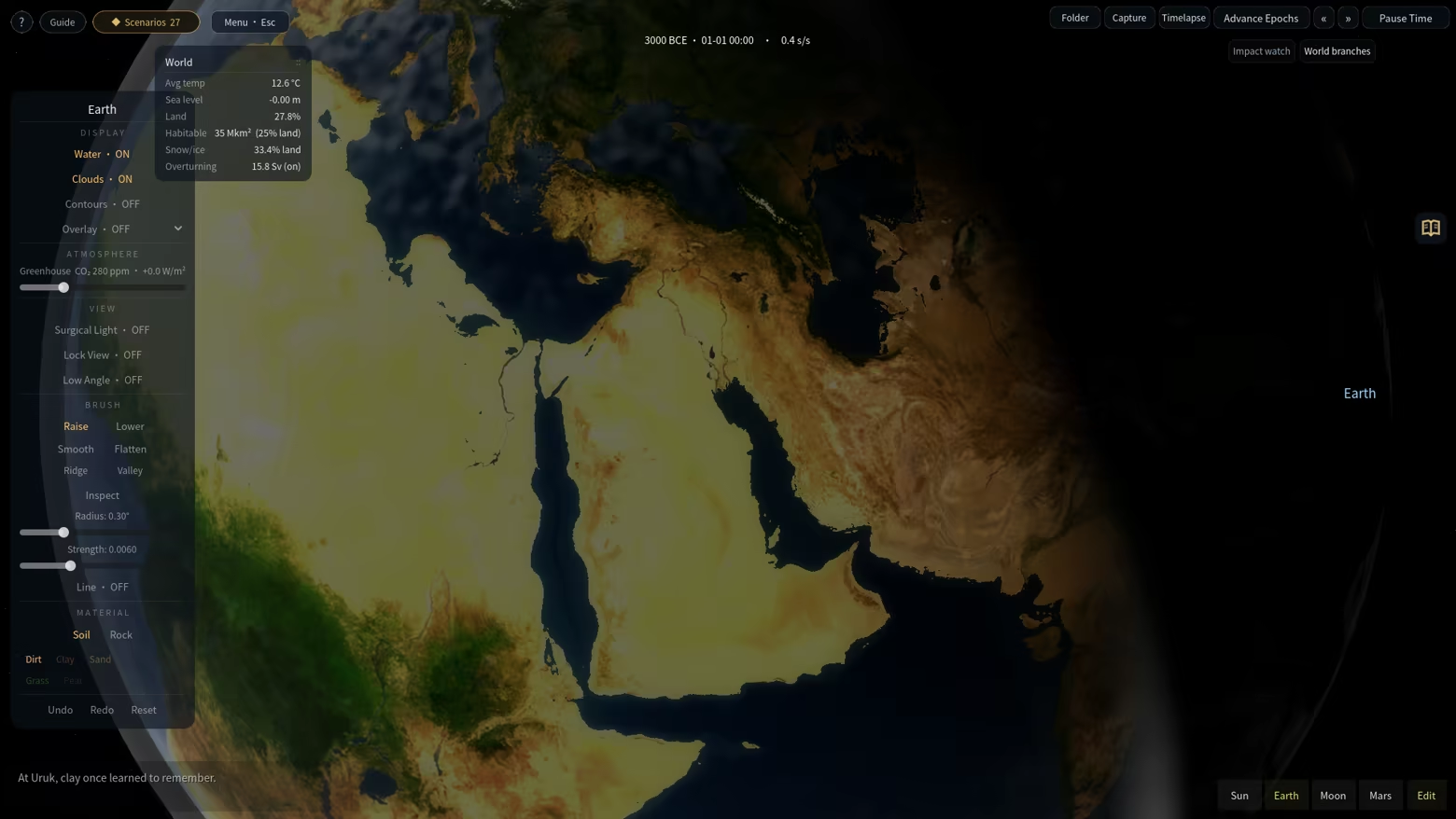
Terra Logic is a planetary terrain and environment sandbox. Shape a landscape with a brush, let the simulation run, and follow the connections between land, water, climate and vegetation. Explore freely, work through a scenario, or build an experiment of your own.

Why I made Terra Logic

Compared with the cosmic scale of Universe Sandbox, I wanted to bring experiments closer to the ground. How does water find a new route when you change a mountain? What happens to the surrounding environment when you open a strait? Terra Logic grew from that curiosity, putting hands-on terrain shaping, environmental responses and comparisons between different interventions at the center of the experience.

Shape the land

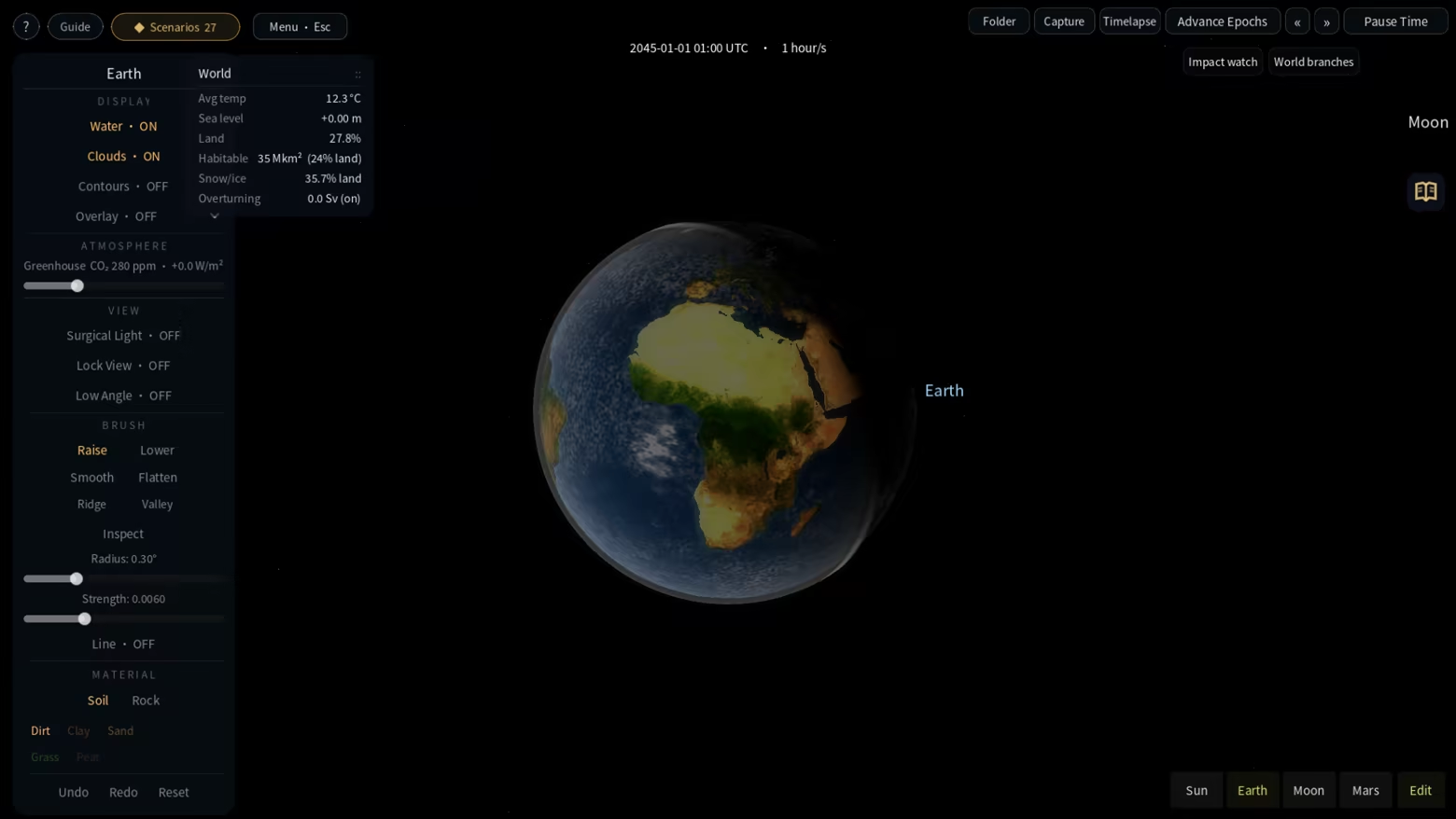
Raise and lower terrain, smooth rough ground, flatten a site, and paint surface materials. Dedicated ridge and valley brushes help you draw connected mountain chains and broad valley floors along a stroke. Adjust their width and strength, use straight-line drawing when needed, and undo or redo an entire stroke. Open a channel, reshape a coastline or build a barrier, then discover where the available water goes.


Watch water, climate and vegetation respond

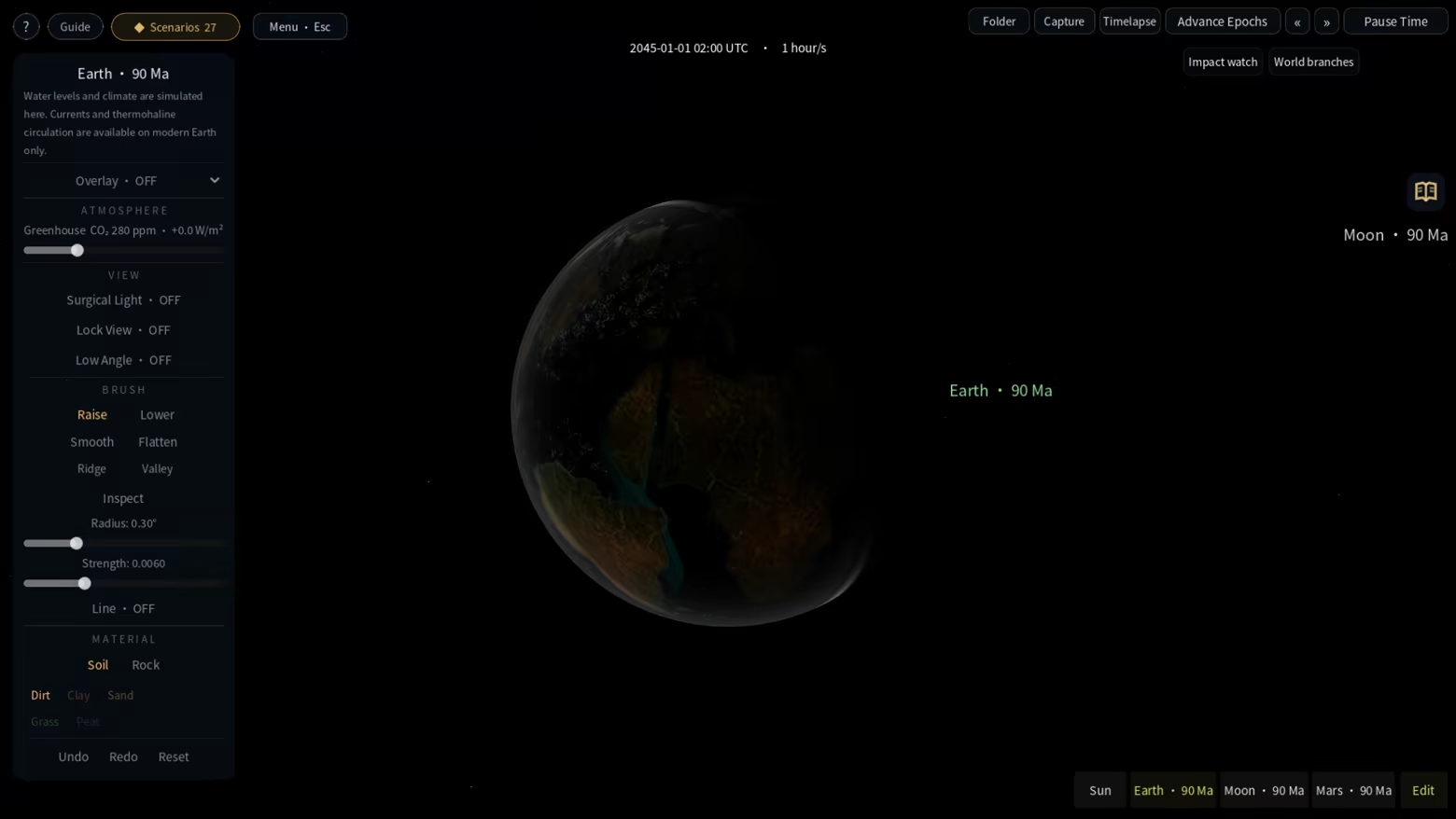
Water fills basins and finds connected routes. Rivers erode and reshape the terrain; temperature, rainfall, ice and vegetation respond to the world's conditions. On modern Earth, explore wind-driven currents, ocean–atmosphere coupling and an overturning circulation that can weaken, collapse and recover. Change terrain or greenhouse conditions, pause to inspect the result, then advance time to see what follows. Different bodies use models suited to their environments.


Follow the changes back to a place

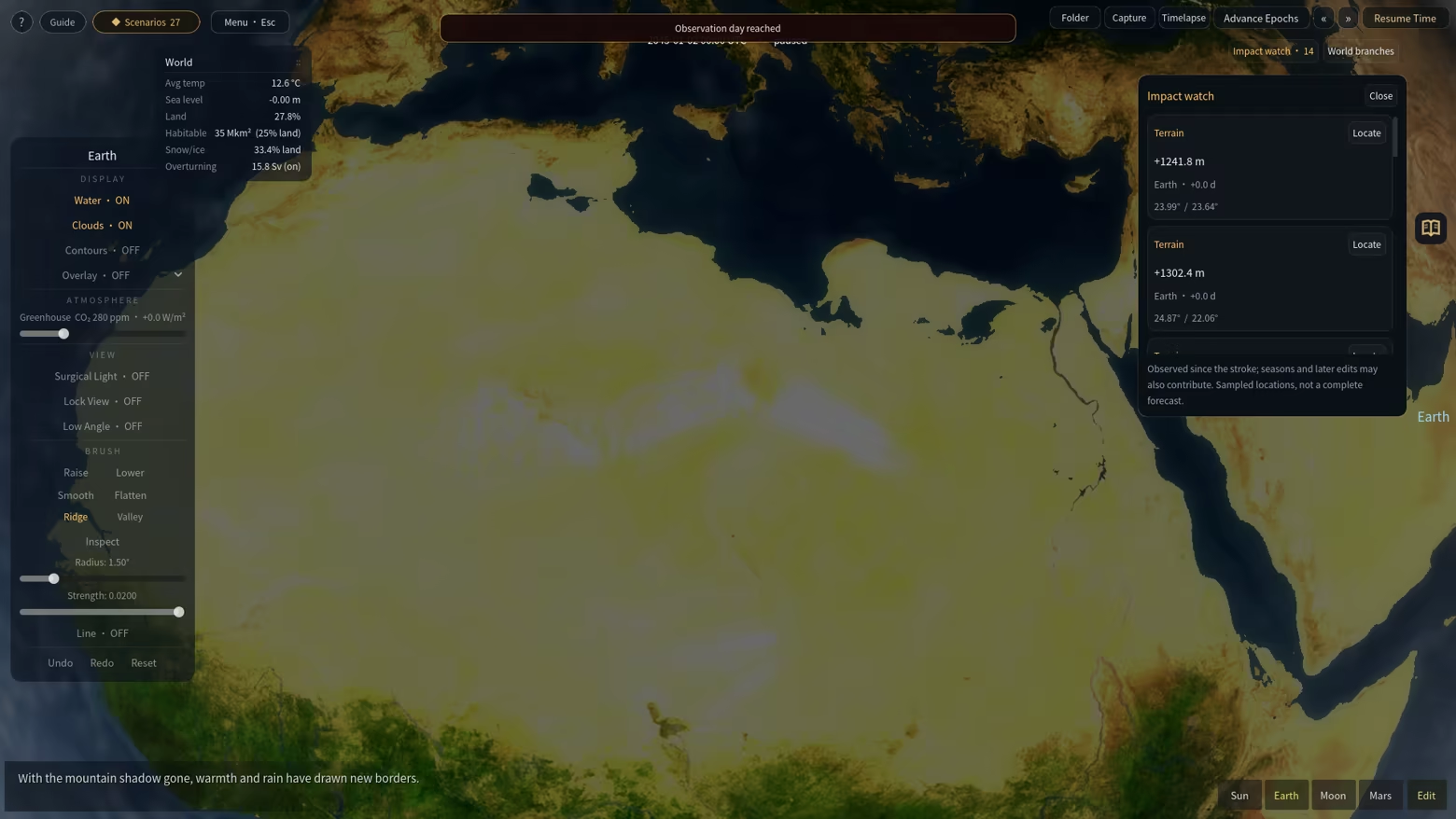
The causal probe breaks down local temperature and rainfall contributions. Map layers reveal environmental patterns, while the chronicle and experiment charts record how a world develops. Impact Watch compares sampled values before and after a terrain edit: temperature, rainfall index, vegetation cover and water depth. Click an observation to move the camera to its location. Seasons and other processes can also contribute to these measured changes.

Give one world two different futures

Create independent A and B branches from the same saved starting point. Try a different intervention in each, or leave one as a reference. Switch with the camera held relative to the same patch of ground, advance each branch to the same observation day, and compare saved environmental measurements. Progress is saved before switching; the original world remains available. Advancing to a date runs the simulation and pauses on arrival.

Work on a globe or a flat canvas

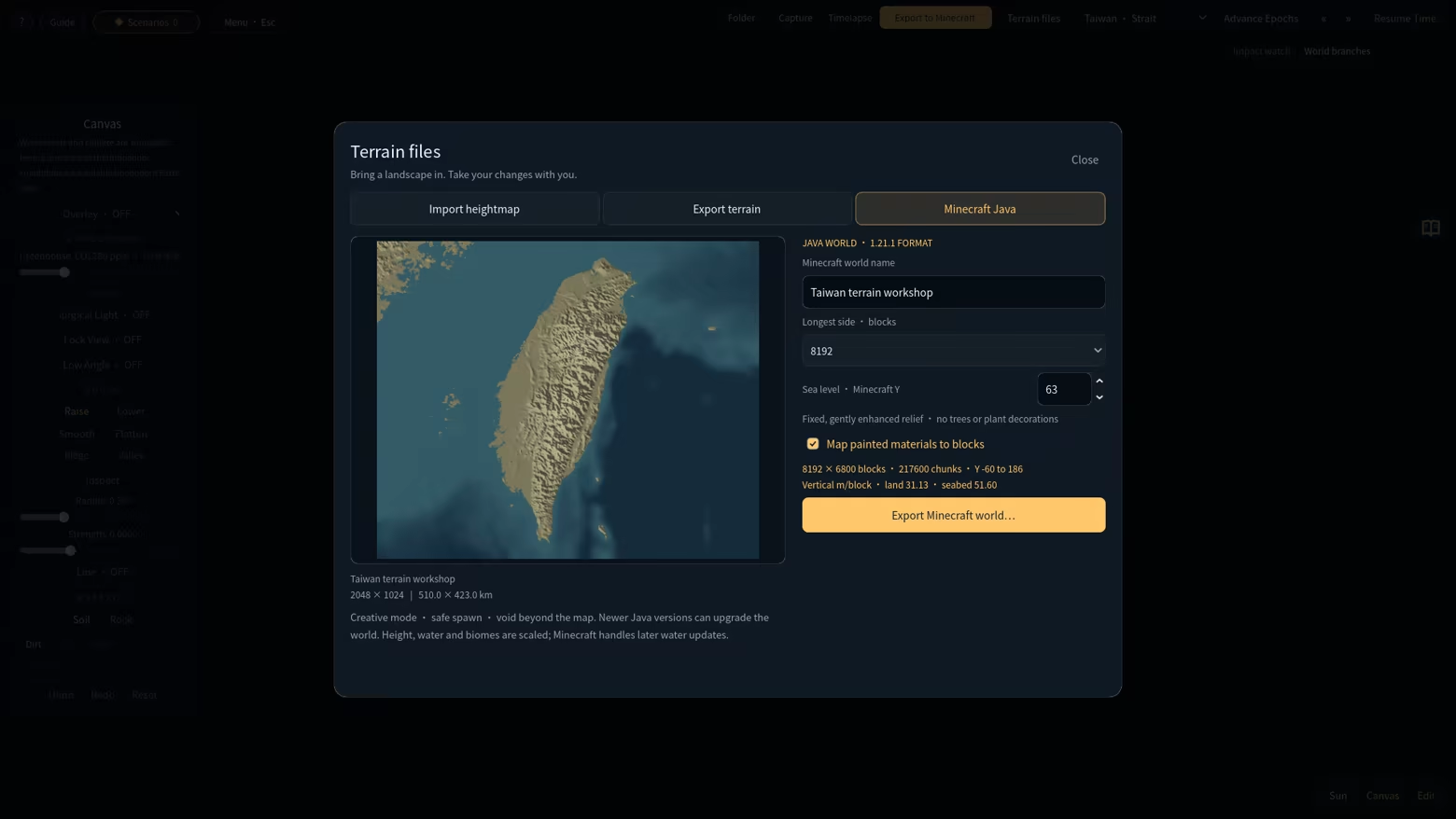
Sculpt a whole planet, start an empty world, or work on a rectangular landscape. Use a terrain preset such as Taiwan, or import your own grayscale PNG heightmap and set its physical size, elevation range and sea level. Continue editing, then export the height, water depth, water mask, biome, vegetation and painted-material layers. Imported terrain travels with the saved world; full world packages preserve more than a heightmap alone.

Take your terrain into Minecraft Java

Export a flat canvas directly as a Minecraft Java Creative world, with terrain, water and surface materials. Choose 8,192 or 16,384 blocks for the longest side; the shorter side follows the landscape's proportions. Export runs locally with progress and cancellation. Unzip the result into your Minecraft instance's saves folder to continue building there. WorldPainter is not required.

The export targets Java 1.21.1 and is intended for landscape exploration and creative building. It does not generate trees, caves, ores or structures; the area beyond the exported rectangle is void. Bedrock and importing Minecraft saves back into Terra Logic are not supported. Minecraft is required separately to open the exported world.

Terra Logic is not an official Minecraft product and is not approved by or associated with Mojang or Microsoft.

Explore different planetary environments

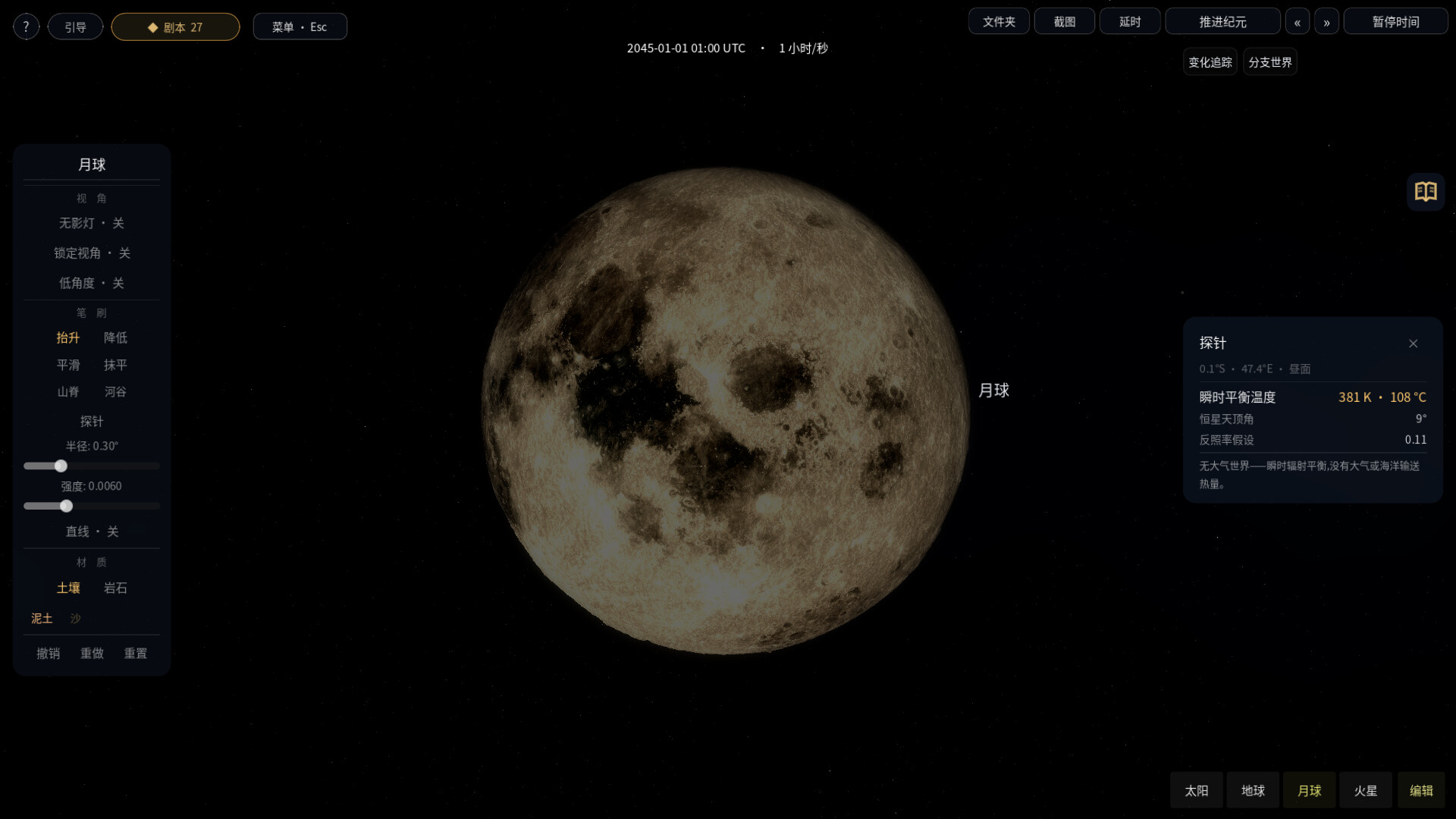
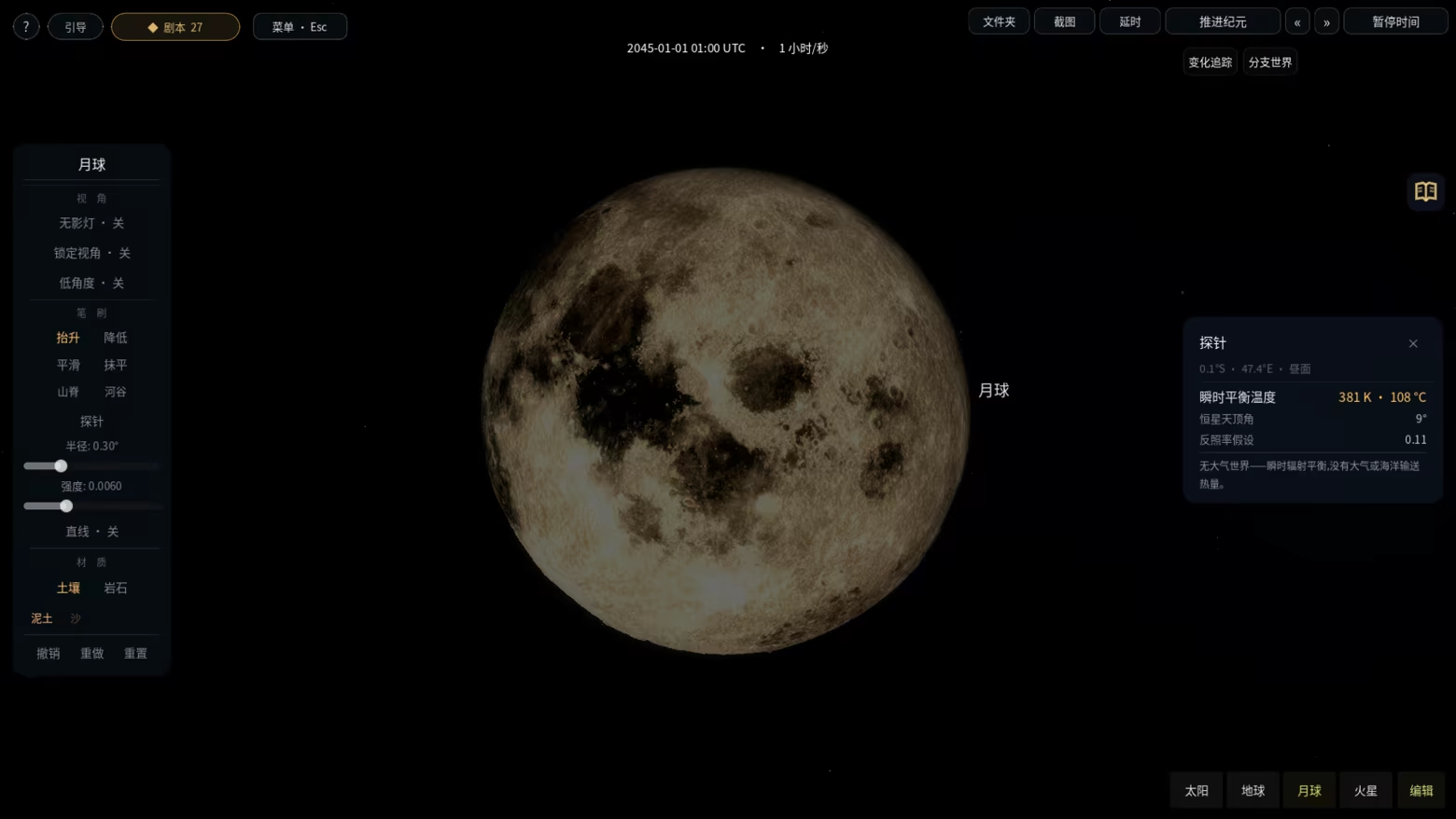
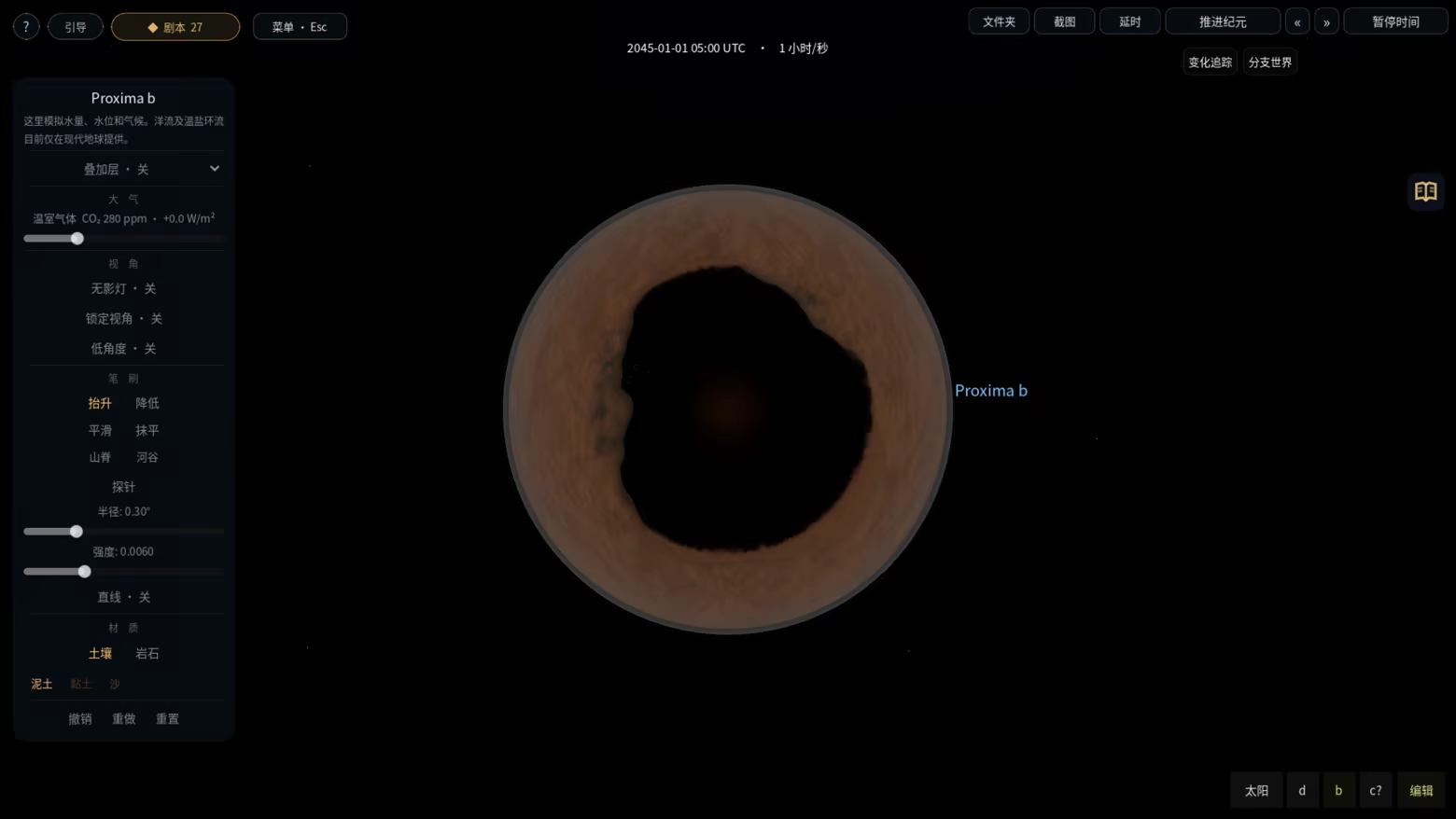
Visit Earth, the Moon, Mars and Cretaceous Earth, or explore worlds in TRAPPIST-1, Proxima Centauri, TOI-700, Kepler-452 and K2-18. Stellar and orbital parameters draw on observations; exoplanet surfaces are procedurally constructed. Cretaceous continents reference paleogeographic reconstructions. Try the contrasting conditions of airless terrain, modern oceans and tidally locked worlds.


Choose Earth's starting year

Start a new Earth in a BCE or CE year. Night lights change with the era, and selected historical places respond to flooding, drought, extreme temperatures and recovery. Whisper connects the place in view, historical references and simulated events through short local text captions. It works offline, with no API key or language-model download. The history layer follows selected reference sites; it is not a full population, economy or warfare simulation. The chosen year sets the calendar and era presentation, while terrain and climate follow the world's settings and your edits.


Play scenarios and make your own

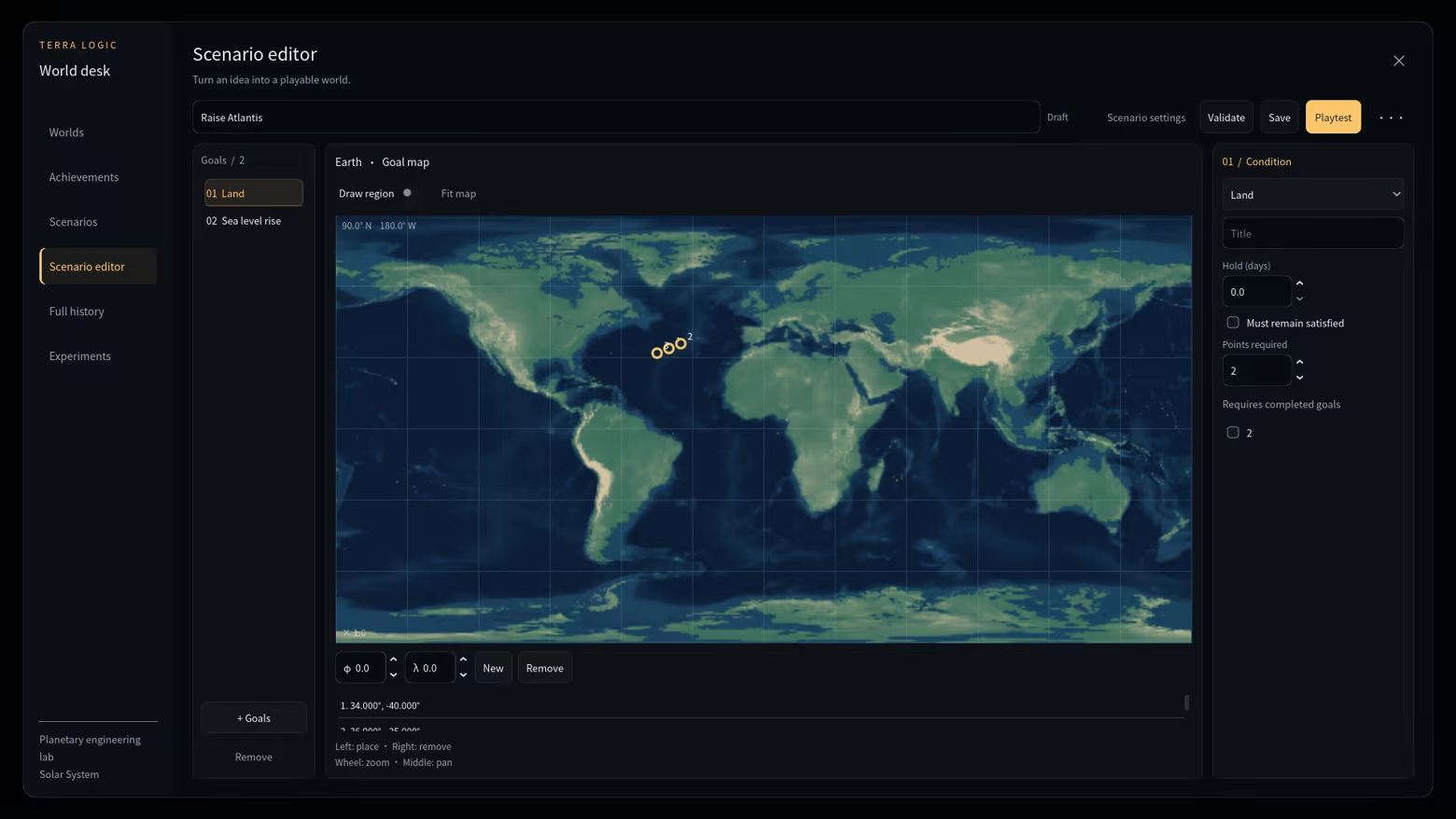
Choose from 38 built-in scenarios, with goals ranging from environmental restoration to planetary engineering. The graphical scenario editor lets you define objectives, conditions and a starting world. Use the World Desk to organize worlds, browse scenarios, review achievements and inspect recorded history and measurements. Share worlds and authored scenarios through Steam Workshop, or exchange local world packages.

Keep a world worth returning to

Save and load worlds, make independent copies, and use autosaves and recovery points. Capture screenshots and time-lapse frame sequences to document an experiment. A quiet interface and classical music leave space to observe. The offline player handbook covers the tools, simulations and current controls, with search and seven interface languages: English, Simplified Chinese, Traditional Chinese, Japanese, Korean, French and German.

Terra Logic uses simplified interactive models for exploration and play. It is not a scientific forecasting tool, and the same simulation features are not available on every body.

AI Generated Content Disclosure

The developers describe how their game uses AI Generated Content like this:

AI tools assisted in creating achievement icons and portions of the narration, localization during development. Whisper selects and combines bundled text locally in response to simulation events, geography and historical references. Narration needs no internet connection, API key or model download. The game does not use generative AI services or local large language models at runtime.

System Requirements

    Minimum:
    • OS: Windows 10 64-bit (version 1909 or later)
    • Processor: Intel Core i5-2400 / AMD FX-6300 or better (x86-64 with SSE4.2, 4 cores recommended)
    • Memory: 8 GB RAM
    • Graphics: Vulkan 1.0 compatible GPU with 4 GB VRAM (NVIDIA GTX 1650 / AMD RX 570)
    • Storage: 2 GB available space
    • Additional Notes: Requires a Vulkan 1.0 capable GPU. Integrated graphics are not officially supported.
    Recommended:
    • OS: Windows 11 64-bit
    • Processor: Intel Core i5-10400 / AMD Ryzen 5 3600
    • Memory: 16 GB RAM
    • Graphics: NVIDIA GTX 1660 / AMD RX 5600 XT with 6 GB VRAM
    • Additional Notes: Whisper narration works offline without an API key. Steam Workshop requires Steam and an internet connection. Minecraft Java must be obtained separately to open exported worlds. Large map exports require additional disk space.
Review Filters