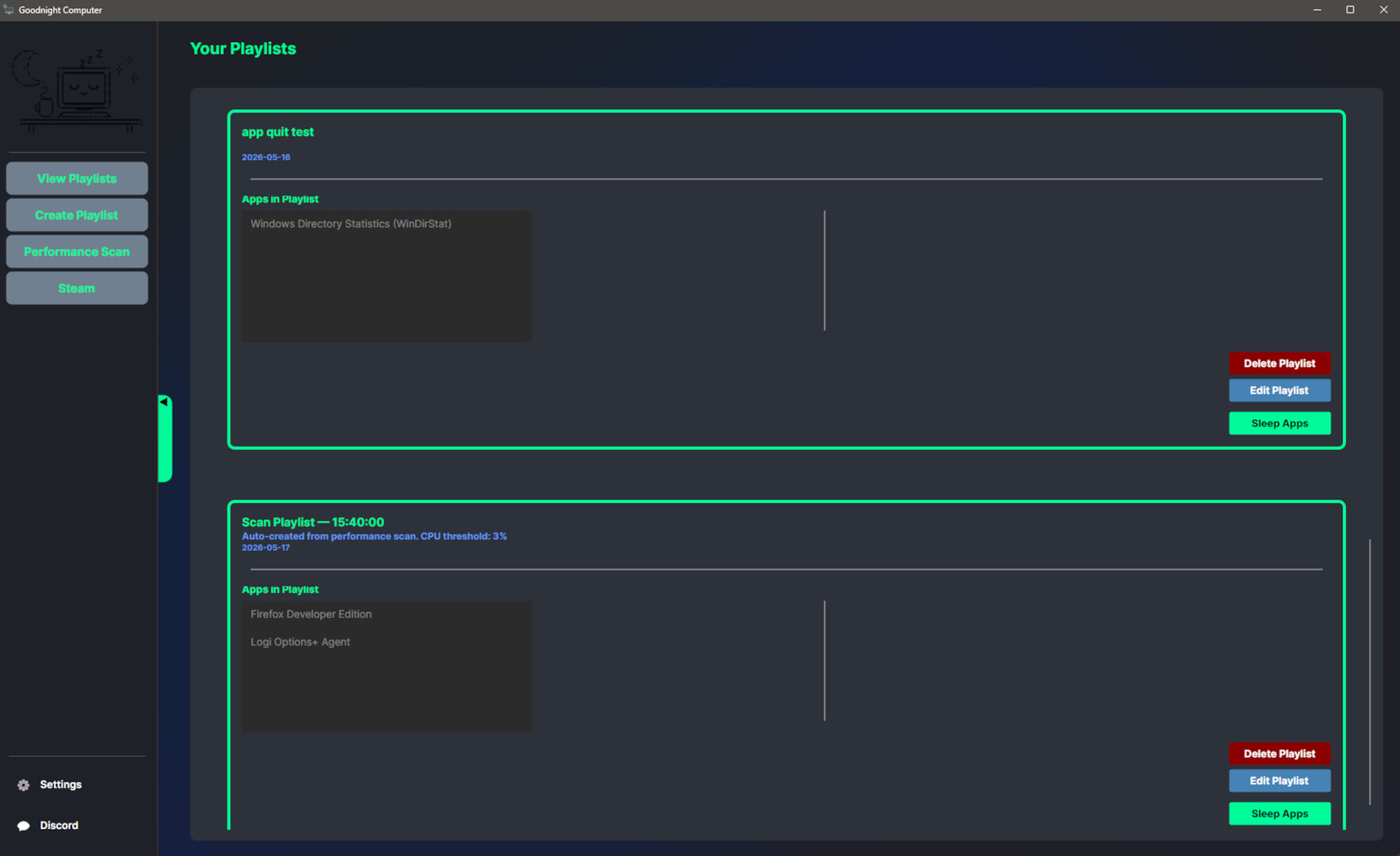
Tired of closing programs just to free up system resources? Goodnight Computer gives you the power to suspend and resume running applications at will, preserving your workflow while reclaiming your PC's performance when you need it most.
Release Date:
Q3 2026
Developer:
Publisher:
Tags

Sign in to add this item to your wishlist, follow it, or mark it as ignored

Early Access Software

Get involved with this software as it develops.

Note: This Early Access software is not complete and may or may not change further. If you are not excited to use this software in its current state, then you should wait to see if it progresses further in development. Learn more

What the developers have to say:

Why Early Access?

“This product is being developed for a specific community and we want to continue developing it based on community feedback.”

Approximately how long will this software be in Early Access?

“1 - 2 years.”

How is the full version planned to differ from the Early Access version?

“The future version will be partly designed and driven by community feedback. What we are releasing as the first iteration is mostly what we originally intended for the application, aside from some future performance scanning enhancements we want to implement, although we want to leave the concept open for the community to drive as well.

Current road map for enhancements:
- Network usage integration in performance scanner

- Ability to correlate specific games that launch via Steam to your playlists

- Automated application suspending feature which automatically suspends applications based on thresholds without the need to bind a specific playlist when running an application through Steam”

What is the current state of the Early Access version?

“Provides all base functionality as described in the applications Steam product description.”

Will this software be priced differently during and after Early Access?

“No.”

How are you planning on involving the Community in your development process?

“Feedback given on the Steam product community channel will be monitored, as well as on the community Discord and email. We will add feedback we consider ideal to our product to the product backlog which will eventually be implemented quarterly.”
Read more
Notice: Goodnight Computer is no longer available on the Steam store.
This game is not yet available on Steam

Planned Release Date: Q3 2026

Interested?
Add to your wishlist and get notified when it becomes available.
 
See all discussions

Report bugs and leave feedback for this software on the discussion boards

About This Software

Smart Application Management

  •  Create custom playlists of applications you want to control

  • Suspend multiple resource-intensive programs with a single click

  • Resume exactly where you left off - no data loss, no hassle

  • Detect resource hungry applications using the built in performance scanner utility

  • Let Goodnight Computer automatically figure out which resources are causing performance drain

  • Automatically trigger applications to be suspended when downloading through Steam, or playing a game through Steam

Instant Performance Boost

• Free up CPU and memory without closing your applications

• Perfect for gamers, streamers, and content creators who need maximum performance on demand

• Switch seamlessly between work and play modes

Playlist System

• Build and save multiple application playlists for different scenarios

• Gaming mode: Suspend background apps for maximum FPS

• Work mode: Pause distractions while staying productive

• Stream mode: Optimize for your live broadcast

Persistent & Lightweight

• Your playlists are saved and ready whenever you need them

• Minimal resource footprint - won't slow down your system

Perfect For:

• Gamers who want to squeeze every frame from their hardware

• Streamers optimizing their broadcast setup

• Content Creators managing heavy editing software

• Professionals juggling multiple resource-intensive applications

• Power Users who demand total control over their PC

Stop Closing. Start Suspending.

Download Goodnight Computer and experience a smarter way to manage your Windows applications.

---

Note: Windows operating system required. Application uses native Windows process management APIs.

---

System Requirements

    Minimum:
    • OS: 10, 11
    • Memory: 4 GB RAM
Review Filters