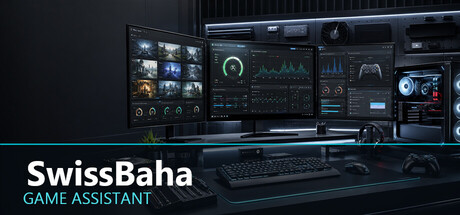
SwissBaha Game Assistant helps you prepare games from one place with system monitoring, safe process profiles, settings backups, cache management, diagnostic reports, and automatic launching of your preferred helper applications.
Release Date:
Sep 30, 2026
Developer:
Publisher:

Sign in to add this item to your wishlist, follow it, or mark it as ignored

Buy SwissBaha Game Assistant

INTRODUCTORY OFFER! Offer ends October 14

-30%
$2.99
$2.09
 

About This Software

SwissBaha Game Assistant brings repeated Windows pre-game tasks together in one desktop utility. Detect Steam libraries or add custom games, then configure close profiles, helper applications, settings backups, and validated cache locations for each game.

• Preview targets before changing any process or service.

• Protect critical Windows processes and services.

• Back up and restore game settings.

• Use streaming, light preparation, aggressive preparation, or launch-only profiles.

• Create diagnostic reports with user names and local paths masked.

• Use the interface in Turkish, English, or German.

Game-specific integrations are provided only for compatibility. SwissBaha Game Assistant does not modify game executables or anti-cheat systems and is not officially endorsed by the publishers of supported games.

From first launch to everyday use

An optional four-step introduction covers the welcome, Tools, Settings, and everyday use. Skip the tour or reopen it from Settings > General.

Save up to 20 addresses in Web Pages. Open them manually in your default browser, or automatically after Start Game successfully opens your game or launcher. You can turn automatic opening off at any time.

Hide informational and successful-operation notifications by type, and restore them from Settings > General. Errors and confirmations before actions remain visible.

AI Generated Content Disclosure

The developers describe how their game uses AI Generated Content like this:

Generative AI tools were used during development to assist with the creation and refinement of some static promotional artwork, interface text, and localization. All AI-assisted material was reviewed and edited by the developer before inclusion. The application does not generate content during use and does not connect to any external AI service.

System Requirements

    Minimum:
    • Requires a 64-bit processor and operating system
    • OS: Windows 10 or Windows 11
    • Processor: 64-bit dual-core processor
    • Memory: 4 GB RAM
    • Graphics: Integrated graphics, 1280 x 720 display
    • Storage: 200 MB available space
    • Sound Card: Not required
    • VR Support: Not supported
    • Additional Notes: Steam client must be running. Some service-management features require administrator privileges.
    Recommended:
    • Requires a 64-bit processor and operating system
    • OS: Windows 11
    • Processor: Modern 64-bit quad-core processor
    • Memory: 8 GB RAM
    • Graphics: Integrated or dedicated graphics, 1920 x 1080 display
    • Storage: 250 MB available space
    • Sound Card: Not required
    • VR Support: Not supported
    • Additional Notes: Steam client must be running. Some service-management features require administrator privileges.
Review Filters