Для запуску цього вмісту необхідно мати придбану в Steam копію SONAR Steam Editions.

Дата виходу:
29 лип. 2016
Розробник:
Видавець:
Позначки

Увійдіть до акаунта, щоби додати цей продукт до списку бажаного чи позначити як ігнорований.

українська мова недоступна

Цей продукт не підтримує вашу мову. Будь ласка, перегляньте список підтримуваних мов перед купівлею.

Увага: На вимогу видавця SONAR Theme Editor більше не показується у крамниці Steam і в результатах пошуку.

Завантажуваний вміст

Для запуску цього вмісту необхідно мати придбану в Steam копію SONAR Steam Editions.


Use Your Own Photo Editing Apps To Customize SONAR

The SONAR Theme Editor integrates with your image editor of choice. Your editor will need to support .BMP and .PNG formats, with the ability to handle transparencies. Some popular choices are:

  • Adobe Fireworks
  • Adobe PhotoShop
  • - FREE
  • GIMP - FREE
Note: Microsoft Paint does not support transparencies.

Included with SONAR Platinum!

The SONAR Theme Editor is included with SONAR Platinum. Users who own SONAR Steam Edition or SONAR Professional can choose to purchase it separately.

Про цей вміст

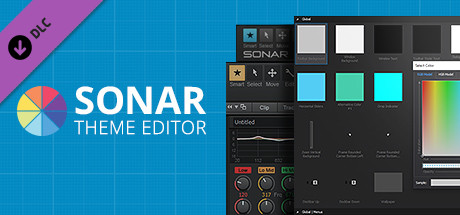
The SONAR Theme Editor allows users to modify and customize .png and .bmp images in SONAR's interface. Replace a background, modify a knob, change your metering or completely overhaul your favorite view. With the Theme Editor, you're only limited by your imagination.

Create your own look

Make SONAR your own with the Theme Editor, an integrated utility that gives you total control over your DAW’s look with any photo editing application. Create beautiful alterations of either the Tungsten and Mercury Themes or expand on our Theme Editor Toolkit of ready-to-use assets that ship with the app. Themes are compact and easy to load, so attaching your theme to an email and sending it to your friends is easy.

Browse Any View, Any Parameter

The Theme Browser organizes all of SONAR’s assets into a clean folder hierarchy for immediate access to all customizable parameters. Searching for a specific parameter or view is quick and easy.

Any Color At Your Fingertips

The Theme Editor encourages you to completely overhaul SONAR’s default color state. The built in RGB Color picker gives you access to the entire color spectrum, complete with hexadecimal color codes.

Customize Button States

Get complete access to all button states within SONAR and create your own color story on hover, click, and much more. Double-clicking an image opens your go-to photo editor for fast editing and immaculate file management.

Your Own ProChannel Design

Create your own analog look for every module in your mix. The Theme Editor for SONAR Platinum allows you to modify or replace the ProChannel Module backgrounds, knobs and button states.

Track Icon Compatibility

Easily replace any track icon of with your own design. Fly in pictures of your favorite guitar, your pets, your third party synth, or even a headshot. There’s nowhere you can’t take the look and feel of your DAW.

Customize Knob Positions

Using SONAR with default knobs is now your choice. The Theme Editor gives you control over every last knob position for SONAR, including pan, gain, sends, EQ, Compressors and much more.

Системні вимоги

    Мінімальні:
    • ОС *: Windows 7, 8, or 10 (32- or 64-bit)
    • Відеокарта: 1280x800 (1920 x 1080+ recommended)
    • Місце на диску: 50 MB доступного місця
    • Додаткові примітки: Note: An image editor that supports .bmp, .png, and transparency must be installed on your system to manipulate theme images.
    Рекомендовані:
    • Додаткові примітки: Note: MS Paint does not support transparencies.
* З 1 січня 2024 року клієнт Steam буде підтримувати лише Windows 10 чи новіші версії цієї ОС.
Немає жодної рецензії на цей продукт

Ви можете написати вашу власну рецензію на цей продукт, щоб поділитися вашим досвідом зі спільнотою. Скористуйтеся полем над кнопками придбання на цій сторінці, щоб написати вашу рецензію.