此内容需要在 Steam 上拥有基础应用程序 SONAR Steam Editions 才能畅玩。

发行日期:
2016 年 7 月 29 日
开发者:
发行商:
标签

想要将此项目添加至您的愿望单、关注它或标记为已忽略,请先登录

不支持简体中文

本产品尚未对您目前所在的地区语言提供支持。在购买请先行确认目前所支持的语言。

注意: 应发行商请求,SONAR Theme Editor 已在 Steam 商店下架,也无法被搜索到。

DLC

此内容需要在 Steam 上拥有基础应用程序 SONAR Steam Editions 才能畅玩。


Use Your Own Photo Editing Apps To Customize SONAR

The SONAR Theme Editor integrates with your image editor of choice. Your editor will need to support .BMP and .PNG formats, with the ability to handle transparencies. Some popular choices are:

  • Adobe Fireworks
  • Adobe PhotoShop
  • - FREE
  • GIMP - FREE
Note: Microsoft Paint does not support transparencies.

Included with SONAR Platinum!

The SONAR Theme Editor is included with SONAR Platinum. Users who own SONAR Steam Edition or SONAR Professional can choose to purchase it separately.

关于此内容

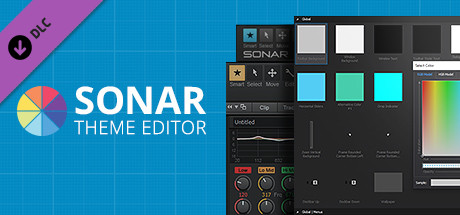
The SONAR Theme Editor allows users to modify and customize .png and .bmp images in SONAR's interface. Replace a background, modify a knob, change your metering or completely overhaul your favorite view. With the Theme Editor, you're only limited by your imagination.

Create your own look

Make SONAR your own with the Theme Editor, an integrated utility that gives you total control over your DAW’s look with any photo editing application. Create beautiful alterations of either the Tungsten and Mercury Themes or expand on our Theme Editor Toolkit of ready-to-use assets that ship with the app. Themes are compact and easy to load, so attaching your theme to an email and sending it to your friends is easy.

Browse Any View, Any Parameter

The Theme Browser organizes all of SONAR’s assets into a clean folder hierarchy for immediate access to all customizable parameters. Searching for a specific parameter or view is quick and easy.

Any Color At Your Fingertips

The Theme Editor encourages you to completely overhaul SONAR’s default color state. The built in RGB Color picker gives you access to the entire color spectrum, complete with hexadecimal color codes.

Customize Button States

Get complete access to all button states within SONAR and create your own color story on hover, click, and much more. Double-clicking an image opens your go-to photo editor for fast editing and immaculate file management.

Your Own ProChannel Design

Create your own analog look for every module in your mix. The Theme Editor for SONAR Platinum allows you to modify or replace the ProChannel Module backgrounds, knobs and button states.

Track Icon Compatibility

Easily replace any track icon of with your own design. Fly in pictures of your favorite guitar, your pets, your third party synth, or even a headshot. There’s nowhere you can’t take the look and feel of your DAW.

Customize Knob Positions

Using SONAR with default knobs is now your choice. The Theme Editor gives you control over every last knob position for SONAR, including pan, gain, sends, EQ, Compressors and much more.

系统需求

    最低配置:
    • 操作系统 *: Windows 7, 8, or 10 (32- or 64-bit)
    • 显卡: 1280x800 (1920 x 1080+ recommended)
    • 存储空间: 需要 50 MB 可用空间
    • 附注事项: Note: An image editor that supports .bmp, .png, and transparency must be installed on your system to manipulate theme images.
    推荐配置:
    • 附注事项: Note: MS Paint does not support transparencies.
* 2024 年 1 月 1 日(PT)起,Steam 客户端将仅支持 Windows 10 及更新版本。
此产品无任何评测

您可以为此产品撰写您自己的评测,与社区分享您的使用体验。在本页面购买按钮上方的区域撰写您的评测。