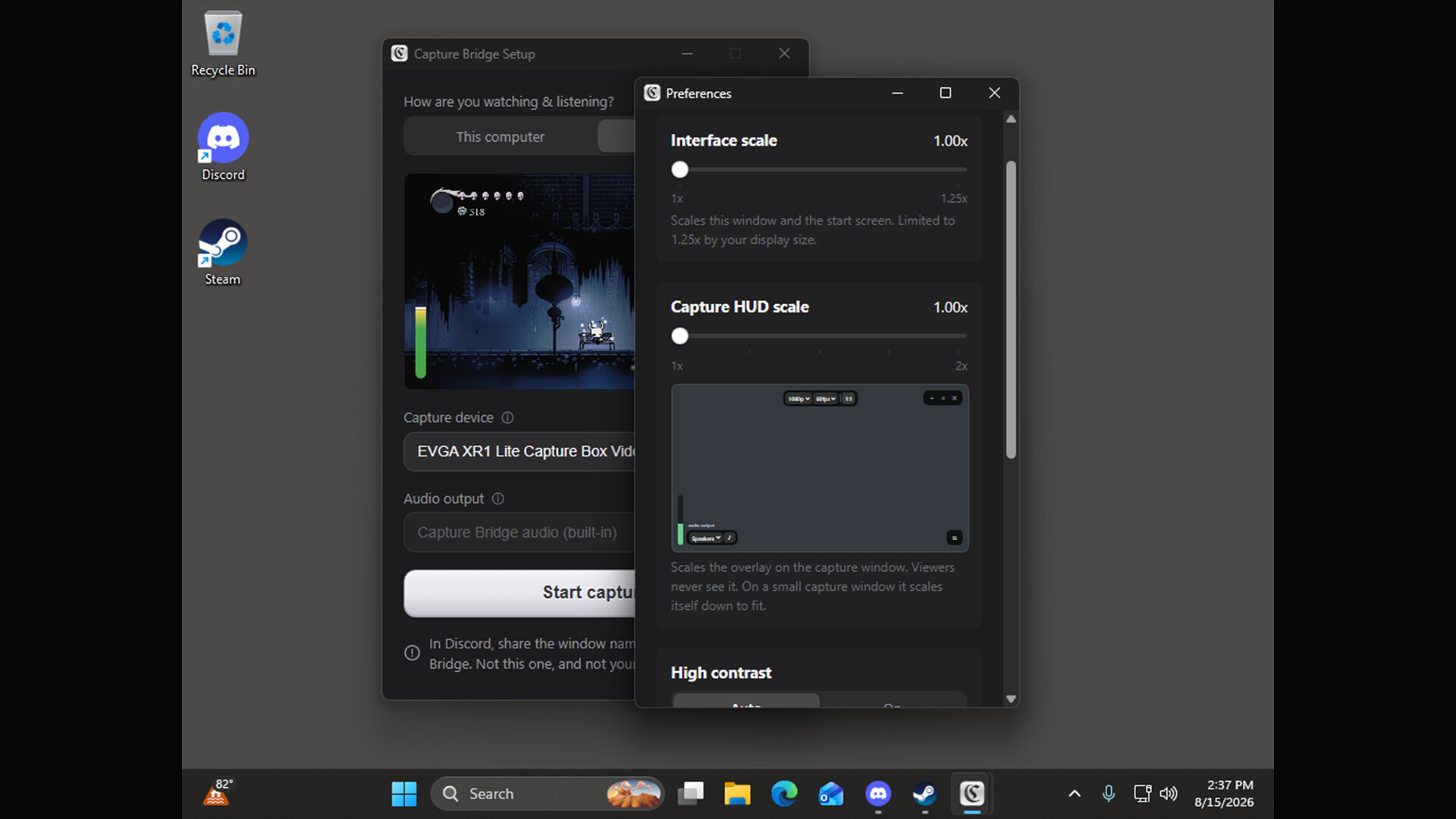
Capture Bridge gets a USB capture card into a minimal window for you to screen share, or just play in a low-latency window on your computer.
Release Date:
Sep 9, 2026
Developer:
Publisher:
Tags

Sign in to add this item to your wishlist, follow it, or mark it as ignored

This game is not yet available on Steam

Planned Release Date: Sep 9, 2026

This application will unlock in approximately 1 day and 12 hours

Interested?
Add to your wishlist and get notified when it becomes available.
 

About This Software

Capture Bridge puts your USB capture card in a minimal, low-latency window that you can screen-share or use to play directly on your computer.

Select your capture card, start the preview, and share the window. Capture Bridge handles the audio routing, avoiding the doubled or missing game audio common with manual capture setups.

In This computer mode, you hear the game through your computer while your viewers hear it too. In HDMI passthru mode, you listen through your TV or monitor while Capture Bridge keeps its local output silent and still sends the audio to your viewers.

WHY IT EXISTS

Sharing a console or capture card with friends is harder than it should be. The usual process involves OBS, a virtual audio cable, manual monitoring, and screen-sharing the OBS window. Even then, the audio can end up doubled or missing.

Capture Bridge replaces that setup with a couple of clicks.

FEATURES

• A direct path from your capture card to Discord, with clean audio

• A low-latency window for playing or watching without Discord

• Built-in audio routing with guided first-run setup

• Native and lightweight, with no scene graph or unnecessary complexity

• Live resolution and frame rate controls

• A capture-invisible overlay, so your controls never appear in the shared video

• Accessibility options including high contrast and interface scaling

• Windows and macOS support

On Windows, HDMI passthru mode uses the included VB-CABLE driver. On macOS, it uses the included Capture Bridge Audio driver.

System Requirements

Windows
macOS
    Minimum:
    • Requires a 64-bit processor and operating system
    • OS: Windows 10 (22H2), 64-bit
    • Processor: Any 64-bit x86 CPU from the last ~8 years
    • Memory: 4 GB RAM
    • Graphics: Any GPU with hardware video decode (Intel/AMD integrated or discrete)
    • DirectX: Version 11
    • Storage: 300 MB available space
    • Additional Notes: A USB capture card is required. The Microsoft WebView2 runtime is required (installed automatically). Windows 11 supported.
    Recommended:
    • Requires a 64-bit processor and operating system
    • OS: Windows 11, 64-bit
    • Processor: Modern quad-core x64 CPU
    • Memory: 8 GB RAM
    • Graphics: Discrete or recent integrated GPU
    • DirectX: Version 11
    • Storage: 300 MB available space
    • Additional Notes: A USB capture card is required.
    Minimum:
    • Requires an Apple processor
    • OS: macOS 13 Ventura
    • Processor: Apple Silicon (M1 or later)
    • Memory: 4 GB RAM
    • Graphics: Apple Silicon integrated GPU
    • Storage: 300 MB available space
    • Additional Notes: A USB capture card is required. Apple Silicon only.
    Recommended:
    • Requires an Apple processor
    • OS: macOS 14 Sonoma or later
    • Processor: Apple Silicon (M1 Pro or later)
    • Memory: 8 GB RAM
    • Graphics: Apple Silicon integrated GPU
    • Storage: 300 MB available space
    • Additional Notes: A USB capture card is required. Apple Silicon only.
Review Filters