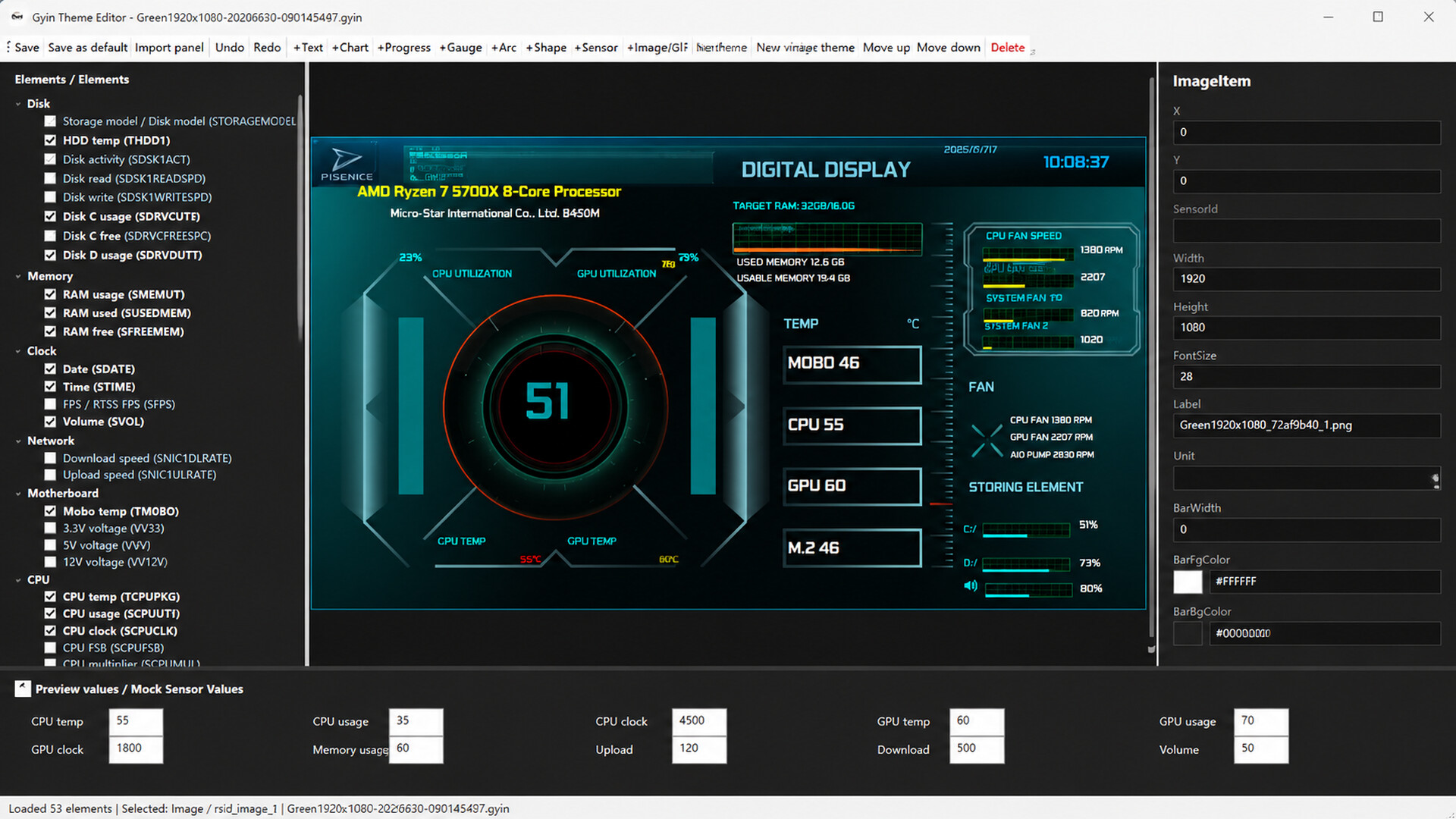
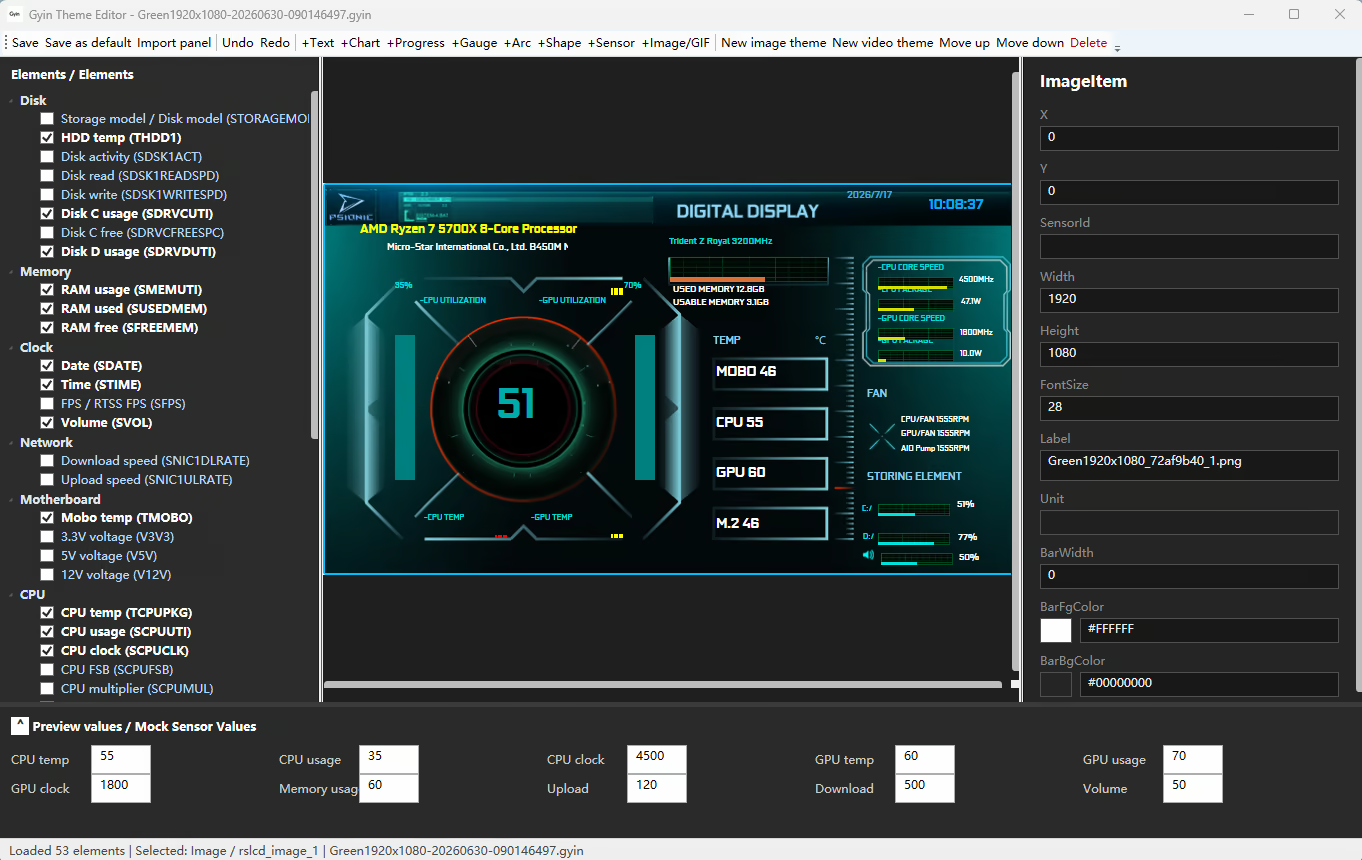
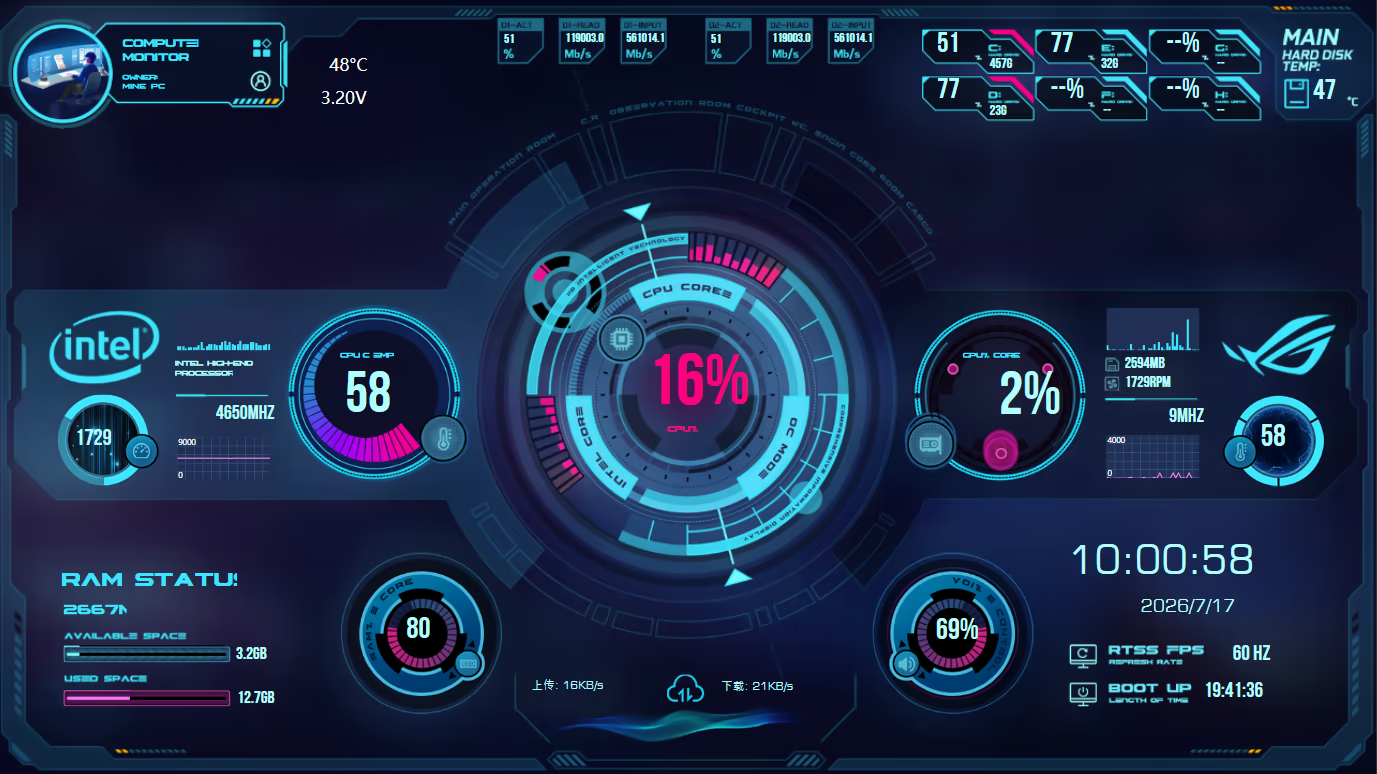
Transform your secondary screen into a smart PC dashboard. Gyin provides real-time hardware monitoring, customizable themes, and flexible layouts to display CPU, GPU, memory, temperatures, fan speeds, and network data. Create a personalized control center for your gaming and desktop setup.
Tarikh Keluaran:
Ogos 2026
Pembangun:
Penerbit:
Tag

Daftar masuk untuk menambah item ini ke senarai hajat anda, ikuti atau tandakannya sebagai diabaikan

Perisian Akses Awal

Libatkan diri dengan perisian ini seiring pembangunannya.

Nota: Perisian Akses Awal ini belum lengkap dan mungkin akan mengalami perubahan. Jika anda tidak tertarik untuk menggunakan perisian ini dalam versi semasanya, anda seharusnya menunggu untuk melihat jika ia akan terus dibangunkan. Ketahui lebih lanjut

Kata-kata daripada pembangun:

Kenapa Akses Awal?

“We are launching Gyin in Early Access to involve our community in the development process and gather valuable feedback from PC enthusiasts.

Gyin is designed for secondary display users, and we want to continuously improve the application based on real user experiences, hardware compatibility, feature requests, and customization ideas.

Early Access allows us to work closely with our users, refine existing features, optimize performance, and develop new functions that better meet the needs of the community.”

Berapa lama perisian ini dijangka akan berada dalam Akses Awal?

“We expect Gyin to remain in Early Access for approximately six months.

During this period, we will focus on improving application stability, expanding hardware compatibility, optimizing the user experience, adding more customization features, and collecting feedback from our community.

The exact timing may change depending on development progress and user feedback. We will move toward full release once Gyin reaches a stable and polished experience.”

Apakah perbezaan yang dirancang antara versi penuh dan versi Akses Awal?

“The full version of Gyin will continue to improve based on Early Access feedback.

Compared with the Early Access version, the full release is expected to include improved stability, wider hardware compatibility, additional themes, enhanced customization tools, better multi-display support, and further optimization of user experience.

We also plan to continue expanding Gyin with new features requested by the community.”

Bagaimanakah keadaan semasa versi Akses Awal?

“Gyin is already functional and provides the core experience of a secondary display hardware monitoring tool.

The Early Access version includes real-time hardware monitoring, customizable display themes, a visual theme editor, window lock, mouse protection, multi-display support, and startup management features.

During Early Access, we will continue improving stability, expanding hardware compatibility, optimizing performance, and refining the user experience based on community feedback.”

Adakah harga perisian ini berbeza semasa dan selepas Akses Awal?

“Yes. Gyin will be offered at a lower price during Early Access.

After the Early Access period ends, the price may increase as additional features, improvements, and refinements are added to the application.

Early Access users will receive access to future updates and improvements.”

Bagaimana anda merancang untuk melibatkan Komuniti dalam proses pembangunan anda?

“We want Gyin to be developed together with our community.

We will actively collect user feedback through Steam discussions, reviews, and community channels. User suggestions will help us improve existing features, optimize hardware compatibility, create new themes, and prioritize future development plans.

We encourage users to share their ideas, customization designs, and usage experiences to help shape the future of Gyin.”
Baca lagi
Bahasa Bahasa Melayu tidak disokong

Produk ini tidak menyokong bahasa tempatan anda. Sila semak senarai bahasa yang disokong di bawah sebelum membuat pembelian

Permainan ini belum tersedia di Steam lagi

Tarikh Keluaran Dirancang: Ogos 2026

Berminat?
Tambah ke senarai hajat anda dan terima pemberitahuan apabila permainan sudah tersedia.
 
Lihat semua perbincangan

Laporkan pepijat dan tinggalkan maklum balas untuk perisian ini di papan perbincangan

Tentang Perisian Ini

Gyin is a real-time hardware monitoring and customizable display application designed specifically for secondary PC screens. Transform your secondary display into a smart PC dashboard that shows essential system information, including CPU, GPU, memory, storage, temperatures, fan speeds, and network activity. With customizable themes, flexible layouts, and multi-display management features, Gyin brings more functionality and a unique visual experience to your desktop setup.

Whether you want to monitor your hardware performance while gaming or create a personalized PC setup, Gyin helps you make the most of every screen. Turn your secondary display from an extra monitor into an intelligent control center for your computer.

Features

Real-Time Hardware Monitoring

Display essential system information directly on your secondary screen, including CPU, GPU, memory, storage, temperatures, fan speeds, and upload/download speeds. Monitor your PC performance without leaving your game or switching between windows.

Smart Display Interface Designed for Secondary Screens

Gyin automatically adapts the interface to different screen sizes, resolutions, and aspect ratios. Support horizontal, vertical, and ultrawide secondary displays to deliver an optimized viewing experience across various setups.

Multiple Visual Themes

Choose from a variety of visual styles, including futuristic HUD designs, cyberpunk interfaces, and clean data-focused layouts. Customize your secondary display to match your personal desktop setup and style.

Custom Theme Editor

Use the visual editor to freely adjust the position, size, and layout of display elements. Upload your own images or videos and create a completely personalized secondary screen experience.

Personalized Hardware Data Display

Choose and arrange different data modules, including CPU, GPU, memory, storage, and network information. Design your own monitoring interface based on your needs and preferences.

Window Lock

Keep the Gyin display fixed in your selected area and prevent accidental window movement in multi-monitor environments, ensuring your hardware dashboard stays exactly where you want it.

Mouse Protection

Reduce accidental mouse movement and unwanted interactions between multiple displays, helping maintain a smooth gaming and working experience.

Multi-Display Optimization

Designed for multi-monitor setups, allowing your main display to handle gaming or productivity while your secondary screen focuses on real-time system monitoring.

Startup Manager

Manage applications that launch with Windows. Easily add, remove, and organize startup programs to control which applications run automatically when your PC starts.

Keperluan Sistem

    Minimum:
    • OS: Windows 10
    • Pemproses: Intel i3 / Ryzen3
    • Memori: 2048 MB RAM
    • Grafik: GTX 650 / DX11
    • DirectX: Versi 11
    • Storan: 1 GB ruang tersedia
    Dicadangkan:
    • OS: Windows 10/11
    • Pemproses: Intel i5 / Ryzen5
    • Memori: 4096 MB RAM
    • Grafik: GTX1050/RX560
    • DirectX: Versi 11
    • Storan: 1 GB ruang tersedia
Tiada ulasan untuk produk ini

Anda boleh menulis ulasan anda untuk produk ini untuk berkongsi pengalaman anda dengan komuniti. Untuk menulis ulasan anda, gunakan kawasan di atas butang pembelian pada halaman ini.

Penapis Ulasan