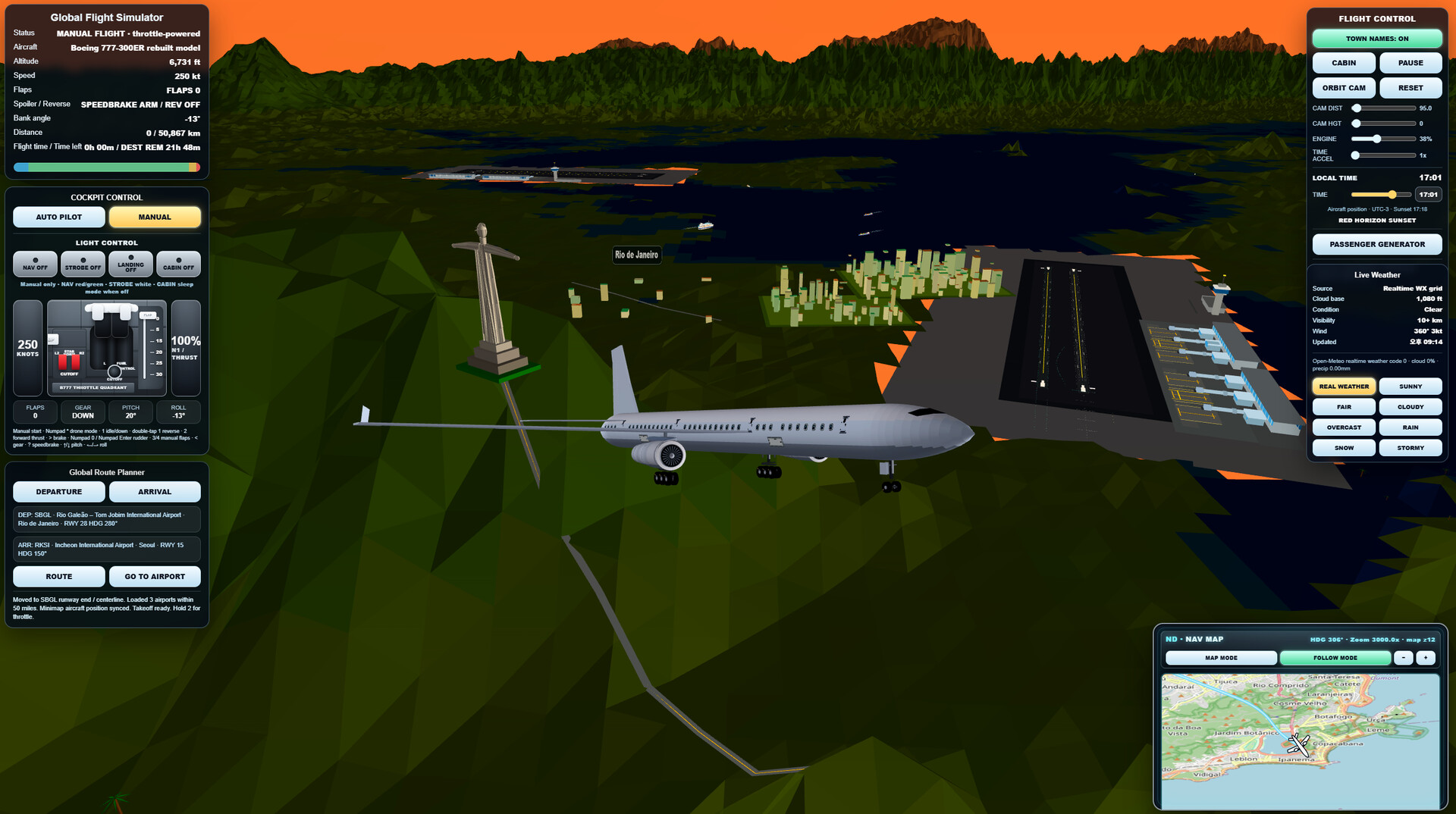
Take off from airports around the world and explore a retro-styled open world from the cockpit of a passenger jet. Plan routes, use autopilot, fly through changing environments, and land at global destinations in a lightweight single-player flight simulation.

Sign in to add this item to your wishlist, follow it, or mark it as ignored

This game is not yet available on Steam

Planned Release Date: Aug 3, 2026

This game plans to unlock in approximately 12 days

Interested?
Add to your wishlist and get notified when it becomes available.
 

About This Game

Explore the World from the Sky!

Retro Flight Simulator 2026 is a lightweight single-player flight simulation that lets you take off from airports around the world and travel across a large, retro-styled 3D world.

Choose your departure and destination airports, generate a flight route, and fly a passenger jet through takeoff, climb, cruise, descent, approach, and landing.

Plan and Fly Your Route

Use the built-in route planner and autopilot to travel between global destinations, or take manual control of the aircraft at any time. Long-distance routes are designed to guide the aircraft through each stage of flight.

Discover Global Locations

Fly over terrain, cities, coastlines, mountains, and recognizable landmarks inspired by real-world locations. Visit destinations across North America, Europe, Asia, and other regions of the world.

Key Features

-Single-player passenger jet flight simulation

-Airports and destinations around the world

-Automatic route generation

-Takeoff, climb, cruise, descent, approach, and landing stages

-Autopilot and manual flight controls

-3D terrain, cities, roads, water, and landmarks

-Day, night, sunrise, and sunset environments

-Cockpit, passenger, and external camera views

-Aircraft lights, landing gear, flaps, spoilers, and reverse thrust

-Save and load your flight progress

-Retro-inspired visuals designed for accessible performance

Retro Flight Simulator 2026 focuses on accessible world exploration and enjoyable long-distance flying rather than highly complex professional aircraft procedures.

Flight Controls

  • ESC – Pause Menu / Resume Game

  • 1 – Throttle Down

  • Double Tap 1 – Reverse Thrust

  • 2 – Throttle Up

  • ↑ / ↓ – Pitch Up / Down

  • ← / → – Roll Left / Right

  • Numpad 0 – Rudder Left

  • Numpad Enter – Rudder Right

  • 3 – Extend Flaps

  • 4 – Retract Flaps

  • < (Comma) – Toggle Landing Gear

  • > (Period) – Wheel Brakes

  • ? (Slash) – Speed Brake

Drone Camera

  • Numpad * – Toggle Drone Camera

  • Numpad 8 / 2 – Move Forward / Backward

  • Numpad 4 / 6 – Move Left / Right

  • Numpad 7 / 9 – Rotate Left / Right

  • Numpad 1 / 3 – Look Up / Down

  • Enter – Move Up

  • Shift – Move Down

  • Numpad + / - – Increase / Decrease Drone Speed

Passenger Mode

  • W A S D – Walk Around the Cabin

  • E – Sit Down / Interact

AI Generated Content Disclosure

The developers describe how their game uses AI Generated Content like this:

Some pre-rendered artwork and visual assets used in Retro Flight Simulator 2026 were created with the assistance of generative AI and then reviewed and edited by the developer before being included in the game. The game does not use AI-generated content during gameplay and does not rely on external AI services.

System Requirements

    Minimum:
    • Requires a 64-bit processor and operating system
    • OS: Windows 10 64-bit
    • Processor: Intel Core i3-4000 series or equivalent
    • Memory: 4096 MB RAM
    • Graphics: Intel HD Graphics 4000 or equivalent
    • DirectX: Version 11
    • Storage: 1000 MB available space
    • Sound Card: DirectX compatible sound card
    • Additional Notes: 64-bit processor and operating system required. Keyboard and mouse recommended.
    Recommended:
    • Requires a 64-bit processor and operating system
    • OS: Windows 10 or Windows 11 64-bit
    • Processor: Intel Core i5-6000 series or AMD Ryzen 3 equivalent
    • Memory: 8192 MB RAM
    • Graphics: Intel Iris Xe, NVIDIA GeForce GTX 750 Ti, or equivalent
    • DirectX: Version 11
    • Storage: 1500 MB available space
    • Sound Card: DirectX compatible sound card
    • Additional Notes: SSD and dedicated graphics recommended for smoother performance
There are no reviews for this product

You can write your own review for this product to share your experience with the community. Use the area above the purchase buttons on this page to write your review.

Review Filters