Operate your PC in VR with only your head. Built for people who can't use controllers, but useful to those who can! Go hands free in more casual experiences. Gaze-and-dwell cursor, radial menu, on-screen keyboard, for the SteamVR dashboard and your Windows desktop.
วันวางจำหน่าย:
เตรียมวางจำหน่าย
ผู้พัฒนา:
ผู้จัดจำหน่าย:
แท็ก

เข้าสู่ระบบ เพื่อเพิ่มผลิตภัณฑ์นี้ลงในสิ่งที่อยากได้ของคุณ ติดตาม หรือทำเครื่องหมายเป็นถูกละเว้น

ไม่รองรับภาษาไทย

ผลิตภัณฑ์นี้ไม่รองรับภาษาท้องถิ่นของคุณ โปรดตรวจสอบรายชื่อภาษาที่รองรับก่อนทำการสั่งซื้อ

เกมนี้ยังไม่พร้อมใช้งานบน Steam

เตรียมวางจำหน่าย

น่าสนใจ?
เพิ่มในสิ่งที่คุณอยากได้ และรับการแจ้งเตือนเมื่อผลิตภัณฑ์พร้อมใช้งาน
 

เกี่ยวกับซอฟต์แวร์นี้

Your head is the controller.

TimoS lets someone who can move only their head operate a VR headset, the SteamVR dashboard, and the Windows desktop behind it. No hand controllers, no buttons, no touch. It was built for Timo who needed exactly that.

The one idea: look and hold

Wherever you look, the cursor follows. Hold your gaze on a target for about half a second (customizable), and it activates. Glance away and nothing fires, so looking around never clicks by accident. Every feature in TimoS works this way.

What's in the box today

  • Place-then-Click targeting - lock a green target onto the exact spot you want, then fire the click steadily. If you don't quite place it where you want, you can nudge the cursor into place.

  • The full mouse - left, right, middle, double-click, drag & drop, and scrolling, on the Windows desktop view. In SteamVR a left click doubles as a trigger pulse to interact with the SteamVR UI.

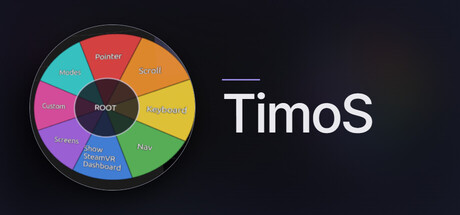
  • A radial menu that's always within reach - anchored where you want, recoverable by a head pose.

  • Full on-screen keyboard - complete with F-keys, numpad, US English layout.

  • Spoken feedback (optional) - a narrator confirms actions out loud; on-screen captions show what the voice said.

Who this is for

People who benefit most: those with spinal cord injuries, ALS/MND, muscular dystrophy, cerebral palsy, limb difference... anyone whose head is their most reliable pointer.

What you need

A Windows PC with SteamVR and a headset that can use SteamVR (developed and tested on the Valve Index). Also tested with Quest 2 and Quest 3. No controllers required.

Support that cares

If you know something that can improve the way TimoS works. Talk to me! I'm ready for any and all feedback that comes my way. It's my goal to make the emerging technologies include everyone. Starting with VR via SteamVR.

ความต้องการระบบ

    ขั้นต่ำ:
    • ระบบปฏิบัติการ: Windows 10 64-bit
    • โปรเซสเซอร์: Intel i5-4590 / AMD Ryzen 5 1500X
    • หน่วยความจำ: แรม 8 GB
    • กราฟิกส์: VR-ready, Vulkan-capable (NVIDIA GTX 1060 / AMD RX 480)
    • พื้นที่จัดเก็บข้อมูล: พื้นที่ว่างที่พร้อมใช้งาน 2 GB
    • การรองรับ VR: SteamVR + a PC VR headset. Developed and tested on Valve Index
    • หมายเหตุเพิ่มเติม: Any headset that can be connected to SteamVR will do. WiFi may and likely will provide a poor experience, also tested tethered Quest 2 via USB-C and Horizon app showed acceptable performance for simple desktop interaction. Gaming experiences may vary. No controllers required, TimoS is designed to be operated entirely by head movement. Nothing is recorded or transmitted; TimoS makes no network connections.
    แนะนำ:
    • ระบบปฏิบัติการ: Windows 11 64-bit
    • โปรเซสเซอร์: Quad-core i7 / Ryzen 5 or better
    • หน่วยความจำ: แรม 16 GB
    • กราฟิกส์: NVIDIA RTX 2060 / AMD RX 5700 or better
    • พื้นที่จัดเก็บข้อมูล: พื้นที่ว่างที่พร้อมใช้งาน 2 GB
    • การรองรับ VR: Primarily tested with Valve Index
    • หมายเหตุเพิ่มเติม: Any headset that can be connected to SteamVR will do. WiFi may and likely will provide a poor experience, also tested tethered Quest 2 via USB-C and Horizon app showed acceptable performance for simple desktop interaction. Gaming experiences may vary.
ตัวกรองบทวิจารณ์