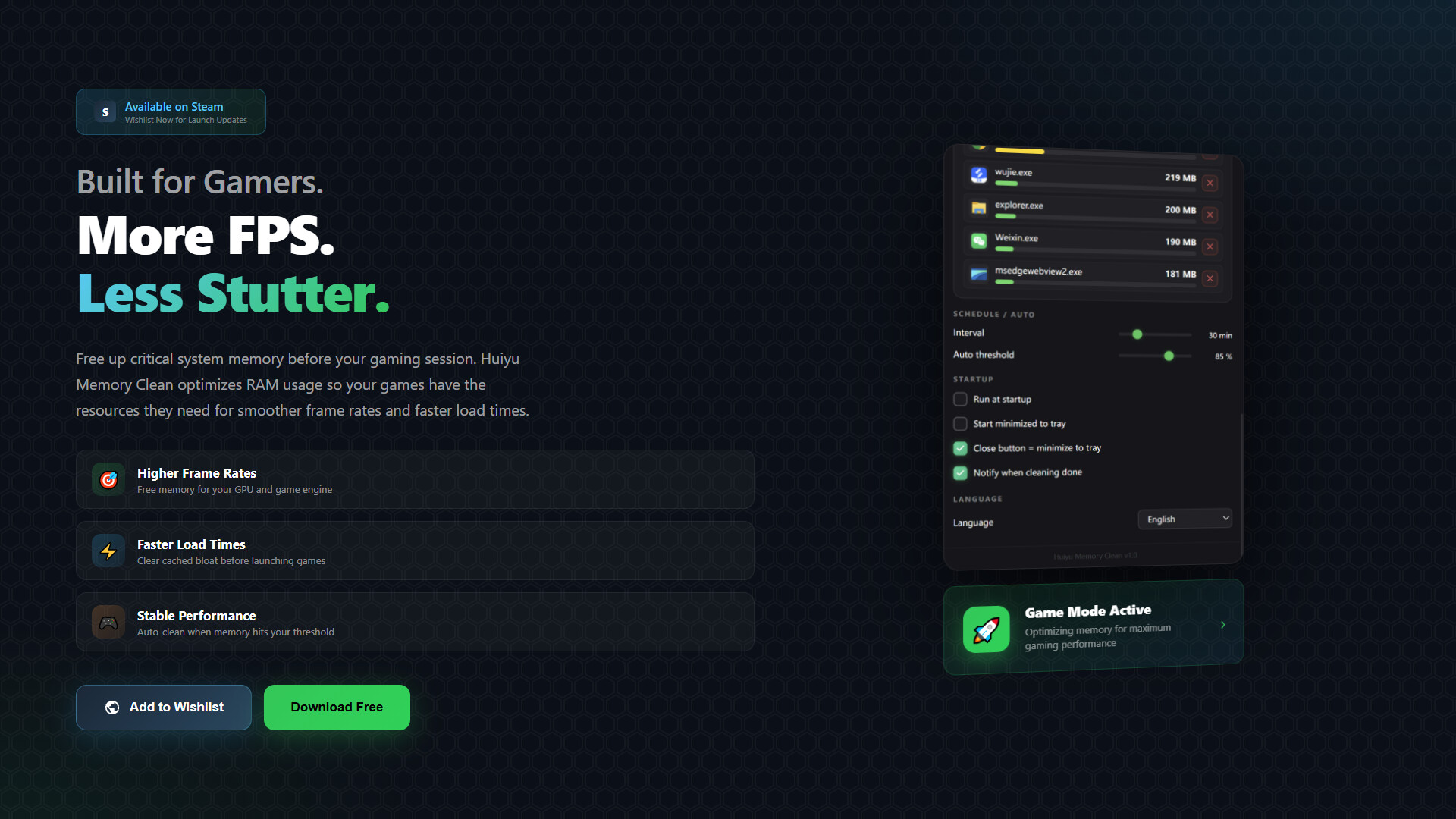
One-click memory freeing minimalist Windows memory cleaner. Extremely low resource usage, fully offline. 🚀 Installer 3–8MB — an order of magnitude smaller than similar tools. 🔌 Pure native APIs — no runtime dependencies, ready to launch.
Release Date:
Coming soon
Developer:
Publisher:

Sign in to add this item to your wishlist, follow it, or mark it as ignored

This game is not yet available on Steam

Coming soon

Interested?
Add to your wishlist and get notified when it becomes available.
 

About This Software

═══════════════════════════════════════

Huiyu Memory Clean

Huiyu Memory Clean

═══════════════════════════════════════

A minimalist Windows cleaning tool that resides in the system tray and frees memory with one click.

She's not another "speed-up miracle"—she honestly calls Windows native APIs to return the physical memory that's been eaten up. She lives in your tray, always on standby.

⚡ Core Features

🧠 Smart Memory Monitoring

The ring gauge shows real-time usage percentage, color changes with load (green/yellow/red), used/available/total at a glance.

📊 Real-time refresh —— updates data every 1~2 seconds

🎨 Status color change —— turns yellow above 70%, red above 85%

📈 Process ranking —— Top 8 memory hogs at a glance

🖼️ Real icons —— lazy-load process EXE icons for more intuitive recognition

🧹 Eight Cleanup Items (Graded by Risk)

All based on Windows native APIs, referencing mature solutions like WinMemoryCleaner (4.4k stars).

🟢 Process Working Set —— K32EmptyWorkingSet releases inactive pages of processes (Safe)

🟢 Standby List (Low Priority) —— mildest cache clearing (Safe)

🟡 Standby List (All) —— clears all system cache pages, frees the most (Moderate)

🟡 Modified Page List —— clears modified but not yet written memory pages (Moderate)

🟡 System File Cache —— requires admin rights (Moderate)

🟠 Registry Cache —— triggers hive reload (Caution)

🟠 Modified File Cache —— triggers system idle task (Caution)

🟠 Combined Page List —— clears duplicate memory pages Win8+ (Caution)

Automatically elevates privileges before cleanup (SE_INCREASE_QUOTA / SE_PROF_SINGLE_PROCESS); items that require admin will be skipped gracefully if not available.

⏱ Scheduled & Automatic Cleanup

Leave the tedious work to her, focus on your tasks.

⏰ Scheduled cleanup —— automatically cleans every 5~120 minutes (adjustable)

🤖 Threshold-triggered cleanup —— auto-triggers when usage exceeds 60%~95% (adjustable slider)

🛡️ Process whitelist —— add games/recording software to avoid false clears

📝 Log feedback —— toast notification on scheduled cleanup completion, with source label

🖥 Minimalist Desktop Companion Experience

One window, one big button, complex settings tucked away in a drawer.

⚡ Central big round button —— one click to clean, with pulse animation and spinning loading

📊 Ring progress bar —— real-time feedback on how many MB/GB freed

📌 Simple window —— 380×560 card window, draggable, no system title bar

🎮 Close = minimize to tray —— close button doesn't exit, stays in background

🌙 Dark theme —— immersive eye-friendly experience

🌐 All Languages · Auto‑detection

Auto-switches based on system language, supports manual override.

简体中文 · 繁體中文 · English · 日本語 · 한국어 · Français · Deutsch · Español · Português · Italiano · Русский · العربية · हिन्दी · ไทย · Tiếng Việt · Bahasa Indonesia · Türkçe...

💾 Extremely Low Resource Usage · Fully Offline

Chooses Tauri over Electron, because she can't be the "bad example" of memory cleaners herself.

🚀 Installer 3~8MB —— an order of magnitude smaller than similar tools

🪶 Idle memory <60MB —— the core reason for choosing Tauri over Electron

🔌 Pure native APIs —— no runtime dependencies, ready to launch

🛡️ Privacy & security —— all configs stored locally, no network, no upload

🛡️ Privacy Promise

💾 All data stored only in local config (%APPDATA%HuiyuCleanMemoryconfig.json)

🔐 No collection of any user behavior data

🚫 No upload of any telemetry or logs to the cloud

🛡️ Optional Steam integration —— only opens the store page when you click "Add to Wishlist"

🛠 Advanced Settings Drawer

Complex features are hidden here, enable as needed:

🎯 Cleanup strategy —— customize which items to clean (persisted)

⏱ Schedule interval slider —— freely adjust 5~120 minutes

📊 Auto-threshold slider —— 60%~95% trigger line

🚀 Auto-start with Windows —— implemented via registry HKCU...Run

🪟 Start minimized to tray

🔔 Toast notification on cleanup completion

⚔️ Force kill process —— one-click to end stubborn processes from ranking

📋 Disclaimer modal —— forced to read and agree on first launch

This software is built on Windows native APIs (kernel32 / psapi / ntdll / advapi32) for memory cleanup and system monitoring. All data is stored locally and no user information is collected. Full license texts are included in the installation directory.

━━━━━━━━━━━━━━━━━━━━━━━━━━━━━━

Huiyu Memory Clean

Memory Clean Architecture Overview

━━━━━━━━━━━━━━━━━━━━━━━━━━━━━━

▼ 01|User Interaction Layer

Card Window · Tray Icon · Process Ranking · Disclaimer Modal · Language Switcher

▼ 02|UI Core Layer

Ring Gauge · Central Clean Button · Pulse Animation · Toggle Switches · Toast Notifications

▼ 03|Cleanup Engine Layer

Cleanup Item Registry · Risk Grading · Process Working Set · Standby List · File Cache · Modified Page List · Combined Page List · Privilege Elevation

▼ 04|Memory Monitor Layer

GlobalMemoryStatusEx · Top Process Ranking · Process Icons (Lazy Load) · Real-time Polling · Gauge Color State Machine

▼ 05|Scheduler Layer

Timer Thread (10s tick) · Auto-threshold Trigger · Manual Override · Whitelist Filter · Clean Result Callback

▼ 06|Config Persistence Layer

config.json (JSON) · %APPDATA%HuiyuCleanMemory · Startup Behavior · Cleanup Strategy · Schedule Parameters · Stats Accumulator

▼ 07|System Integration Layer

Tauri 2 Shell Plugin · System Tray · Auto-start Registry · Process Termination · Steam Store Hook · Locale Detection

▼ 08|Runtime Layer

Windows Native APIs (kernel32 / psapi / ntdll) · RtlAdjustPrivilege · NtSetSystemInformation · K32EmptyWorkingSet · OpenProcess

▼ 09|Internationalization (i18n) Layer

17-language Dictionary · System Locale Auto-detect · Manual Switch · Live Re-render · State Sync

▼ 10|Private Local Data Layer

Clean Stats · Config Persistence · Disclaimer Agreement · Theme/Language Preference · Local-first Storage · No Telemetry

━━━━━━━━━━━━━━━━━━━━━━━━━━━━━━

═══════════════════════════════════════

She doesn't speed up your computer.

She just gives back the memory that's been eaten up.

═══════════════════════════════════════

System Requirements

    Minimum:
    • Requires a 64-bit processor and operating system
    • OS: Windows 10 64-bit
    • Processor: 2.0 GHz Dual-Core Processor
    • Memory: 4 GB RAM
    • Graphics: DirectX 11 compatible GPU
    • DirectX: Version 11
    • Storage: 2 GB available space
    • Sound Card: Any
    • Additional Notes: Local AI model requires approximately 1.5 GB of storage space. WebView2 Runtime will be installed automatically if not present.
    Recommended:
    • Requires a 64-bit processor and operating system
    • OS: Windows 11 64-bit
    • Processor: 2.5 GHz Quad-Core Processor
    • Memory: 8 GB RAM
    • Graphics: DirectX 12 compatible GPU
    • DirectX: Version 12
    • Storage: 4 GB available space
    • Sound Card: Any
    • Additional Notes: Cloud API usage does not require high-end hardware. 8 GB or more system RAM (RAM) is recommended for the best local model experience.
There are no reviews for this product

You can write your own review for this product to share your experience with the community. Use the area above the purchase buttons on this page to write your review.

Review Filters