An accessibility tool for deaf and hard-of-hearing VR users. Someone nearby holds push-to-talk and speaks — their words appear as real-time captions inside your headset, so you can follow a conversation without taking VR off. Runs fully offline and private.
Release Date:
Coming soon
Developer:
Publisher:
Tags

Sign in to add this item to your wishlist, follow it, or mark it as ignored

This game is not yet available on Steam

Coming soon

Interested?
Add to your wishlist and get notified when it becomes available.
 

About This Software

Stay in VR — and still hear what the person next to you is saying.

If you're deaf or hard of hearing, being in a headset can cut you off from the people right there in the room. Someone wants to tell you something, and suddenly you're pulling the headset off just to catch a sentence. CueVR fixes that.

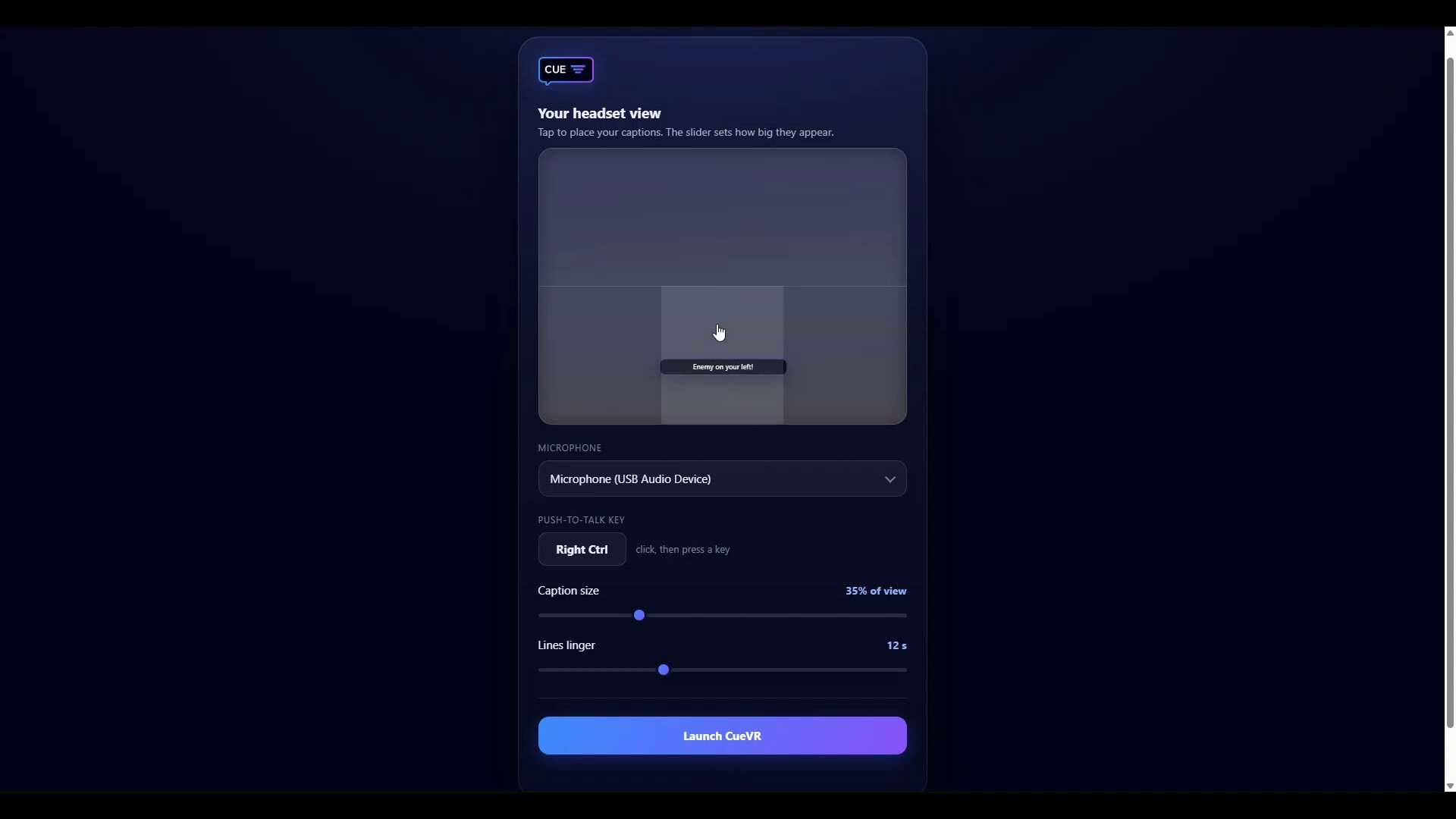
A person beside you holds a push-to-talk key and speaks into your PC's microphone. CueVR transcribes their speech on-device and shows it as clean captions floating in your field of view, in real time — so a family member, friend, or helper can talk to you and you simply read it, without ever leaving the experience.

What CueVR does
CueVR captions a single microphone on your PC, one speaker at a time, controlled by push-to-talk. It's built for in-person, same-room communication — a direct line from the person next to you into your headset. (It is not an in-game voice-chat transcriber and does not caption other players' voices.)

Built for accessibility, on purpose
CueVR began as a tool for one deaf player who didn't want VR to mean missing what the people around them said. Every part of it is shaped around being readable and usable from inside a headset.

  • Captions where you're looking — anchored in your view, not trapped in a desktop window you can't see with VR on.

  • Read at your own pace — adjustable linger controls how long each line stays before it fades.

  • Placed your way — six caption positions and adjustable text size, so they sit where they're easiest for you to read.

  • Controlled, not constant — push-to-talk means captions appear only when someone's actually speaking to you.

  • Private by default — transcription runs entirely on your own PC with a local speech model. No cloud, no account, no audio ever leaves your machine.

  • Works over anything — runs as a SteamVR overlay on top of whatever game or app you're in.

Who it's for
Deaf and hard-of-hearing VR users who want to stay immersed and stay connected to the people physically around them — and anyone who wants a private, offline way to read what's being said to them in the headset.

AI Generated Content Disclosure

The developers describe how their game uses AI Generated Content like this:

Portions of this game's store page text were created with the assistance of generative AI tools and then edited by the developer. CueVR itself does not use generative AI: its captions are produced entirely by on-device speech-to-text transcription of a live microphone, with no content generation and no external AI services.

System Requirements

    Minimum:
    • OS: Windows 10 64-bit (version 1803 or newer) or Windows 11
    • Processor: Quad-core CPU — Intel Core i5 or AMD Ryzen 5 (or comparable).
    • Memory: 8 GB RAM
    • Graphics: Any SteamVR-capable GPU - Intel Arc GPUs require Virtual Desktop for VR (SteamVR's direct path is unreliable on Arc).
    • Storage: 500 MB available space
    • VR Support: SteamVR required. A PCVR headset via Link, Air Link, Virtual Desktop, or wired.
There are no reviews for this product

You can write your own review for this product to share your experience with the community. Use the area above the purchase buttons on this page to write your review.

Review Filters